
The article outlines the setup process for a Cypress pipeline in a Quality Assurance project, including steps to push updated files to a new branch, enabling Gitlab CI/CD, adding secure variables for credentials, scheduling runs, and creating new pipelines.
Below is the event sequence:
-
Push the cypress folder and the other updated config files cypress.config.js, package.json and .gitlab-ci.yml into the new Branch created in a git repo
-
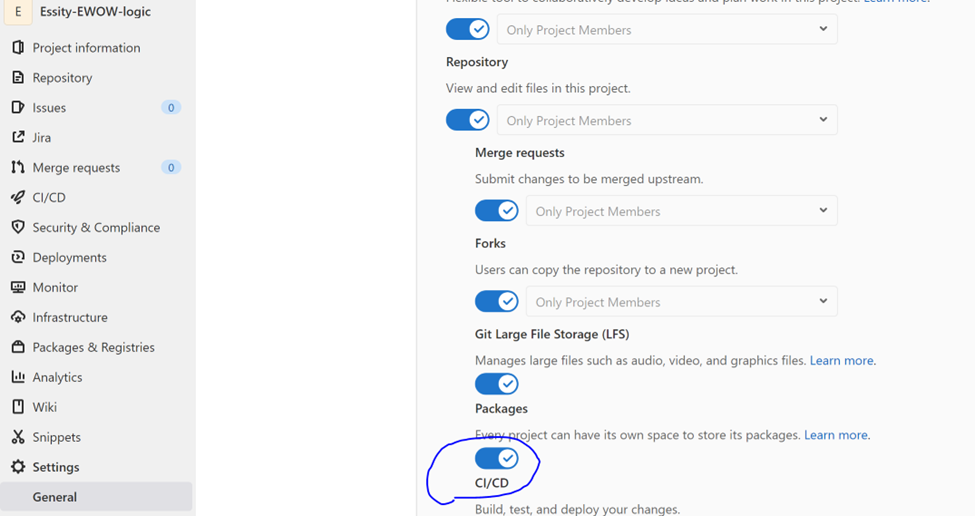
Make sure Gitlab CI/CD pipeline is enabled in your project.
-
On the top bar, select Menu > Projects and find your project.
-
On the left sidebar, select Settings > General.
-
Expand Visibility, project features, permissions.
-
In the Repository section, turn on or off CI/CD as required.
-
-
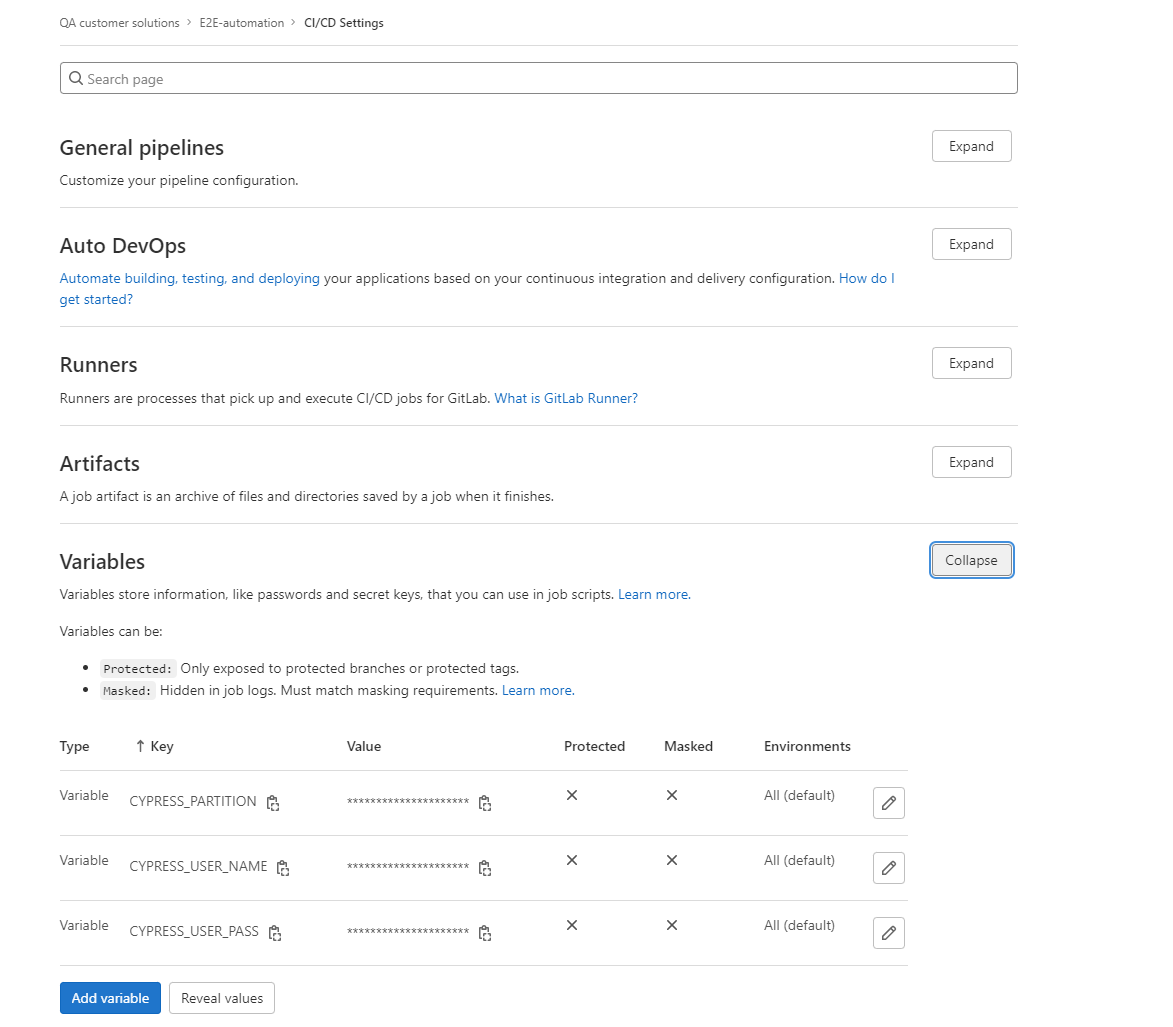
Add new variables to hold username, password and partition details. As its not secure to store the credentials in the code and connect these variables in gitlab to testUserUtils file
-
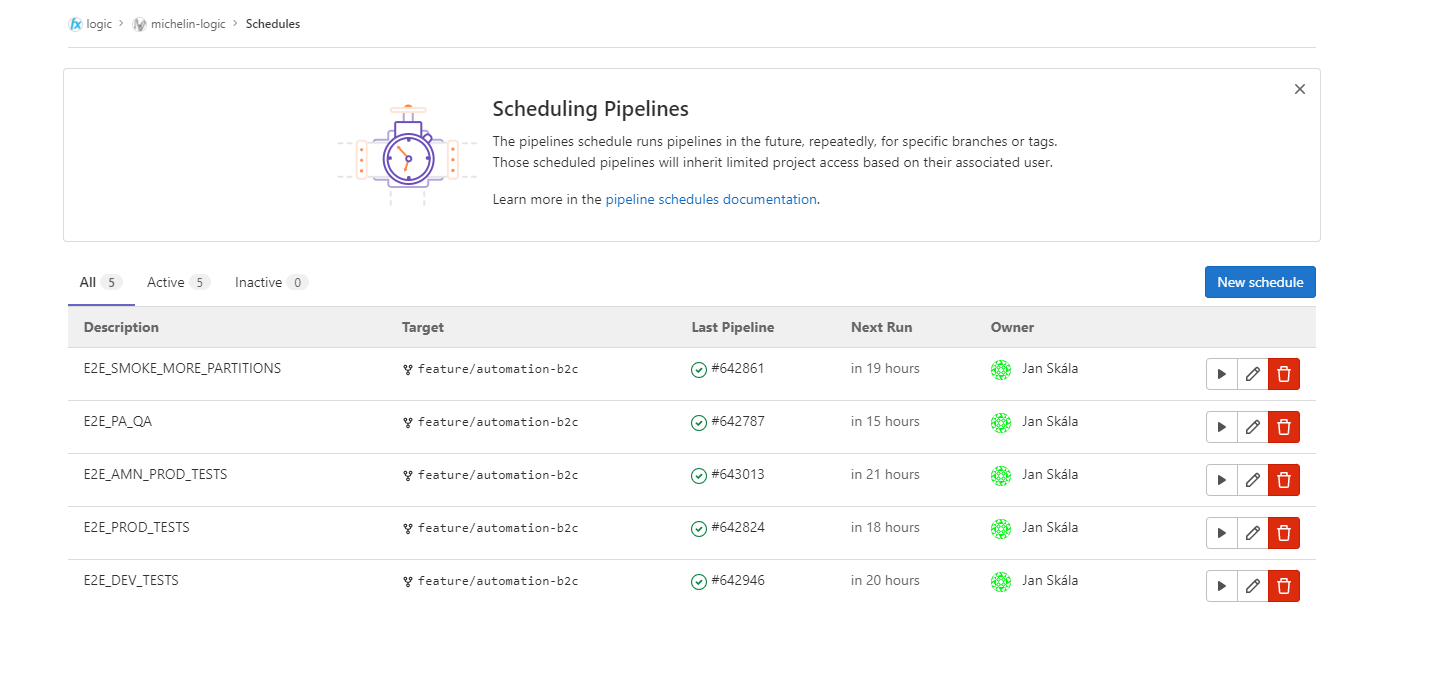
Schedule your run
-
in GitLab go to CI/CD → Schedules
-
-
Create a new pipeline and you can ‘Run pipeline’ whenever needed. Or a job could be scheduled to run your tests at regular intervals.