
Useful Information
-
If you have not yet gone through Pricefx Training Registration information, it’s a great time to review it here.
-
Students receive access to the SANA LMS system, which hosts the course content, and to training partitions for practice. Training partition assignments occur within 24 hours of granting SANA access.
For the best student experience, use Opera, Google Chrome or Safari when using SANA.
The rules for student enrollment in the SANA LMS system may vary based on the training/certification requirements. Please read and acknowledge the following information carefully.
Whitelist SANA LMS
To ensure full participation in self-study programs and live Q&A sessions, it is crucial to have SANA whitelisted by your organization's network.
This action is necessary to prevent any interruptions or accessibility issues that might arise due to your firewall settings. Reach out to your IT department as soon as possible to confirm that SANA Labs is approved for use on your network. More information can be found here.
Students will be enrolled in the program based on the request sent to CustomerTrainingDL@pricefx.com; however, if SANA is not properly whitelisted, they will be unable to complete the training or join the live Q&A sessions. Billing will still apply, as non-completion resulting from failure to whitelist SANA is considered an avoidable access issue and does not exempt students from program fees.
Check out the Terms of Use.
Login
-
For Internal Pricefx Students - You will have SSO access to SANA; in case you are unable to login, raise a ticket in Helpdesk.
→ Don’t know how to request access? Learn how to raise a ticket with Pricefx.
-
For Partner and Customer Students - You will get access to SANA LMS system as follows:
-
For all public on-demand self-paced trainings students will get an access to SANA content on the following Monday.
-
For the Project Configuration Engineer Program (PCE), your SANA access will be activated the following Monday.
⚠️ Access for the PCE program is activated only once you passed the interview stage.
Registration
Training Team will add a student user to SANA based on requests sent through intake form or to CustomerTrainingDL@pricefx.com.
Students will receive email invitations from SANA@SANAlabs.com and must complete their registration.
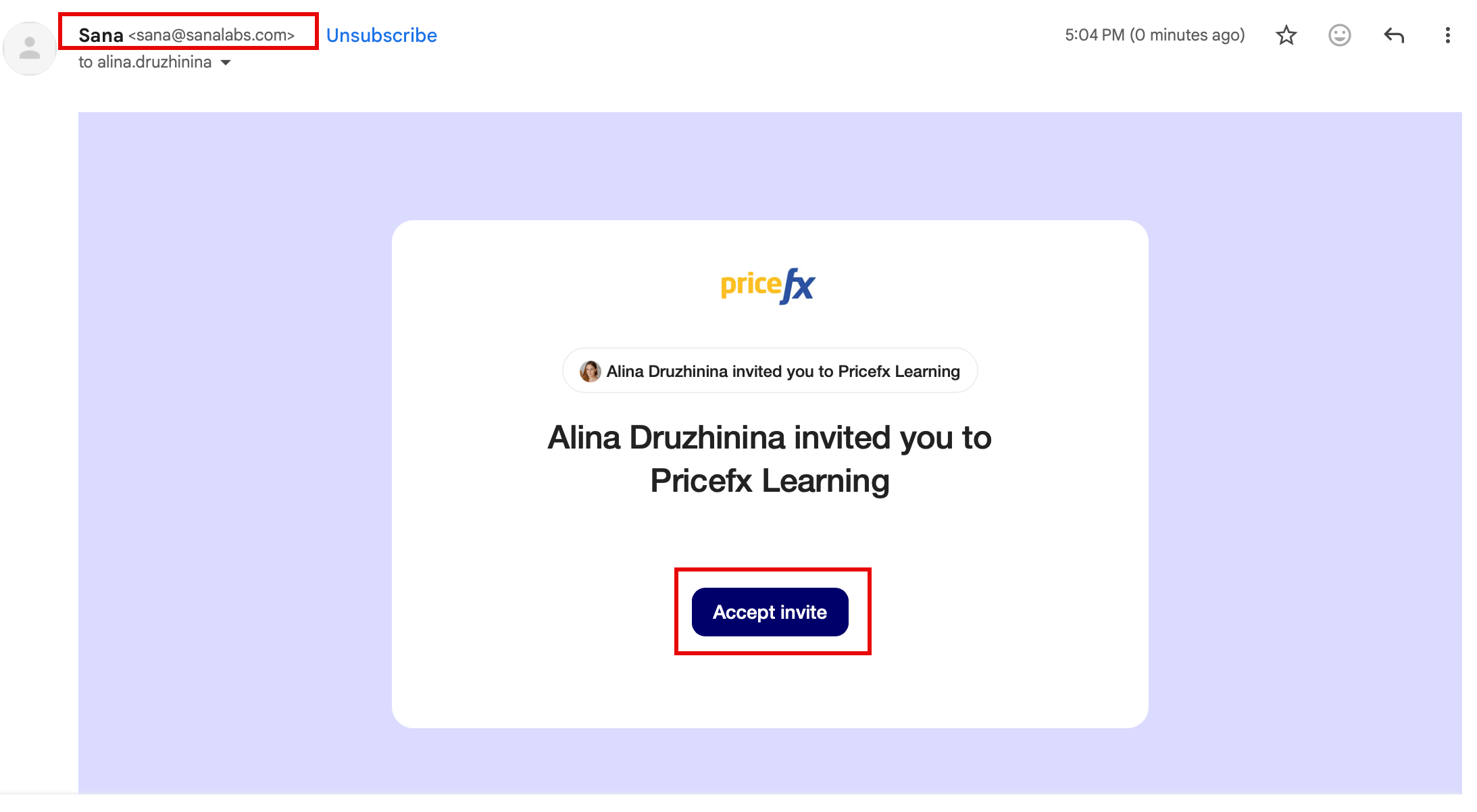
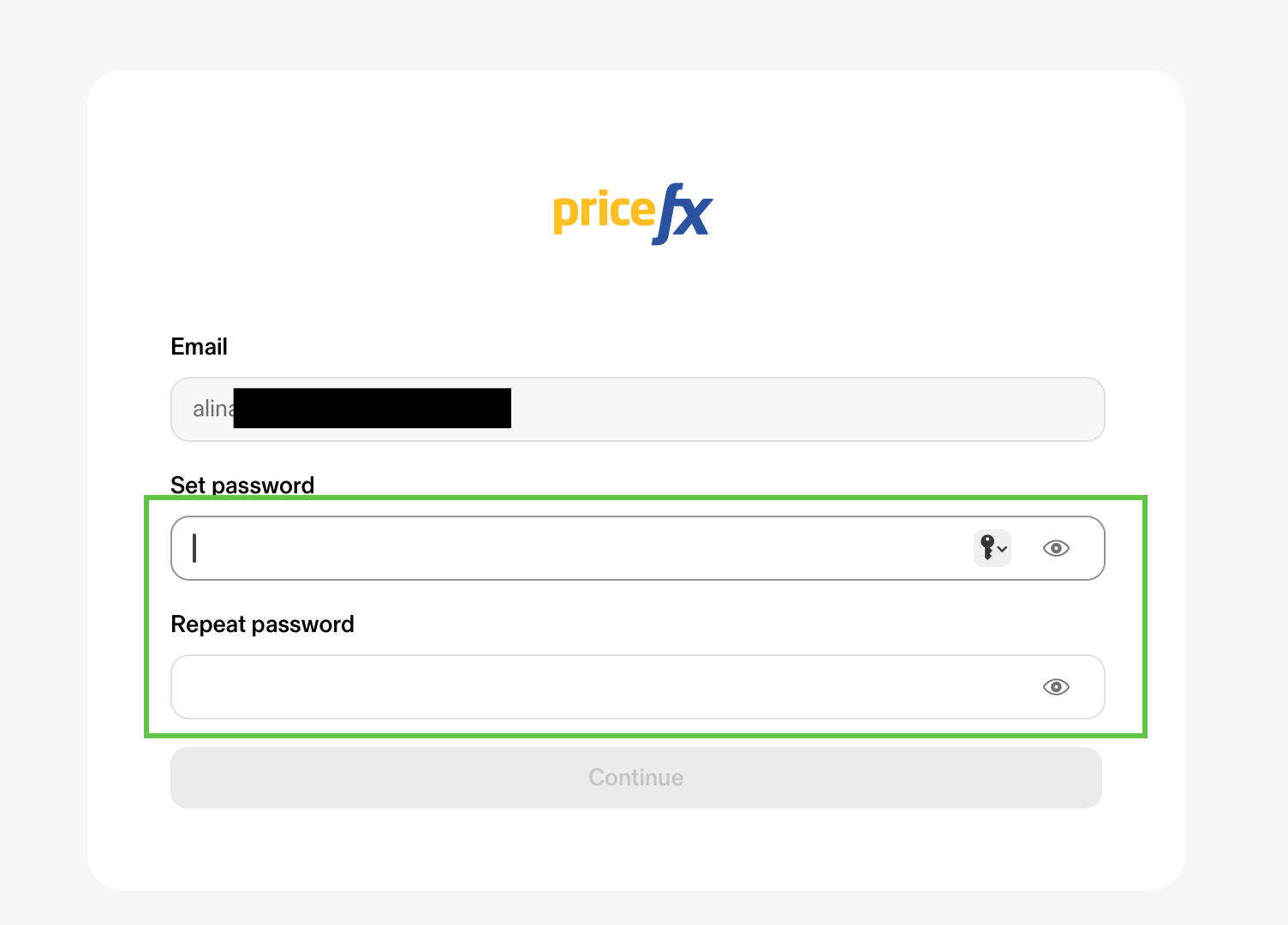
🔷 Click Accept Invite → Set the password → Continue
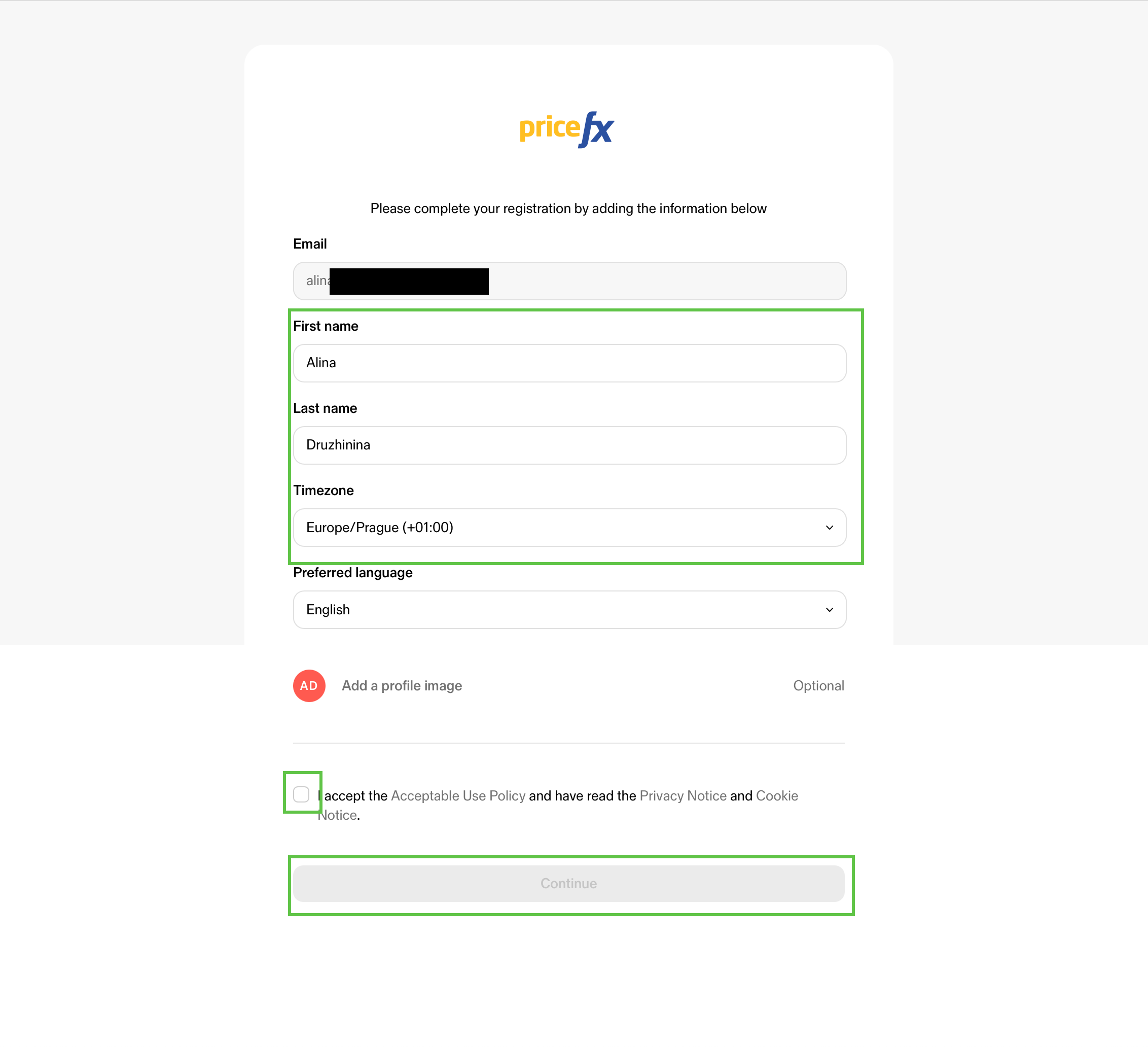
🔷 Complete your details → Accept SANA Terms of Use → Continue
Locate the Content Program
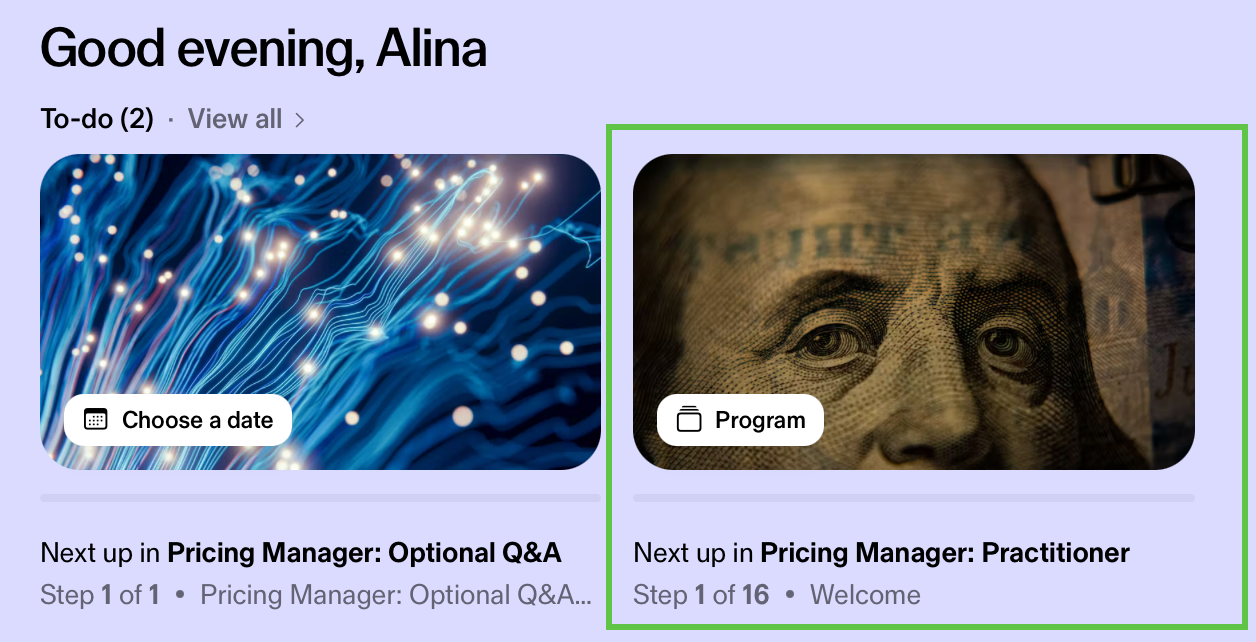
🔷 You are on the home screen. Locate assigned programs in To-do banner:
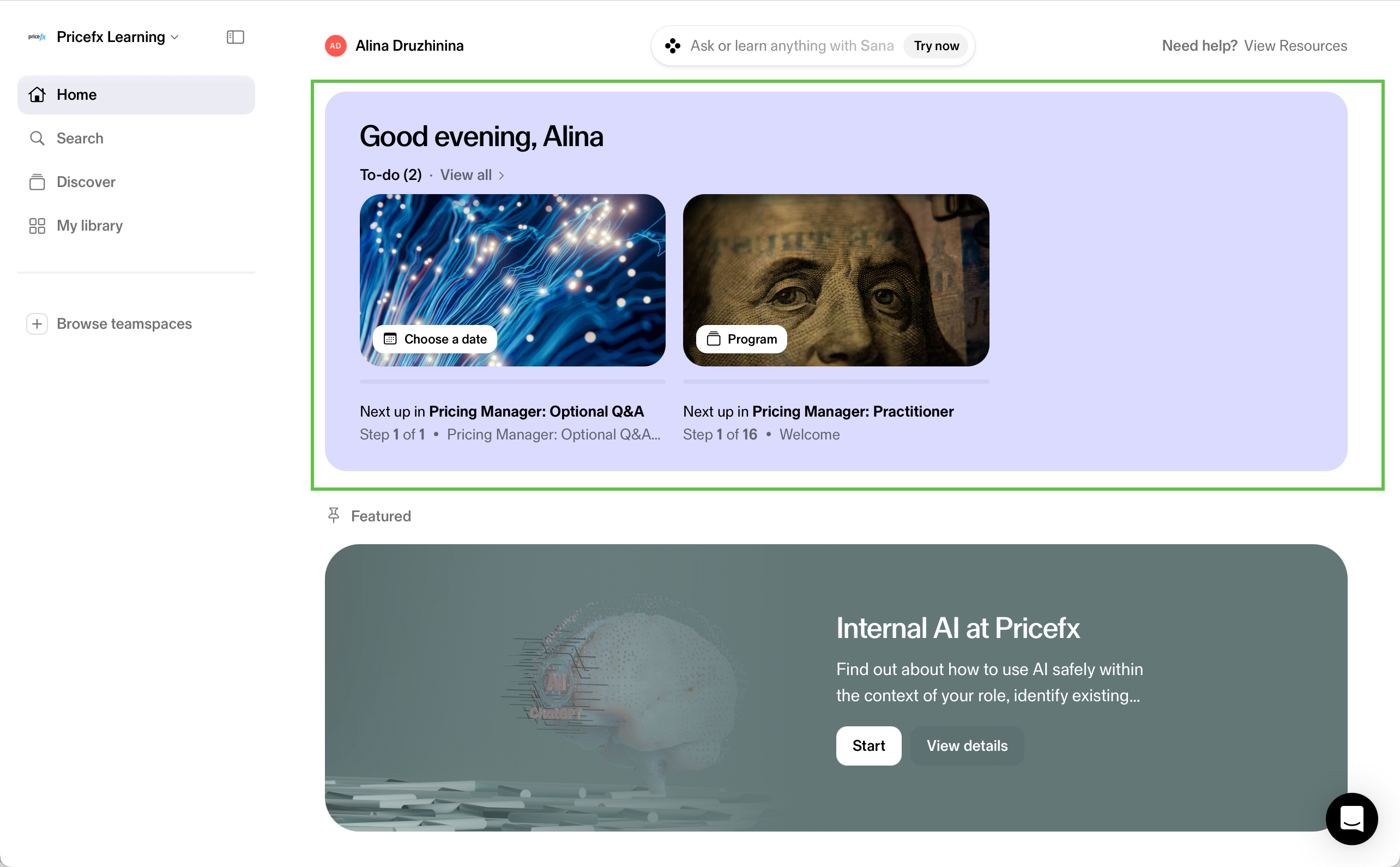
🔷 Begin with the content program to estimate the time required to complete all its courses. To view the outline, click the program banner:
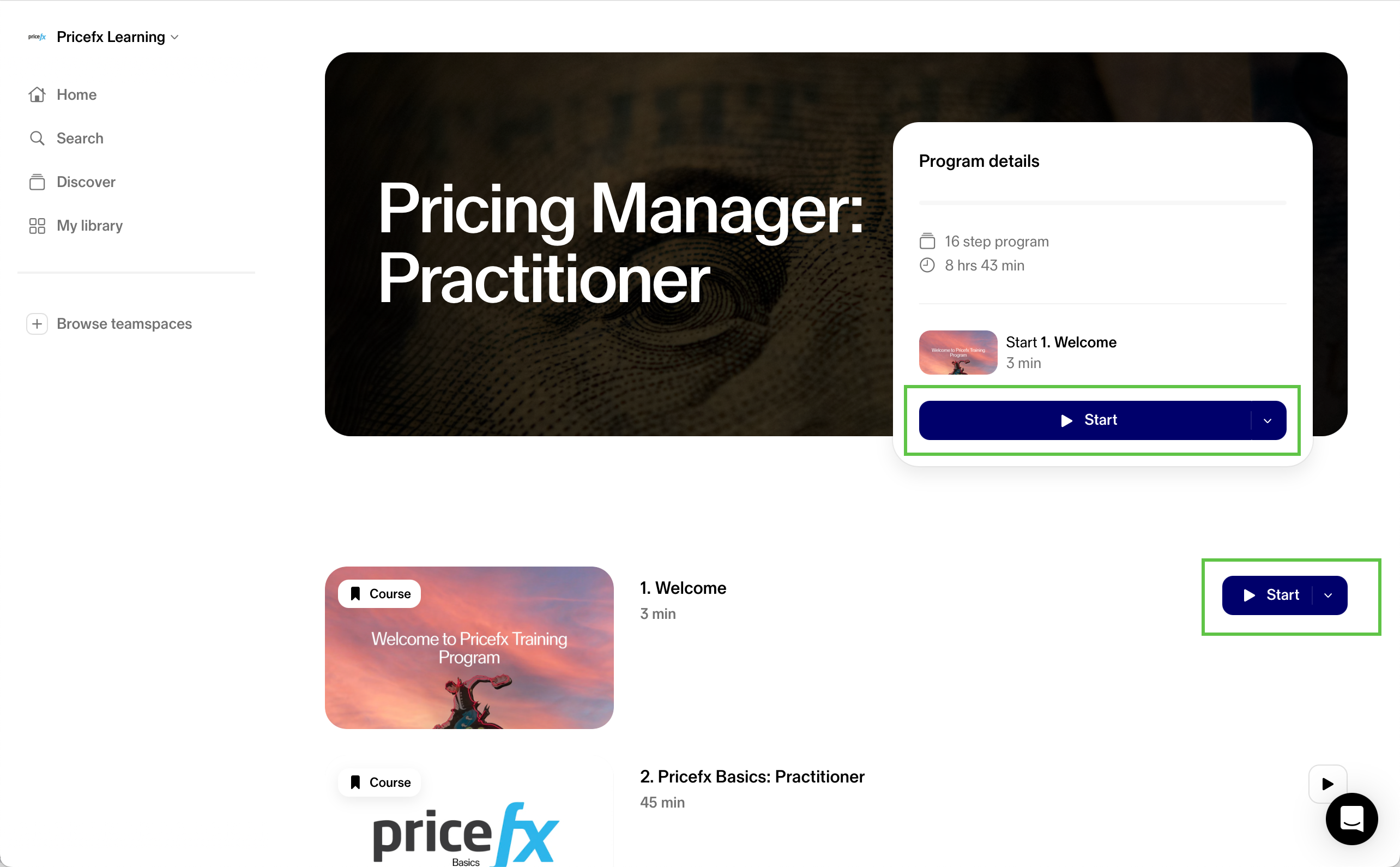
🔷 Click Start to begin your learning journey.
Submit any questions or doubts though the Intake form.
Cancellation & Rescheduling Policy
Cancellation or rescheduling is permitted for all training programs and the Project CE entry interview provided that Pricefx is notified at least seventy-two (72) hours before access is granted.
If notification is not received within this timeframe and access is provisioned:
-
100% of the training fee will be billed, regardless of participation level, progress, or course completion.
-
No refunds or credits will be issued.
Change of Decision After Registration
If a participant decides not to proceed with a training program, the Pricefx Training Team must be informed before access is granted.
Once access has been issued:
-
The training is considered consumed
-
Full billing applies
-
No refunds or credits are available
Public Q&A Sessions
-
Public Q&A sessions are scheduled per program and communicated to enrolled participants.
-
Attendance is optional and limited to training-related clarification.
-
A Training Advisor may cancel a public Q&A session if no participants attend (MS Teams)/are enrolled prior (SANA).
Private 1-on-1 Sessions
-
Private 1-on-1 sessions are delivered by appointment.
-
If a participant does not attend and fails to provide at least seventy-two (72) hours’ notice, the session is counted as used.
-
The Training Advisor may cancel a session if a participant does not attend.