The text field inputs let the user type a text in a box.
Single-line Text
The string input lets the end user type text freely on a single line:
Figure 1. An input for providing a single-lined string, rendered in the web browser.
Forms
def formFieldSet = api.createConfiguratorEntry()

formFieldSet.inputs = [
    api.inputBuilderFactory()
        .createStringUserEntry('string')
        .buildContextParameter()
]

return formFieldSet
In input generation mode (input generation mode)
api.inputBuilderFactory()
        .createStringUserEntry('string')
        .getInput()
In header Logics
processor.addOrUpdateInput(                 //❶
        'ROOT',
        api.inputBuilderFactory()
                .createStringUserEntry('string')
                .buildMap()
)
❶ the processor can be one of the quoteProcessor, cProcessor, etc., which references subclasses of the CalculableLineItemCollectionBuilder
Reading input value
def value = input.string as String
Multi-line Text
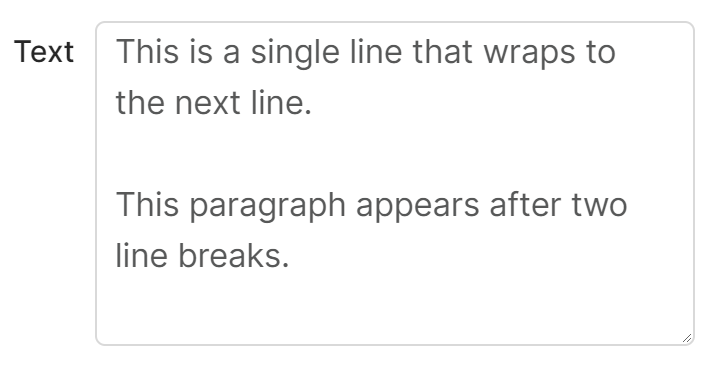
The text input lets the end user type longer text:
Figure 2. An input for providing a multi-lined string, rendered in the web browser.
Forms
def formFieldSet = api.createConfiguratorEntry()

formFieldSet.inputs = [
    api.inputBuilderFactory()
        .createTextUserEntry('text')
        .buildContextParameter()
]

return formFieldSet
In input generation mode (input generation mode)
api.inputBuilderFactory()
        .createTextUserEntry('text', )
        .getInput()
In header Logics
processor.addOrUpdateInput(                 //❶
        'ROOT',
        api.inputBuilderFactory()
                .createTextUserEntry('text')
                .buildMap()
)
❶ the processor can be one of the quoteProcessor, cProcessor, etc., which references subclasses of the CalculableLineItemCollectionBuilder
Reading input value
def value = input.text as String