Product & Customer Groups

The product and customer inputs let the user pick a set of existing products and customers from the master data. The two inputs work in the same way, just use different tables for data selection.

The value of this input is CustomerGroup or ProductGroup object. It is often transported as a Map when value is passed between logics over HTTP, so you may need to convert the input map to the object first.

Product

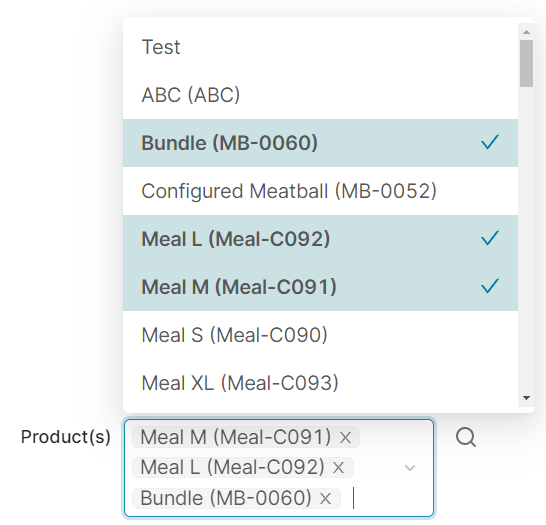
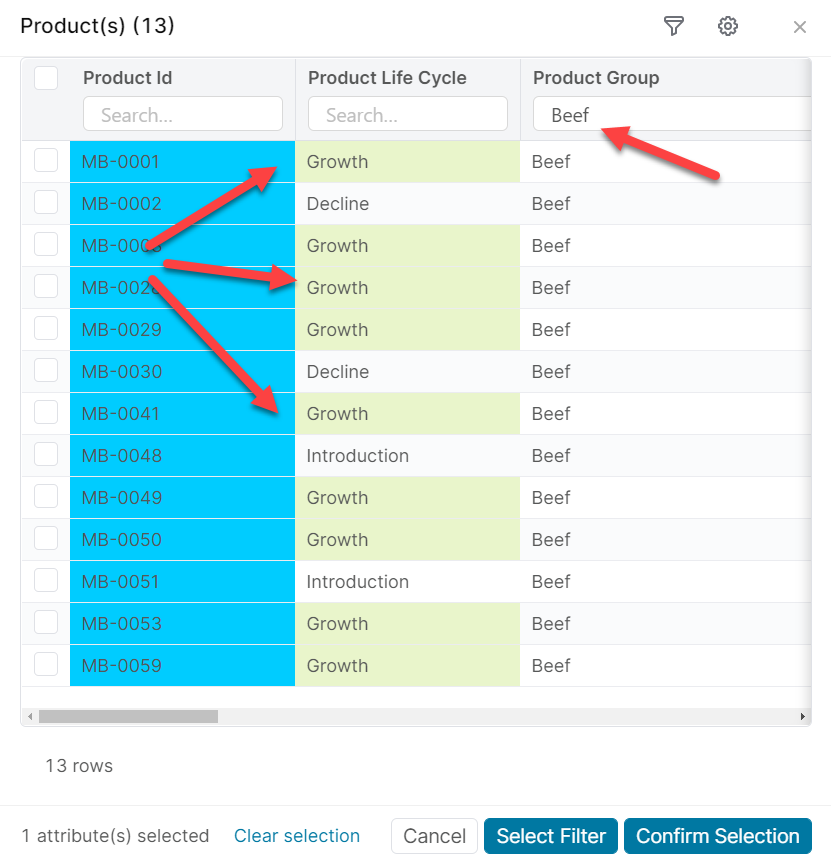
The product filter allows the user to provide a set of products as an input. The end user can either select products from a list, or provide a filter that will be used to query the product master table.

product fixed
Figure 1. A product filter rendered in the web browser. The user selected a fixed set of products from a list.
product dynamic
Figure 2. A product filter rendered in the web browser, after the end user clicked the search icon. The end user specified a filter in two different ways: by clicking one of the "Growth" cells, and by typing "Beef" in the header.
Forms
Groovy
def formFieldSet = api.createConfiguratorEntry()

formFieldSet.inputs = [
    api.inputBuilderFactory()
        .createProductGroupEntry('productGroup')
        .buildContextParameter()
]

return formFieldSet
In input generation mode (input generation mode)
Groovy
api.inputBuilderFactory()
        .createProductGroupEntry('productGroup')
        .getInput()
In header Logics
Groovy
processor.addOrUpdateInput(                 //❶
        'ROOT',
        api.inputBuilderFactory()
                .createProductGroupEntry('productGroup')
                .buildMap()
)

❶ the processor can be one of the quoteProcessor, cProcessor, etc., which references subclasses of the CalculableLineItemCollectionBuilder

Reading input value

Reading input value in a line-item logic

Groovy
def value = input.productGroup as Map
Converting to a filter

Creating a filter out of the ProductGroup object to be used in Price Analyzer. It performs the attribute to datasource field name conversion

Groovy
def filter = api.datamartFilter(productGroup)

Creating a filter out of the ProductGroup object to be used in other modules except Price Analyzer

Groovy
def filter = productGroup.asFilter()

Customer

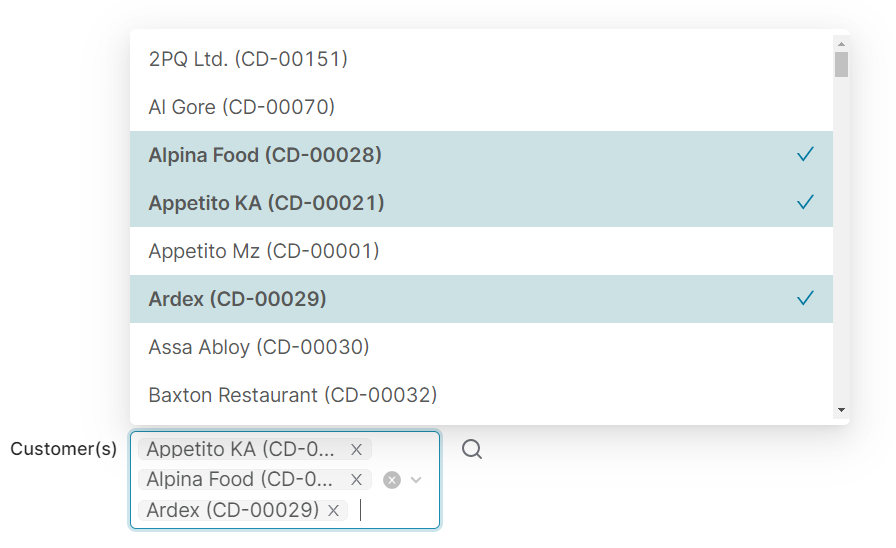
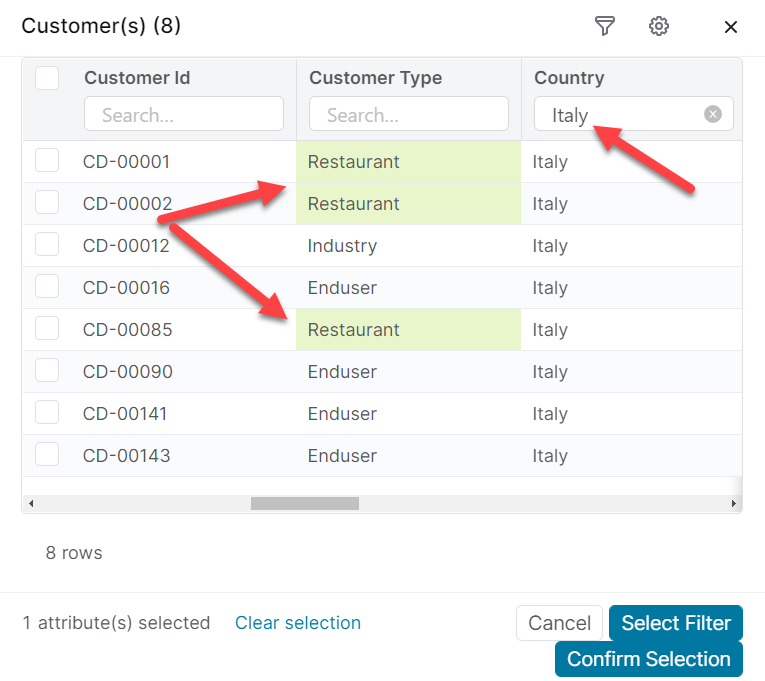
The customer filter allows the user to provide a set of customers as an input. The end user can either select customers from a list, or provide a filter that will be used to query the customer master table.

customer fixed
Figure 3. A customer filter rendered in the web browser. The user selected a fixed set of customers from a list.
customer dynamic
Figure 4. A customer filter rendered in the web browser after the end user clicked the search icon. The end user specified a filter in two different ways: by clicking one of the "Restaurant" cells, and by typing "Italy" in the header.

Forms
Groovy
def formFieldSet = api.createConfiguratorEntry()

formFieldSet.inputs = [
    api.inputBuilderFactory()
        .createCustomerGroupEntry('customerGroup')
        .buildContextParameter()
]

return formFieldSet
In input generation mode (input generation mode)
Groovy
api.inputBuilderFactory()
        .createCustomerGroupEntry('customerGroup', )
        .getInput()
In header Logics
Groovy
processor.addOrUpdateInput(                 //❶
        'ROOT',
        api.inputBuilderFactory()
                .createCustomerGroupEntry('customerGroup')
                .buildMap()
)

❶ the processor can be one of the quoteProcessor, cProcessor, etc., which references subclasses of the CalculableLineItemCollectionBuilder

Reading input value

Reading input value in a line-item logic

Groovy
def value = input.customerGroup as Map
Converting to a filter

Creating a filter out of the CustomerGroup object to be used in Price Analyzer. It performs the attribute to datasource field name conversion

Groovy
def filter = api.datamartFilter(customerGroup)

Creating a filter out of the CustomerGroup object to be used in other modules except Price Analyzer

Groovy
def filter = customerGroup.asFilter()