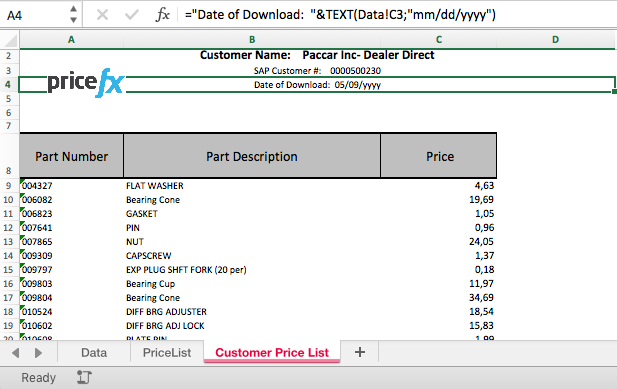
Goal: Generate custom MS Excel-based reports from a calculation logic
Use case example: Download a customer-specific price list from multiple sources (Price Lists, Price Records etc.)
Solution:
-
Pricefx API method that executes the logic and creates an Excel output.
-
Use the
formulamanager.executeformulamethod and append the output type and the name of the template:output=xls&templateName=excel_export
For more details, see the API documentation.
Example: https://localhost/pricefx/demo/formulamanager.executeformula/Market-Pricing?output=xls&templateName=excel_export
Generic Excel Output
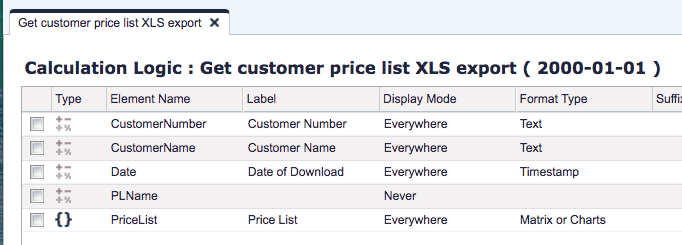
Logic example:
Corresponding Excel output example:
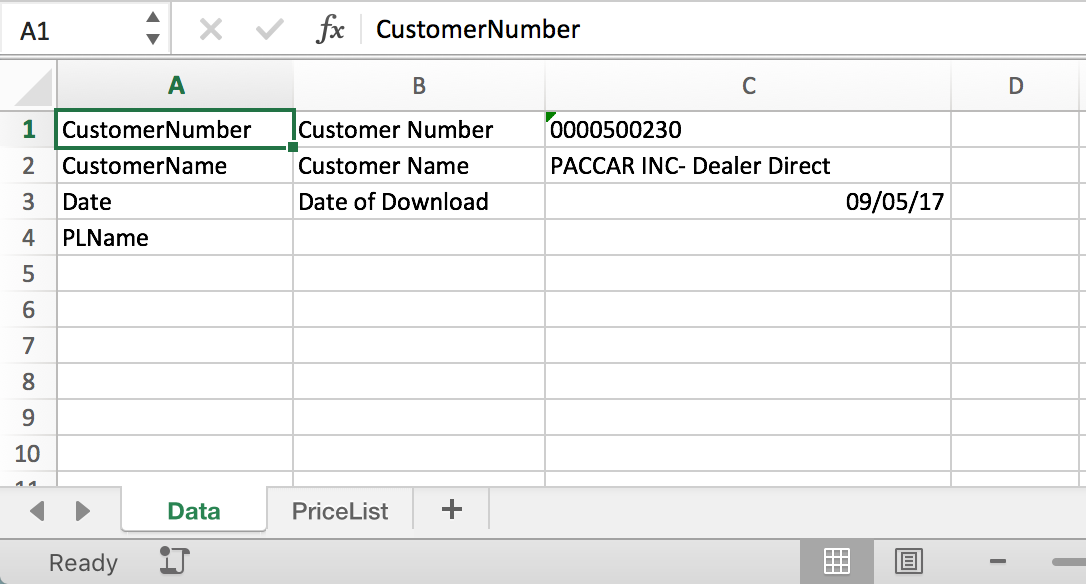
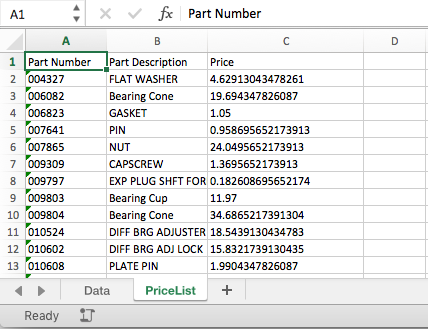
Logic elements of the matrix format type will be rendered in a separate sheet. The tab's name reflects the matrix element name.
Excel Template
Similarly as for Quotes and Price Lists, we can enhance the generic output and save it as an Excel template. Such a template can be assigned to any generic logic.
Please refer to Publishing Templates for more details.