
Price management can be further extended to support purchasing conditions. This can be achieved by configuring the integration flows similarly to sales price conditions. A multicast process can be added if both purchasing and sales condition records are required.
Multicast updated Pricefx condition record table to create purchasing and sales price conditions in SAP S4HANA
This integration flow built different requests message to the JMS queue which triggers the get sales condition records and get purchasing condition records integration flows.
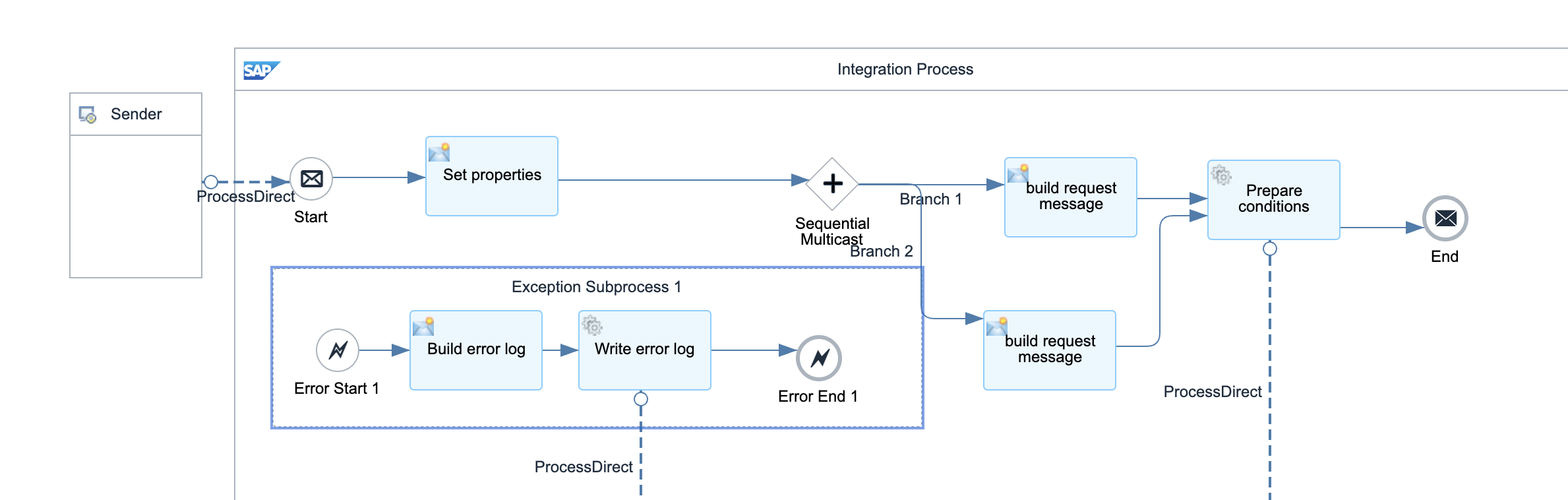
Below parameters can be configured but default values are provided:
-
Sender – The process direct incoming path of this integration flow.
-
Error receiver – The error handling integration flow.
-
Get Conditions receiver - The integration flow which publishes the get condition requests to JMS queue
-
Transaction handling
-
Message header properties
-
Condition record set, source ID xpaths.
Consume fetch condition record requests from JMS
The request message is sent to either get purchasing or sales condition record process.
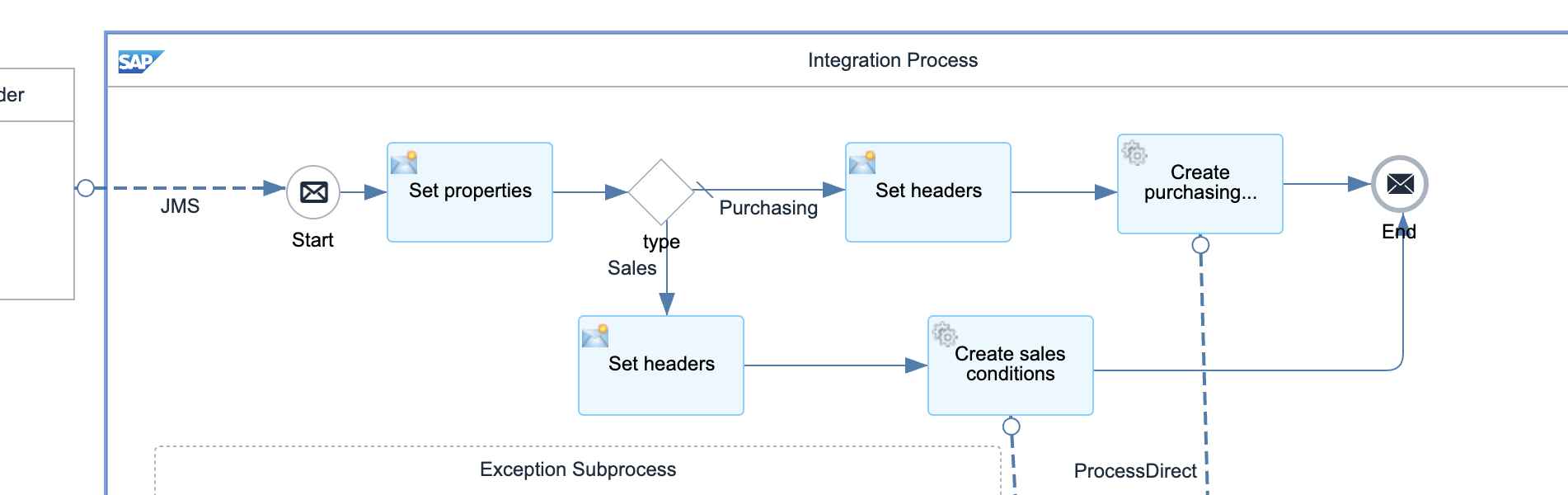
Below parameters can be configured but default values are provided:
-
The incoming JMS queue
-
Error receiver – The error handling integration flow.
-
Get purchasing and sales condition record receivers
-
Transaction handling
-
Message header properties
Get purchasing price condition records from Pricefx
This integration flow is triggered from a JMS queue. It fetches one batch of condition records from condition record set. It gets any metadata required for the integration from the value mapping. This value mapping is configured per condition record set table. Once the first batch of records are fetched, they will be set to integration status = 1 (or any numeric value you defined in the mapping) to indicate the records are being processed and would not be fetched again in next call. These records are then sent to the next process to create price conditions in SAP S/4HANA. The process would be repeated by putting the message into the JMS queue again until no more records can be fetched from the condition record set.
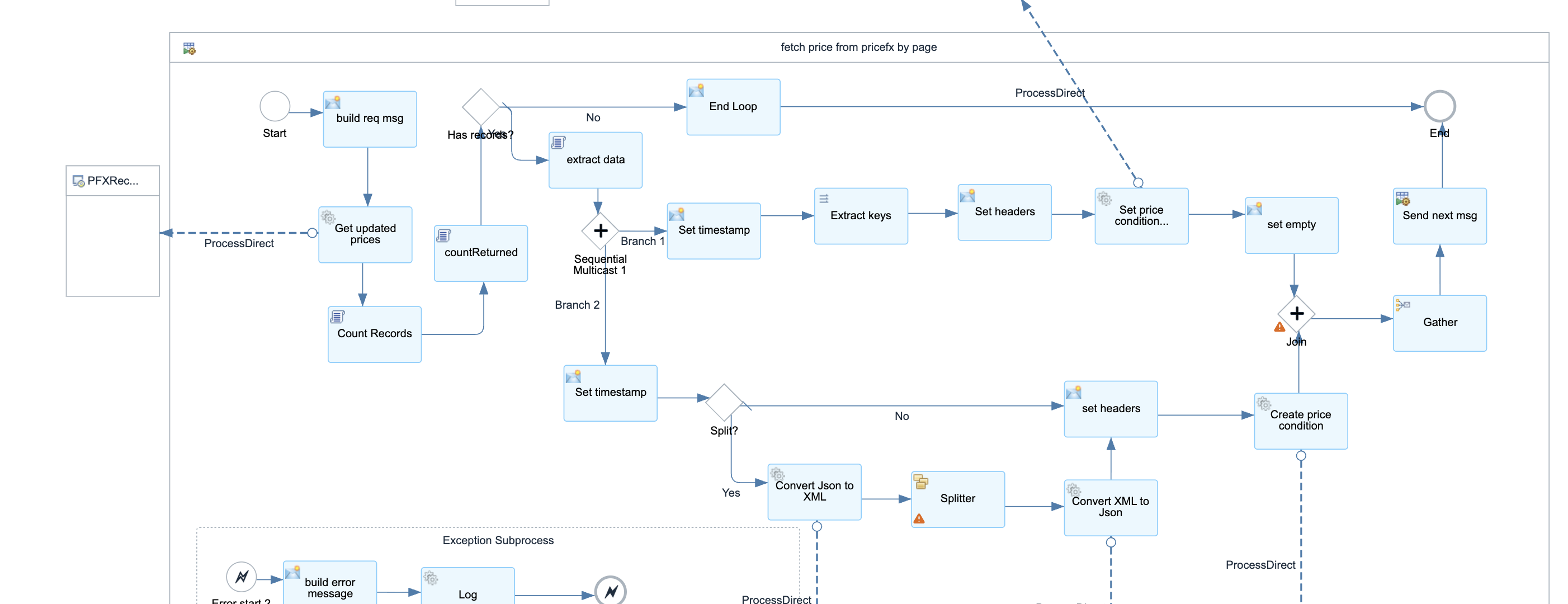
Below parameters can be configured but default values are provided:
-
Sender – The process direct incoming path of this integration flow.
-
Create condition receiver - The integration flow which creates the price conditions in S/4HANA
-
Republish receiver - The integration flow which publishes the message to a JMS queue again for next batch
-
Fetch condition records receiver – The integration flow which fetches the records from Pricefx
-
Update condition status receiver - The integration flow which updates the condition status.
-
JSON array XML receivers - The integration flows which convert JSON array to/from XML
-
Error receiver – The error handling integration flow.
-
Transaction handling
-
Fetch records request message
-
Value mappings keys
-
Page size
-
Splitter properties
-
Message header properties
Consume condition record create requests from JMS
The request message is sent to both create purchasing or sales condition record processes.
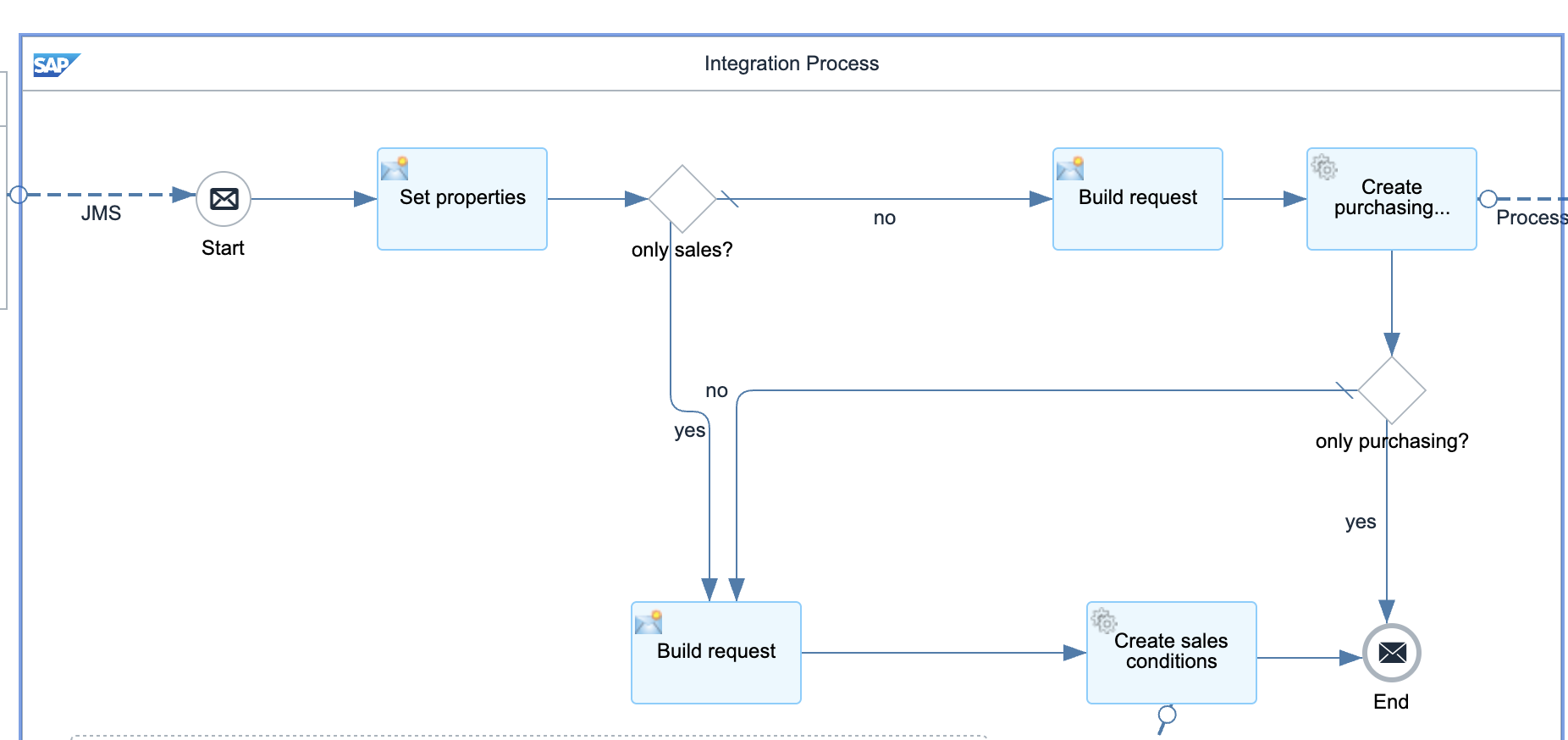
Below parameters can be configured but default values are provided:
-
The incoming JMS queue
-
Error receiver – The error handling integration flow.
-
Create purchasing and sales condition record receivers
-
Transaction handling
-
Message header properties
Create purchasing price condition records in SAP S4HANA
This integration flow creates purchasing price conditions in SAP S/4HANA by OData API. The results are written back to Pricefx condition records.
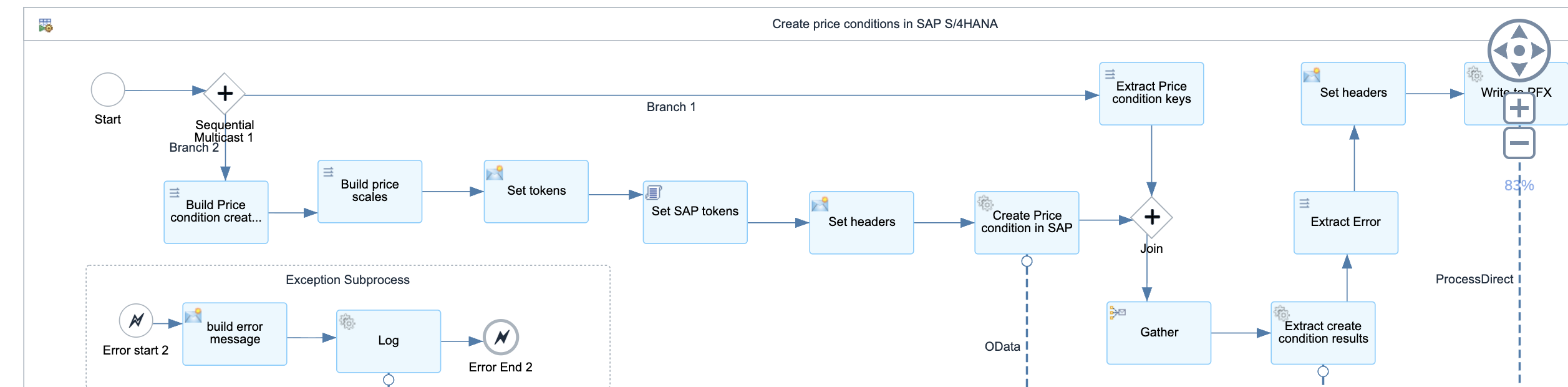
Below parameters can be configured but default values are provided:
-
Sender – The process direct incoming path of this integration flow.
-
SAP Connection properties receiver - The integration flow which retrieves SAP connection properties from value mapping
-
Error receiver – The error handling integration flow.
-
PFX receiver - The integration flow which writes the records to Pricefx
-
SAP result receiver - The integration flow which extracts SAP results from the response
-
PFX result update receiver - The integration flow which writes the results back to Pricefx
-
OData properties
-
Transaction handling
-
Message header properties
-
Connection properties xpath
-
Names of all available SAP tokens