-
Use TCODE – STRUST to add a certificate to S/4HANA.
-
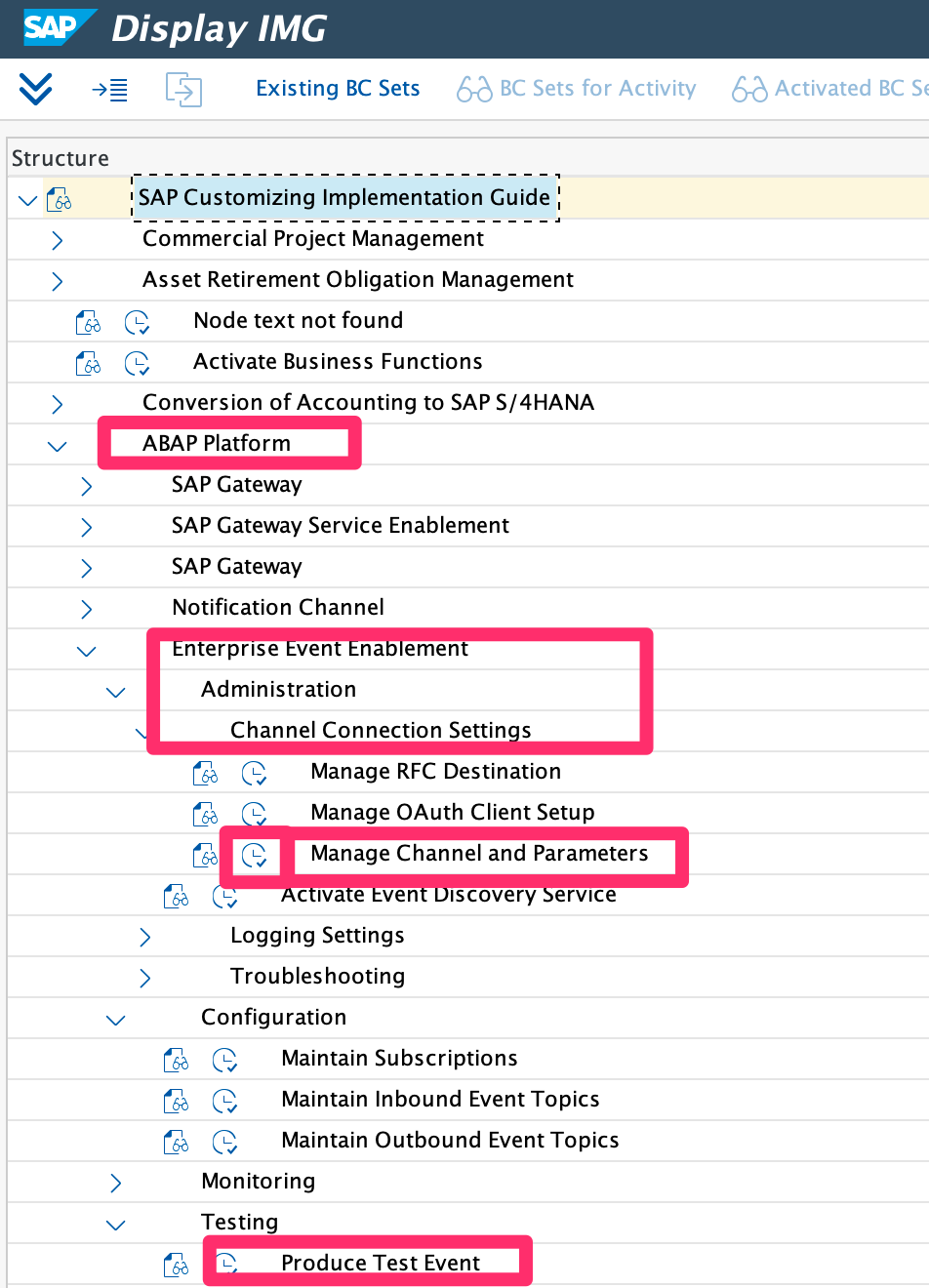
Use TCODE – SPRO and follow the below menu to create a channel with a service key. Do not create the destination and Oauth client manually.
-
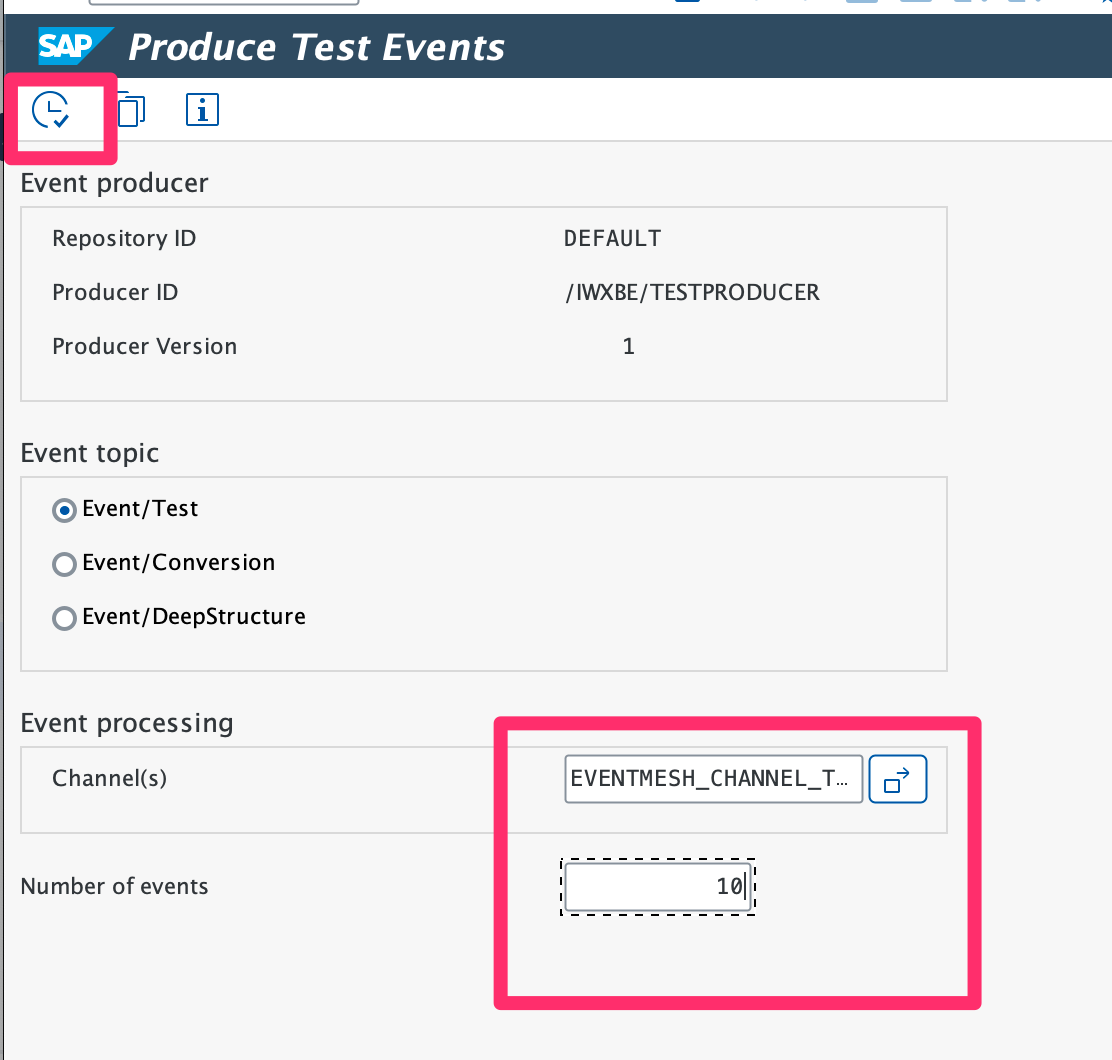
Produce test events from S/4Hana.
-
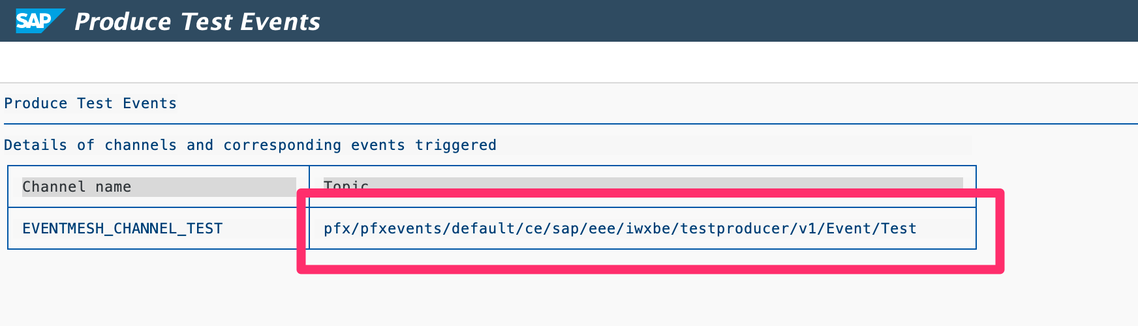
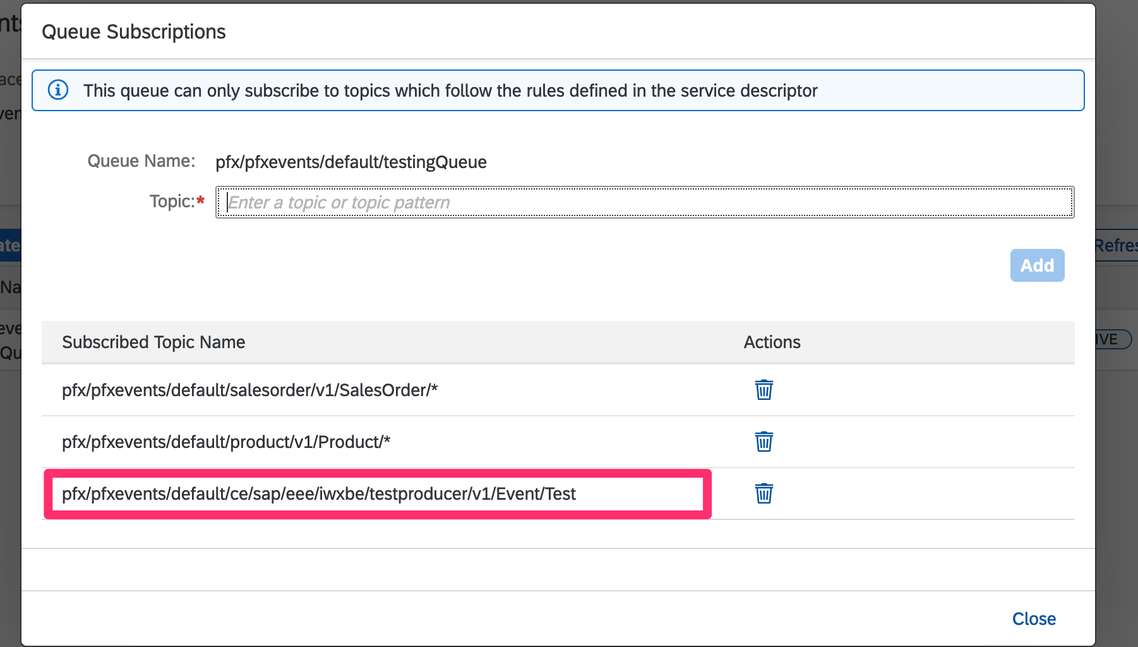
Copy the topic name to Event Mesh – Queue Subscriptions and fire the test event again.
-
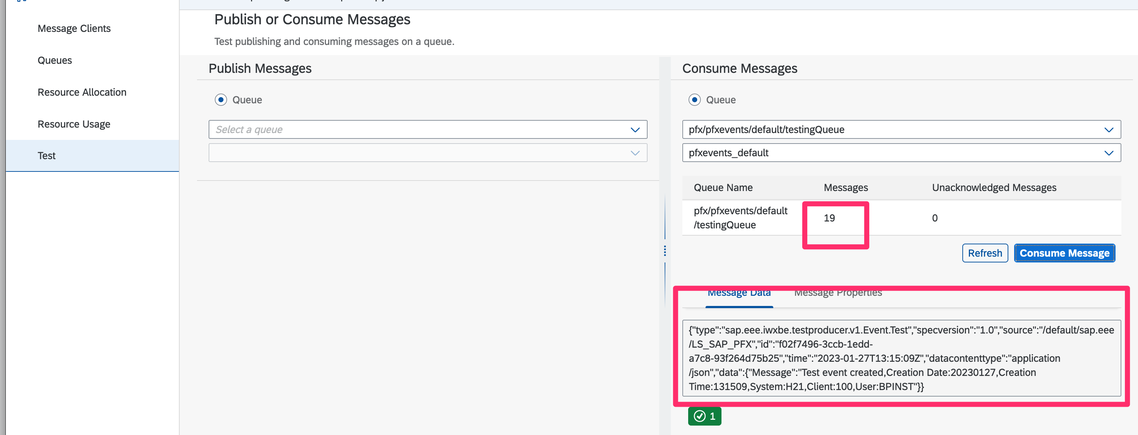
Check the received events at Event Mesh.
-
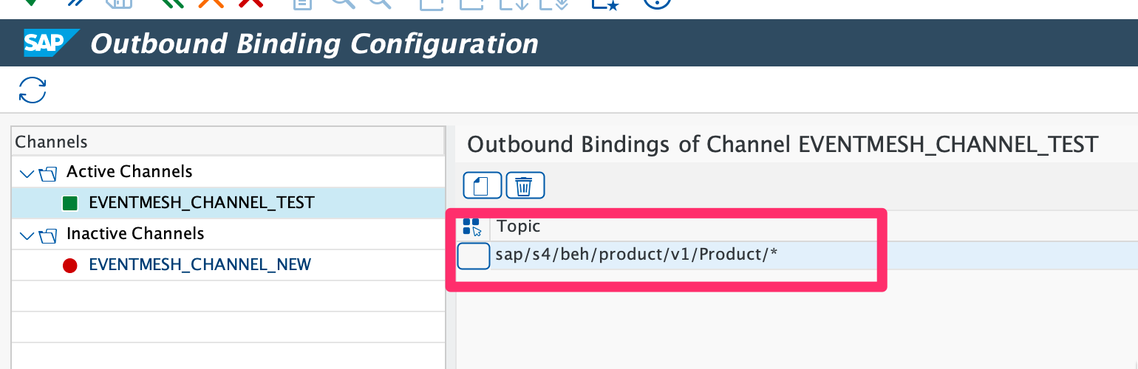
Configure S/4HANA to publish product change events.
-
Configure an Event Mesh to listen to the product change events.
-
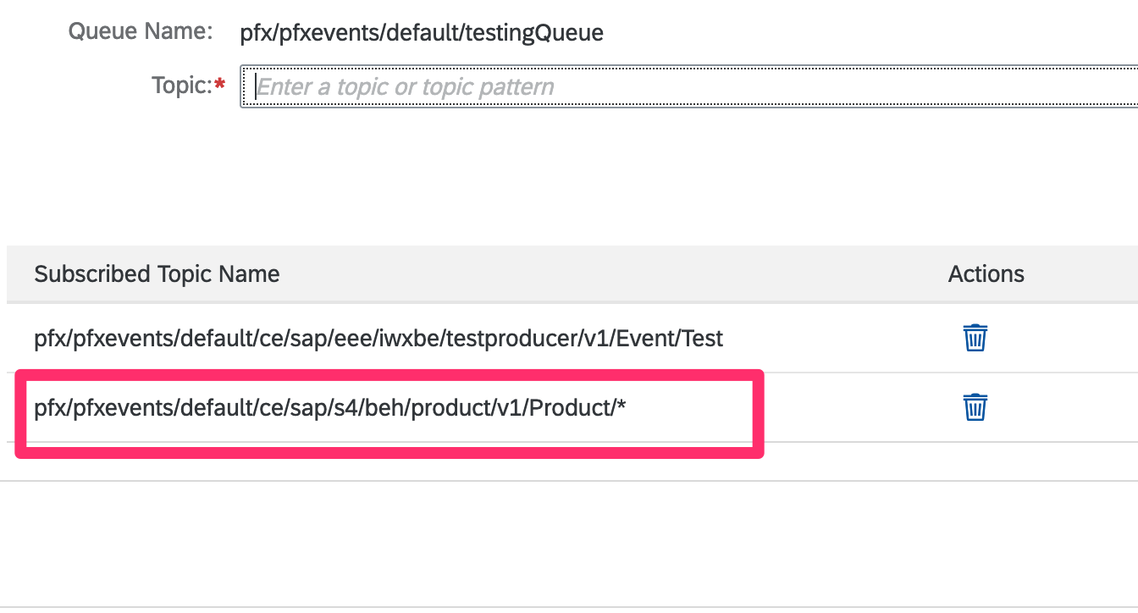
Add it to the queue subscription. Remember to put a prefix of the event client and /ce before the subscription path.