CHEM12: Eliminate unearned discounting by utilizing automated rebates with accruals and payouts

📽️ Check out a video demonstration for this use case, here.

Use Case Situation Description

In this use case, we are looking at how businesses can use rebates to incentivize growth or sustain business at targeted accounts using Pricefx.  For this, sales and business teams need to be able to monitor progress on sales versus the rebate objective throughout the rebate period.  This way you can remind the customer of progress toward attaining the rebate payment and maintains targeted business levels while helping you understand the likelihood of making the rebate payout at the end of the rebate period.

User Role(s) and Business Objective

Sales Executive, Manager, or Analyst; Pricing or Product Manager or Analyst 

Business Objective

Our business establishes rebates to incentivize growth or sustain business at targeted accounts.  For the sake of achieving the business objectives, our sales and business teams need to be able to monitor progress on sales versus the rebate objective throughout the rebate period.  This helps us remind the customer of progress toward attaining the rebate payment and maintains targeted business levels.  It also helps us understand the likelihood of making the rebate payout at the end of the rebate period. 

Complication
  • Difficulty in Monitoring Sales Performance: tracking sales performance data compared to the rebate target becomes a challenge.

  • Data Collection and Update: Sales volume or revenue data for the products associated with the rebate must be collected and updated on a monthly basis.

  • Visualization of Data: Graphs or tables displaying the sales data must also show how the rebate target is distributed over the rebate period's time periods, illustrating progress towards the goal.

  • Automated Metric Calculation: An automated metric needs to be calculated to gauge the effectiveness of sales efforts. This helps sales teams assess if progress towards the goal is consistent or sporadic.

  • Sales Distribution Concerns: There is a preference for even distribution of sales across the rebate period rather than having significant sales volume spikes close to the end of the rebate period. This helps with planning and consistency.

Capability Needed

The ability to generate views of current sales revenue or volume for the rebate time period against the rebate goal for the product(s) covered under the rebate agreement.   

Benefit(s)

Understanding customer performance and enabling higher realization of rebate goal outcomes. 

KPIs

Revenue or volume versus target; rebate effectiveness 

Calculations

Rebate effectiveness = [(Sum of absolute value of (actual – goal) for all time periods in rebate) / number of time periods in rebate] * 100 

Destination image

Volume tier rebate 

image-20230821-111853.png

Prescriptive Design Requirements

As a [Pricing Manager/Sales Rep], I want to have visibility on the progress of sales versus the rebate objective throughout the rebate period agreements, so I can: 

  • Incentivize customers to achieve the set targets where needed 

  • Understand the likelihood of making the rebate payout at the end of the rebate period 

The overall design requirements are summarized in these articles:

Functional and Non-functional Requirements

For this use case, the functional requirements are:

  • I want to be able to create rebate agreements in Pricefx in line with the available rebate types that are part of Pricefx. Also Pricefx should support the accrual process and the payout process. 

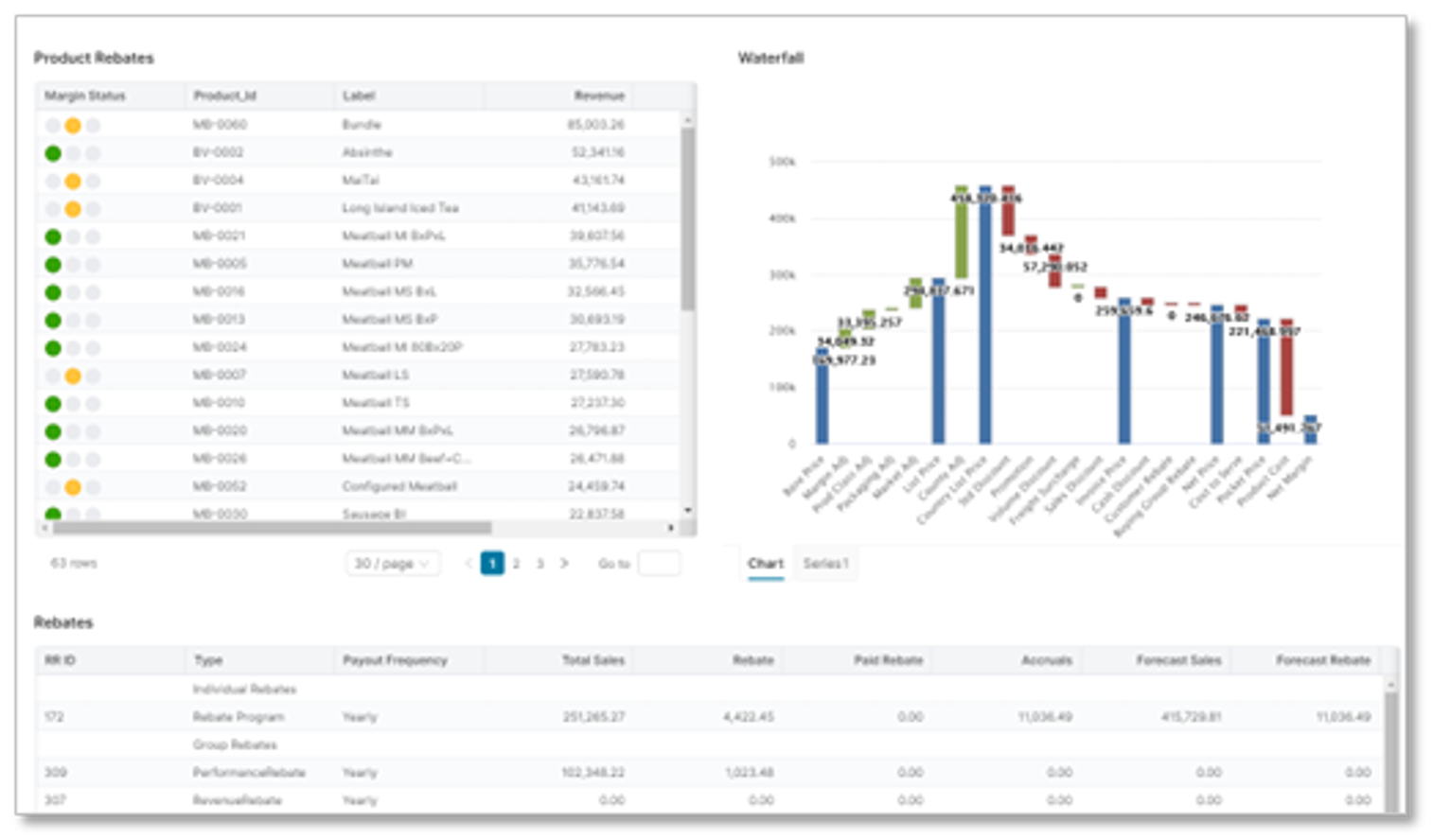
  • When I’m working on my rebate agreement, I want to have inline analytics to view the historical sales of the customer or customer group I’m working on
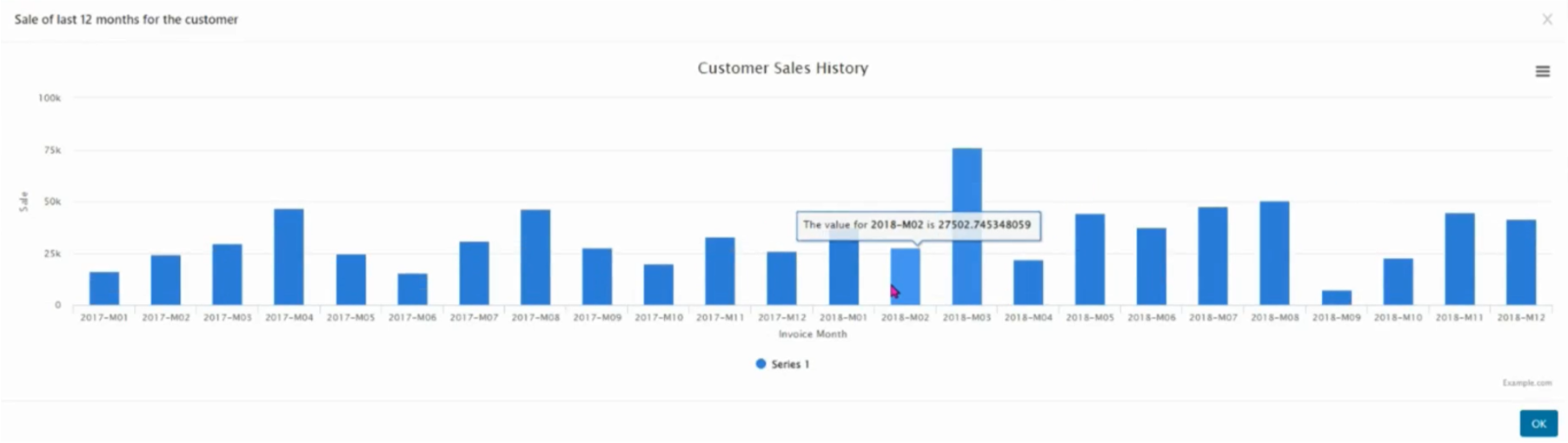
image-20230821-113816.png
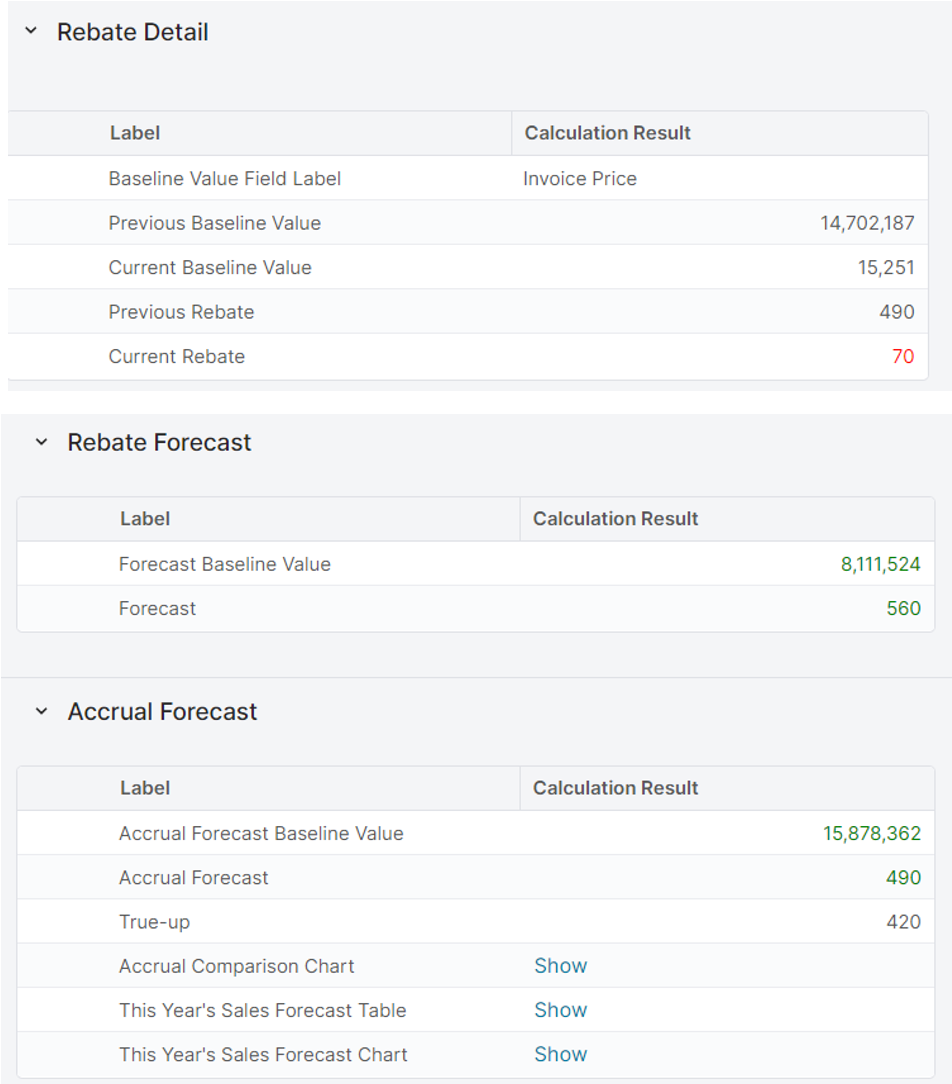
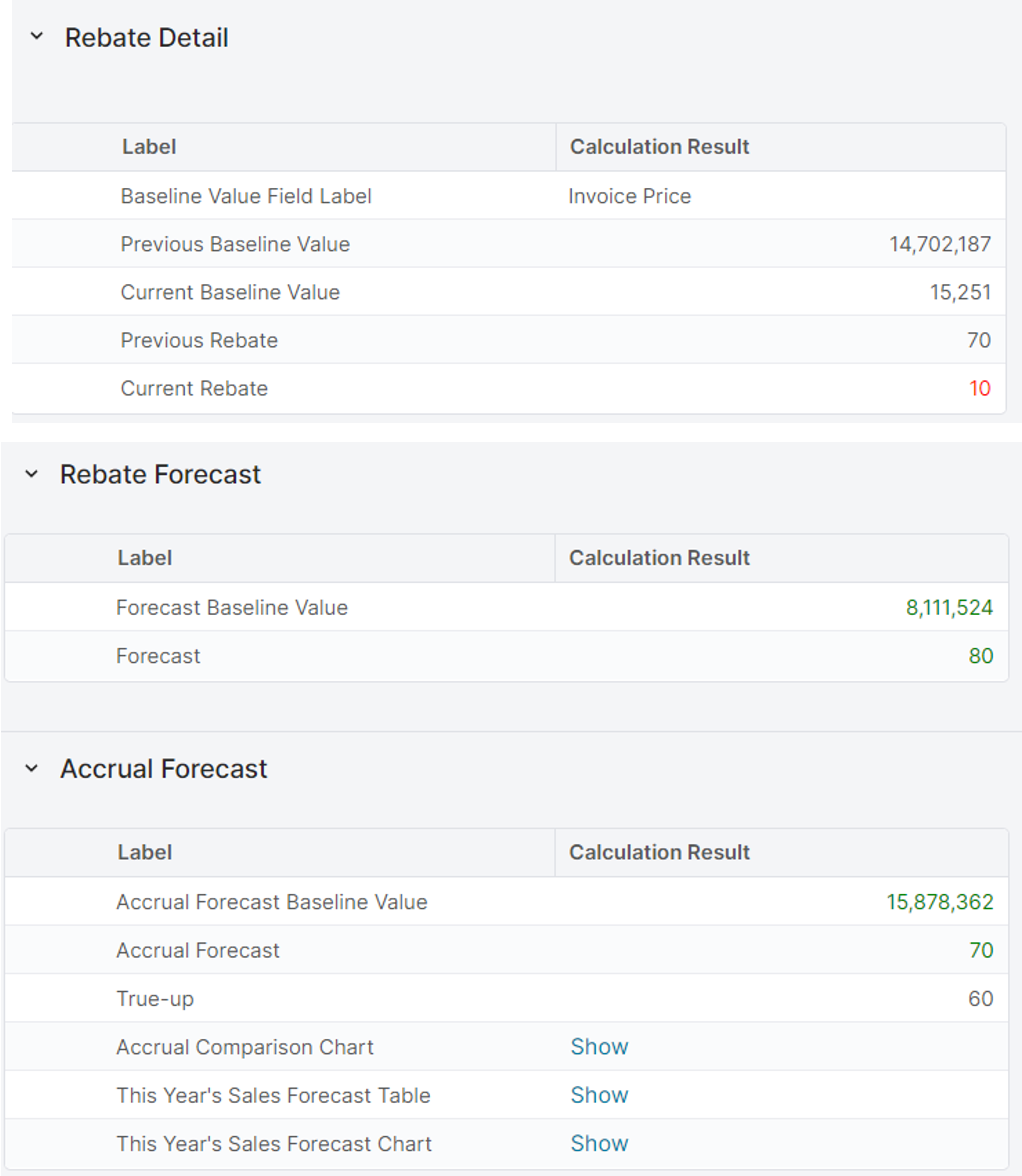
  • When I’m working on my rebate agreement, I want to have calculated metrics in the calculation result of the rebate agreement that show me the historical sales and when present, the forecasted sales.
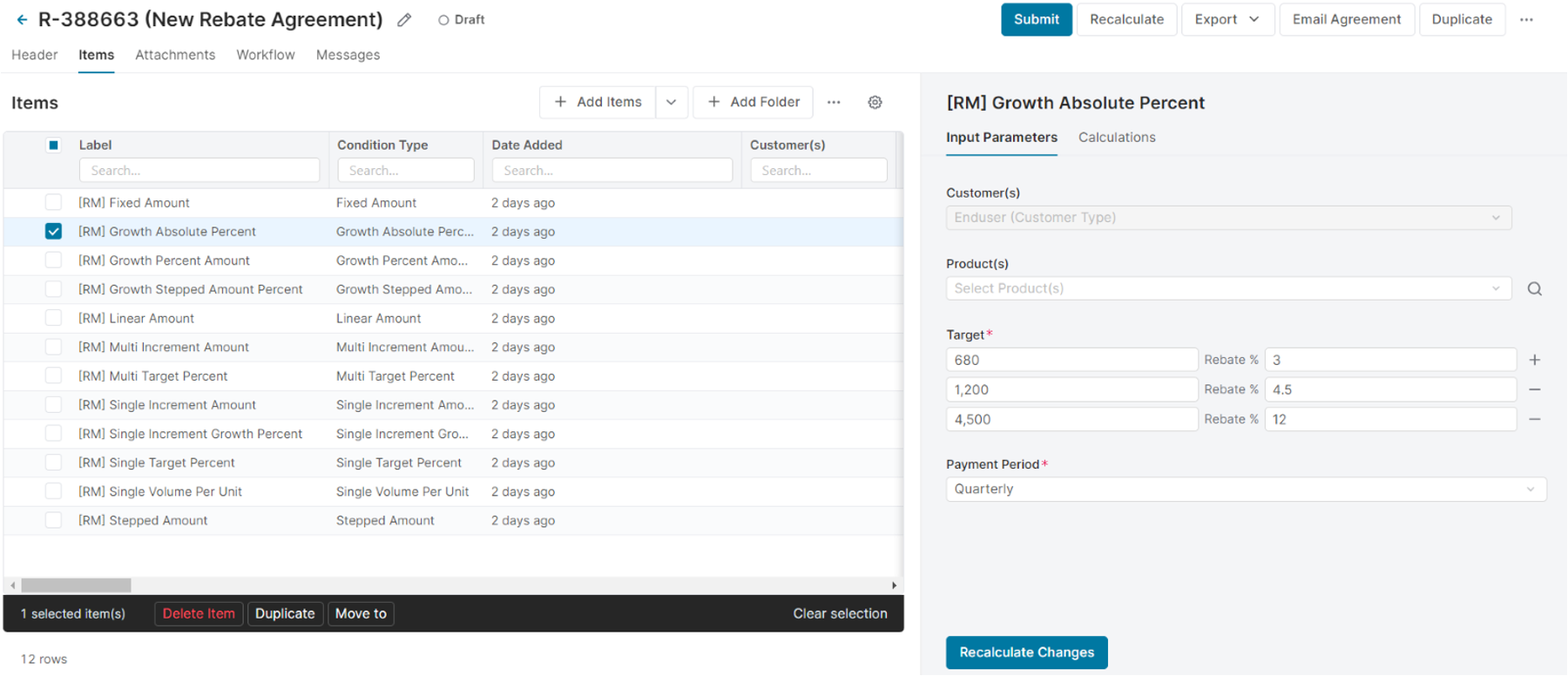
image-20230821-113911.png

Non-functional requirements

N/A

Reporting and Dashboards

This use case has the dashboards and reports as described in the functional requirements section. Check them out, here.

Measures, Calculation and Decision-making KPIs

The following are the primary KPIs for this use case:

  • Previous Sales: Revenue for the previous rebate period, based on the waterfall transactions 

  • Forecasted Sales: Forecasted Sales for the rebate period, based on external forecast (input to Pricefx) 

  • Forecasted Baseline value: Forecasted Sales for the rebate period which is eligible for the rebate program, based on external forecast (input to Pricefx) 

  • Forecasted Rebate: the forecasted rebate to be paid out, based on the rebate program conditions and the forecasted baseline value 

  • Revenue: Revenue based on the Price Waterfall data 

  • Rebates: Rebates based on the Price Waterfall data 

  • Net Margin %: Margin % based on the Price Waterfall data 


Scope Validation and Project Readiness

During the scope validation process we are ensuring that the project deliverables are completed according to the agreed scope and quality standard by asking the following questions.

Scope Validation and Project Readiness Workshop – Validation Questions & Answers: 

Q1 : Are the formulas managed at the Product level or at the Raw Material level? 

A1:

Q2: If both, how many formula contracts are at the product level vs. the raw material level? 

A2: 

Q3: What are the typical variables in the formula? 

E.g., Index + Adders + Overage 

A3:

Q4: Will there be multiple customers on the same agreement? (i.e. impact on outbound integration) 

A4:

Q5: Are there different rules for ship-to vs. sold-to that will impact the final calculated prices and should be managed within the Formula-Builder? E.g. Special freight, surcharge, Inco-terms 

A5: 

Q6: If the answer is yes, then,  

What % of the sold-to customers that this requirements impact?  

A6:

Q7: Will there be rounding rules negotiated within the contract that impact the intermediate calculation steps before calculating the final price? calculation 

A7:

Q8: If the answer is yes, then, 

What % of the sold-to customers that this requirements impact? 

A8:

Q9: Do you negotiate a "Floor Price” within the formula contract? 

A9:

Q10: If the answer is yes, then, 

What % of the sold-to customers that this requirements impact? 

A10: 

Q11: Product exclusions, which products can you sell to which customers. (APL: Authorized product list) 

A11:

Q12: Scale Pricing (on order level) – into what extend does the quantity per order line influence the price? 

A12:

Q13: Do you communicate 1) Agreement T&C with the customer, 2) Price updates? on Pdf or excel? 

A13: 

Q14: How do handle Fixed Price Agreements for Formula-based customers? 

A14:


User Stories

This is a list of epics and user stories that make up this use case.

Epic: View inline analytics with decision supporting metrics

As a Sales Rep/Pricing Manager/Pricing Administrator, when I’m working on my rebate agreement, I want to have inline analytics to view several decision supporting metrics.

User Story Name - Historical Sales

I want to: See the historical sales of the customer or customer group I’m working on in my rebate agreement 

so I can: Use this to set the proper targets and rebate conditions.

Acceptance Criteria: With a simple click I can open a bar chart showing per month the historical sales of the customer or customer group I’m working on. 

The data corresponds to the data from the data mart containing the sales transactions. 


User Story Name - Calculated metrics in rebate calculation result 

I want to: See, when I’m working on my rebate agreement, calculated metrics in the calculation result of the rebate agreement that show me the historical sales and when present, the forecasted sales 

so I can: Use this to set the proper targets and rebate conditions and understand what the financial impact of my decisions are 

Acceptance Criteria:

Metrics to be shown are: 

  • Previous year sales (for the customer selection) 

  • Forecast sales (based on the forecast, if available) 

  • Forecast rebate (the rebate condition applied on the forecast sales)  

Epic: Create rebates agreements using different rebate types

As a Sales Rep/Pricing Manager, I want to be able to create rebates agreements using different rebate types.

User Story Name - Conditional rebate

I want to: Use the condition rebate type

so I can: So I can setup these programs in Pricefx

Acceptance Criteria:

  • Single Target Amount 

  • Single Target Percent 

  • Single Volume Total Amount 

  • Single Volume Total Percent 

  • Single Volume Per Unit 

  • Multi Target Amount 

  • Multi Target Percent 


User Story Name - Growth rebate

I want to: Use the growth rebate type 

so I can: So I can setup these programs in Pricefx 

Acceptance Criteria:

  • Growth Absolute Amount 

  • Growth Absolute Percent 

  • Growth Percent Amount 

  • Growth Percent Percent 


User Story Name - Incremental rebate

I want to: Use the incremental rebate type 

so I can: So I can setup these programs in Pricefx 

Acceptance Criteria:

  • Single Increment Amount 

  • Single Increment Percent 

  • Multi Increment Amount 

  • Multi Increment Percent 


User Story Name - Incremental growth rebate 

I want to: Use the incremental growth rebate type 

so I can: So I can setup these programs in Pricefx 

Acceptance Criteria:

  • Single Increment Growth Amount 

  • Single Increment Growth Percent 


User Story Name - Fixed rebate 

I want to: Use the fixed rebate type 

so I can: So I can setup these programs in Pricefx 

Acceptance Criteria:

  • Fixed Amount 

  • Fixed Percent 


User Story Name - Stepped rebate 

I want to: Use the Stepped rebate type

so I can: So I can setup these programs in Pricefx 

Acceptance Criteria:

  • Stepped Amount 

  • Stepped Percent 


User Story Name - Linear rebate

I want to: Use the linear rebate type 

so I can: So I can setup these programs in Pricefx 

Acceptance Criteria:

  • Linear Amount 

  • Linear Percent 

Epic: Inbound data for visualization in dashboards

As a Pricing manager/ analyst I want to store forecast monthly data on customer and product to use in the rebate forecast.

User Story Name - Forecast data

I want to: I want to store forecast data on customer/product level per month in Pricefx 

so I can: So I can use that in my rebate forecast 

Acceptance Criteria: Data to be loaded in Pricefx Data Source table either manually through Pricefx Excel Client, or automatically integrated via using CSV file placed on a Pricefx dedicated SFTP folder on a pre-agreed frequency. 

Must have column definition: Data-from, Date-to, Customer-id, Product-id, quantity, revenue 

Epic: Outbound data for external system

As a Pricing Manager/ analyst I want to use payouts from external systems into Pricefx to use it for accurate overviews of rebates

User Story Name - Accrual and payout data

I want to: When my accruals and payouts are handled in external systems, I want the data in Pricefx  

so I can: So I can use the data in my dashboards to get a proper overview on the execution of my rebate 

Acceptance Criteria: All attributes of the rebate agreement & rebate record will be exported to a Pricefx dedicated SFTP folder on a pre-agreed frequency. 

The exported data are in CSV format 


Data Requirements

The following tables can be either manually loaded in Pricefx via Pricefx Excel Client or can be automatically integrated using CSV files in a Pricefx dedicated SFTP folder: 

  • Price Waterfall data (typically based in invoice line items) 

  • If applicable, forecast data on customer/product level 


Out-of-Scope

Out-of-scope business functions and features can be configured, but are not included in the Chemical Industry Catalog.

  • Any Reporting and Dashboards, other than the ones explicitly mentioned above 

  • Applying changes to or creating any new Rebate Agreements (this is CHEM12

  • Notifications and alerts 

  • API method integration 

  • Customer-Facing templates with calculated prices 


Solution Design

he design and implementation is going to utilize the suite of Pricefx out-of-the-box features and capabilities of the Rebates module. The flow chart below illustrates the end-to-end process and the mapping of the process to the Pricefx modules.
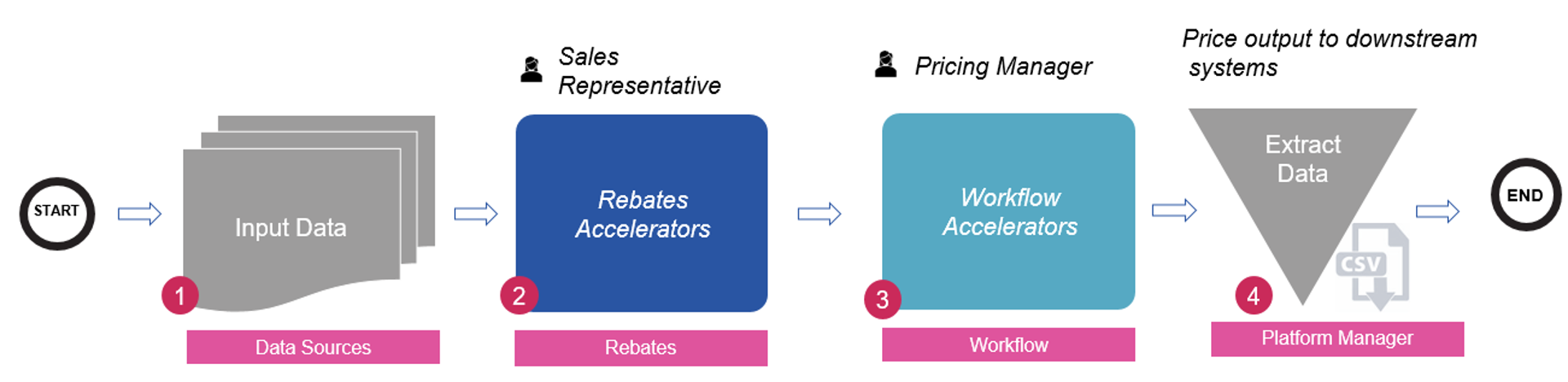
image-20230821-140941.png
The end-to-end Rebates process 


  1. Input data: Input data is prescribed in the “Input Data” section below 

  2. The Rebate Accelerators provides a solution for fast implementation of rebates. The solution includes defining and approving the rebate agreements, maintaining the rebate records and enriching the transactional data for the entire price waterfall. The package includes:  

  • More than 20 most common Rebate types 

  • Approval workflow for agreements and rebate records / payout values 

  • Agreement output template 

  • Enriching sales / transactional data in the Analytics module with the rebate values

image-20230821-141055.png
Header inputs

The Header is where the user interface will allow the user (Sales Rep, Pricing Manager) to define the rebate agreement definitions 

  • Start Date – Start Date of the agreement 

  • End Date – End Date of the agreement 

  • Payout Date – Payout Date of the agreement 

  • Customer(s) – One or group of customers for the agreement 

  • Product(s) – One or group of products for the agreement 

  • Pay To – One specific customer to pay 

  • Forecast Type – Can be Rebate Forecast or Accrual Forecast 

  • Accrual Method – For the Accrual Forecast type 

  • Sales Goal Increase % - For the Accrual Forecast type
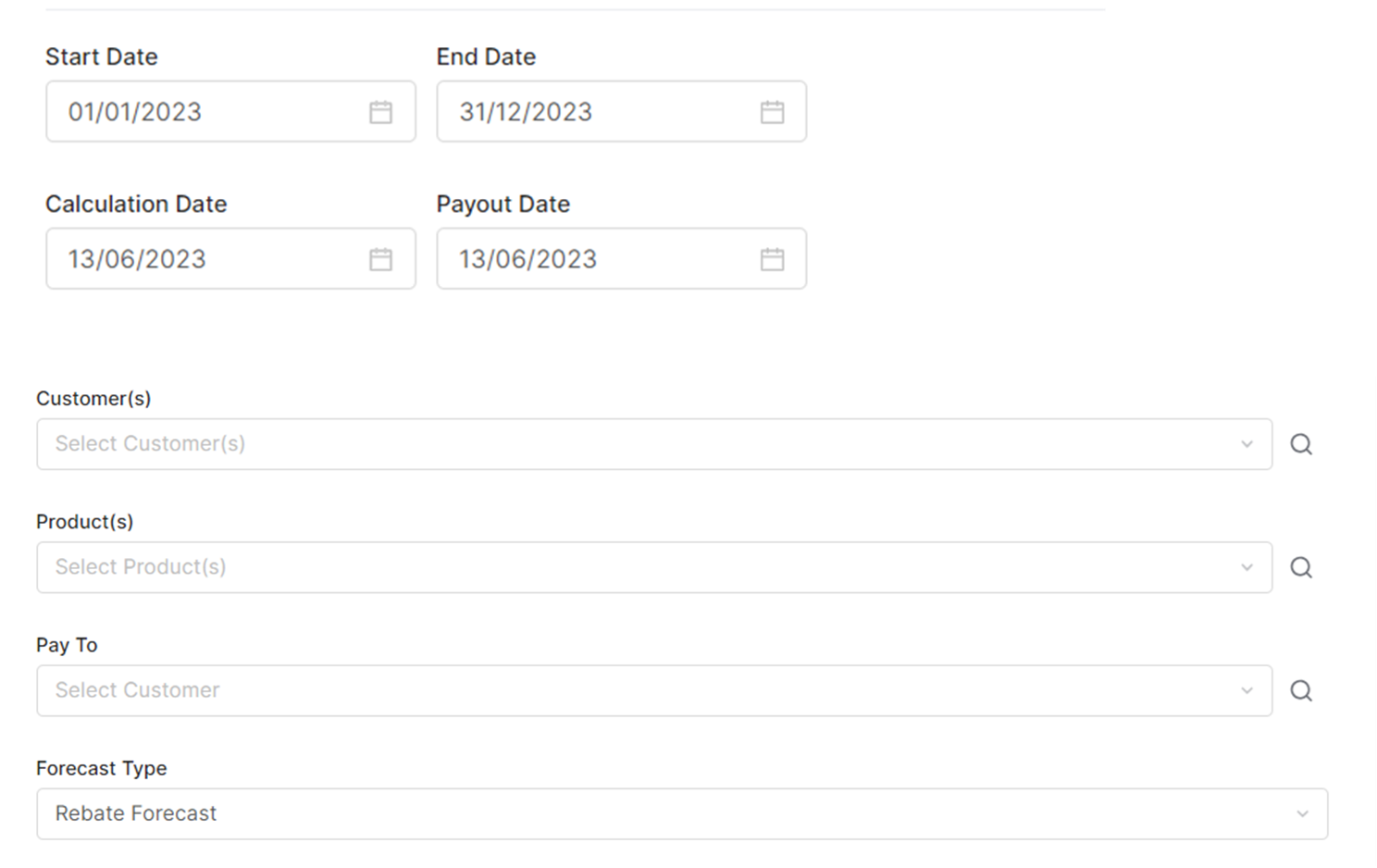
image-20230821-141340.png
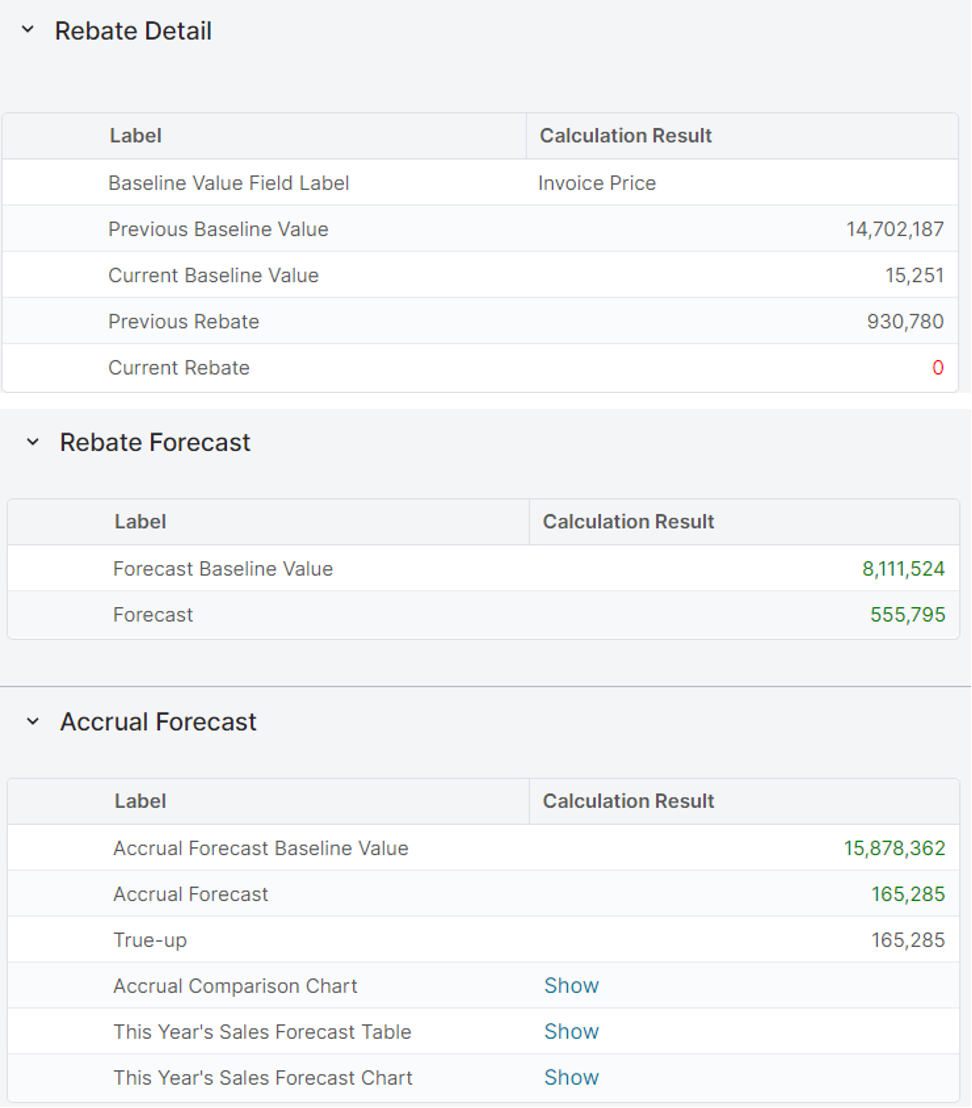
  • Overall Rebate agreement calculation results 
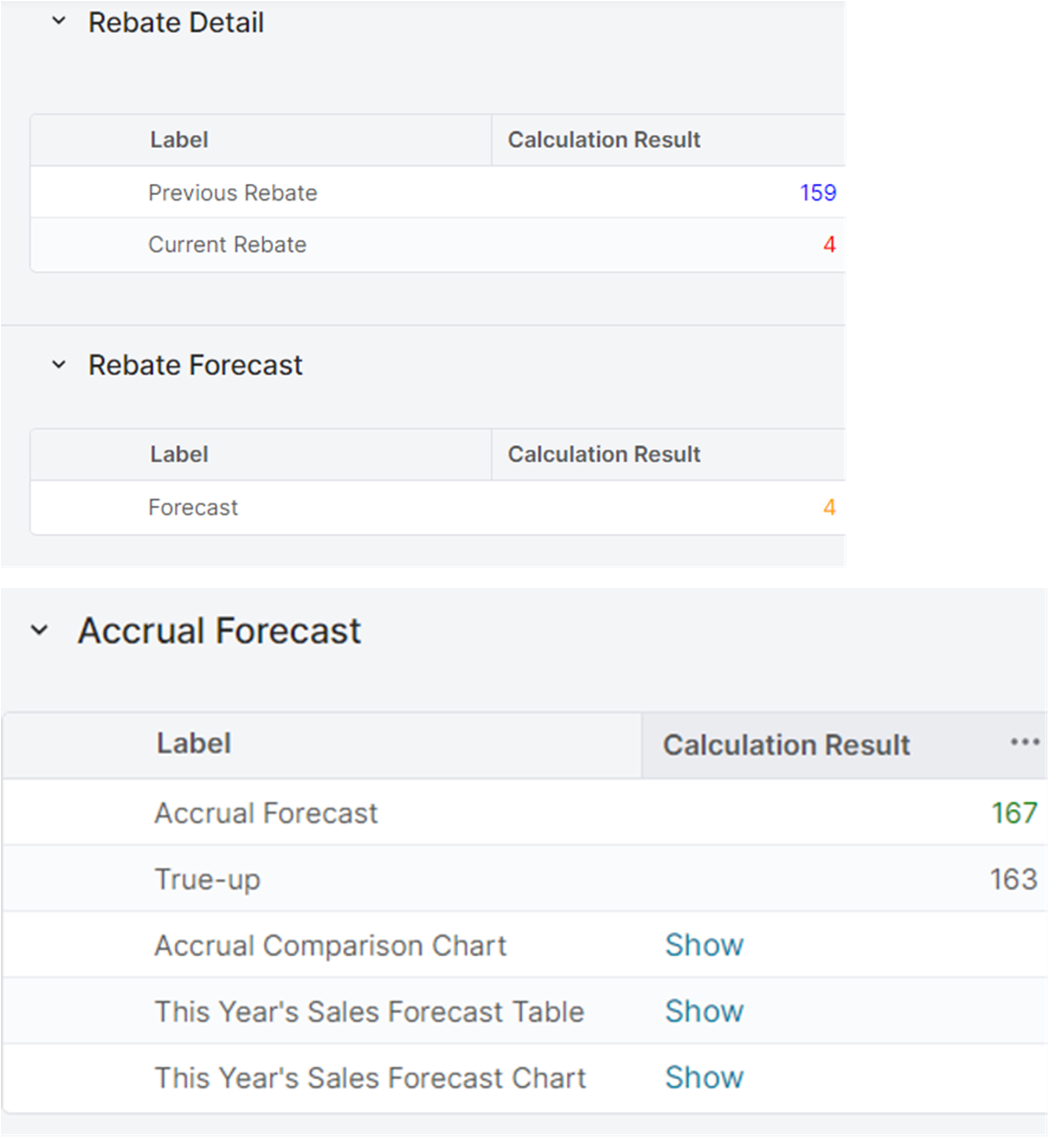
image-20230821-141445.png
Rebate types
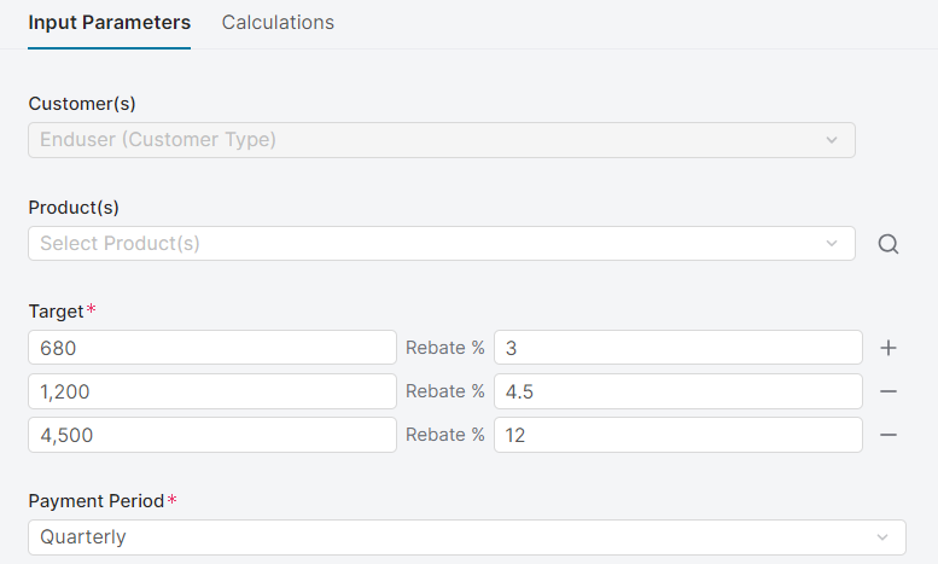
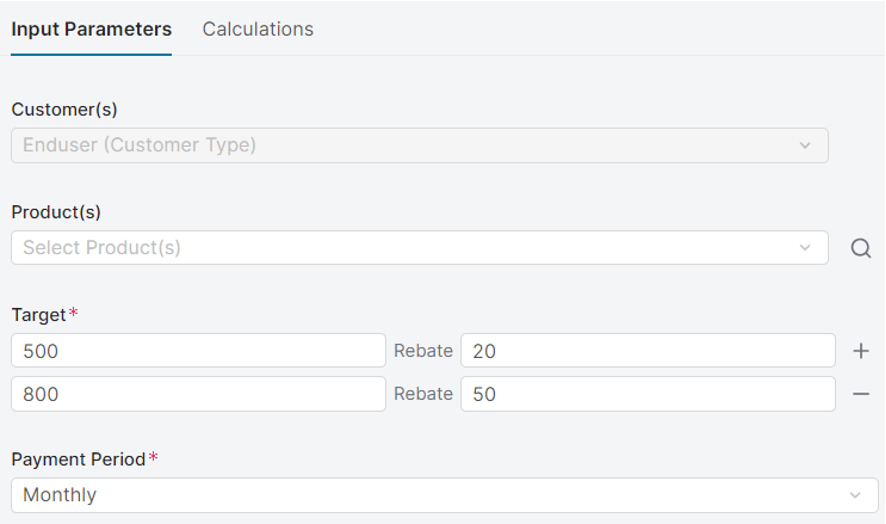
  • Conditional rebates: Single Target Amount, Single Target Percent, Single Volume Total Amount, Single Volume Total Percent, Single Volume Per Unit, Multi Target Amount, Multi Target Percent 

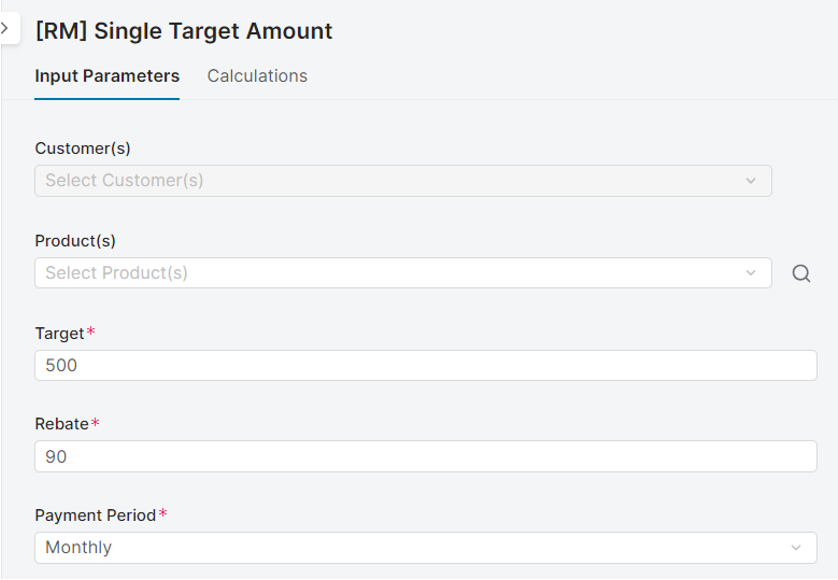
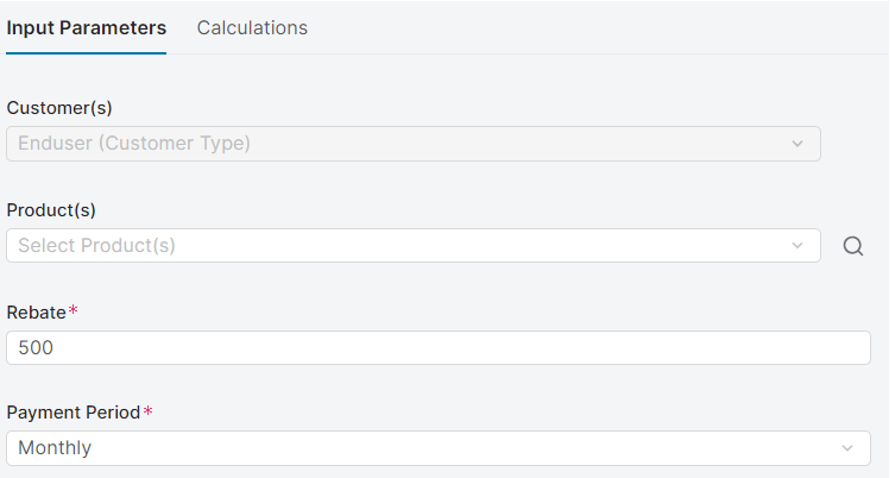
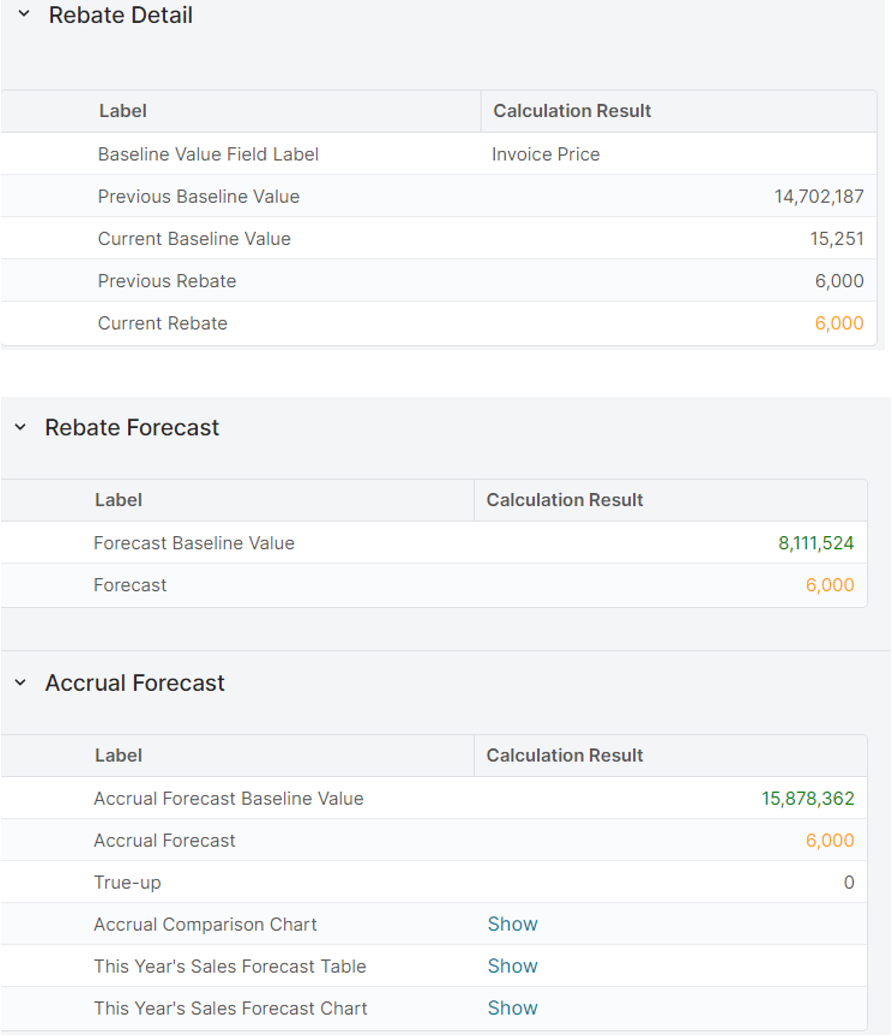
  • Single Target Amount  

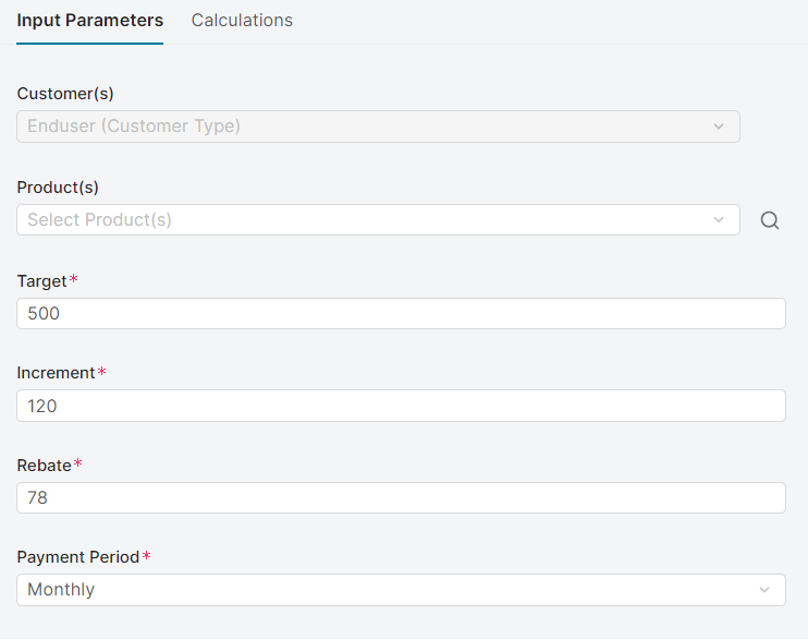
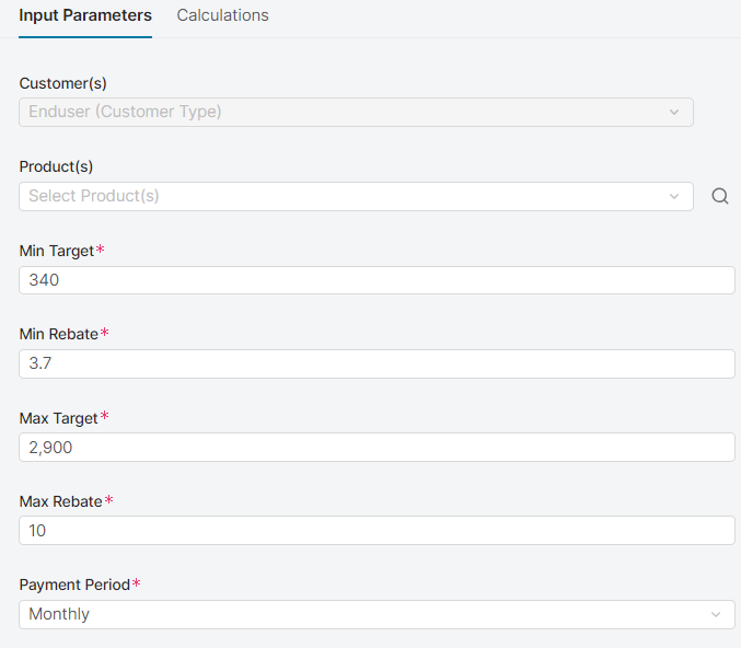
  • Inputs: 

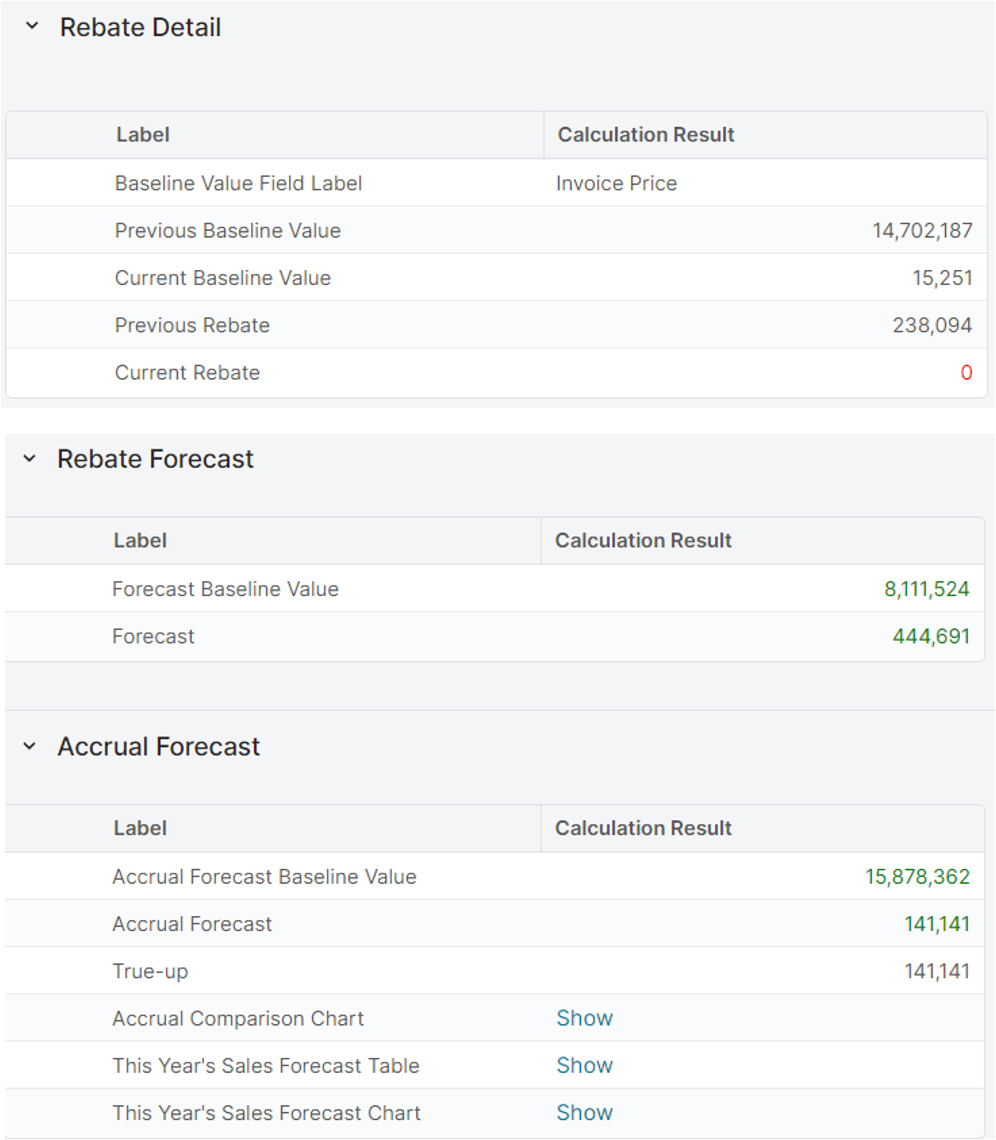
    image-20230821-141614.png
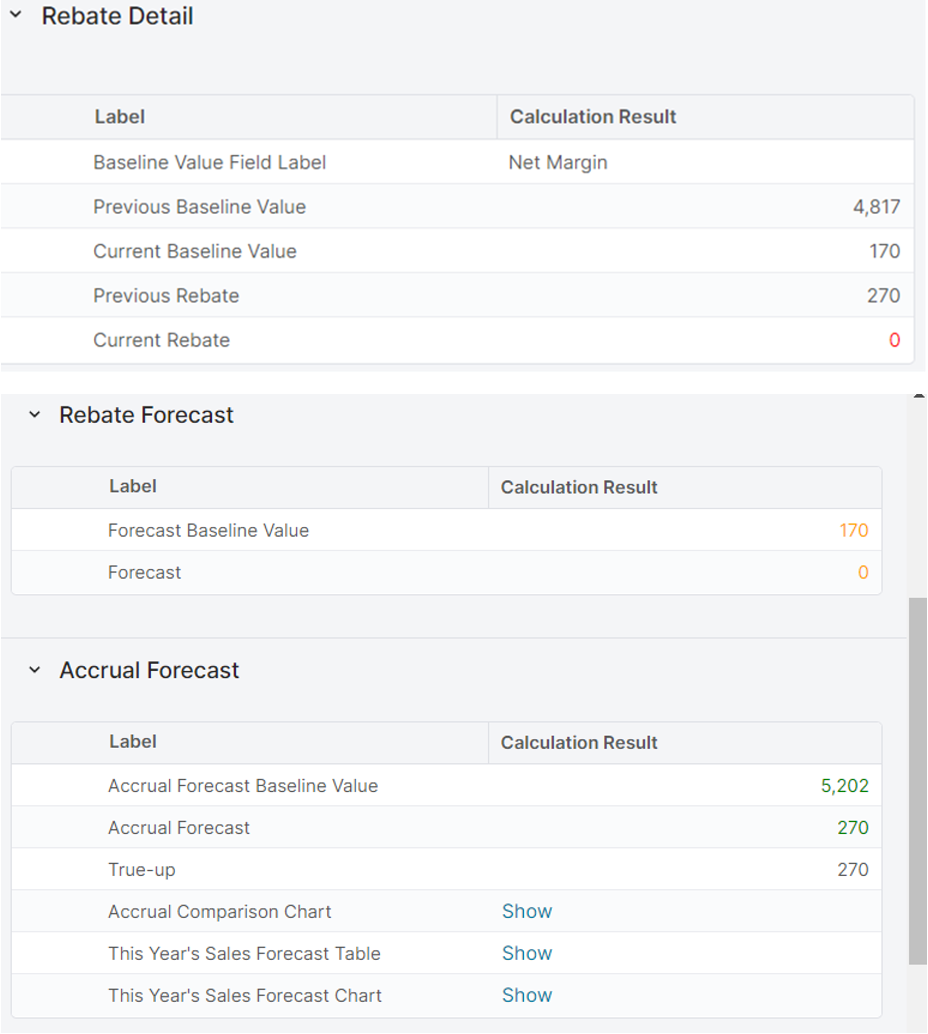
  • Calculation results 

image-20230821-141838.png
  • Growth rebates: Growth Absolute Amount, Growth Absolute Percent, Growth Percent Amount, Growth Percent Percent 

    • Growth Absolute Percent 

    • Inputs: 

image-20230821-141946.png
  • Calculation results 

image-20230821-142044.png
  • Incremental rebates: Single Increment Amount, Single Increment Percent, Multi Increment Amount, Multi Increment Percent 

    • Single Increment Amount 

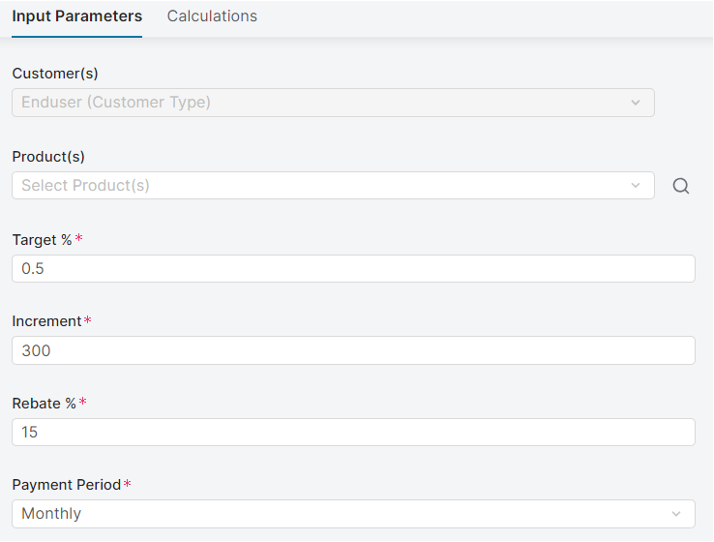
    • Inputs: 

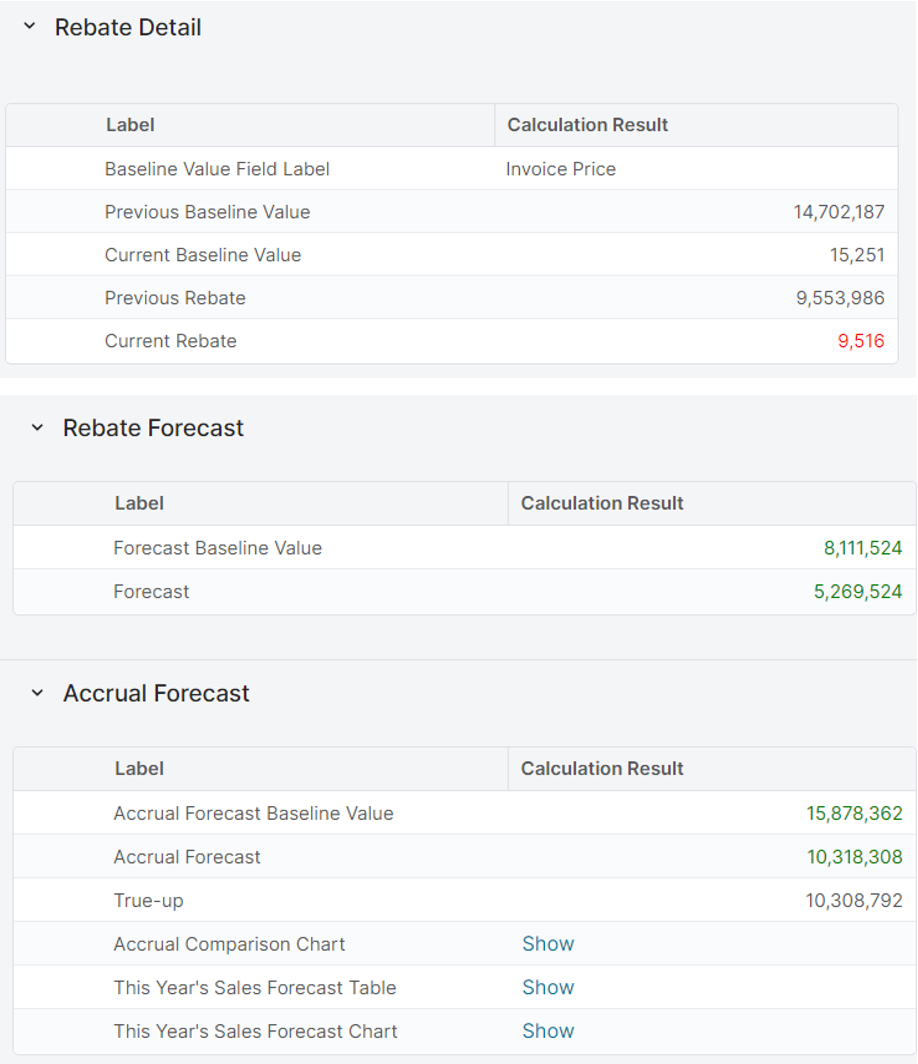
image-20230821-142131.png
  • Calculation Results 

image-20230821-142236.png
  • Incremental growth rebates: Single Increment Growth Amount, Single Increment Growth Percent 

    • Single Increment Growth Percent 

    • Inputs 

image-20230821-142313.png
  • Calculation results

image-20230821-142413.png
  • Fixed rebate: Fixed Amount, Fixed Percent 

    • Fixed Amount 

    • Inputs

image-20230821-142519.png
  • Calculation results

image-20230821-142647.png
  • Stepped rebates: Stepped Amount, Stepped Percent 

    • Stepped Amount 

    • Inputs 

image-20230821-142724.png
  • Calculation results

image-20230821-142822.png
  • Linear Rebates: Linear Amount, Linear Percent 

    • Linear Amount 

    • Inputs: 

image-20230821-142916.png
  • Calculation results

image-20230821-143018.png
  • Workflows approval allows to define the approval process of the Rebate Agreements and Rebate Records 

    • Define the steps of the approval process 

    • Define the approvers for each step 

    • Define the thresholds that trigger the step 

    • Send the email notification to the approvers/stakeholders  

Rebate agreement example
image-20230821-143110.png
Rebate record example
image-20230821-143141.png