Login Required in Standalone Browser Tab
After you log in to Pricefx embedded in a CRM iFrame, opening Pricefx in a separate browser tab can require an additional login.
This behavior occurs because modern Chromium-based browsers restrict third-party cookies (as of Q3 2024) and storage sharing across browser contexts. As a result, authentication data is not shared between the CRM iFrame and a standalone Pricefx tab.
This change ensures continued support for CRM integrations in iFrames but introduces a limitation when opening Pricefx in a new browser tab.
Automatic Single Sign-On in a New Tab
Automatic Single Sign-On (SSO) is supported when you open a detail page in a new browser tab from selected CLIC modules, such as:
-
Quotes List
-
Agreements and Promotions List
-
Rebate Agreements List
-
Sales Compensation List
Prerequisite:
A correctly configured SSO setup on the SAML configuration page.
For details, see Automatic SSO for New Tabs/Windows Opened via Pricefx Embedded in CRM.
Context Linking Between CRM iFrame and Standalone Tab
When you open Pricefx in a standalone browser tab from the CRM iFrame, context links (Context Linking) are not shared between the two views.
Due to browser security restrictions in newer Chromium-based browsers (from version 115), the application context cannot be transferred between the CRM iFrame and the standalone Pricefx tab. This includes data passed through web workers.
There is currently no supported workaround for this limitation. To avoid this behavior, use a non-Chromium-based browser such as Safari or Firefox.
For more information see:
Two shared workers for the same origin and security context
Unpartitioned third-party storage, Service Workers, and Communication APIs
Interceptor Functionality
Interceptor functionality is limited in standalone browser tabs opened from the CRM iFrame.
In this scenario:
-
Core interceptor features remain available.
-
Contextual values from the CRM payload are not accessible.
As a result, interceptors cannot use data from CRM pages such as Opportunity, Account, or other CRM objects.
Visual Mapping
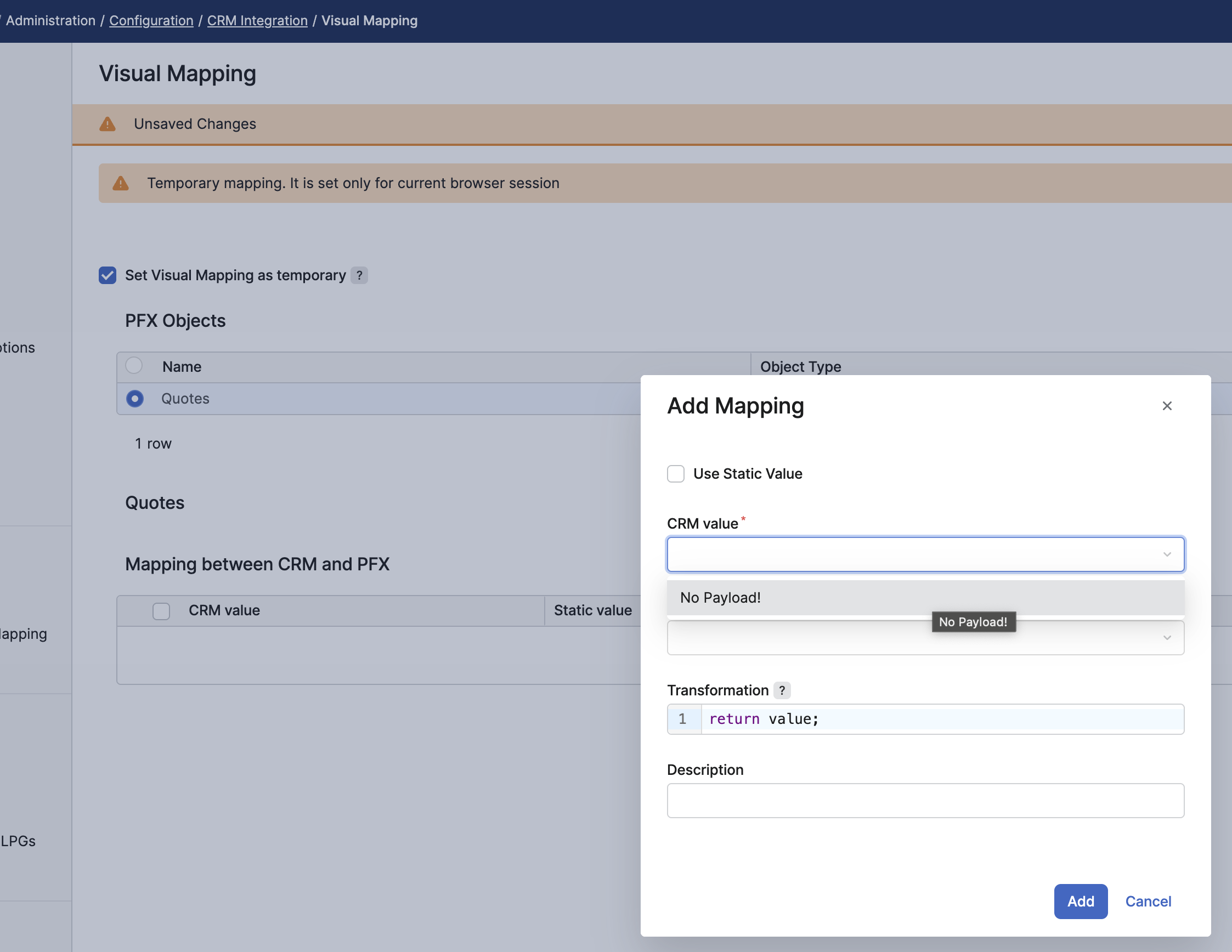
Visual Mapping has the same limitation as interceptor functionality.
When Pricefx is opened in a standalone browser tab from the CRM iFrame, values originating from the CRM context are not available for Visual Mapping.