
The React version of Quotes, Rebates and Agreements & Promotions detail brings improved user interface with new features and the most recent and improved shared components. It also utilizes a new backend API which comes with an upswing in performance when working with larger documents with many line items.
With that in mind, this comes with some changes and limitations.
CRM Integrations
Additional implementation steps are needed before switching to React in case customers access the application through a CRM integration.
The Pricefx application uses Interceptors as a communication layer between the application and the CRM system. These need to be updated by Pricefx Engineering prior to making the switch.
Customers interested in making the switch should contact their Custom Success Manager to get the process started with the Engineering team.
For more information see CRM Integration - Switch to React version.
Known Gaps and Changes
Changes
-
No Save button by default (React documents are auto-saved). The Save button can be enabled again in version 12.x in Quoting and in version 13.x in Agreements & Promotions and Rebates.
-
Create options in System Configuration (Do nothing, Save and Calculate Immediately, Calculate Immediately) are not applicable to React Detail pages with autosave on. By default, every document is saved immediately. With autosave off, two create options are available (Do nothing, Save and Calculate Immediately).
-
There is no selection of views (Tree View, Table View, Simple Table View). In 9.2 and 9.3 we introduced ways to alter the layout for cases where the default view was not ideal.
-
There is no backward compatibility for the Items table preferences. It is possible to manually copy and test the correct preferences. In Ember, the preferences key is either QuoteEditor_Overview or QuoteEditor_TableView, in React it is QuoteEditor_TableTreeView.
-
-
There is also the concept of performing actions asynchronously once actions are associated with a long waiting time.
-
The asynchronous actions are performed based on the number of line items and are set on the configuration page (100 by default).
-
-
Inline configurators do not display their label. Only nested inputs are shown. If you want to mimic the Ember layout of the inline configurators, you can use the input type COLLAPSE and wrap existing inputs into it.
-
There is a need to reload using the “Load Default” in Message templates.
-
It is not necessary to load the default email template if URLs are changed manually. It is possible to create a migration script. New URLs can be used for both Ember and React.
-
Old style of message links:
-
href="$baseURL$/app/#/quotes/detail/$entity.uniqueName$/messages/$msgEntity.typedId$"
-
-
New style of message links:
-
href="$baseURL$/app/modules/#/qc/go-to-quotes/$entity.uniqueName$/messages/$msgEntity.typedId$"
-
-
-
-
Full list of highlighted changes and improvements is available at Differences between Ember and React Version of Quotes, Rebate Agreements and Agreements & Promotions.
Feature Flags
Certain Feature Flags are specific to Ember and no longer applicable in React. The below page provides information on the current implementation status and what is in scope for the new version for Quotes, Rebates and Agreements & Promotions.
How to Enable React
Through the Feature Flags page only partition-wide setting is enabled.
Partition-wide setting is enabled on the Administration > Feature Flags page.
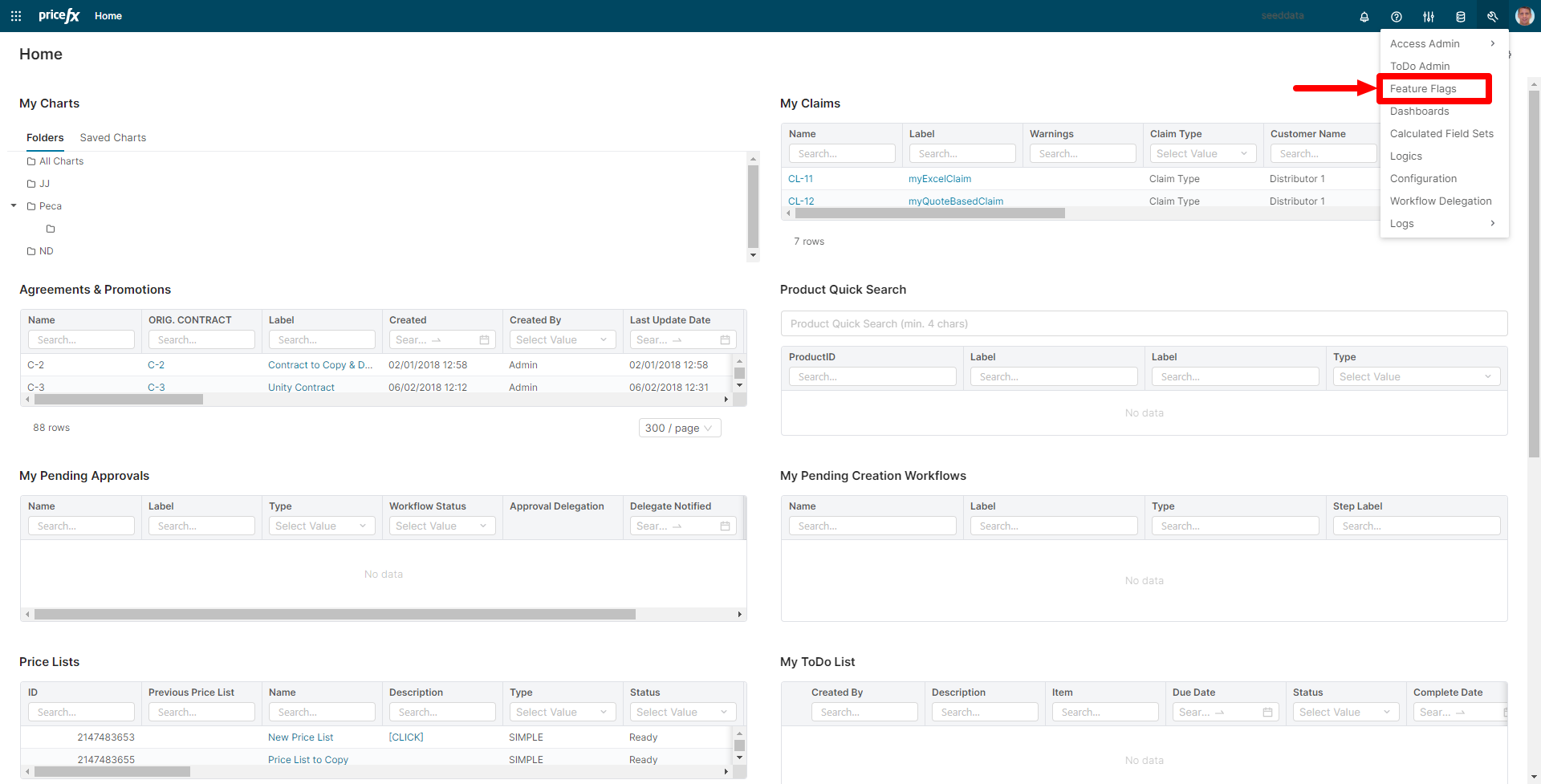
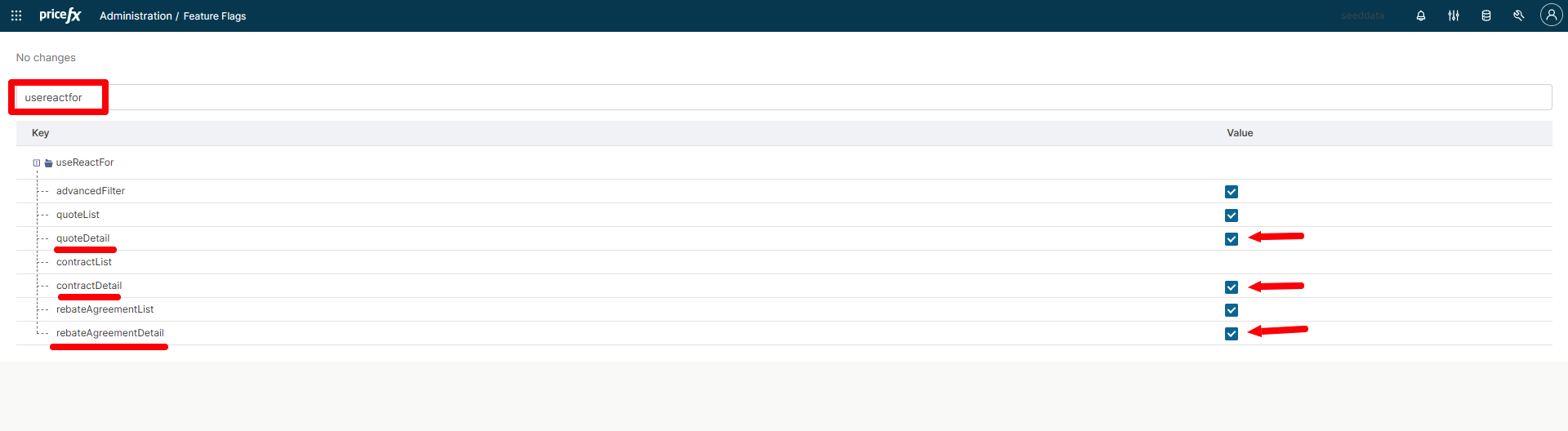
Search for UseReactFor and enable quoteDetail (8.0), rebateAgreementDetail (8.0) or contractDetail (9.0).
To apply changes in other partitions, you can follow one of the two possible methods:
-
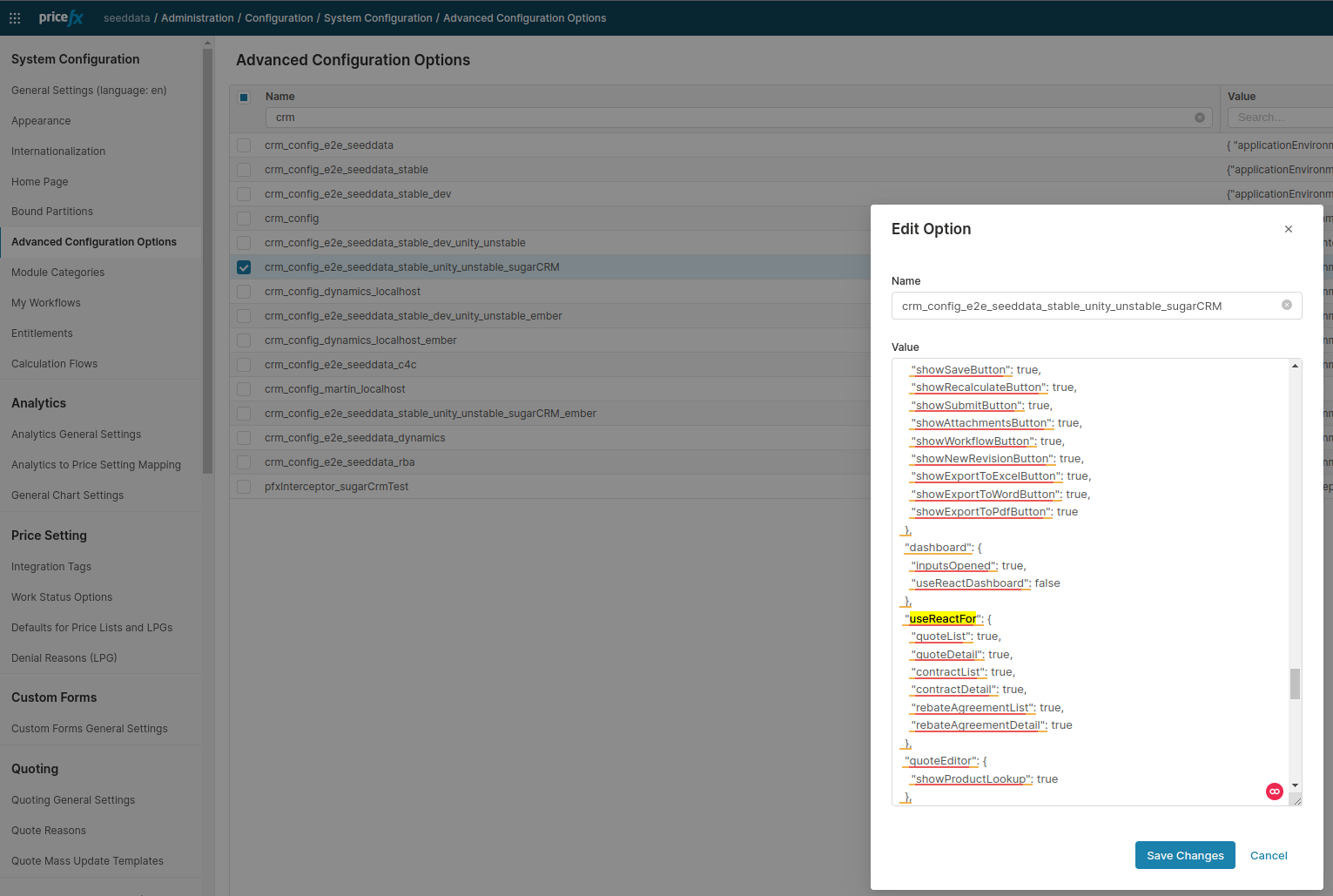
Go to Administration > Configuration > System Configuration > Advanced Configuration Options page and manually edit JSON configuration files.
-
Feature flags values can also be changed in PlatformManager. When using PlatformManager, you can check and modify feature flags for multiple partitions in one go.