
Allows you to configure connection to an electronic signature system. Currently, Pricefx supports only DocuSign.
Once configured, users will be able to export documents (Quotes, Agreements/Promotions, Rebate Agreements, Compensation Plans) from Pricefx and send them via the e-signature system to other people. In the UI, there is an E-Signature button on the document detail page. When you click it, a PDF is exported and the e-signing process is triggered in the e-signature system. Email notification is sent to the user concerned (the message template is customizable).
The setup consists of two steps:
-
Establish the connection between DocuSign and Pricefx.
-
Create a PDF template suitable for electronic signing.
DocuSign Settings
First you must configure the connection between Pricefx and DocuSign:
-
The prerequisite is to have an account in DocuSign (paid 3rd-party service).
-
On the DocuSign website, go to the Admin section > Integrations > API and Keys.
-
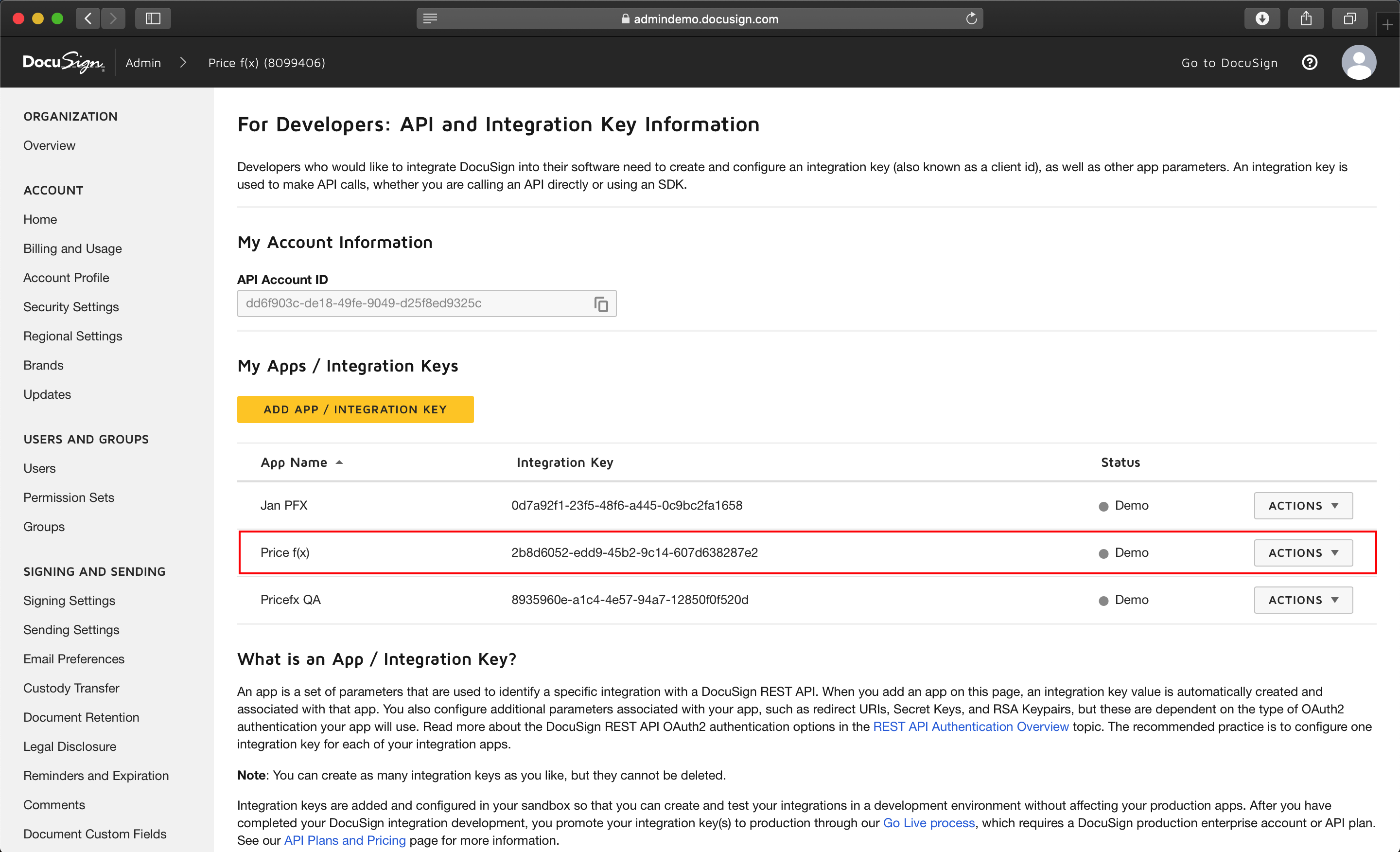
In the My Apps / Integration Keys section, click on the Integration Key line.
-
Copy and paste the Integration Key and the Secret Key to a text editor (e.g., Notepad).
-
Enter a Redirect URI – a Pricefx URI that DocuSign calls back with a token after successful authentication.
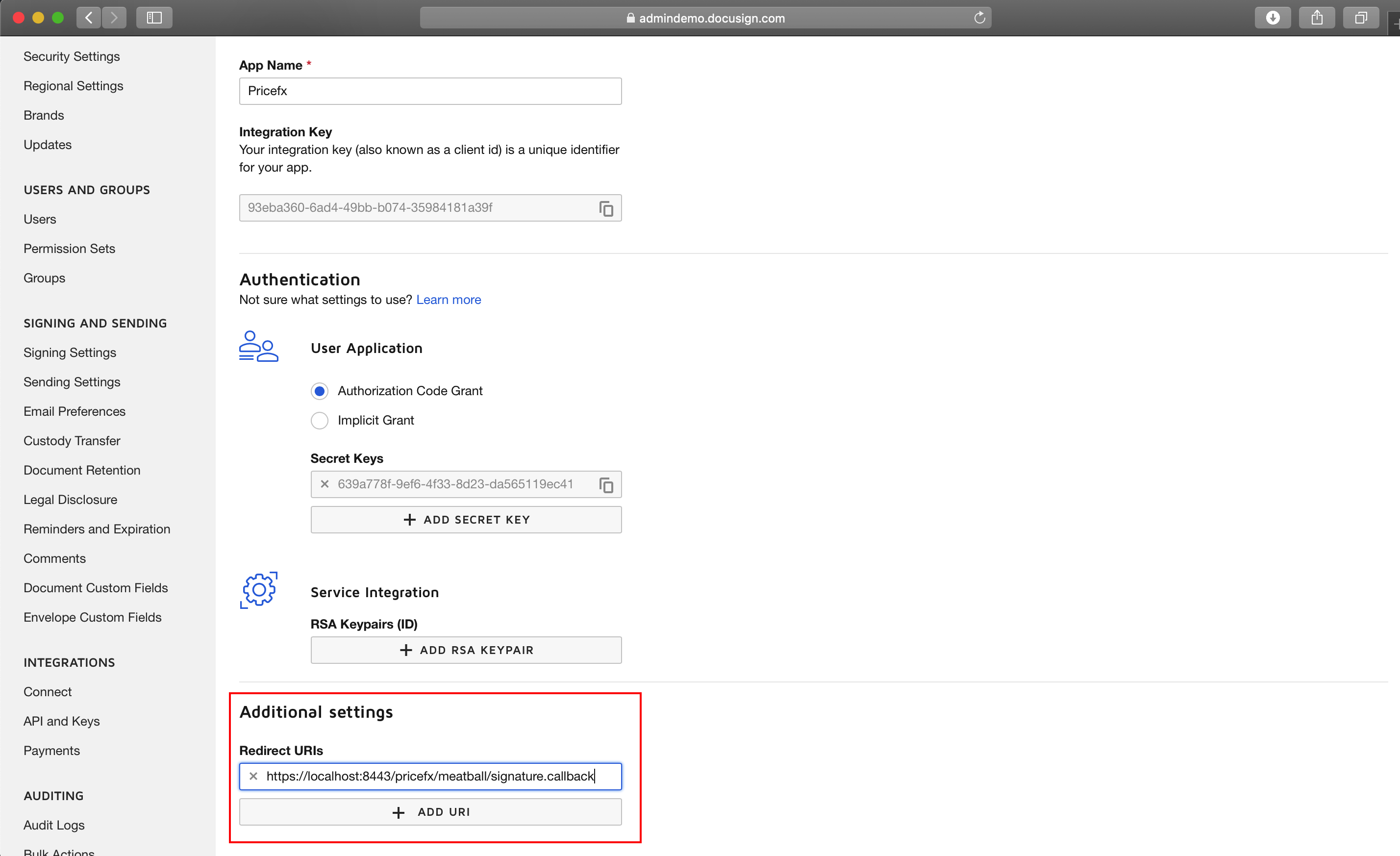
Before you are authenticated, the URI is displayed on the Pricefx Administration > Configuration > External Systems > E-signature page:
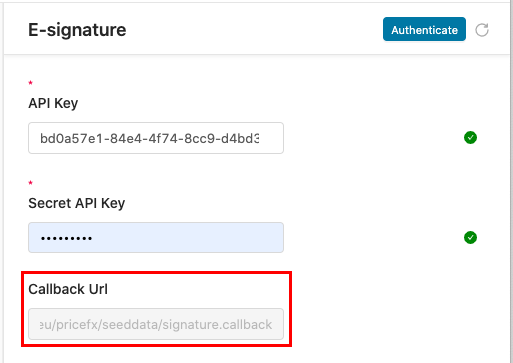
Copy and paste it to the Redirect URIs field on the DocuSign page.
-
In Pricefx, go to Administration > Configuration > External Systems > E-signature.
-
Paste the Integration Key to the API Secret field and the Secret Key to the API Key field.
-
Click Authenticate. Sign in to DocuSign and accept the permission request by Pricefx.
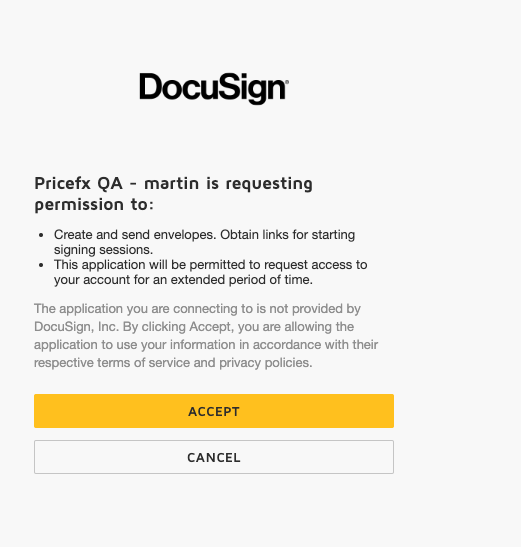
A security token is then obtained from DocuSign and Pricefx is authorized.
Note: If your browser blocks pop-up windows, click Authentication Link: Open to log in to DocuSign and accept the permissions.
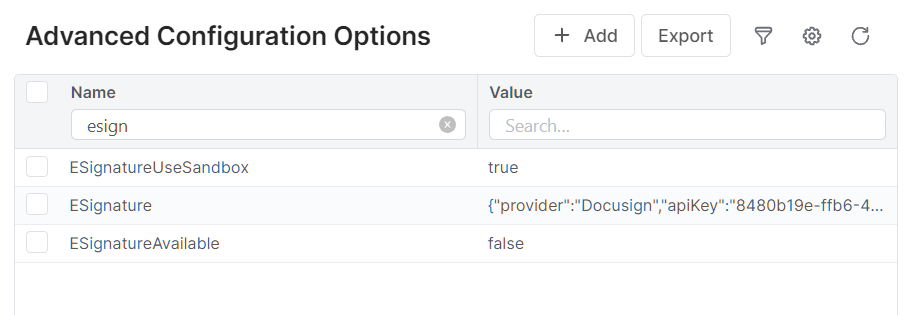
Every project, before it can be verified that the integration works fine, starts in the DocuSign sandbox (with a developer sandbox account). In Pricefx, you have to state in the Advanced Configuration Options that you are using the sandbox by adding the 'ESignatureUseSandbox' property. Please do not modify the other e-signature properties.
PDF Template
You must define a PDF template suitable for export to DocuSign. It must contain placeholders (anchors) where the signatures and dates will be placed.