
When you want to create a Query operation for Pricefx data, insert a Connector Shape and follow all the steps described in Create an Operation.
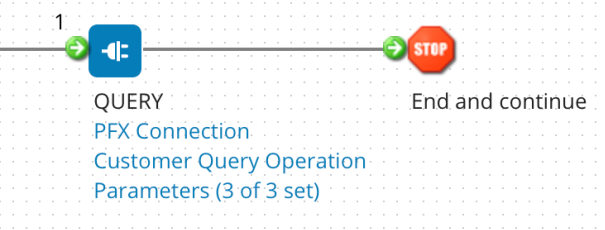
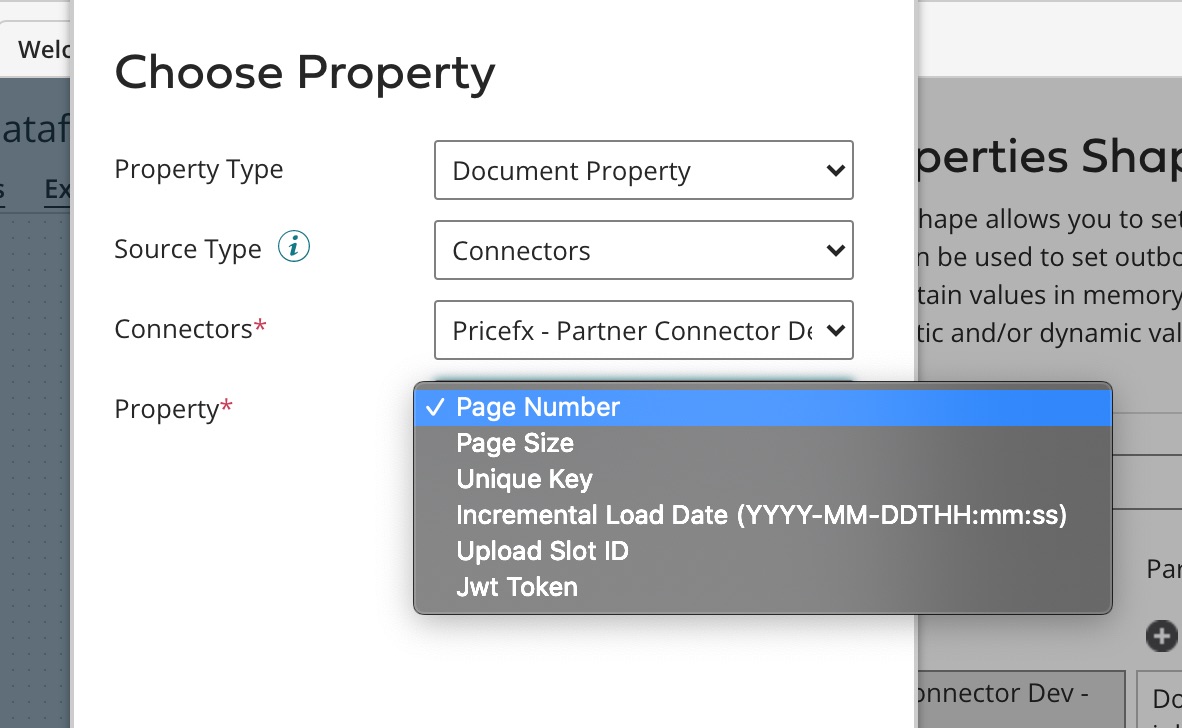
Page Number Document Property is mandatory and has to be set up before the Pricefx connector shape. The default page size is 500. Page size can be overridden to a value smaller than 500.
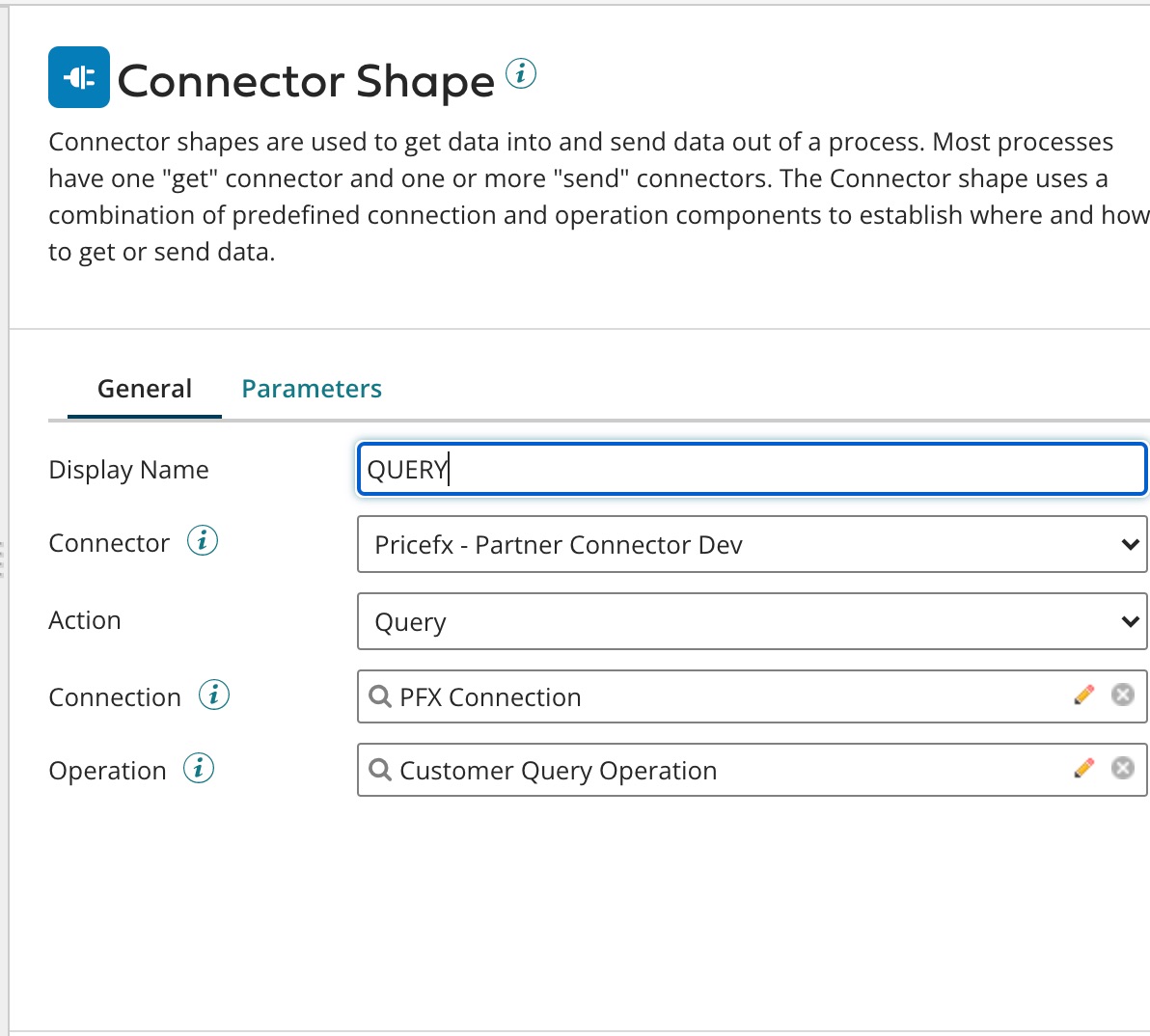
In Step 2, the setup should look like this:
The last field 'Operation' (which relates to Step 7 in the common flow) has the following options.
Select the fields to be the output.
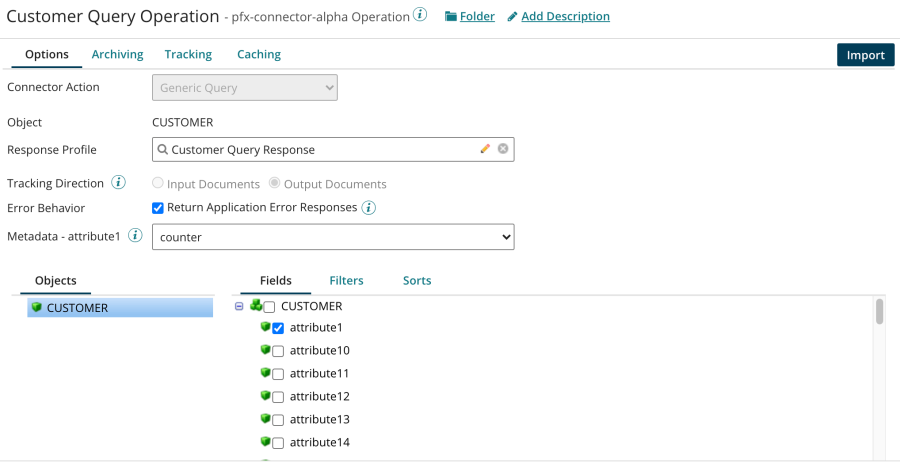
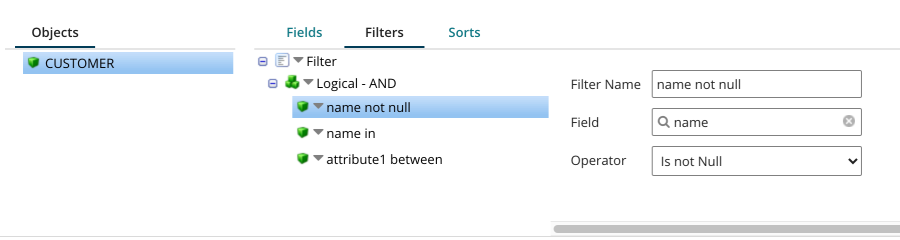
Select a required Filter.
"In", "Not In", "Between", "Between inclusive" support multiple arguments, which should be separated by comma. Parameters are set at the Parameters page.
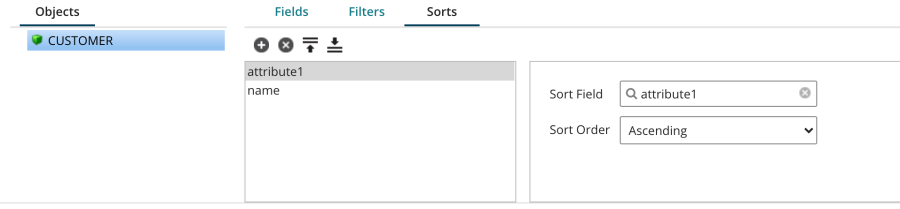
Select Sort by Fields (which is mandatory); only ascending is supported.
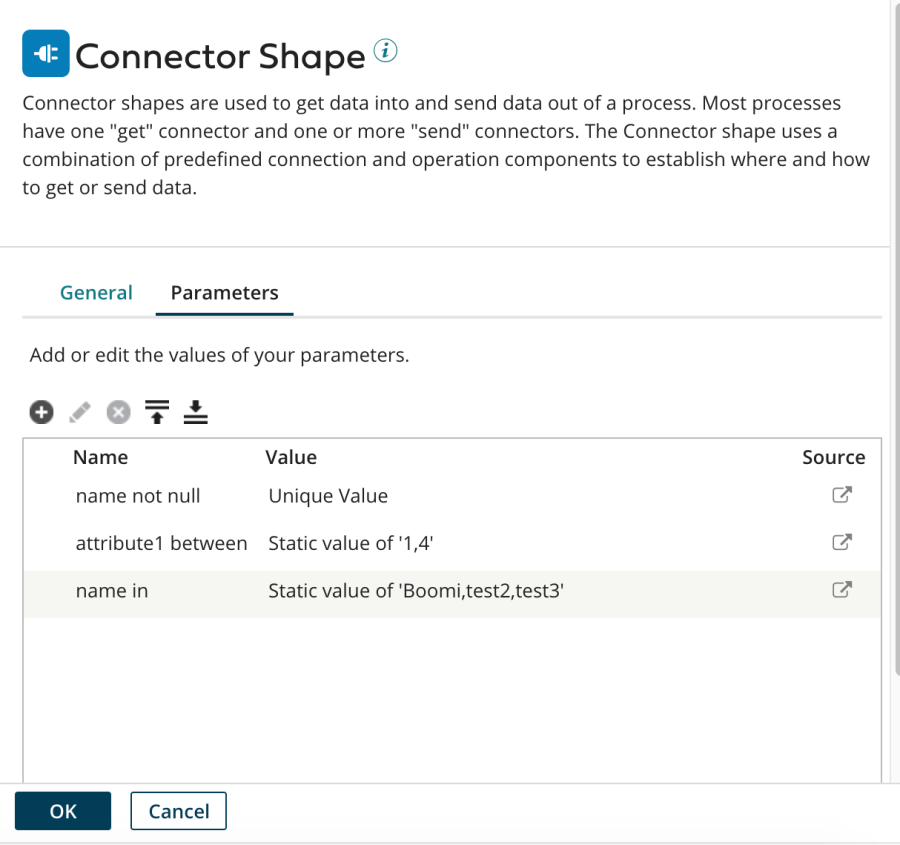
Parameters
Parameters are required for all the query filters set in the previous step.
-
0 arguments are required for "Is Null" and "Not Null".
-
Comma separated arguments are required for "In", "Not In", "Between", "Between inclusive".
-
1 argument is required for all the other operations.
Standard Response Schema
See a separate section.