
Enable versioning and the Snippets feature in Formula Designer to manage multiple versions of formula types and utilize reusable code snippets, ensuring efficiency and backward compatibility in formula management.
Target Audience
Administrators and advanced users responsible for configuring Formula Designer
Prerequisites
-
Access to Formula Designer
-
Permission to modify Advanced Configuration Options (AP) for the Formula Designer
Steps
-
Navigate to the Advanced Configuration Options (AP) for Formula Designer: Administration > Configuration > System Configuration > Advanced Configuration Options.
-
Filter out the
formulaDesigneroption and click Edit.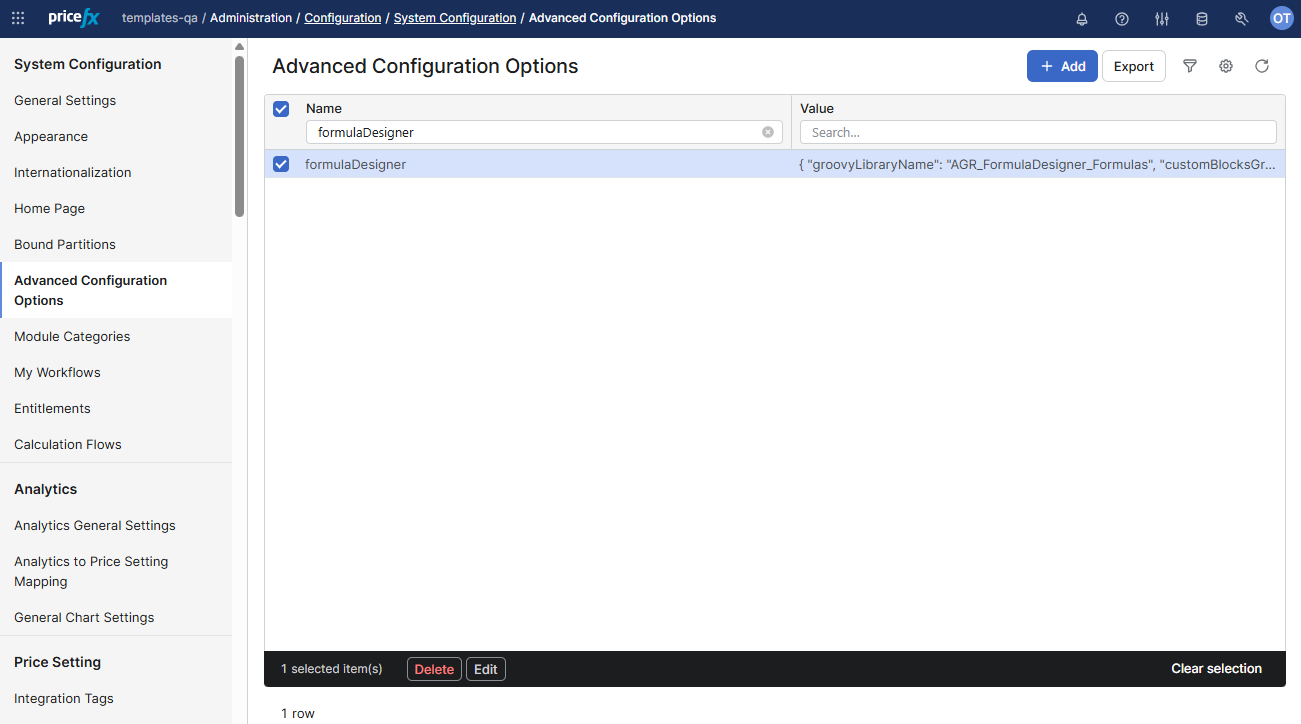
-
Add the following properties to JSON:
-
versioningEnabled(controls versioning functionality) set totrue. -
snippetsEnabled(controls visibility of the Snippets tab) set totrue.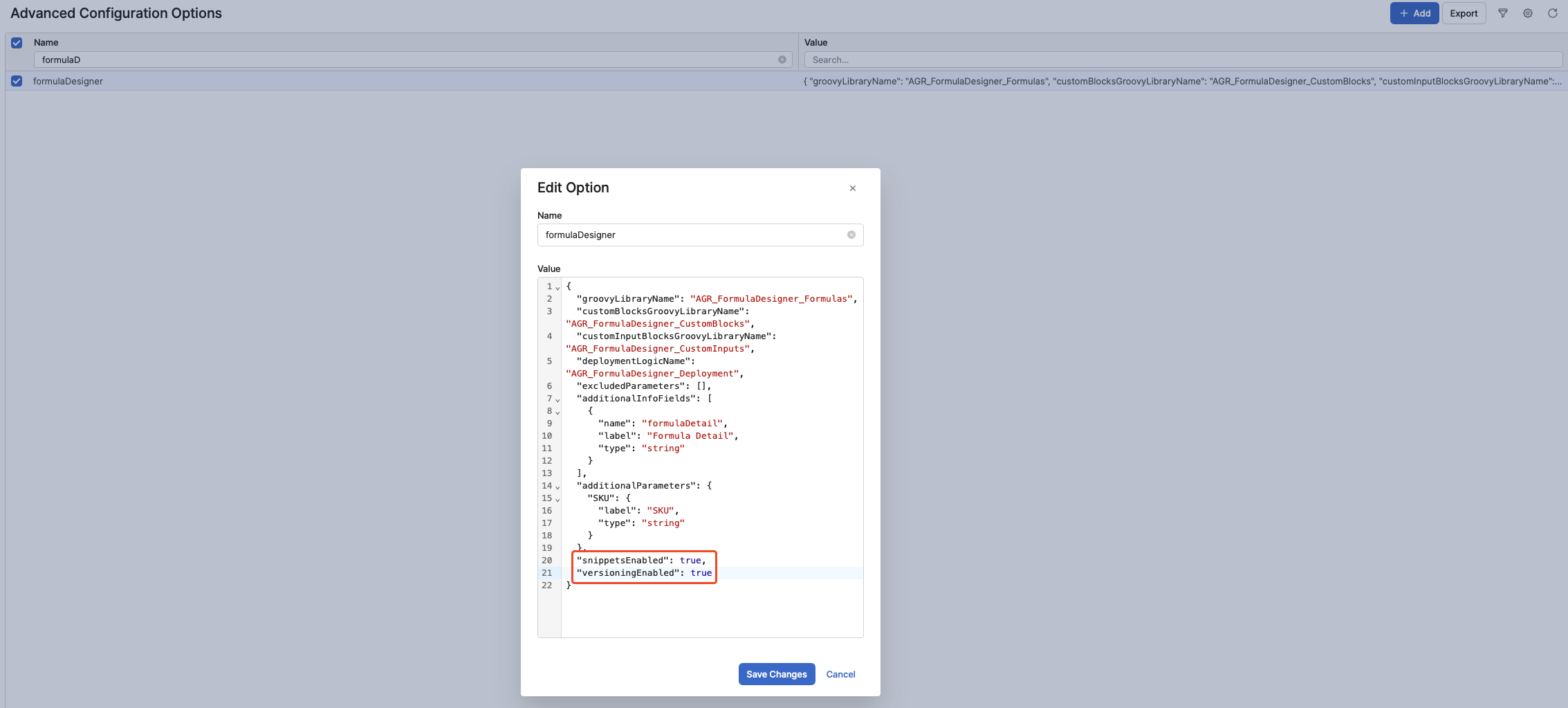
-
-
Click Save Changes.
-
Return to Formula Designer.
-
You will now see the Create new version action for formula types and the Snippets tab available for use.
-
Expected Result
-
The Create new version action will be visible, allowing users to create and manage specific versions of formula types.
-
Formula type, when activated, will save distinct versions to the Groovy Library (using their name plus version), maintaining backward compatibility for existing Agreements.
-
-
The Snippets tab will appear, enabling access to reusable code snippets within Formula Designer.
Notes
-
When versioning is enabled, formulas (CFOs) in agreements will reference a specific formula type version, ensuring that updates don’t impact existing agreements unless their referenced version is changed.
-
Active and superseded versions remain functional in the Groovy Library, so existing logic for legacy agreements will not break.
-
Disabling these settings (
versioningEnabledandsnippetsEnabledAPs set totrue) reverts Formula Designer to its default state, where versioning and Snippets are hidden and unavailable.
Troubleshooting
-
If Create new version or the Snippets tab are not visible after enabling the respective settings, ensure you have saved changes in AP and have performed a browser refresh.
-
If errors occur during versioning or snippet usage, check system logs or consult your system administrator.