
AGR_FormulaTypes
Defines Formula Types and how they calculate the price. Automatically populated by Formula Designer on formula submission.
Fields:
-
Formula Type Name – Stands for the name of an individual Formula Type. These values can then be selected in the Formula type dropdown menu in the Formula Definition. Currently, the only type provided out of the box is Cost Plus. You can add your own type, for details see How to Add New Input-Based Formula Type with Calculation Method and Inputs.
-
Calculation Engine Path – Path to the calculation engine in the format
libs.<name of lib>.<name of element>.<name of method>. -
Engine Calculation Parameters – Parameters which values will be passed to the calculation as parameters of method provided in
Calculation Engine Path. The static ones are: SKU (the product being calculated) and FORMULA_INPUTS (all of the inputs from the Definition step). -
Input Generation Table Name – Refers to another Company Parameter table which defines the Input Manager generation. “AGR_FD“ prefix means that the Formula has been generated by Formula Designer.

AGR_InputBasedFormulaTypes
Works exactly the same way as AGR_FormulaTypes, but manages Input-Based Formulas, so it needs to be filled in manually.
AGR_ForecastTypes
Provides values to select from in the Forecast Engine dropdown in the agreement header. Works the same way as AGR_Formulas. Only manually configured Forecast Types are supported.

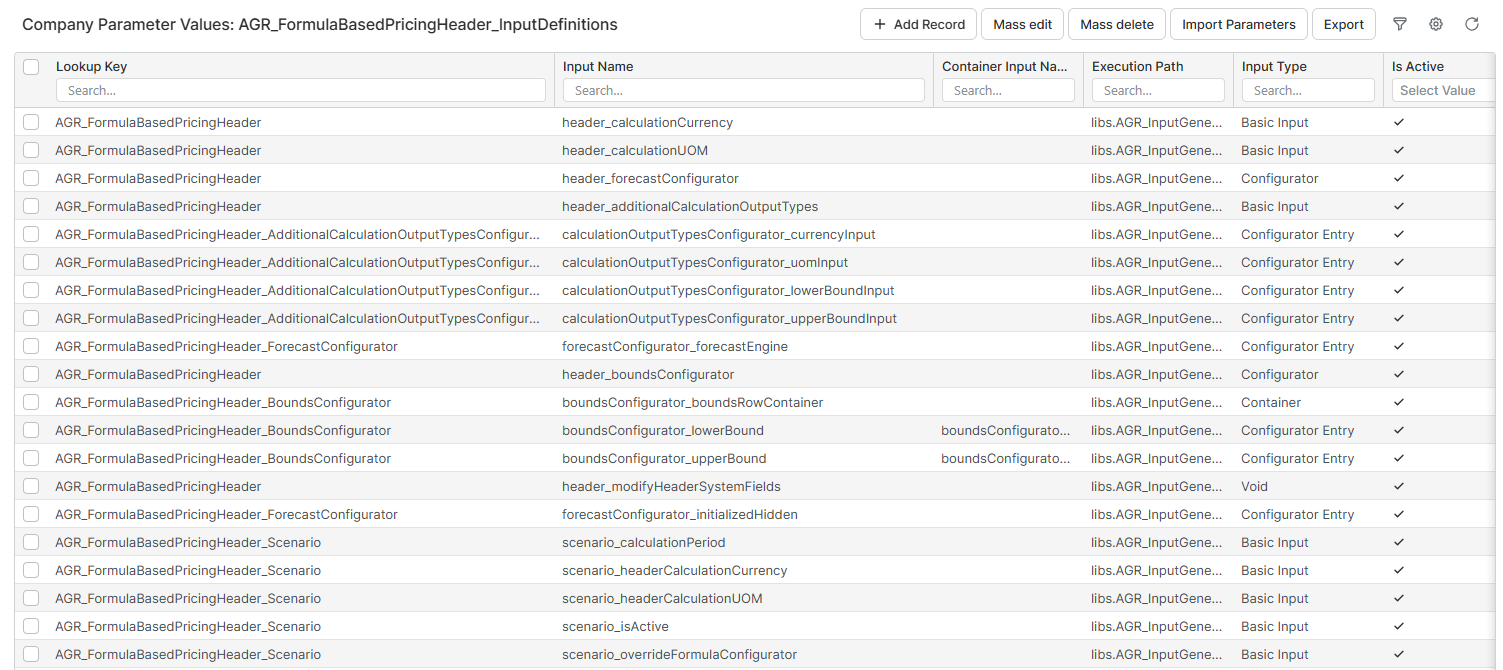
AGR_FormulaBasedPricingHeader_InputDefinitions
Allows you to customize the inputs in the header. Details abut usage can be found in How to Modify, Add and Remove Inputs.
⚠️ Do not turn off individual inputs without checking the impact. Some of them are required for the Accelerator to work.
AGR_FormulaBasedPricing_InputDefinitions
Allows you to customize the inputs on the line item level. Details abut usage can be found in How to Modify, Add and Remove Inputs.
⚠️ Do not turn off individual inputs without checking the impact. Some of them are required for the Accelerator to work.

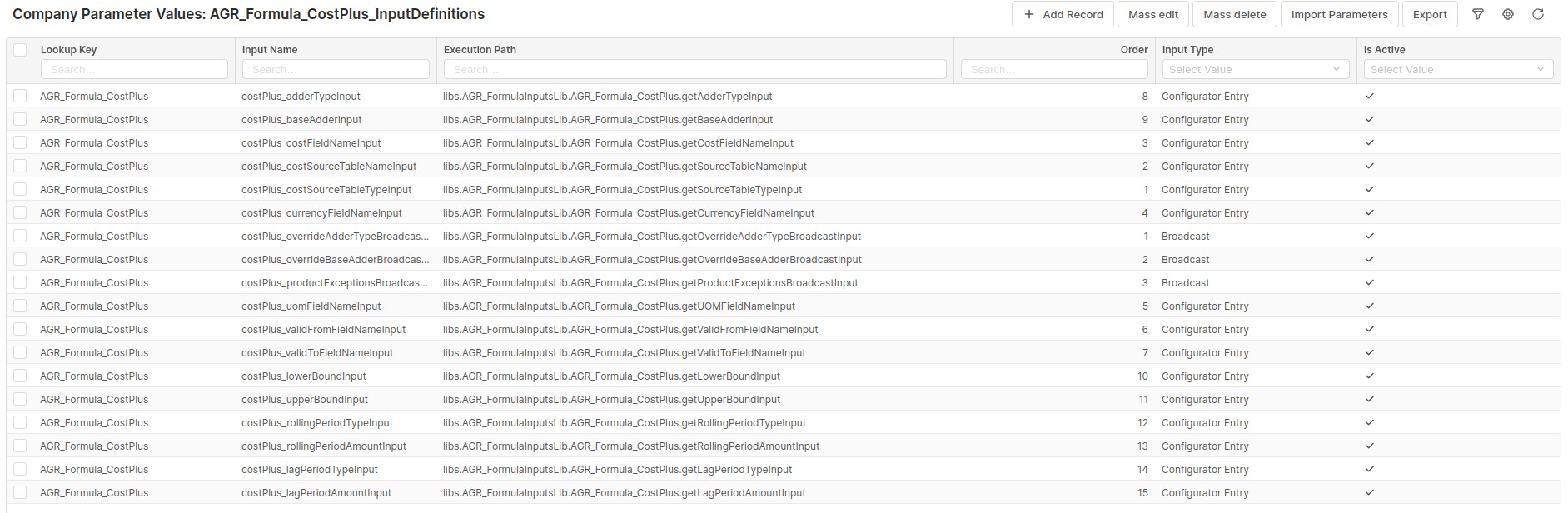
AGR_Formula_CostPlus_InputDefinitions
Allows you to customize the inputs in the Definition step: their order, visibility etc.
⚠️ Do not turn off individual inputs without checking the impact. Some of them are required for the Accelerator to work.
Details abut usage can be found in How to Modify, Add and Remove Inputs.
AGR_Formula_ExceptionsConfigurator_InputDefinitions
Allows you to customize the exceptions configurator used by out of the box CostPlus Input Based formula. Details abut usage can be found in How to Modify, Add and Remove Inputs.
⚠️ Do not turn off individual inputs without checking the impact. Some of them are required for the Accelerator to work.

AGR_Forecast_CostPlus_InputDefinitions
Allows you to customize the inputs in the CostPlus forecast definition: their order, visibility etc. Usage of this parameter is configured in AGR_ForecastTypes Company Parameter.
⚠️ Do not turn off individual inputs without checking the impact. Some of them are required for the Accelerator to work.
Details abut usage can be found in How to Modify, Add and Remove Inputs.

AGR_Forecast_Average_InputDefinitions
Allows you to customize the inputs in the out of the box Average forecast type definition: their order, visibility etc. Usage of this parameter is configured in AGR_ForecastTypes Company Parameter.
⚠️ Do not turn off individual inputs without checking the impact. Some of them are required for the Accelerator to work.
Details abut usage can be found in How to Modify, Add and Remove Inputs.

AGR_FormulaHeaderAttributesConfigurator_InputDefinitions
Allows you to customize inputs on the “Details” tab in Formula CFO object. Their order, visibility etc.
Details abut usage can be found in How to Modify, Add and Remove Inputs.

AGR_Dashboard_ScenarioComparison_InputDefinitions
Allows you to customize inputs on the “Scenario Comparison” tab in Agreement screen.
⚠️ Do not turn off individual inputs without checking the impact. Some of them are required for the Accelerator to work.
Details abut usage can be found in How to Modify, Add and Remove Inputs.

AGR_WarningConfig
Allows you to configure severity of various warnings and errors that the accelerator can throw.
Described in more detail in Error Management (Agreements) | Configuration