
📽️ Check out a video demonstration for this use case, here.
Use Case Situation Description
In this use case we are looking at how Pricefx can help discrete manufacturers identify and eliminate underperformance to improve efficiency, increase productivity, save costs, improve quality, and provide a competitive advantage. Manufacturers can optimize their processes, reduce waste, increase output, reduce labor costs and downtime, and improve customer satisfaction. By improving efficiency, productivity, quality, and cost-effectiveness, manufacturers can stay competitive in the market and increase profitability.
Prescriptive Design Requirements
Coming soon
User Stories
Coming soon
Data Requirements
Coming soon
Out-of-Scope
Coming soon
Solution Design
In this use case we are looking at how to identify and eliminate underperforming customers or products through analytics in Pricefx. In the discrete manufacturing industry, this allows for targeted resource allocation, improved profitability, streamlined operations, enhanced customer satisfaction, and increased market competitiveness. By focusing on high-performing customers and products, you can optimize your sales efforts, reduce costs, and make data-driven decisions to drive growth and success.
Good to know: Some of our screens may look differently as we are in a demo environment.
Workflow: Step 1 - Dashboards and filters
But let's take a look how this goes in Pricefx.
When opening dashboards in Pricefx you will notice a filter criteria on the left-hand side. Here, you can define time periods and aggregations on both product and customer levels. You can also add colored highlighting or grouping for different attributes.
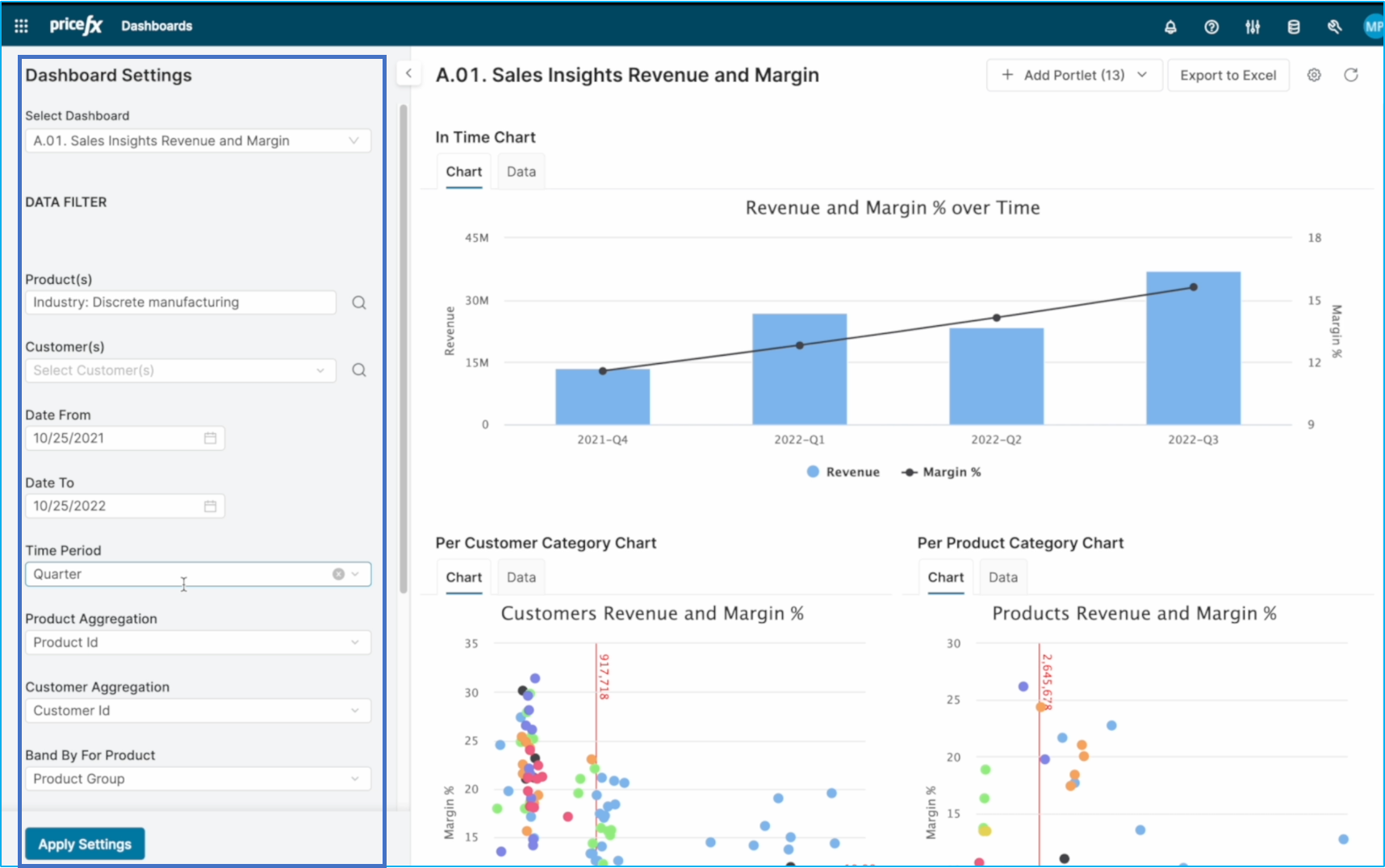
However, we will not focus on these details right now but instead, we will take a closer look at the charts.
Workflow: Step 2 - Understand charts
At the top of the screen, we can see the revenue and margin development over time - both of which are trending upwards. But for more detailed information, you can be looking at the charts further down. On the left-hand side, there's a chart showing revenue and margin per customer, with each dot representing a different customer type. On the right-hand side, we see the same chart but for products, with each dot representing a different product group and quadrant. You can easily spot a product group highlighted in black - electrical protection and controls - and one product in particular stands out with higher revenue but lower margin.
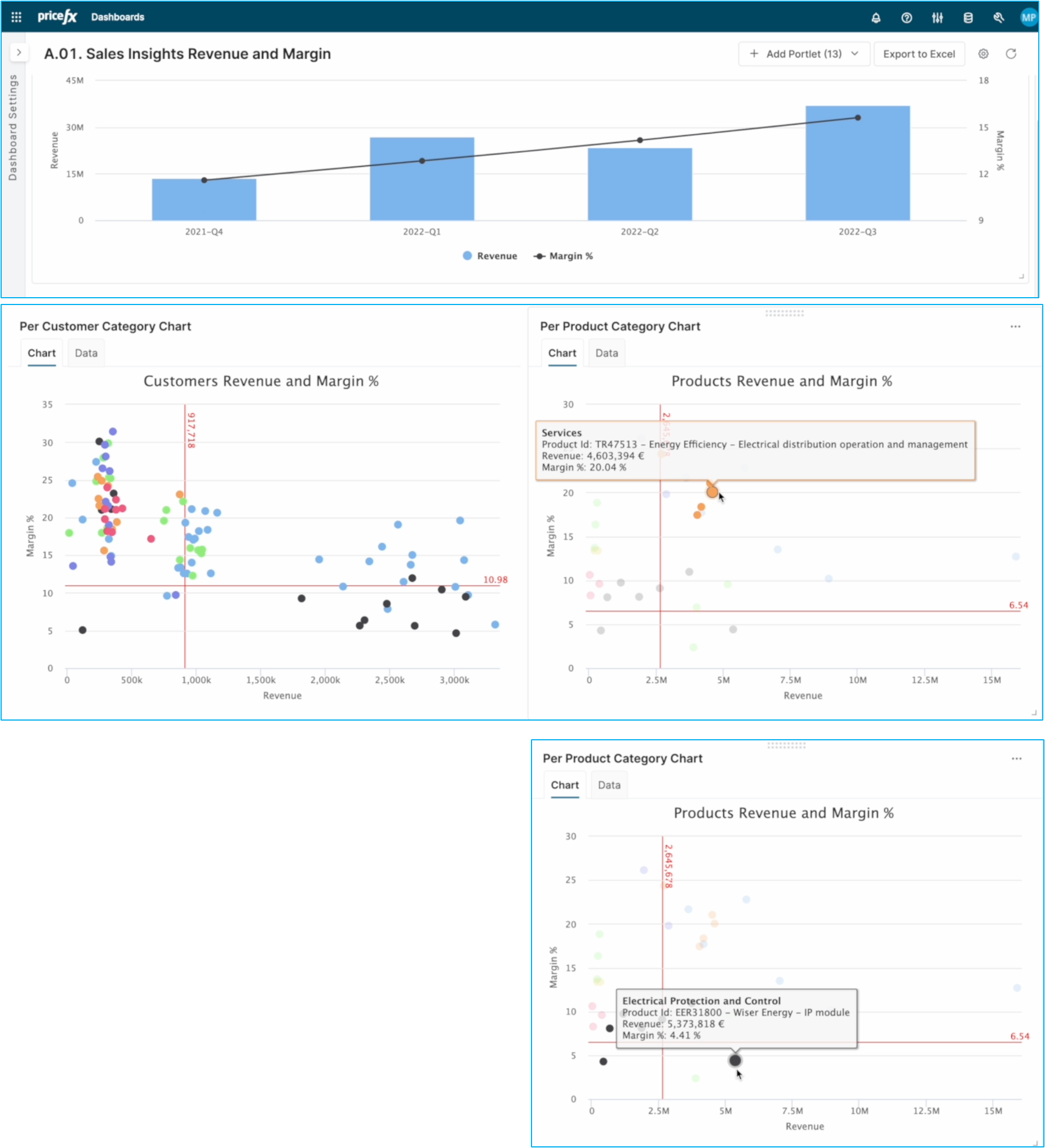
To investigate further, we'll move to a different dashboard and check for any geographical differences.
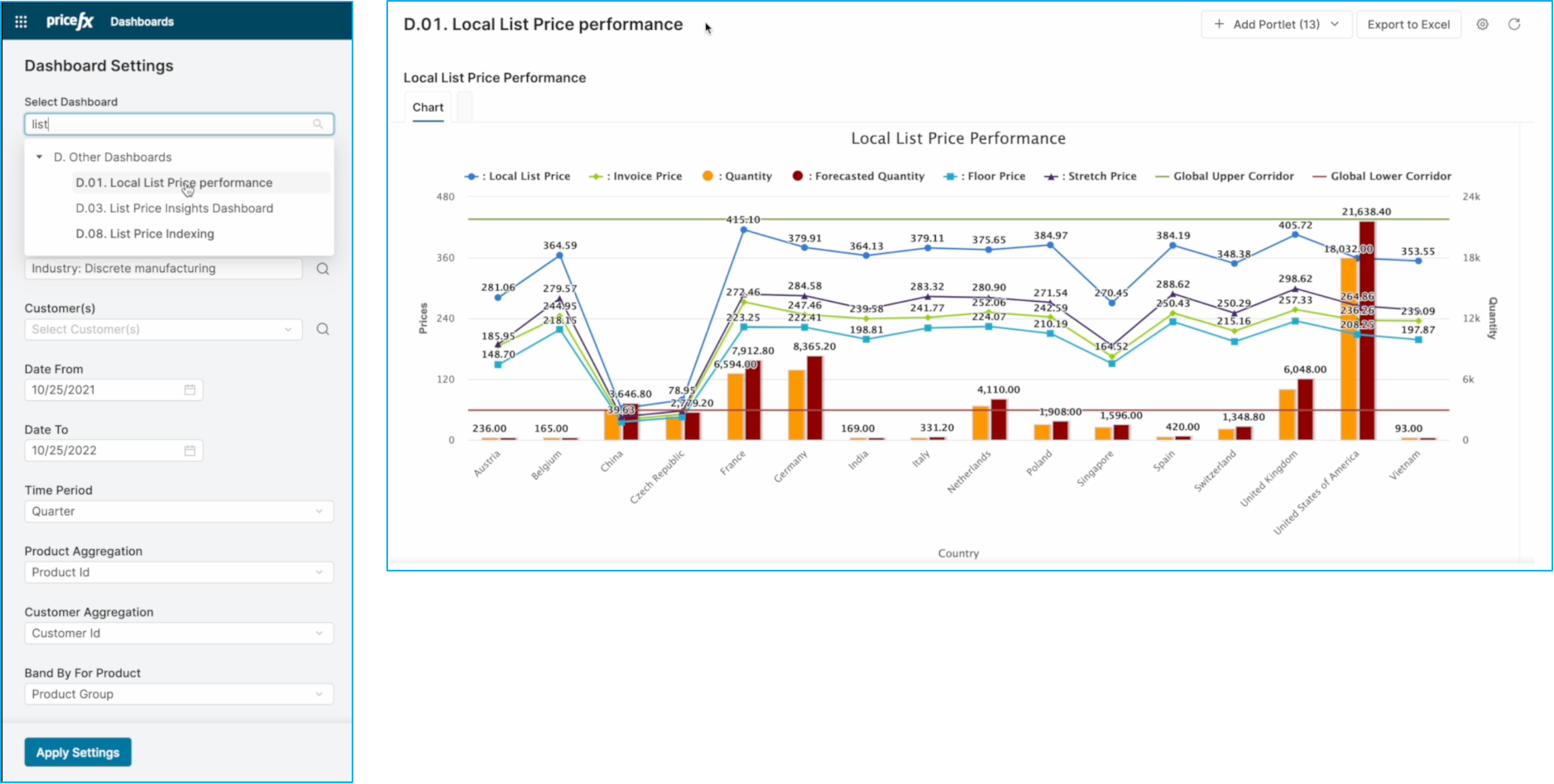
This chart is already filtered down to the specific product we identified before. Here, we see different lines representing different price types - local list price, invoice floor price, stretch price, global upper corridor, and global lower corridor - along with actual and forecast quantity. All of this is broken down by country. You can easily spot that in the Czech Republic and China, the list stretch and floor prices are all low, even lower than the global corridor - which explains the low invoice price.