
📽️ Check out a video demonstration for this use case, here.
Use Case Situation Description
Defining standard discounts and surcharges in the discrete manufacturing industry can provide several benefits. Firstly, it can improve pricing consistency across different customers and orders, reducing the risk of pricing errors and discrepancies. Secondly, it can improve customer relationships by offering fair and transparent pricing, improving loyalty and retention. Thirdly, it can increase efficiency by streamlining the quoting process, reducing the time and resources required to generate quotes. Lastly, it can improve profitability by ensuring that discounts and surcharges are applied appropriately, maximizing revenue and minimizing costs. Overall, defining standard discounts and surcharges is critical for manufacturers looking to improve pricing consistency, customer relationships, efficiency, and profitability.
Prescriptive Design Requirements
Coming soon
User Stories
Coming soon
Data Requirements
Coming soon
Out-of-Scope
Coming soon
Solution Design
In this use case we are looking at how you can define standard discounts and surcharges in the most efficient manner using Pricefx. This can help streamline pricing processes and improve consistency across the organization. Doing so, sales teams can quickly and easily provide pricing information to customers, reducing the time it takes to create quotes. This can lead to improved customer satisfaction, increased sales efficiency, and better margins. Additionally, standard discounts and surcharges can help ensure compliance with pricing policies and regulations, reducing the risk of errors or non-compliance.
Good to know: Some of our screens may be different as we are in a demo environment.
LEARN MORE: This use case is using Accelerate Product Recommendation Package, Accelerate Sales Compensation and Accelerate Sales Insights Package. Click on either of them to learn more.
Workflow: Step 1 - Agreements and promotions
Let's take a look at how we can do this in Pricefx.
If you're looking to set up a standard discount policy for your customers, the first step is to navigate to the agreements and promotions component within the price effects system. From there, you can set up a new program using a default template and give it a name.
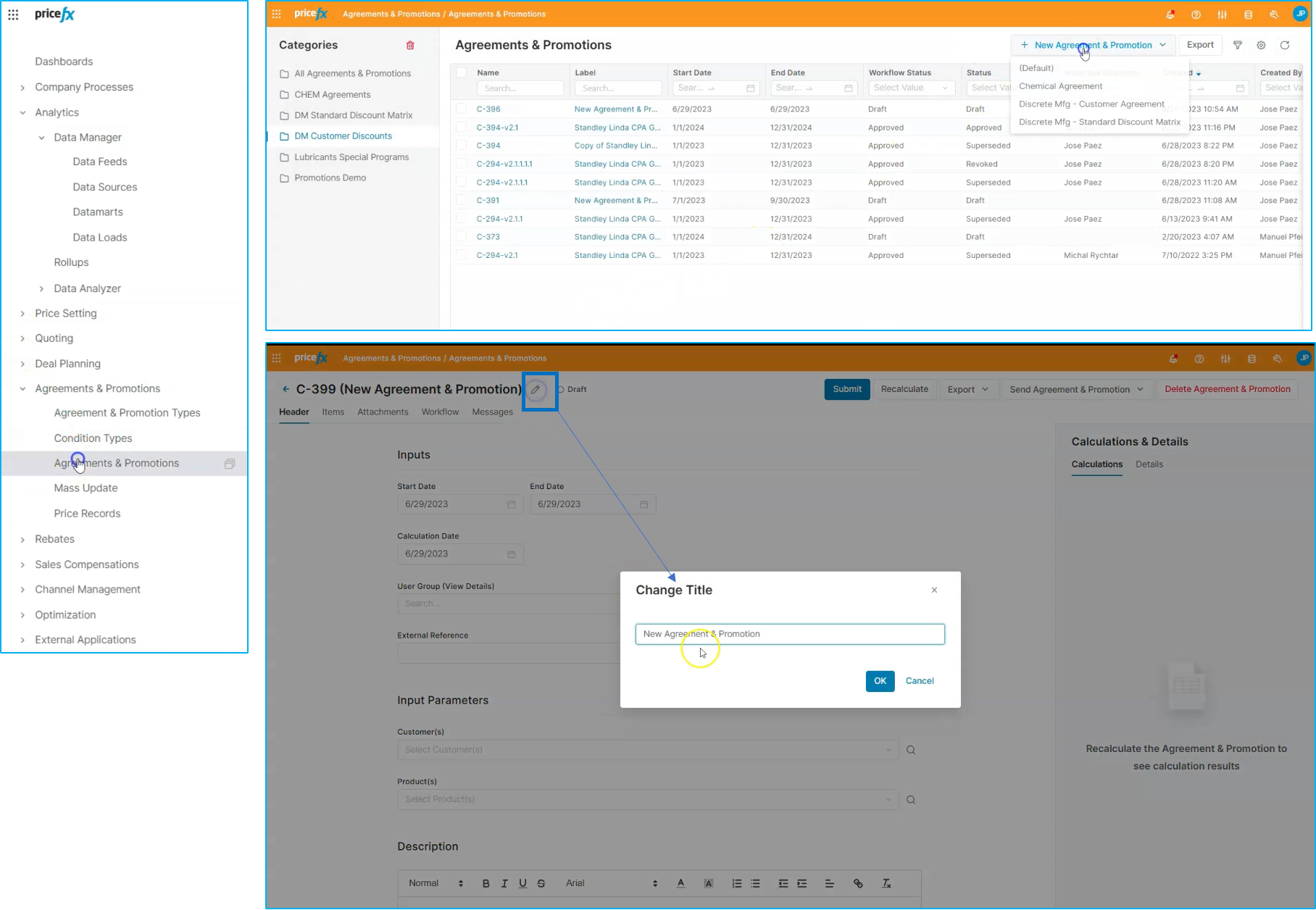
You can also adjust the start and end dates as needed. While you can set up specific customers, in this case, we'll be setting up specific products in the definition of our standard discount.
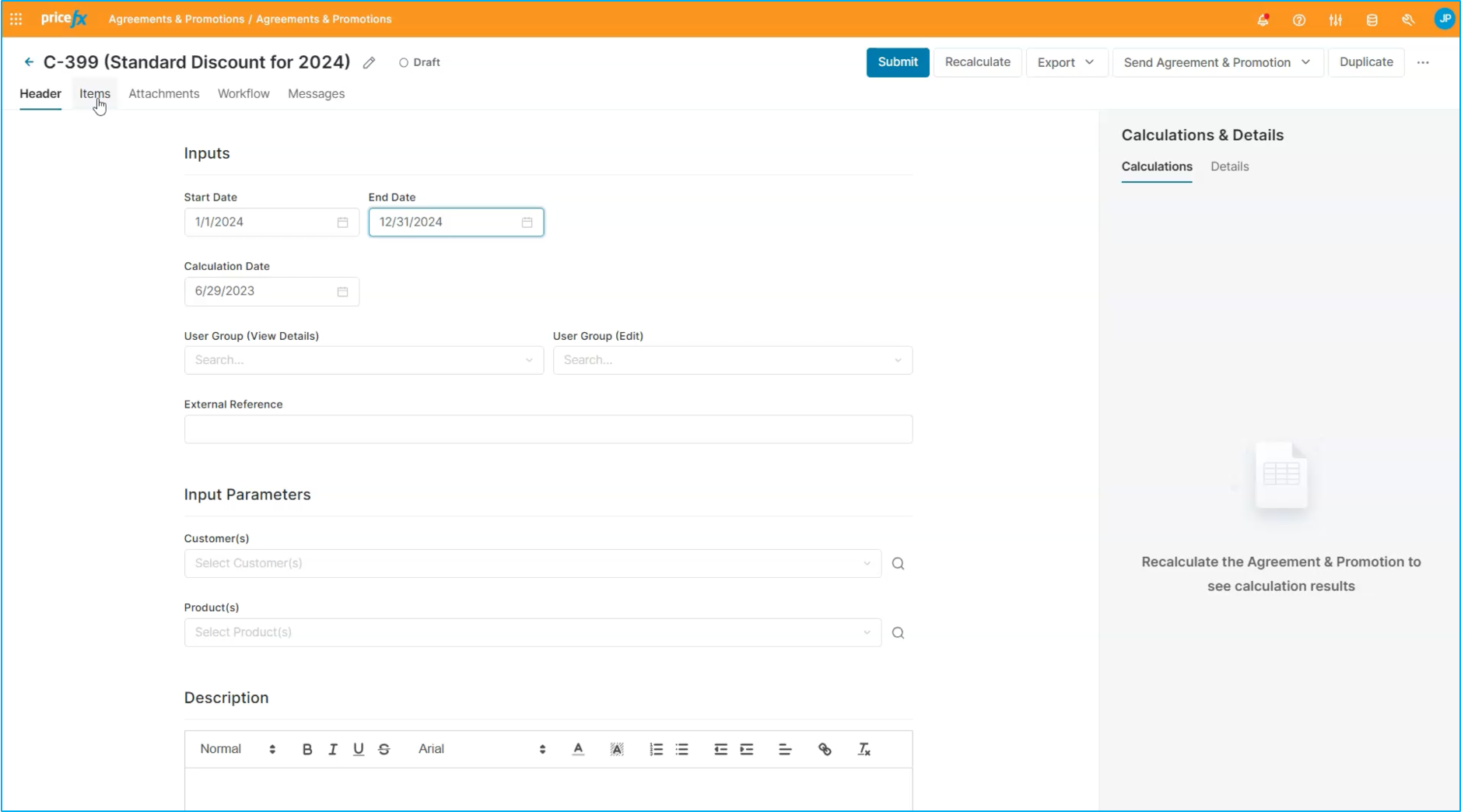
To do this, navigate to the item section in your agreement. Within the system, there are several condition types that allow you to set up different types of promotions and discounts for your customers.
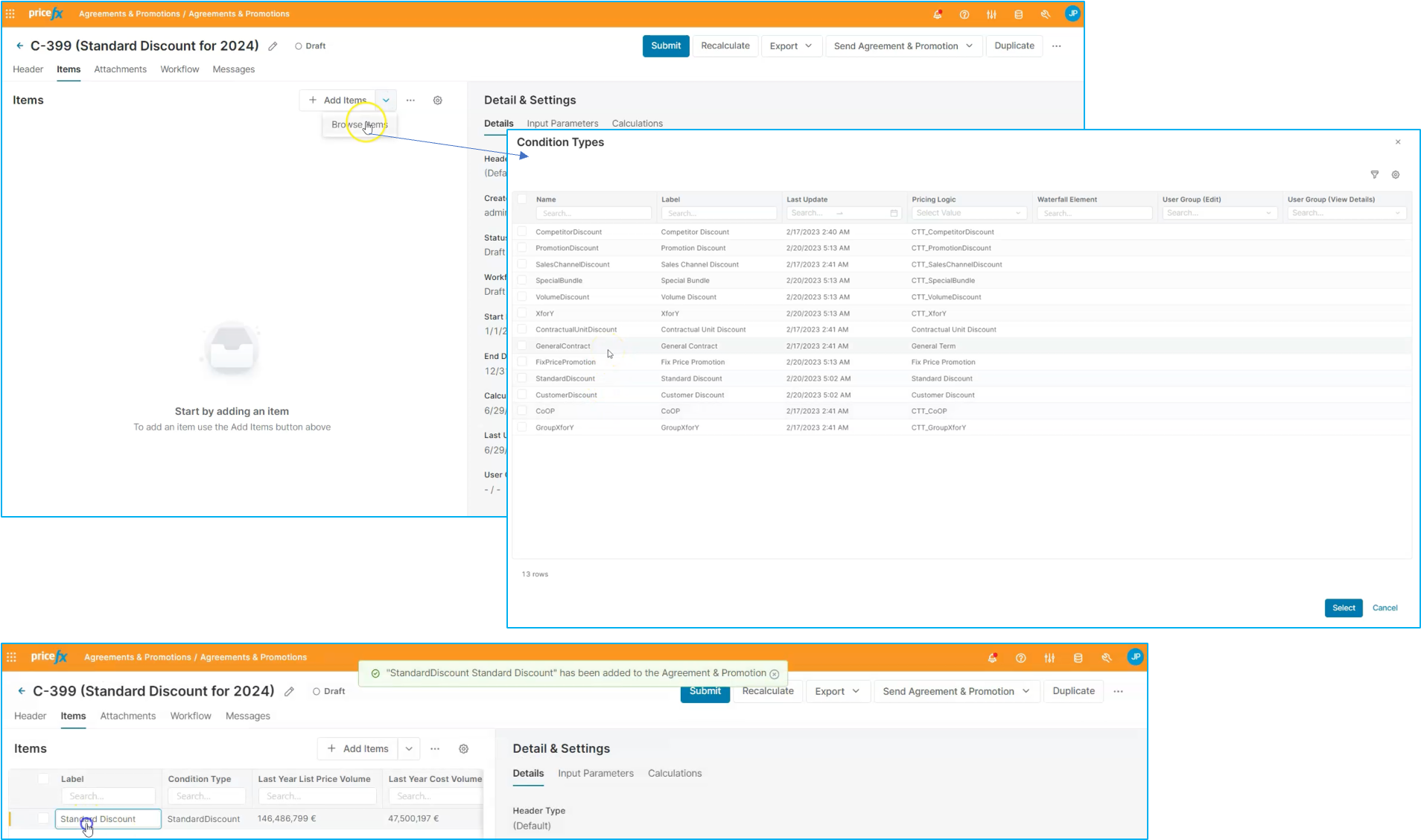
For a standard discount, select that condition type. Once added to the list, the system will prompt you to define what that standard discount is.
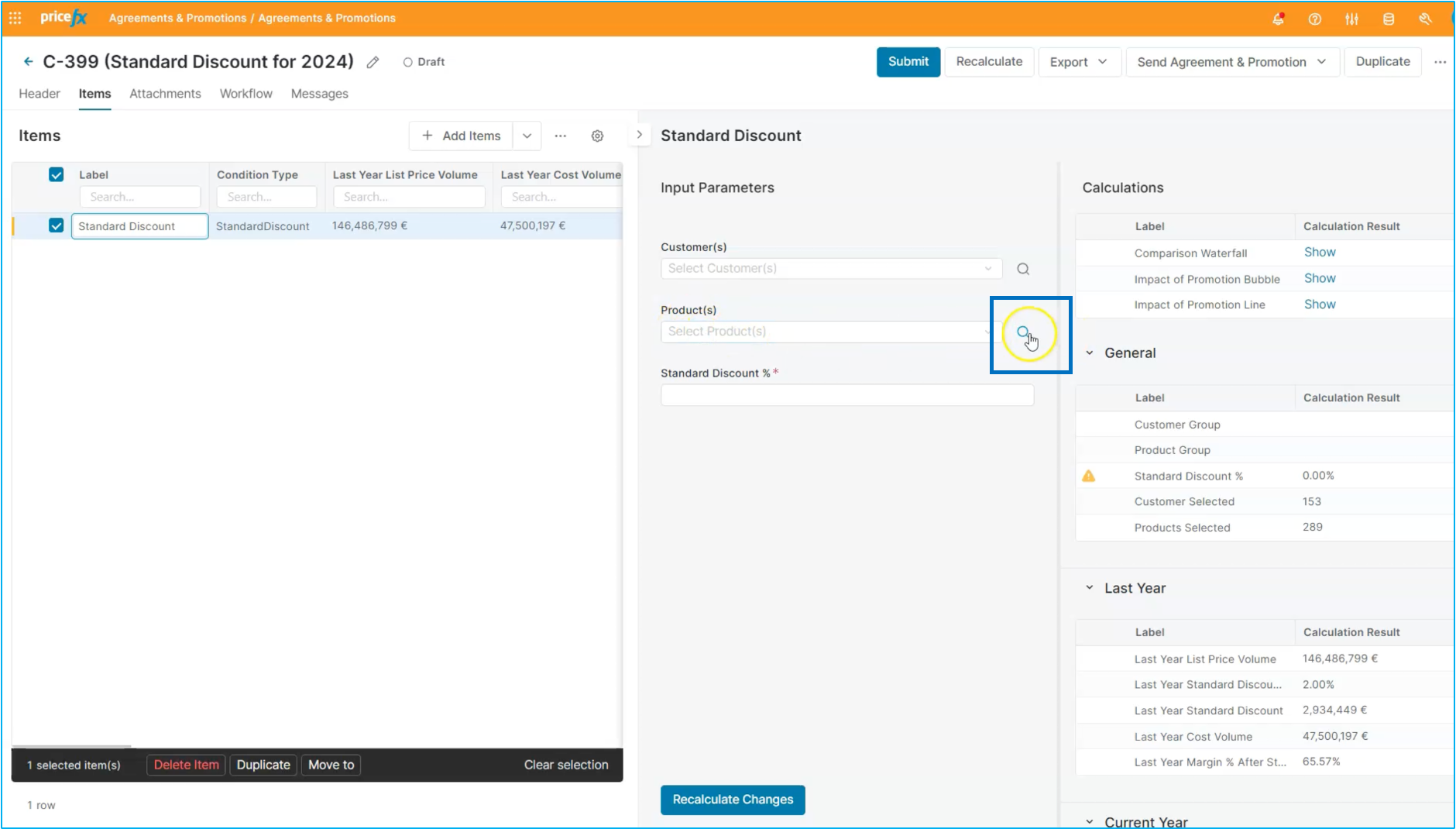
If you're interested in sending out this discount for a specific set of products in the market, you can adjust the settings accordingly. This will allow you to create a more targeted and effective discount policy for your customers.
Workflow: Step 2 - Product master
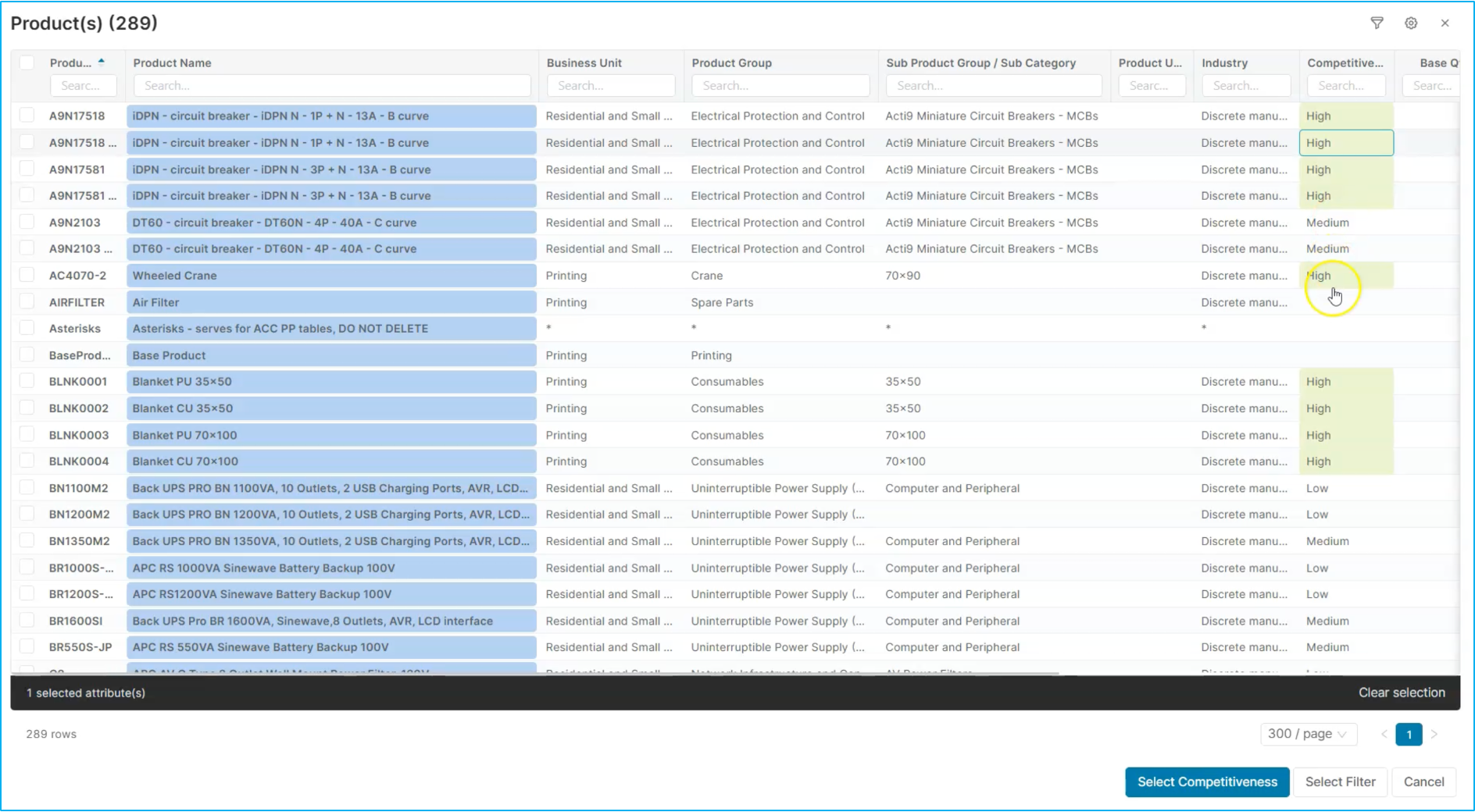
To set up the standard discount, we'll navigate to the product master and utilize the available data attributes. In this case, we'll use the Level of Competition attribute to automatically select products that face significant competition in the market.
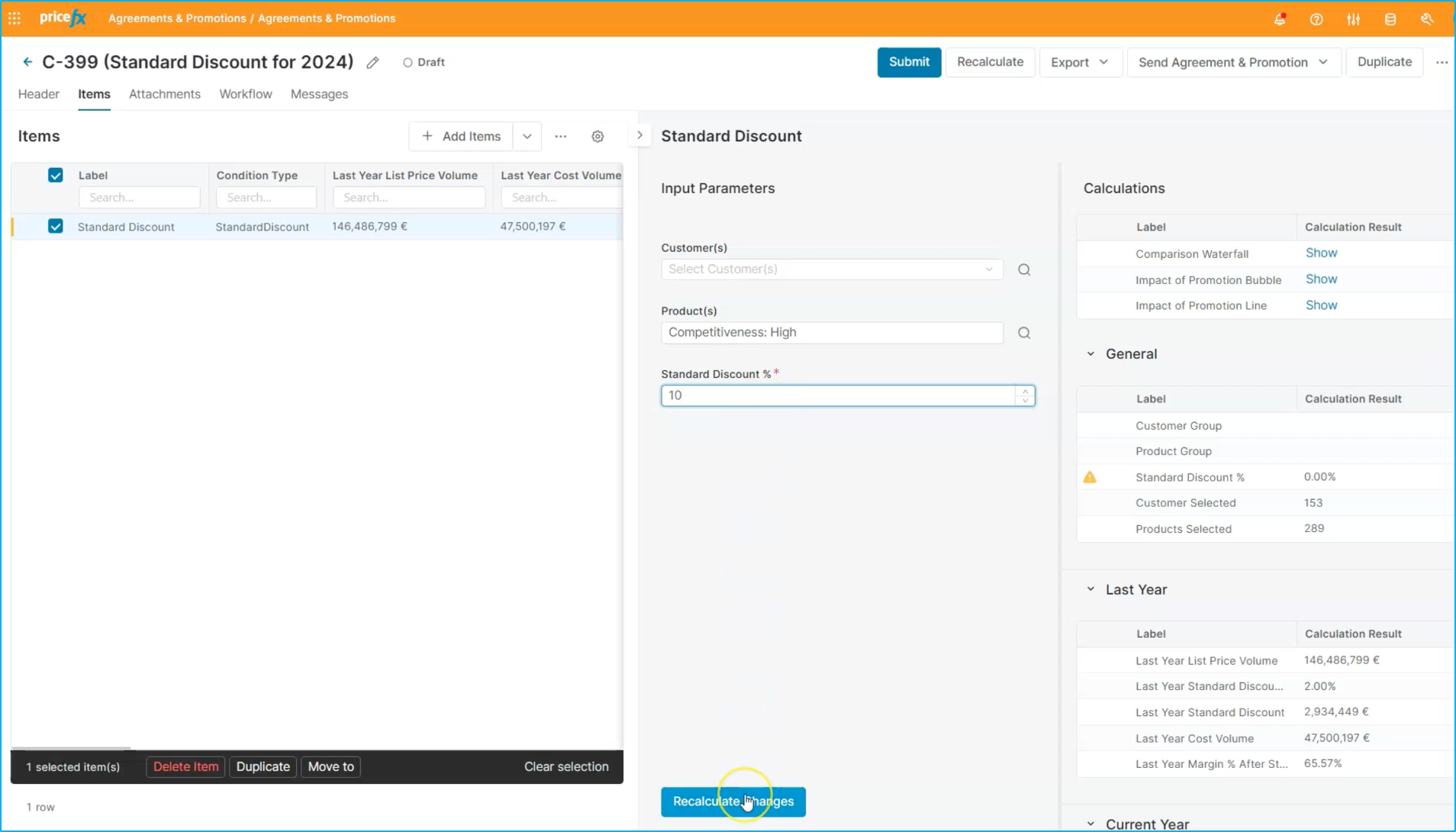
Next, we'll specify the discount percentage, let's say 10%. After making these changes, we can recalculate the impacts using the calculation section.
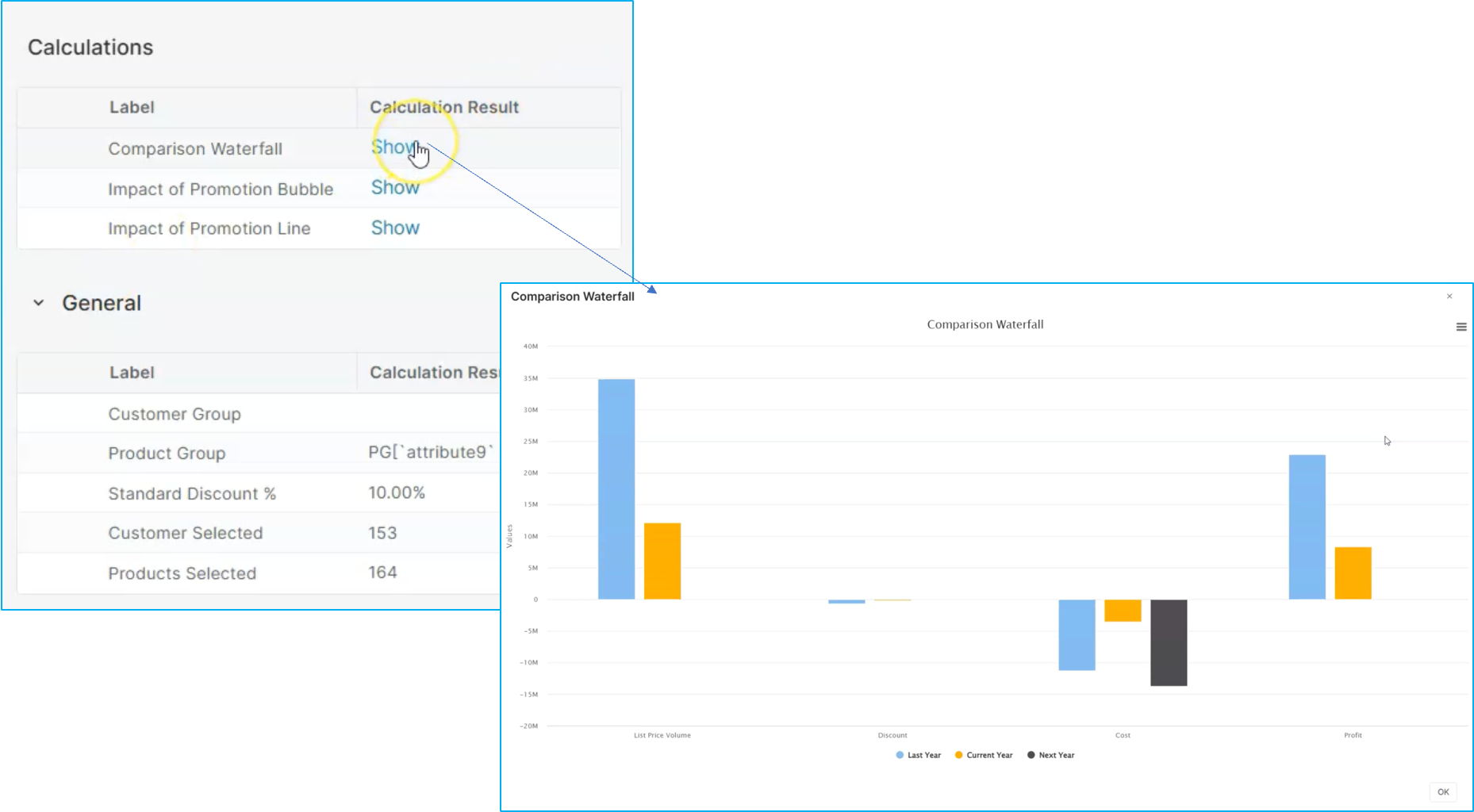
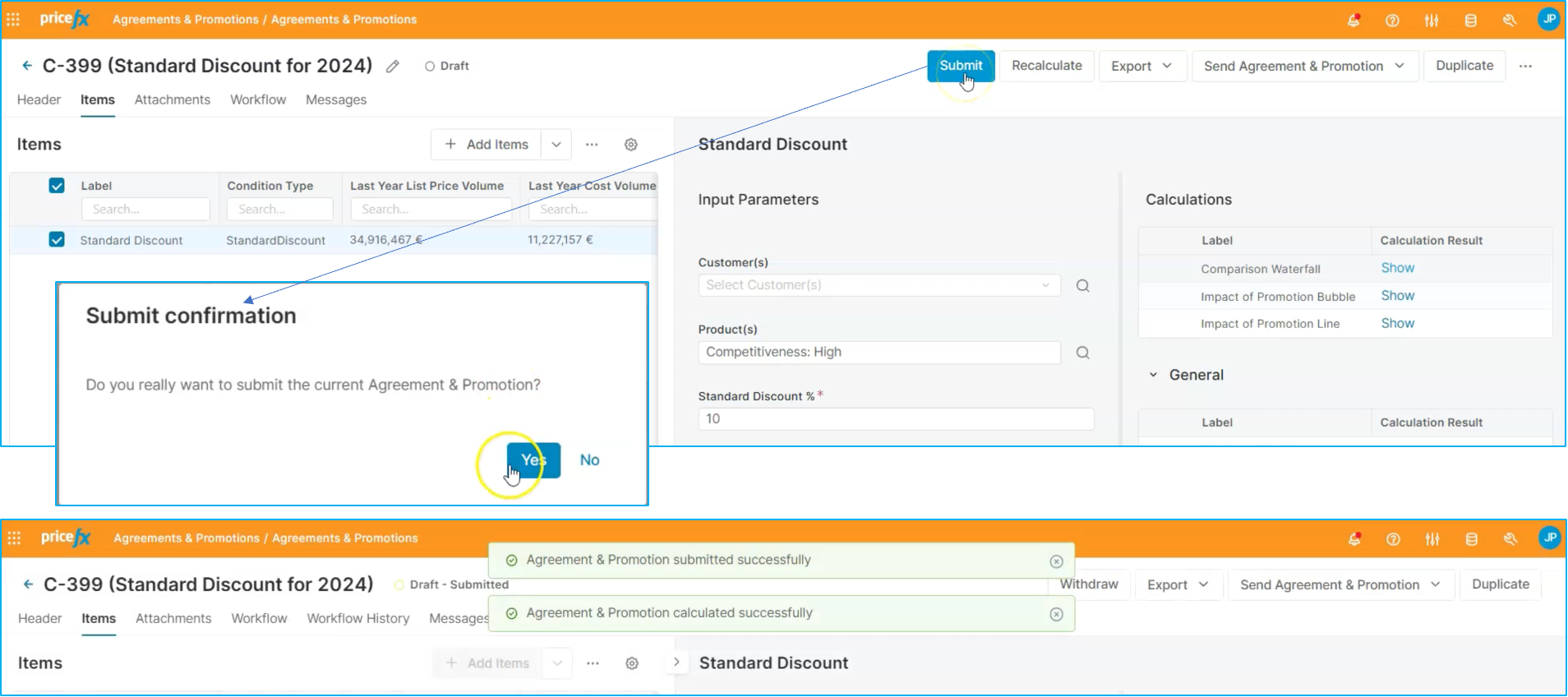
If you are satisfied with it, you can submit it for review and approval. This ensures that the standard discount aligns with our objectives and meets the necessary criteria.
Workflow:
Step 3: Approval workflow
After submitting the program, you can review the Workflow tab to understand the levels of approval needed. In this case, it requires two levels of approval, so we'll go ahead and approve it.
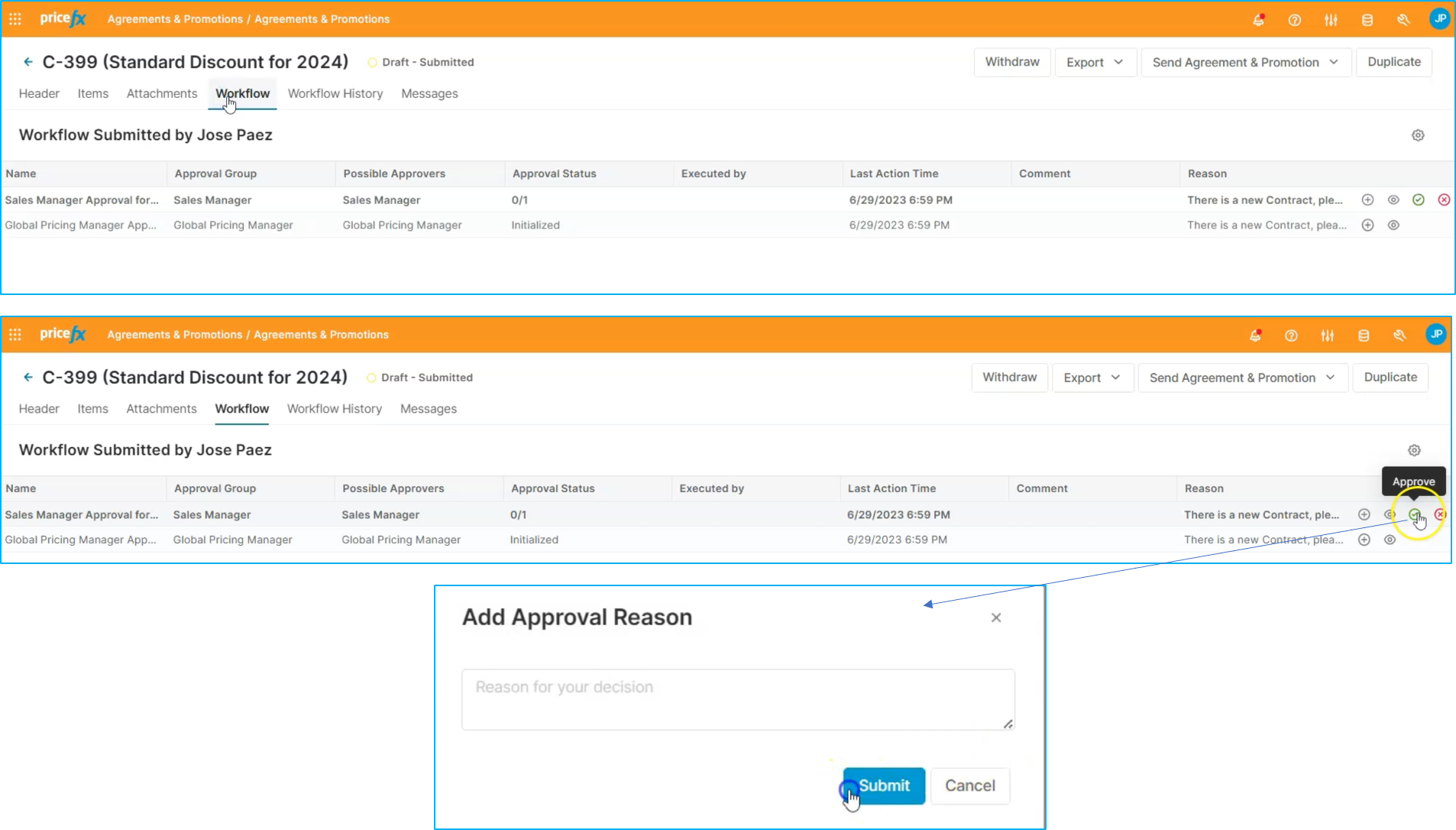
Once the agreement has been approved, we can export it to a PDF and send it to other parts of the organization. This can be done via email directly from the system, and you have the option to use a template that contains information related to this discount policy. By specifying email addresses and using a specific template, we can ensure that the information is delivered accurately and efficiently. This helps streamline communication and ensure that everyone is on the same page regarding the new standard discount policy.
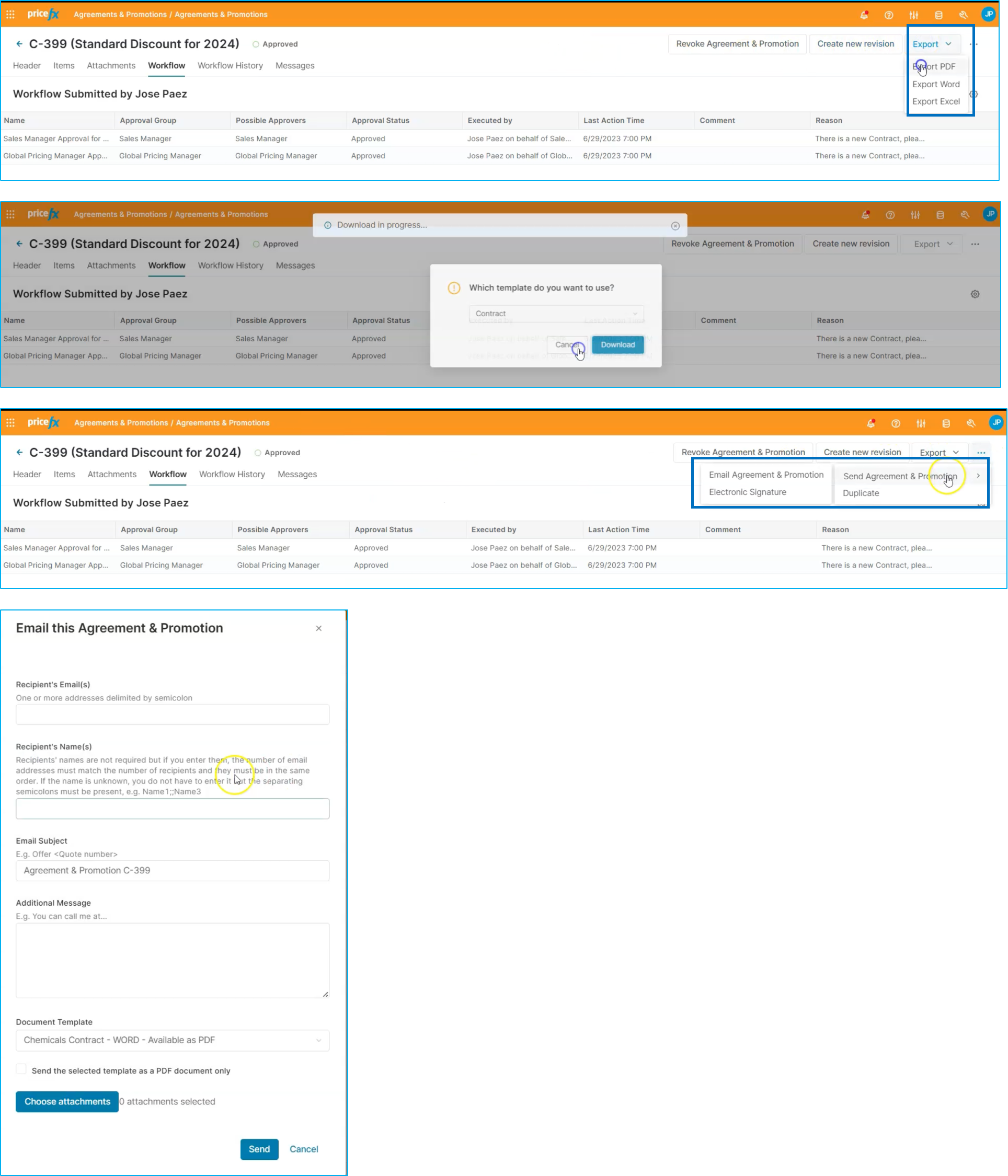
With this we can conclude the flow for how to define standard discounts & surcharges for the process industry in Pricefx.