
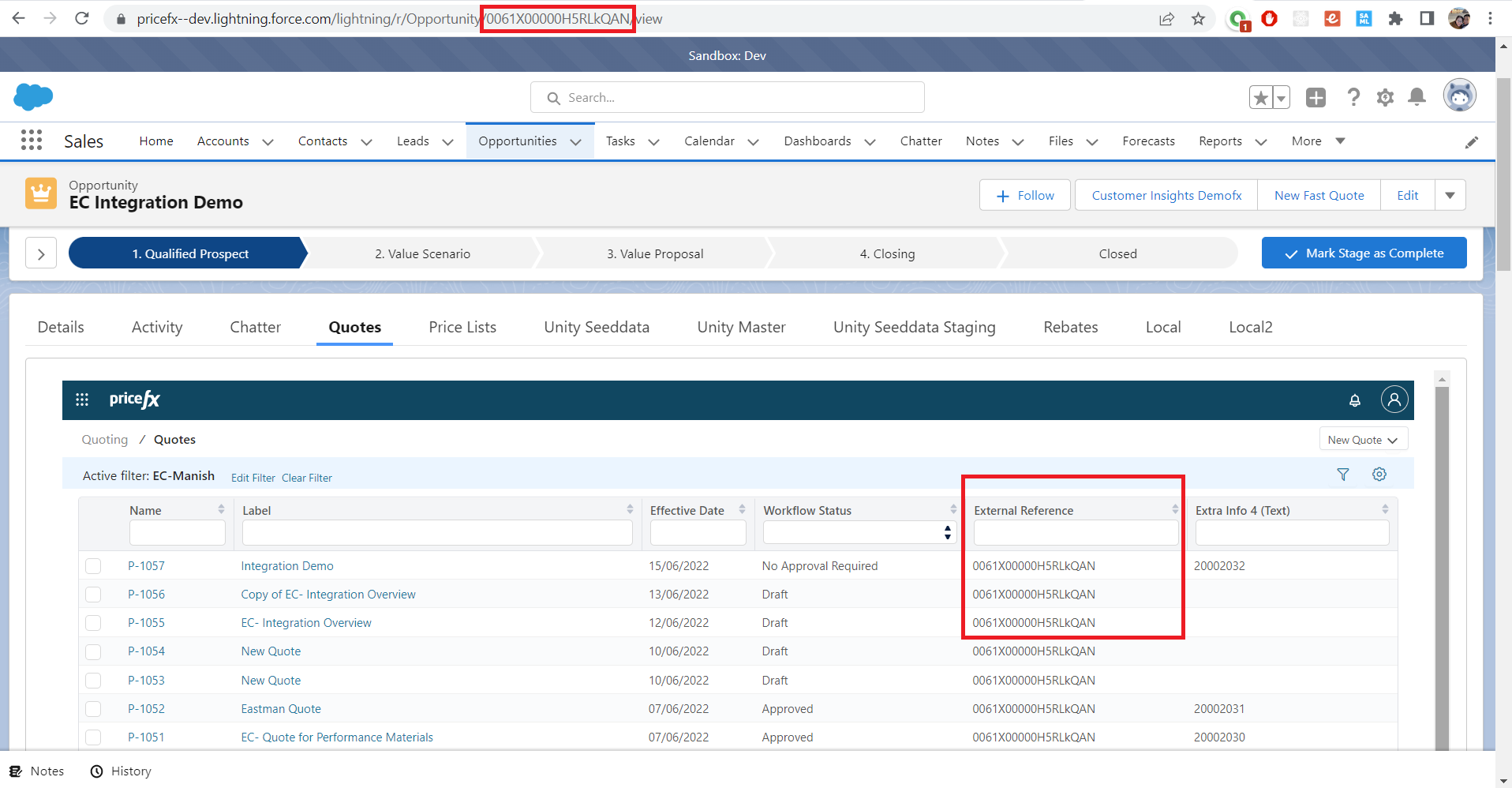
Case 1: Show only Quote, Agreement/Promotion or Rebate Agreement Items Created from Specific Opportunity
By default, the application configuration is set to show relevant items of the current opened Opportunity, aka filter by ‘External Reference’:
Case 2: Show Quote, Agreement/Promotion or Rebate Agreement Items Related to Opportunity by Other Direct/Primitive Type Fields Rather Than Its ‘Id’
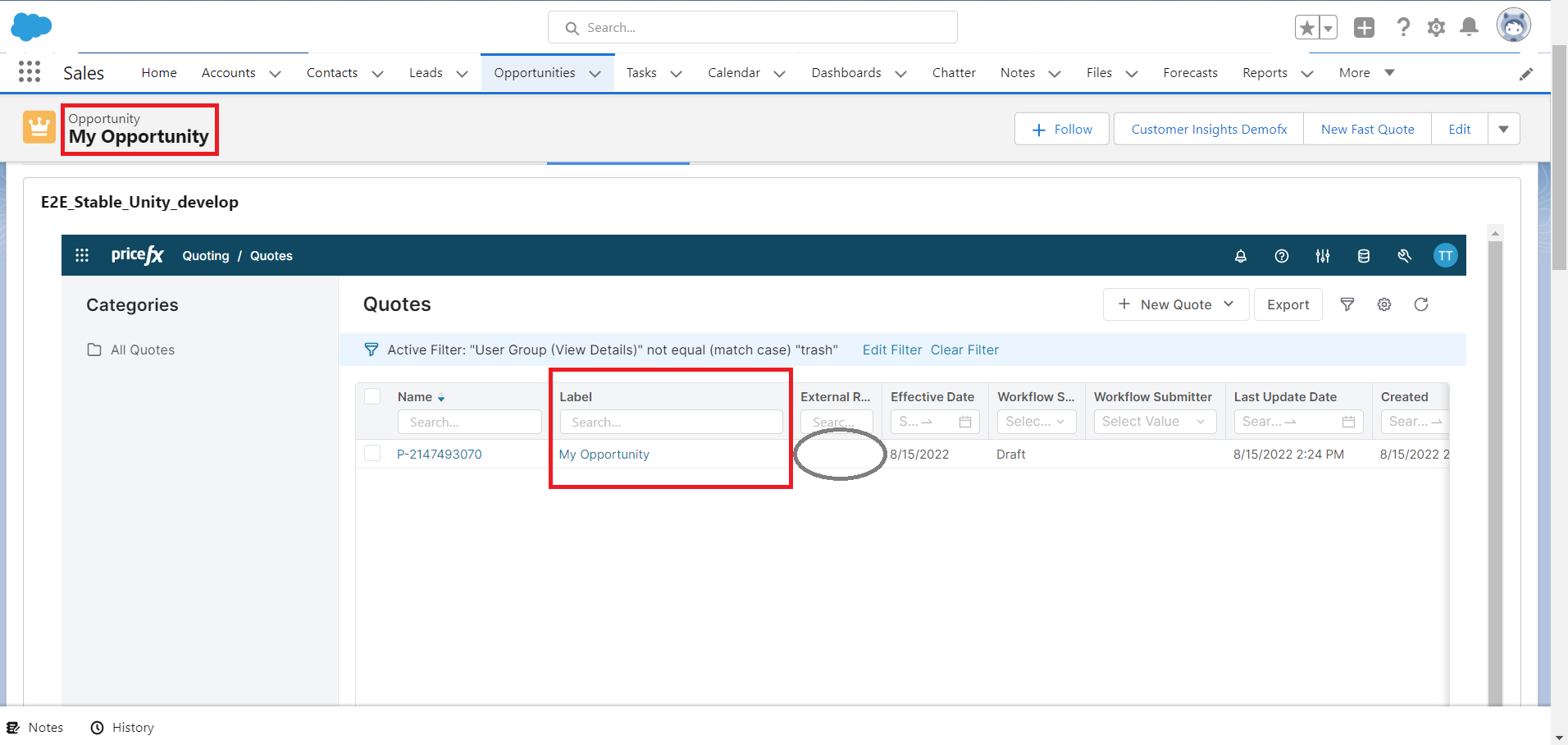
For example, filter by ‘label’ equals opportunity’s ‘Name’, we will adjust the following application configuration items:
"salesforce": {
        "opportunityAssociationField": "Name",
        "quoteOpportunityReferenceField": "label",
        "contractOpportunityReferenceField": "label",
        "rebateAgreementOpportunityReferenceField": "label"
},
 "dynamics": {
        "opportunityAssociationField": "Name",
        "quoteOpportunityReferenceField": "label",
        "contractOpportunityReferenceField": "label",
        "rebateAgreementOpportunityReferenceField": "label"
},
"sugarCRM": {
        "opportunityAssociationField": "Name",
        "quoteOpportunityReferenceField": "label",
        "contractOpportunityReferenceField": "label",
        "rebateAgreementOpportunityReferenceField": "label"
},
Then Quote, Agreement/Promotion or Rebate Agreement list will show only items that have “uniqueName' equal to the current opportunity’s ‘Name’:
Case 3: Filter Quotes, Agreements/Promotions or Rebate Agreements by Status or Last Updated Date
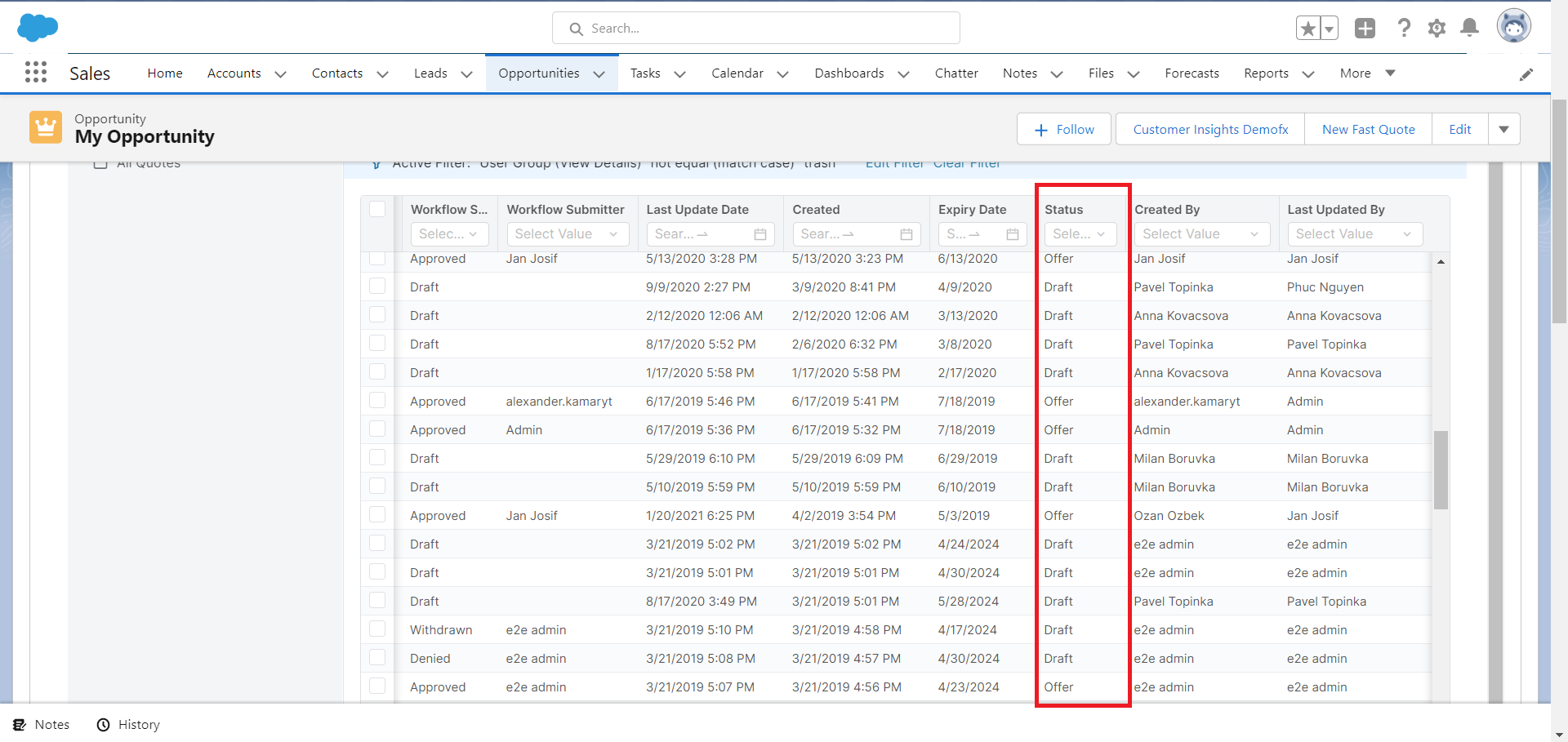
a) We need a filter rather than ‘equals’ operator. For example, filter Quotes that have ‘Quote Status’ is one of DRAFT, SUBMITTED, or DEAL, we will adjust the following application configuration items:
"salesforce":{
  "quoteListOpportunityFilterDefinition": {
      "filterValue": ["Draft", "Offer", "Deal"],
      "fieldName": "quoteStatus",
      "operator": "inSet"
    },
  "contractListOpportunityFilterDefinition": {
    "filterValue": ["Draft", "Offer", "Deal"],
    "fieldName": "contractStatus",
    "operator": "inSet"
  },
  "rebateAgreementListOpportunityFilterDefinition": {
    "filterValue": ["Draft", "Offer", "Deal"],
    "fieldName": "rebateAgreementStatus",
    "operator": "inSet"
  },
},
"dynamics": {...},
"sugarCRM": {...}
Then Quote, Agreement/Promotion or Rebate Agreement list will show only items that have “Status” is one of DRAFT, OFFER, DEAL:
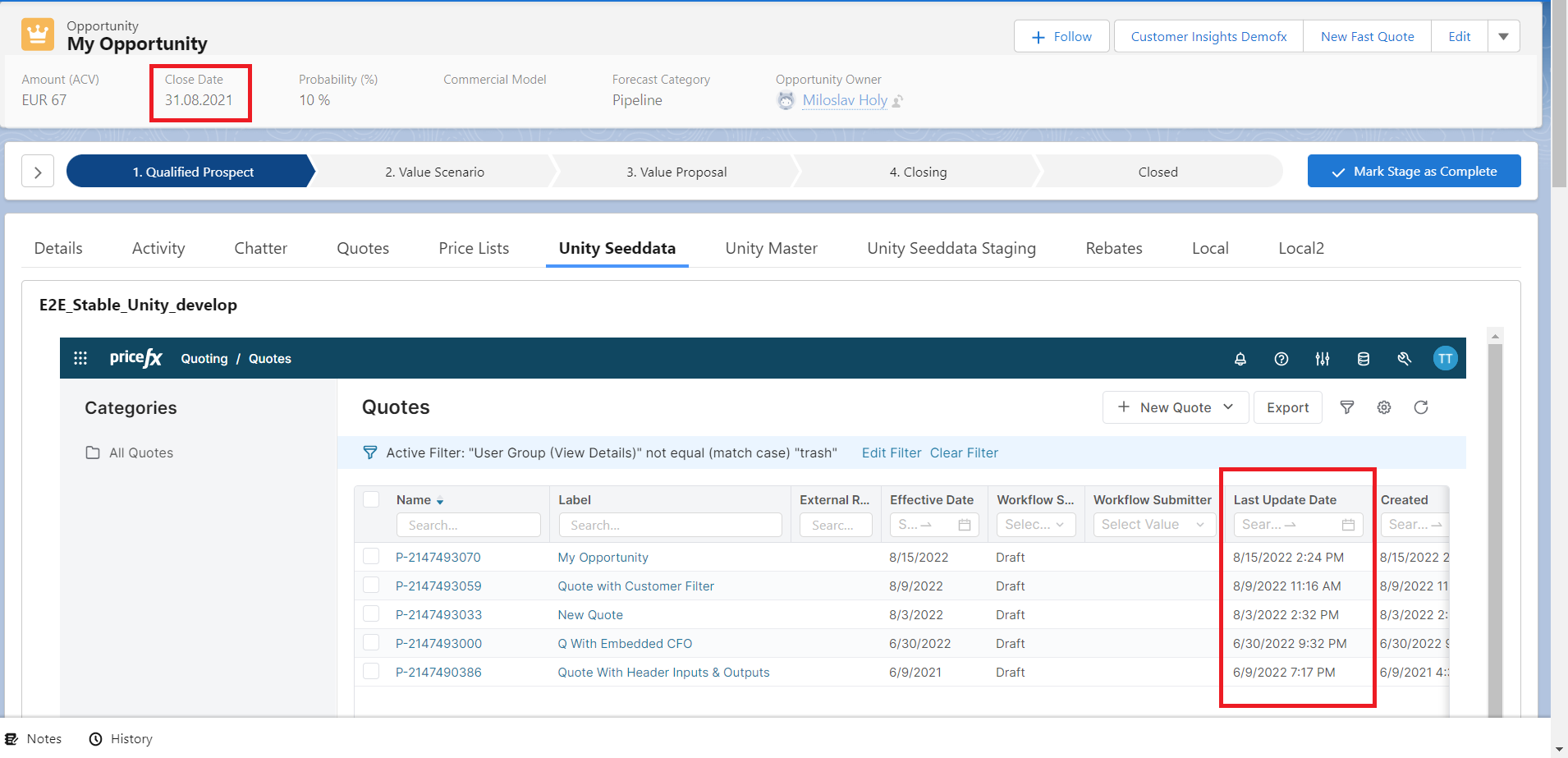
b) Or you want to get Quotes where the ‘Last Updated Date' is later than the 'Close Date’ of the Opportunity, you can use this configuration:
"salesforce":{
    "quoteListOpportunityFilterDefinition": {
      "filterValueFromField": "CloseDate",
      "fieldName": "lastUpdateDate",
      "operator": "greaterThan"
    }
},
"dynamics": {...},
"sugarCRM": {...}
And you will see:
Other cases: You have to write interceptor code (quoteListFilterFilterAdd, contractListFilterAdd, rebateAgreementListFilterAdd methods) to define a custom filter for each view in the following cases:
-
If you want more complex filter, which may contain the AND, OR or NOT operator.
-
If you want to build filter that needs some additional queries to retrieve the data from CRMs.