
It is possible to switch between different environments connected to SugarCRM, for example, to perform testing.
To set this, you need an administration account.
-
Log into https://sg-pfx.demo.sugarcrm.eu/.
-
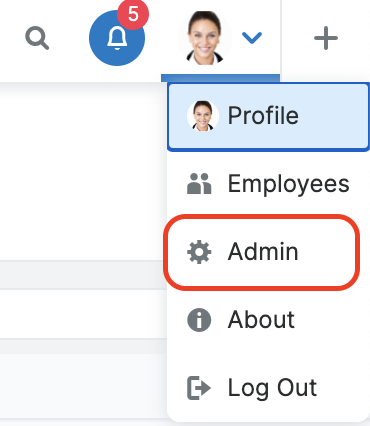
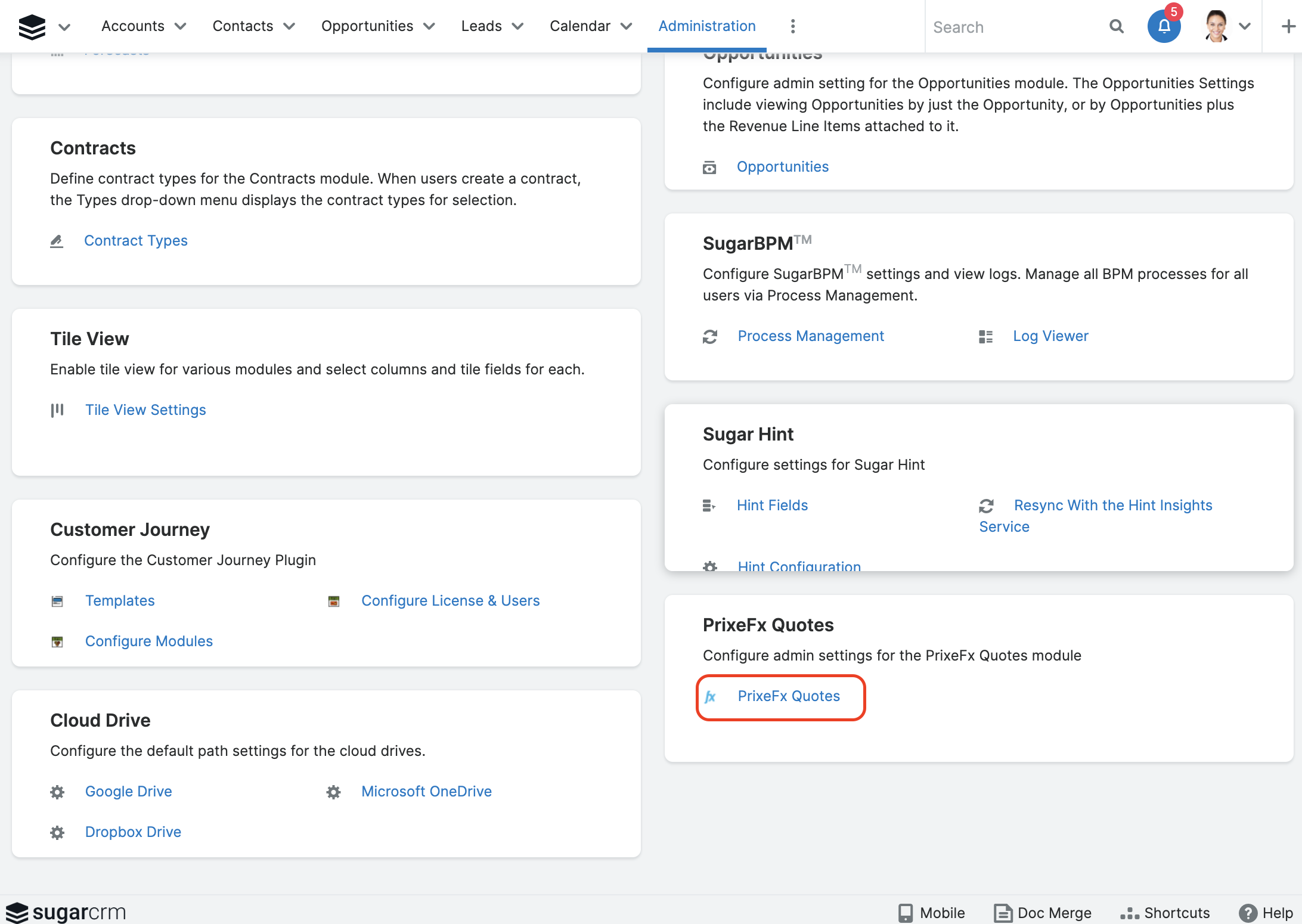
Go to Admin > Pricefx Quotes:
-
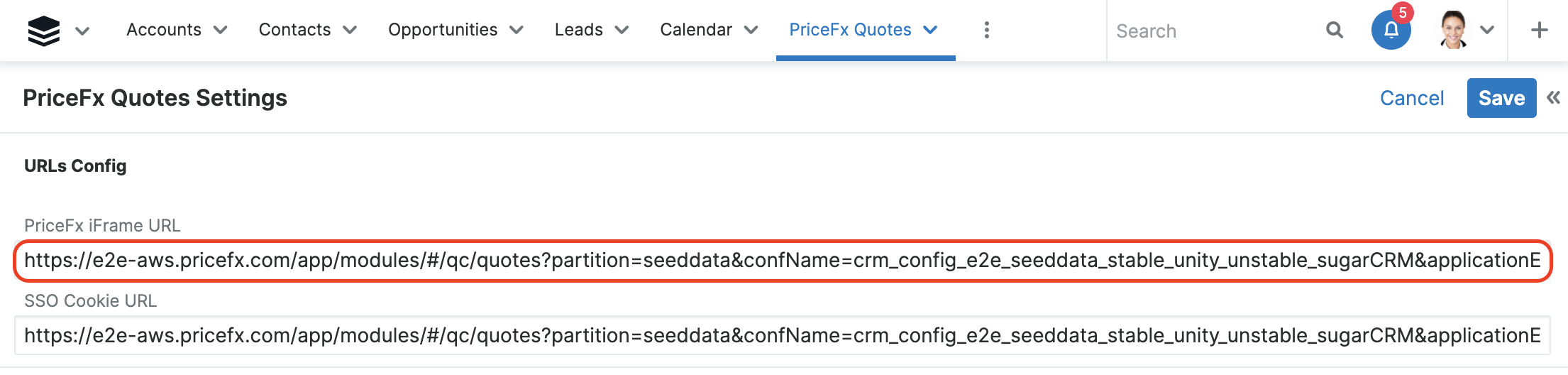
You can see URLs Config:
-
Here you can change Pricefx iFrame URL to different options:
AWS (Amazon Web Services):
SEEDDATA Staging OKTA:https://e2e-aws-staging.pricefx.com/pricefx/seeddata/saml/signon/OKTA/?RelayState=sugarCRMSEEDDATA Develop:
https://e2e-aws.pricefx.com/app/modules/#/qc/quotes?partition=seeddata&confName=crm_config_e2e_seeddata_stable_unity_unstable_sugarCRM&applicationEnvironment=sugarCRMSEEDDATA Stable:
https://e2e-aws-stable.pricefx.com/app/modules/#/qc/quotes?partition=seeddata&confName=crm_config_e2e_seeddata_stable_unity_unstable_sugarCRM&applicationEnvironment=sugarCRM
GCP (Google Cloud Platform):
SEEDDATA Staging OKTA:https://e2e-gcp-staging.pricefx.com/pricefx/seeddata/saml/signon/OKTA/?RelayState=sugarCRMSEEDDATA Develop:
https://e2e-gcp.pricefx.com/app/modules/#/qc/quotes?partition=seeddata&confName=crm_config_e2e_seeddata_stable_unity_unstable_sugarCRM&applicationEnvironment=sugarCRMSEEDDATA Stable:
https://e2e-gcp-stable.pricefx.com/app/modules/#/qc/quotes?partition=seeddata&confName=crm_config_e2e_seeddata_stable_unity_unstable_sugarCRM&applicationEnvironment=sugarCRM
SEEDDATA Localhost:http://localhost:3000/?confName=crm_config_e2e_seeddata_stable_unity_unstable_sugarCRM&applicationEnvironment=sugarCRM -
After making the changes save the setting and go to Pricefx Quotes.