Prerequisites
-
Make sure you have the access to GitLab: check that you are able to login to https://gitlab.pricefx.eu (either by username and password or via Azure Single Sign-On in case you have @pricefx.com email address)
-
SourceTree installed (alternatively you can use any other GIT client such as IntelliJ IDEA, Git command line, etc.)
Create GitLab Token
Due to security reasons, authentication using username and password is not allowed from the clients. Instead, you will need a GitLab token. If do not have one yet, create it by following these steps:
-
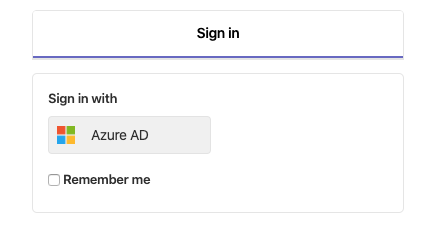
Log in to GitLab
-
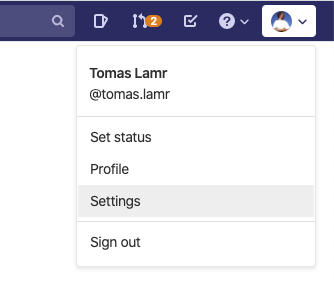
Check you GitLab username. Then go to your settings:
-
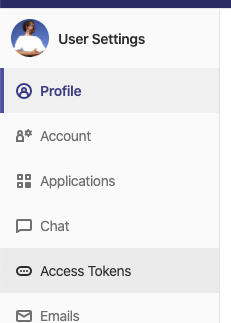
Select Access tokens:
-
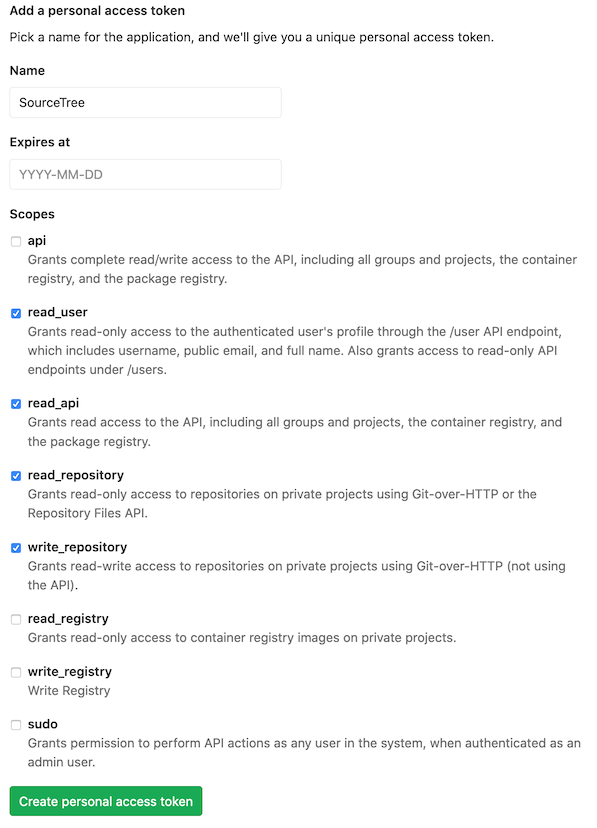
Create a new token, give it a name, e.g. Studio and add the following scopes:
-
read_repository – mandatory
-
write_repository – mandatory
-
read_user – if you will add an account to SourceTree (recommended)
-
read_api – if you will want to allow SourceTree to list all projects (recommended)
-
-
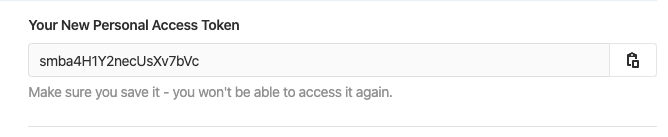
Store your personal token safely, ideally in your favorite password manager, since it is used instead of a password and can reuse it for all Gitlab projects.
Set up GitLab Account in SourceTree
Windows
-
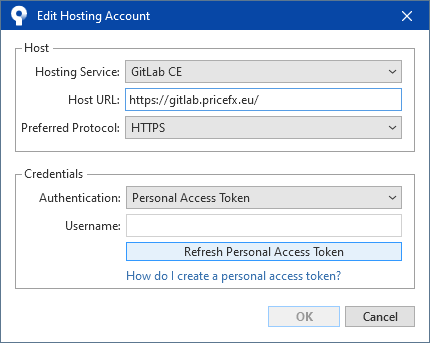
Navigate to Tools > Options > Authentication > Add.
-
Select host “GitLab CE” and paste this https://gitlab.pricefx.eu as Host URL.
-
Select protocol “HTTPS” in URLs in examples in this guide
-
Click “Refresh Personal Access Token” and use the created token as a password.
-
Click Save.
Mac
-
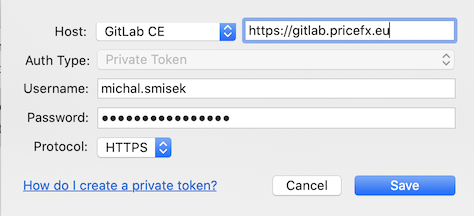
Navigate to SourceTree > Settings > Accounts > Add.
-
Select host “GitLab CE” and paste this URL https://gitlab.pricefx.eu next to it.
-
Select the protocol to be “HTTPS” instead of “SSH”.
-
Fill in your username and use the created token as a password.
Clone the repository
Windows
-
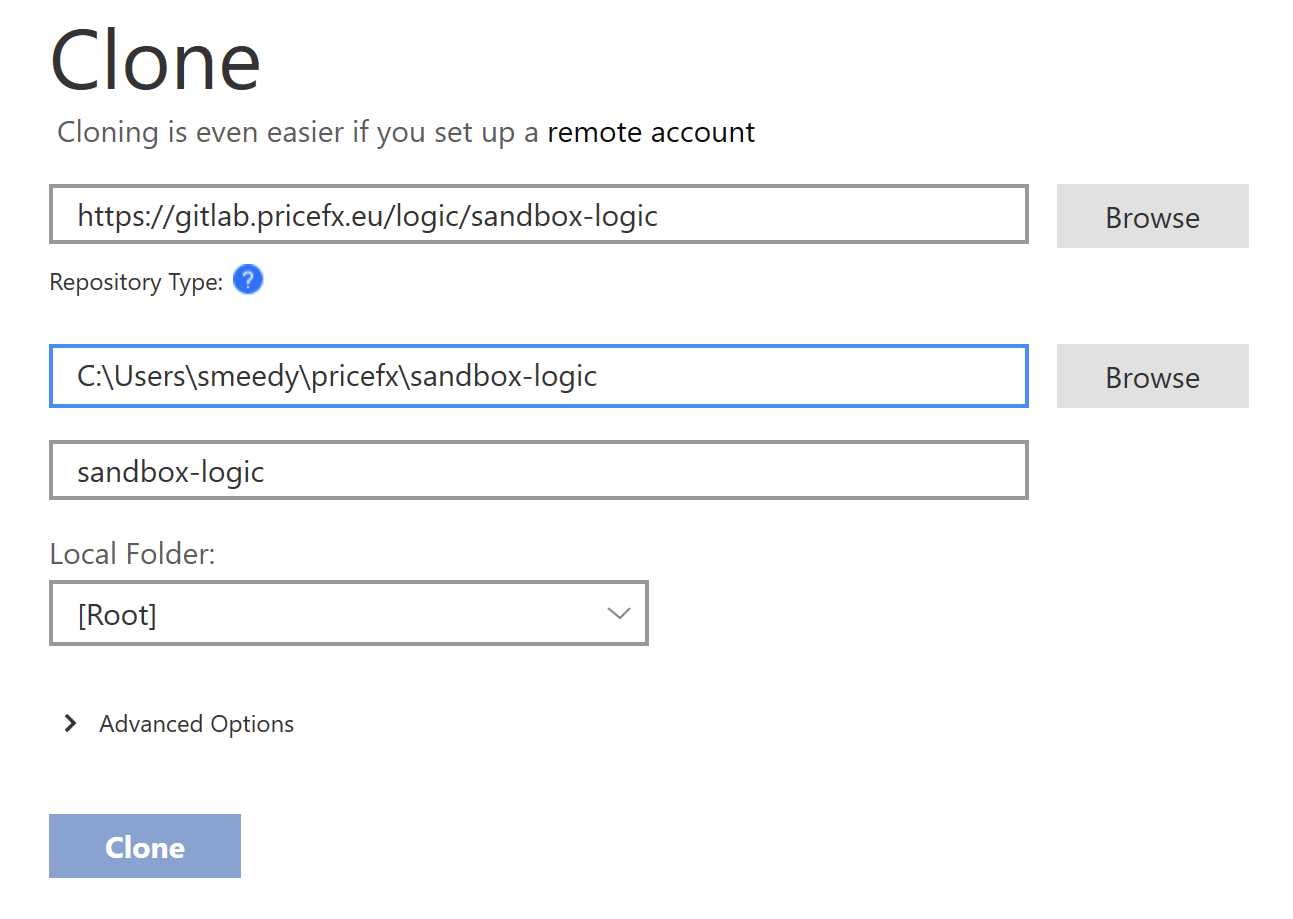
Click Clone tab > and paste the URL of repo. You may want to change the “Destination path” to something like “C:\Users\myusername\pricefx\sandbox-logic” and click Clone.
Mac
-
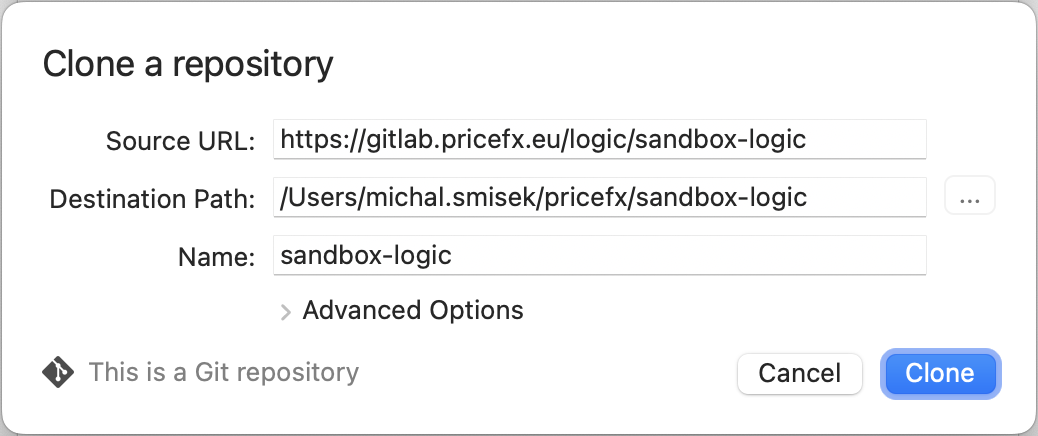
Click New > Clone From URL > and paste the URL of repo. You may want to change the “Destination path” to something like “/Users/myusername/pricefx/sandbox-logic” and click Clone.