
Publishing
Publishing a Strategy
Once you are satisfied with the strategy, you can publish it in order to deploy it to the partition.
When you initiate publishing, the system displays a publish dialog. This dialog provides a visual summary of the changes that the publication will apply to the strategies, snippets, and lookups involved in the process. It identifies which items will transition from Draft to Published, which will be created as new versions, and which will be superseded, so you can review the full impact before you confirm.
Before the actual deployment, the user is asked to provide a reason for publication. This can be any text that will later appear in the Version history to document why the strategy has been updated.
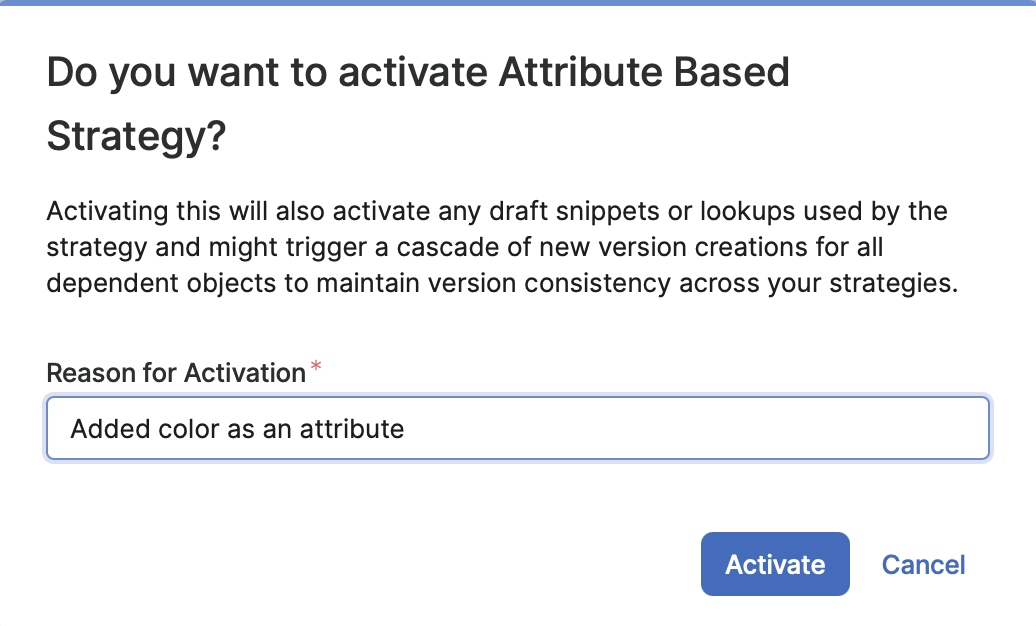
This is what happens afterwards:
-
Each child snippet or lookup in a draft state is published as well (see below the Rules of Publishing)
-
The strategy’s code, which includes all snippets and lookups used by it, will be deployed to the Groovy library specified in the
groovyLibraryNameconfiguration entry. By default, this is called “CustomPricingStrategiesLib”. Since Caribou Lou, the deployment is done in the backend. -
Depending on the Price Setting Accelerator version:
-
Pre-2.4: Two entries will be added to the “StrategyDefinition” PP — one for the Independent level and one for the Dependent level.
-
Version 2.4 and later: The deployment logic specified in the
deploymentLogicNameconfiguration entry will be executed. This logic should populate the “StrategyDefinition” PP and can perform any additional actions that the PSP considers necessary.
-
What happens is influenced by whether the deploymentLogicName is present or absent in the configuration. The Price Setting Accelerator version 2.4 and later includes this entry and creates the deployment logic when it is deployed through the Platform Manager.
Publishing a Snippet
A new snippet cannot be published on its own. Instead, you should use it in a strategy and publish that strategy. When a strategy is published, it automatically publishes all the draft snippets and lookups it contains (see below the Rules of Publishing).
When you create a new version of an existing snippet, you can publish it as soon as you’re satisfied with it. You’ll be prompted to provide a reason for the publication. This is because publishing a new version of a snippet will supersede one or more strategies that use it, and the reason for publication will be noted alongside each new published version. The publish dialog will show a graph of all affected strategies and snippets to help you understand the impact of the change. Once a snippet is published, it will trigger the creation of a new version for each strategy that utilizes that snippet. Additionally, publishing a snippet will also publish any draft lookups that it utilizes.
Publishing a new version of a snippet can trigger the creation of new versions for multiple strategies, depending on how many strategies the snippet was used in.
Publishing a Lookup
A new lookup cannot be published on its own. Instead, you should use it in a strategy and publish that strategy. When a strategy is published, it automatically publishes all the draft snippets and lookups it contains (see below the Rules of Publishing).
You cannot publish a Strategy that uses multiple versions of the same lookup.
When you create a new version of an existing lookup, you can publish it as soon as you’re satisfied with it. You’ll be prompted to provide a reason for the publication. This is because publishing a new version of a lookup will supersede one or more strategies that use it, and the reason for publication will be noted alongside each new published version. Once a snippet is published, it will trigger the creation of a new version for each strategy that utilizes that snippet.
Publishing a new version of a lookup can trigger the creation of new versions for multiple snippets and strategies, depending on how many snippets and strategies the snippet was used in.
Rules of Publishing
Since the Strategy, Snippet, and Lookup form a hierarchy, certain rules must be enforced to maintain integrity when users create new versions of each. The rules are as follows:
-
Relationships Between Entities:
-
A Strategy (parent) can reference Snippets (children) and/or Lookups (children).
-
A Snippet (parent) can reference Lookups (children).
-
Parent-Child Publishing Rules:
-
A Published parent can reference a Published child.
-
A Draft parent can reference either a Published child or the latest version of a Draft child.
-
Publishing a Draft (version n):
-
If version n is greater than 1, the previous version (n-1) must be superseded.
-
If the item has Draft children, publish all its Draft children.
-
If the item has Published parents:
-
For each Published parent (version m):
-
If a Draft version (m+1) already exists:
-
Create a new Draft version (m+1) from the Published parent (m) and publish it.
-
Increase the version of the existing Draft to m+2.
-
-
If no Draft exists for m+1, create a new Draft (m+1) and publish it.
-
-
-
Recursive Rule Application:
-
After completing the above steps, re-evaluate Rule 3 for any new drafts or publications recursively.
Legend:
-
Publish: Change the status of an item to “Published.”
-
Supersede: Change the status of an item to “Superseded.”
-
Create a new Draft: Make a copy of an item, assign it the next version number, and mark it as “Draft.”