
This operation allows users to check the status of file upload and product image.
-
Configure the exchange property in Content Modifier:
-
access-token – The token can be retrieved from the global variable set by a separate token store integration flow. See Pricefx Authentication Using Pricefx Integration Adapter for SAP Integration Suite.
-
uniqueId
-
For checking the file upload status, specify file Upload Slot from the response message of the File Upload Operation.
-
For checking if a product image exists for a product record, specify the SKU of the product record.
-
-
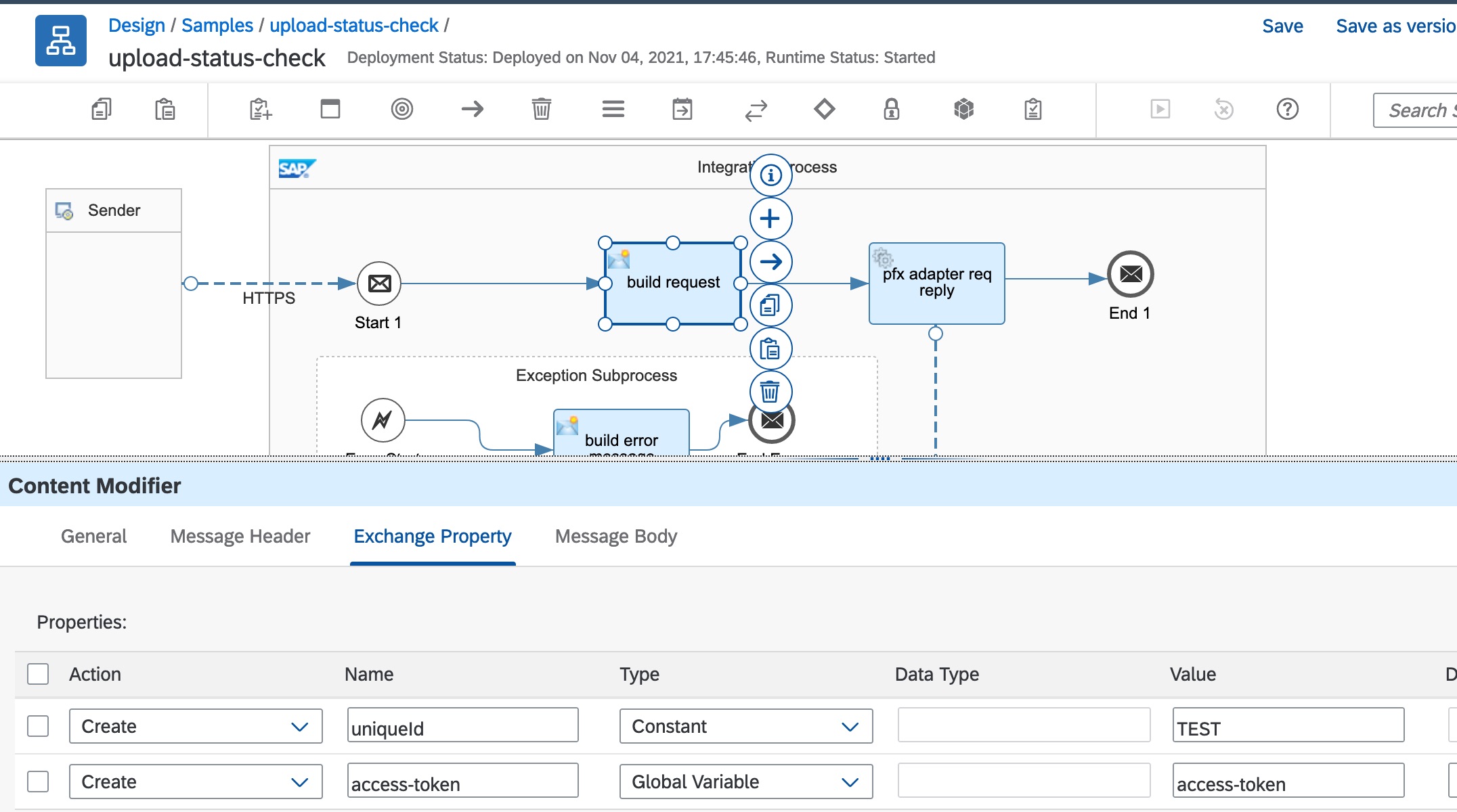
2. Configure the adapter as shown below:
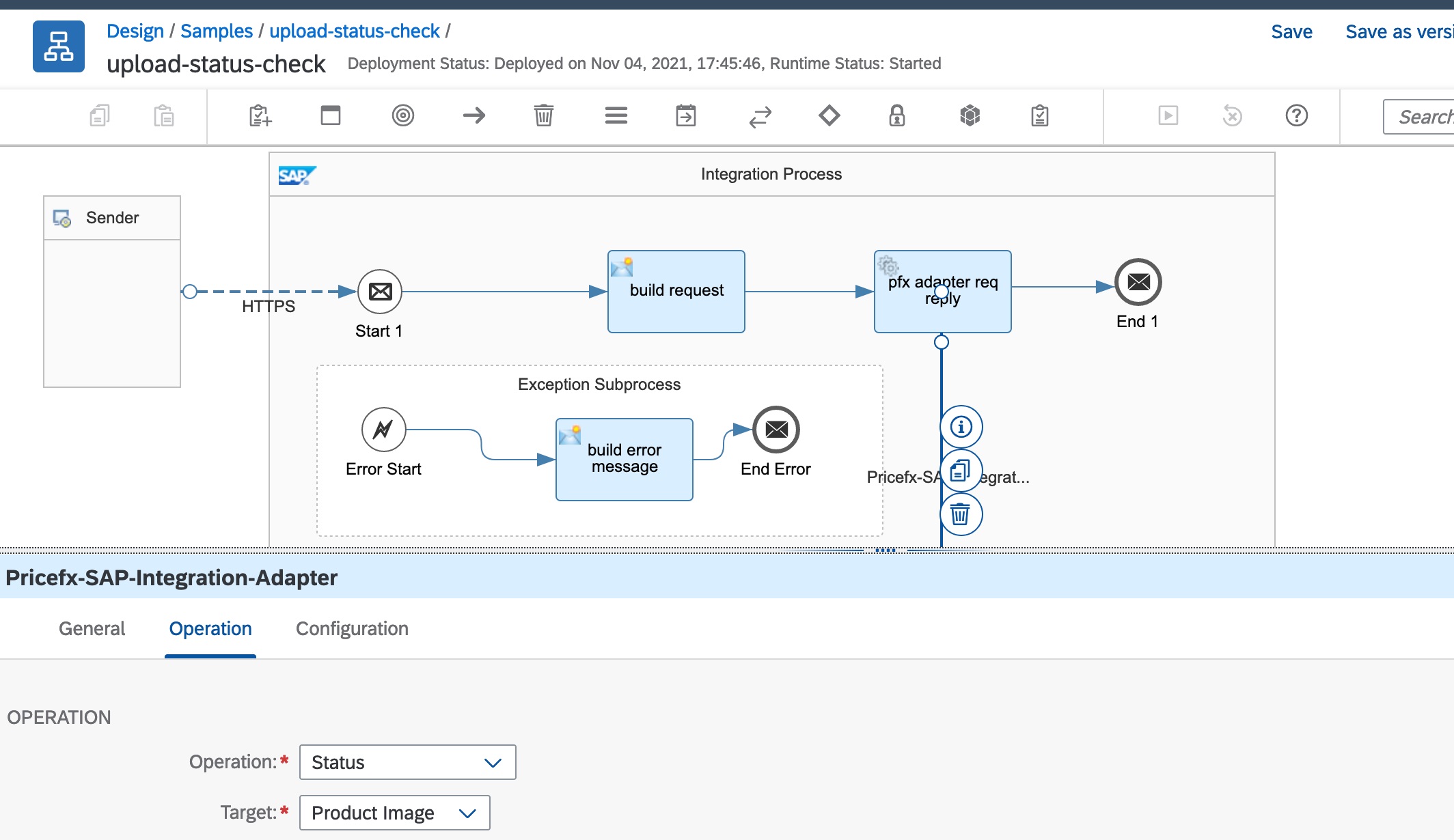
Response Message
For file upload status check, the summary of the data uploaded or processed is returned: {"name":"Product","total":2,"loaded":2,"failed":0,"duplicates":0,"op":"Complete","status":"POSTPROCESSING_DONE","isSlotDeleted":true}
For image upload check, true is returned if the product contains an image: {"value":"true"}