-
Go to Sales Compensation > Calculations.
-
Run the below listed jobs. There are scheduled jobs or you can run them manually.

-
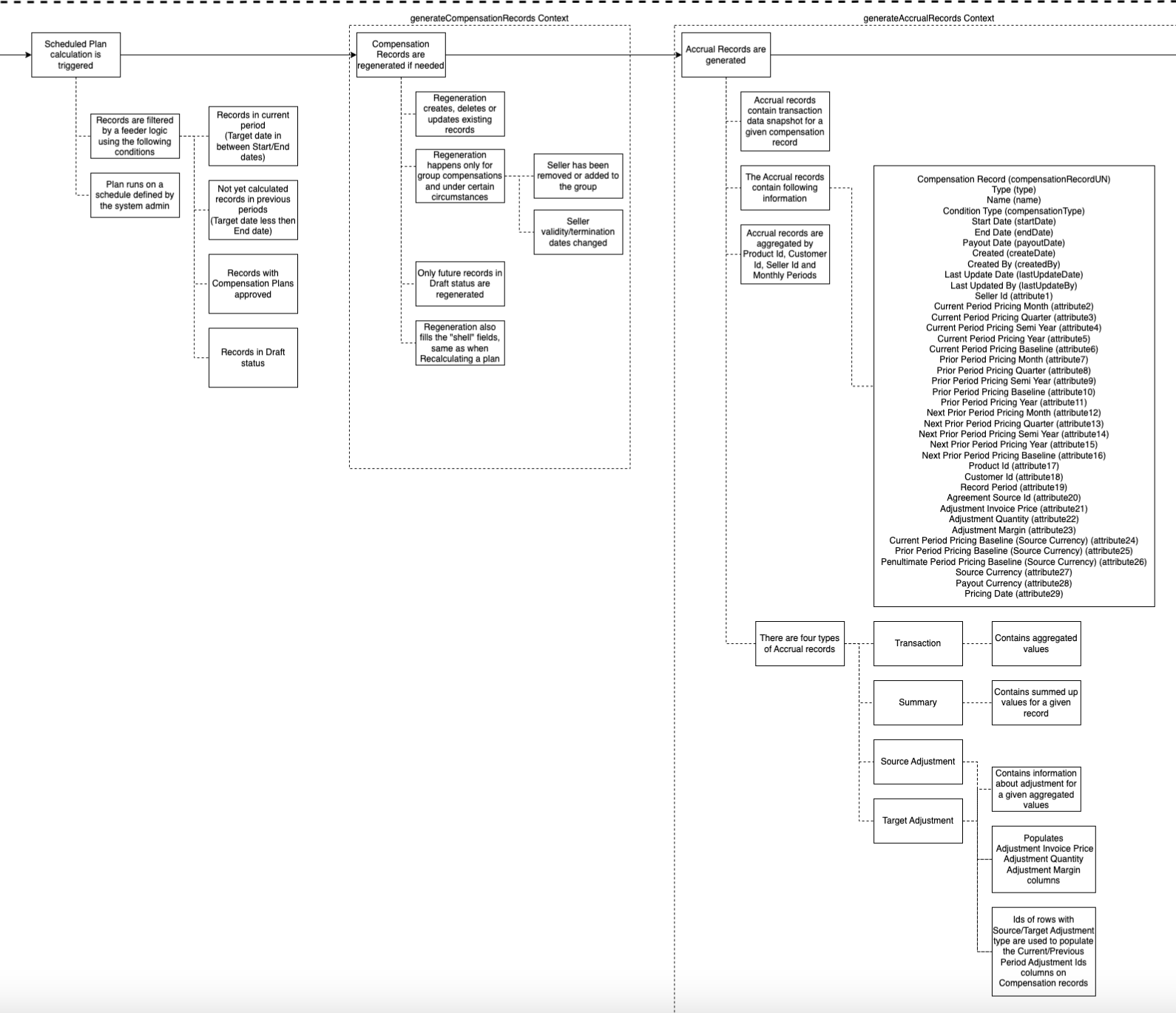
Sales Compensation Plan – This job (re)generates Compensation Records and Accrual Records. The results in the Compensation Records are still empty.
-
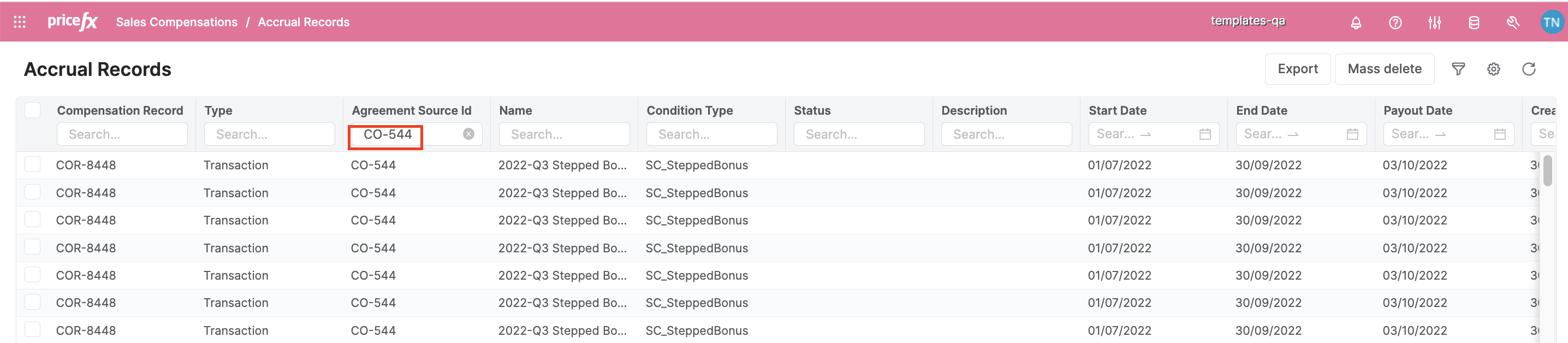
After the job finishes, you can go to the Accrual Records for checking:
-
Go to Sales Compensation > Accrual Records.
-
Filter Agreement Source Id == CO Id && Type == Transaction or Summary you want to check.
-
-
-
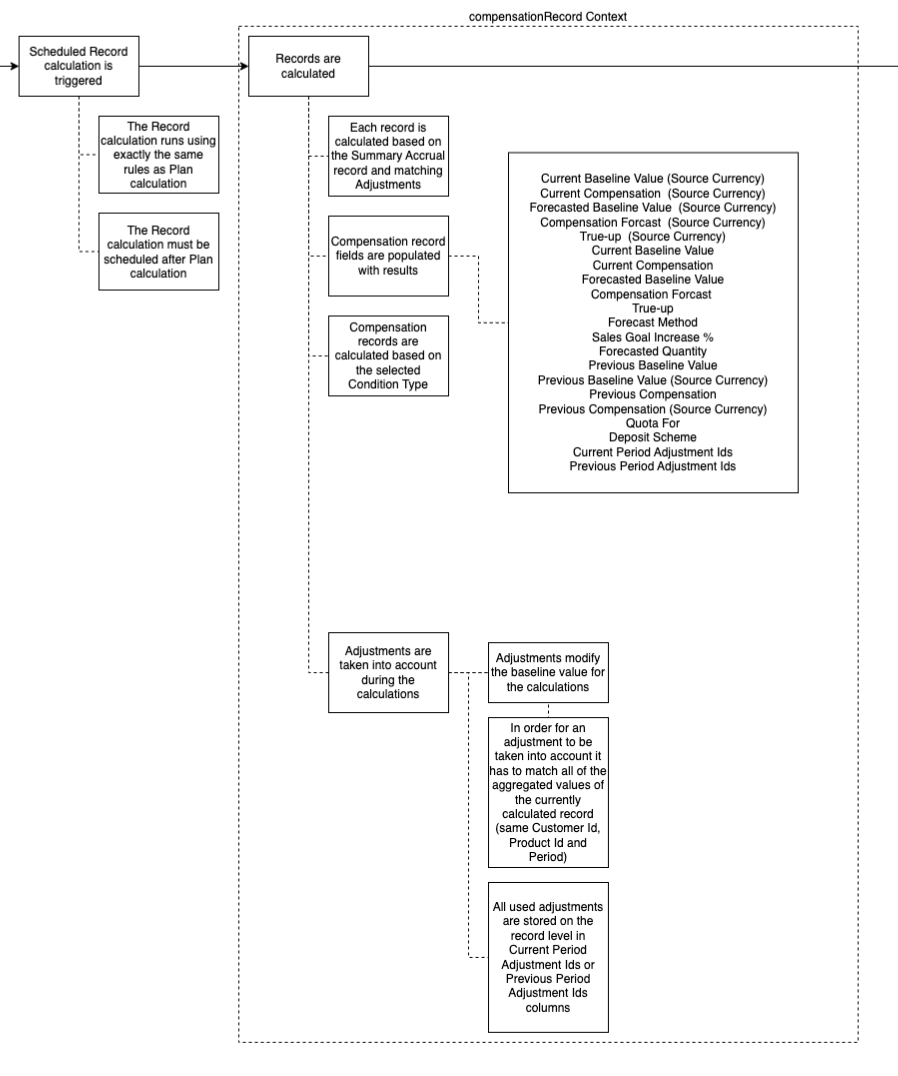
Sales Compensation Record – This job calculates results including the adjustments (if any) in the Compensation Records.
-
