
|
Column Name |
Values |
Description |
|---|---|---|
|
Dimension Type |
|
The dimension value will be taken from:
|
|
Order |
|
Hierarchy order where "1" is the most important attribute, the following ones are used for more specific lookups. |
|
Feature Name |
|
Name of the affected feature for which CP will be generated with given keys. Only "Fallback" is mandatory, features with no specified keys will use "Fallback". |
|
Dimension |
|
|
|
Dimension Level |
|
Indicates if the dimension belongs to primary or secondary hierarchy. |
Example:
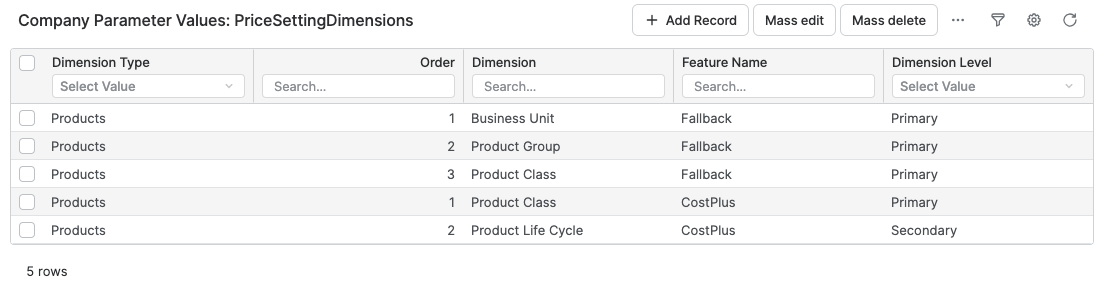
Custom Dimension
In hierarchy lookup, it is not only the Product attribute that can be used as the lookup dimension. A calculated value by Groovy can also be used as a dimension. For more details see Set up Custom Dimension Lookup.
See also Product Segmentation (Price Setting).