
The rounding rules itself are stored in the RoundingRulesConfig Company Parameter where you can edit them.
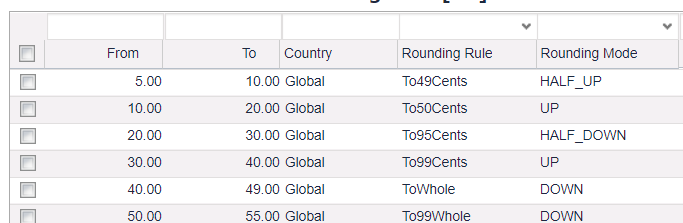
In the rounding rules configuration table, specify these fields:
-
From (must be CP key1) – The price to be rounded should be greater than or equal to this field value.
-
To (must be CP key2) – The price to be rounded should be less than this field value.
-
Dependency Mapping Field – The value to be used for dependency mapping. Not required if using the table mapping mode.
-
Rounding Rule – The target to be applied. The following values are allowed:
-
To49Cents: XXX.YYY => XXX.49
-
To50Cents: XXX.YYY => XXX.50
-
To95Cents: XXX.YYY => XXX.95
-
To99Cents: XXX.YYY => XXX.99
-
ToWhole: XXX.YYY => XXX
-
To5Whole: XXX.YYY => XX5
-
To49Whole: XXX.YYY => X49
-
To99Whole: XXX.YYY => X99
-
RawPrice*: XXX.YYY => XXX.YY
-
NoRounding: do not round
-
-
Rounding Mode – The mode to be applied. More information about rounding mode definitions and examples can be found at Rounding Modes.
The following values are allowed:-
UP – Round away from zero.
-
DOWN – Round towards zero.
-
HALF_UP – Round towards "nearest neighbor" unless both neighbors are equidistant, in which case round up.
-
HALF_DOWN – Round towards "nearest neighbor" unless both neighbors are equidistant, in which case round down.
-
-
Valid From – Valid start date. Optional.
-
Valid To – Valid end date. Optional.
-
Values from PSP Exception Module will not be rounded (manually overridden prices and Exception Prices).

-
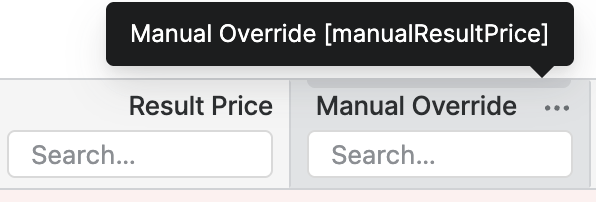
Default Manual Override of Pricefx will be rounded.
-
Only List Price is rounded for each calculated strategy. So when using the Net Calculation Level, it only rounds the Gross Price.