
Reusable Snippets is an advanced concept introduced to the Strategy Designer in the Caribou Lou release (v14). It allows users to extract a group of blocks into what is called a snippet, which can then be reused across multiple strategies while being maintained in one central location. This concept is quite similar to a function in programming.
In this section:
Creating Snippet
There are three ways to create a snippet:
Add Button
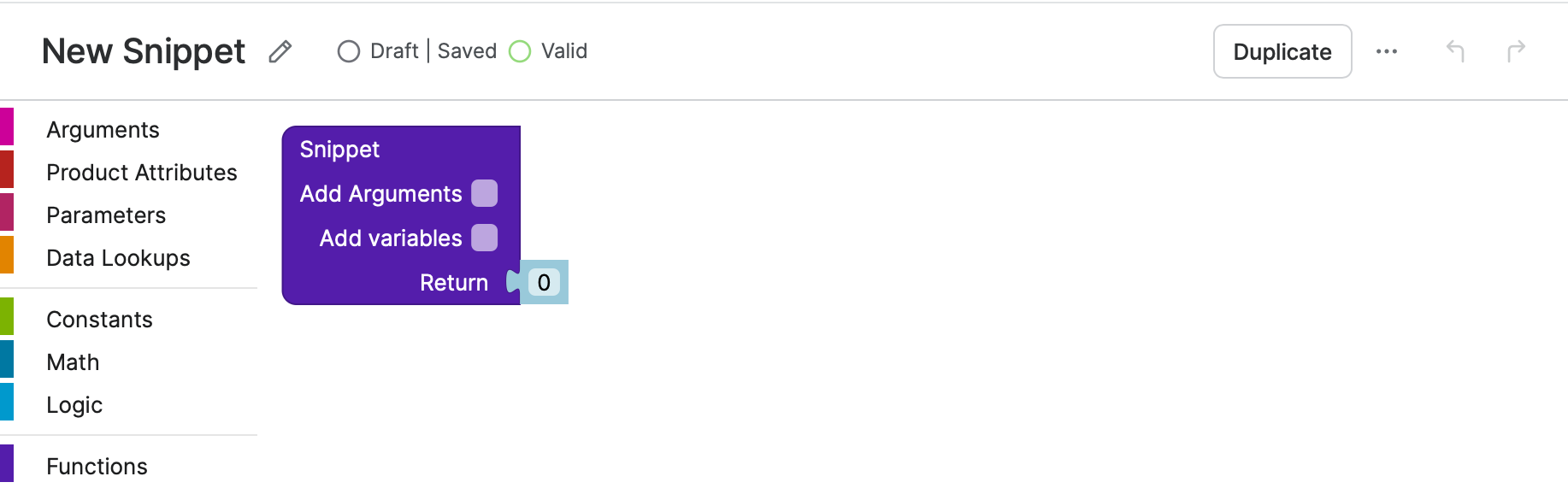
When you click the Add button in the Snippets tab, a new empty snippet is created in draft state.
Snippets Within Snippets
Nested snippets allow a snippet to reuse other snippets, including recursive and mutual calls - enabling modular, reusable strategy logic while extending existing activation, versioning, and debugging behavior to nested dependencies.
For more details, see Nested Snippets (snippets within snippets).
Extract Block To Snippet
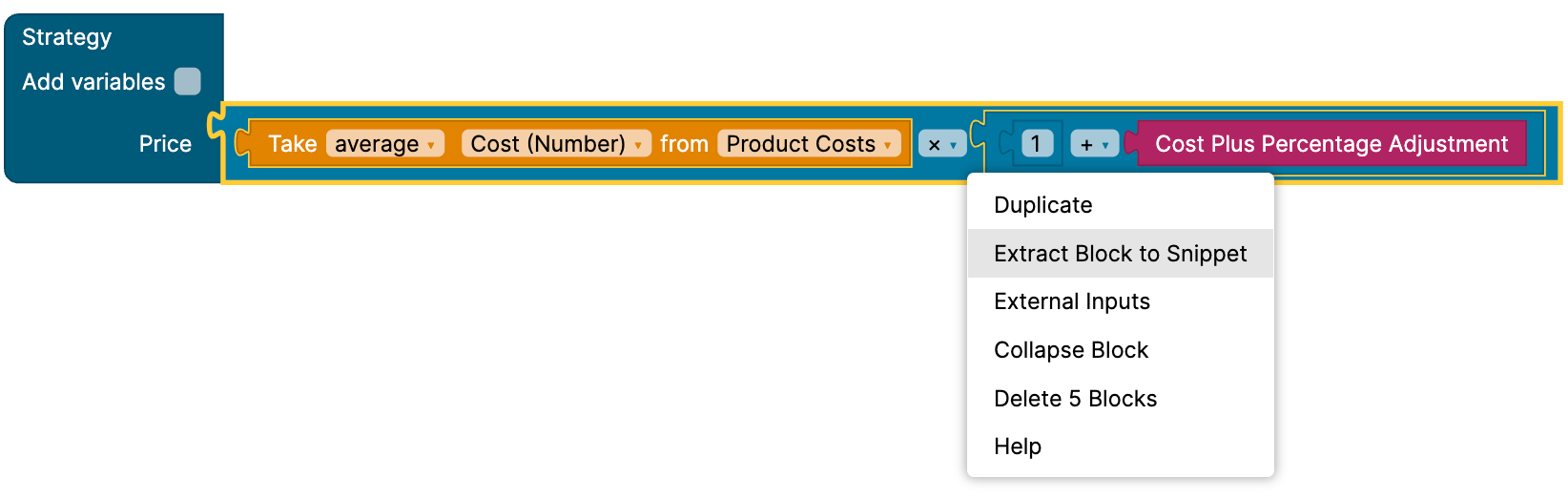
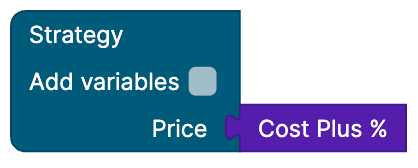
When designing a strategy, you can right-click on a block and choose Extract Block to Snippet. This action will create a draft snippet that includes the selected block, while the original block in the strategy will be replaced by the newly created snippet.
See the following images:

Import
Importing is done in the same way as importing any other entity. Please refer to the Import / Export (Strategy Designer).
Anatomy Of The Snippet Block
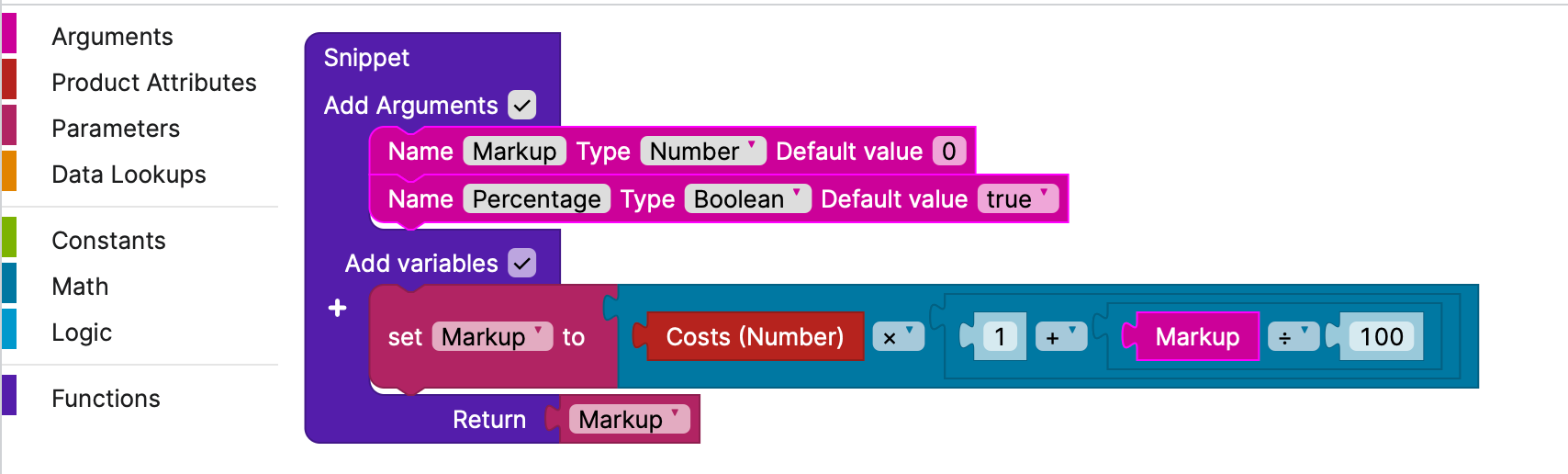
A Snippet block is very similar to a function in programming. It can have arguments and needs to return a value.
Arguments
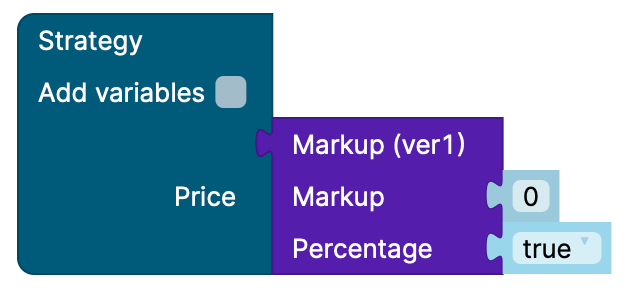
The snippet includes arguments that accept values from the strategy, enabling users to dynamically modify the snippet's behavior. Each argument has a name, a type, and a default value, and it will be rendered as an input field within the snippet block when used in a strategy.
This is how a snippet defined above would look in a strategy:
Using Snippet Arguments in Strategies
When you use a snippet inside a strategy (or another snippet), its arguments are shown as input fields on the snippet block. These inputs behave slightly differently from normal blocks:
-
Default argument values are read‑only – when a snippet is used in a strategy, the default values defined in the snippet cannot be edited directly on the strategy canvas. The fields are disabled (grayed‑out).
-
Overriding an argument value – to override a default value in a particular strategy, you must drag & drop a real block (for example, a constant, lookup, or expression block) onto the disabled default argument field. The dropped block will replace the default and become the effective value for that argument in that strategy.
-
Central control via defaults – as long as an argument is not overridden in a strategy, its behavior is controlled centrally by the snippet’s default value.
Propagation of Default Argument Changes
When you change default argument values directly in a snippet and then activate the new version:
-
The updated default values are correctly propagated to all places where the snippet is used, as long as that particular argument has not been overridden by a custom block in the using strategy.
-
Strategies (or other snippets) that reuse the snippet will automatically pick up the new defaults after activation, preserving the “single source of truth” behavior.
Creating a new version
When you create a new version of a snippet, you will enter a special edit mode. In this mode, you cannot change the arguments or the return value type. This restriction is in place to maintain compatibility with the strategies that the snippet is used in. If the arguments or the return value type were to change, the snippet block would become disconnected.