
CPQ can access the rebate data generated by the Rebate Accelerator by predefined configurations. There is a Rebate Calculation Plan that can be configured using the CPQ Configuration Wizard.
Pre-requisites
-
Custom logics are prepared in the form of a Pricefx Groovy library.
-
Quote Type is selected in Step 1.
-
Tables are configured in Step 2.
Select Configuration
In Step 3, select Core Configuration in the first drop-down input and Rebate in the second input.
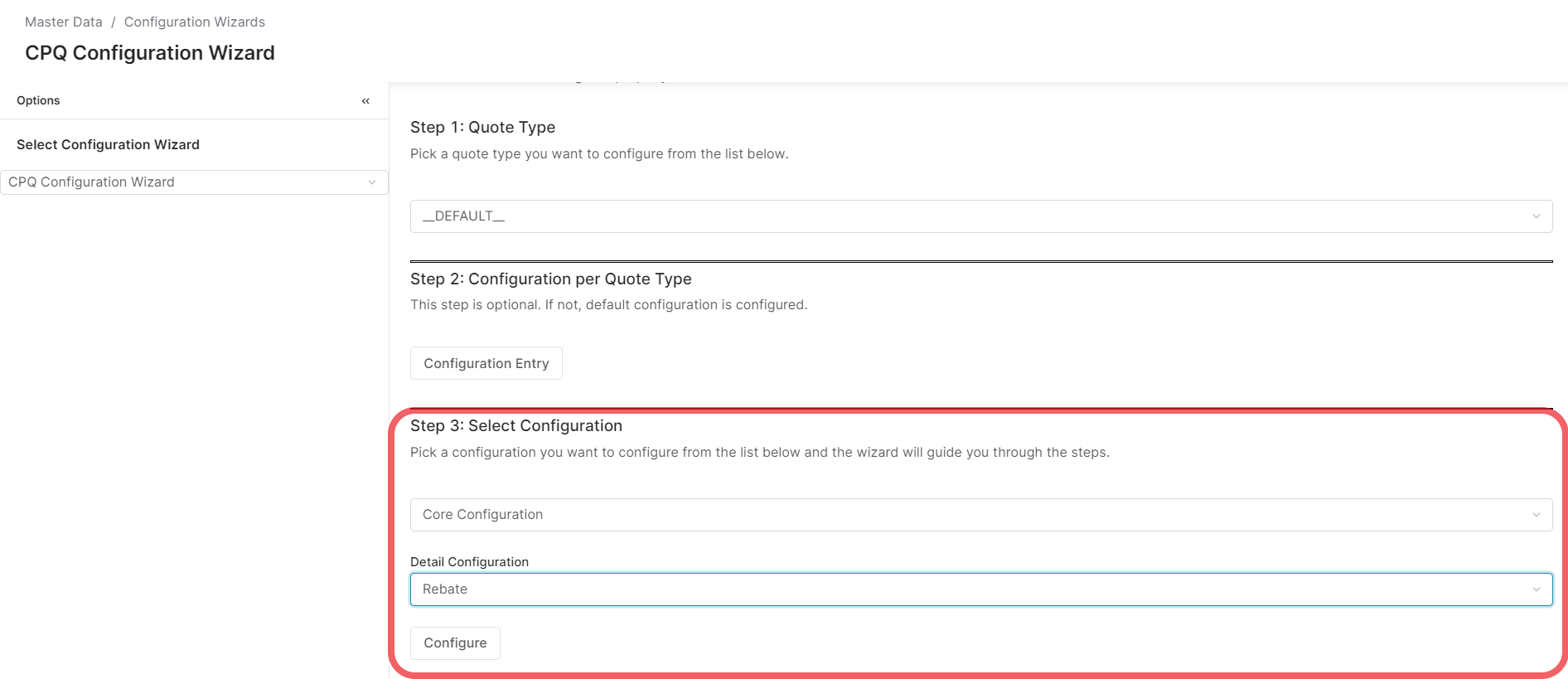
Then click the Configure button to enter the configuration screen.
Rebate Calculation Plan Calculation
On the configuration screen, select the desired Rebate Calculation Plan.
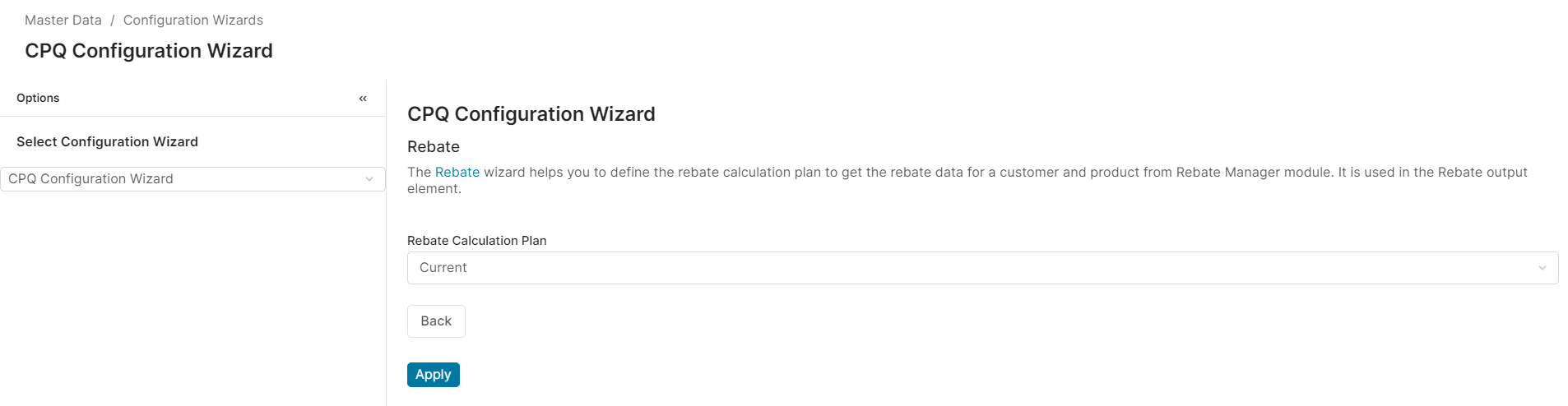
When finished, click the Apply button.