
In this use case we aim eliminate unearned on invoice discounting by using off invoice incentive programs like rebates.
Good to know: Some of our screens may be different as we are in a demo environment.
LEARN MORE: Refresh your knowledge or find out more about Rebates in Pricefx, here.
Situation description
For the purposes of this flow, we will assume the role of a pricing and rebates team director. In the current state, customer rebates are not used as often as they could be because they require complex setup in Excel and in the ERP system, and they're difficult to track and to pay out. Pricefx brings along the opportunity to automate the rebate process from Templates to governance and accruals and Payouts, resulting in improved growth program performance, reliable accounting processes, and complete visibility into the performance of your rebates.
Workflow
Let's see how we can address rebates with accruals and payouts in price FX.
Step 1: Rebates home
Here we are in a typical rebate program, in the header of the rebate. The header is where we store important information like our start date and end date with calculation date, then the day we're going to pay our customer.
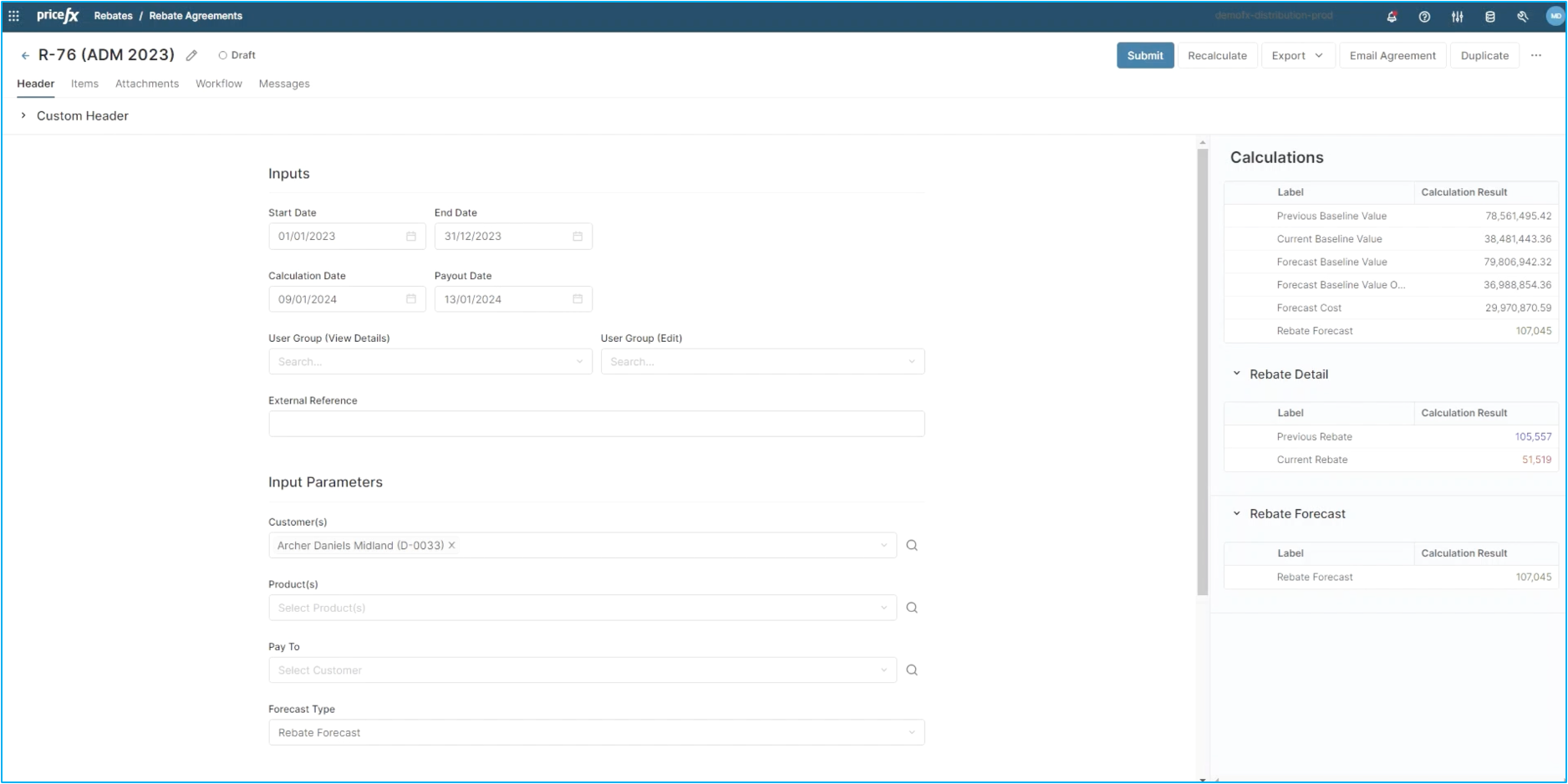
We can also define our customer and our products in the header. In this case, we will define the products in our items tab. On the right hand side you will see a calculation panel. This panel is providing insight into the cumulative value of this rebate. You can also see any current rebates that are being paid and any previous rebate that has been paid out. Let's move on to the Items tab.
Step 2: Items
This is the tab where you define the conditions of your rebate. You can see here that we have an Add Items drop down where you are able to pick any new condition for this rebate. You can have as many conditions as you want in one rebate.
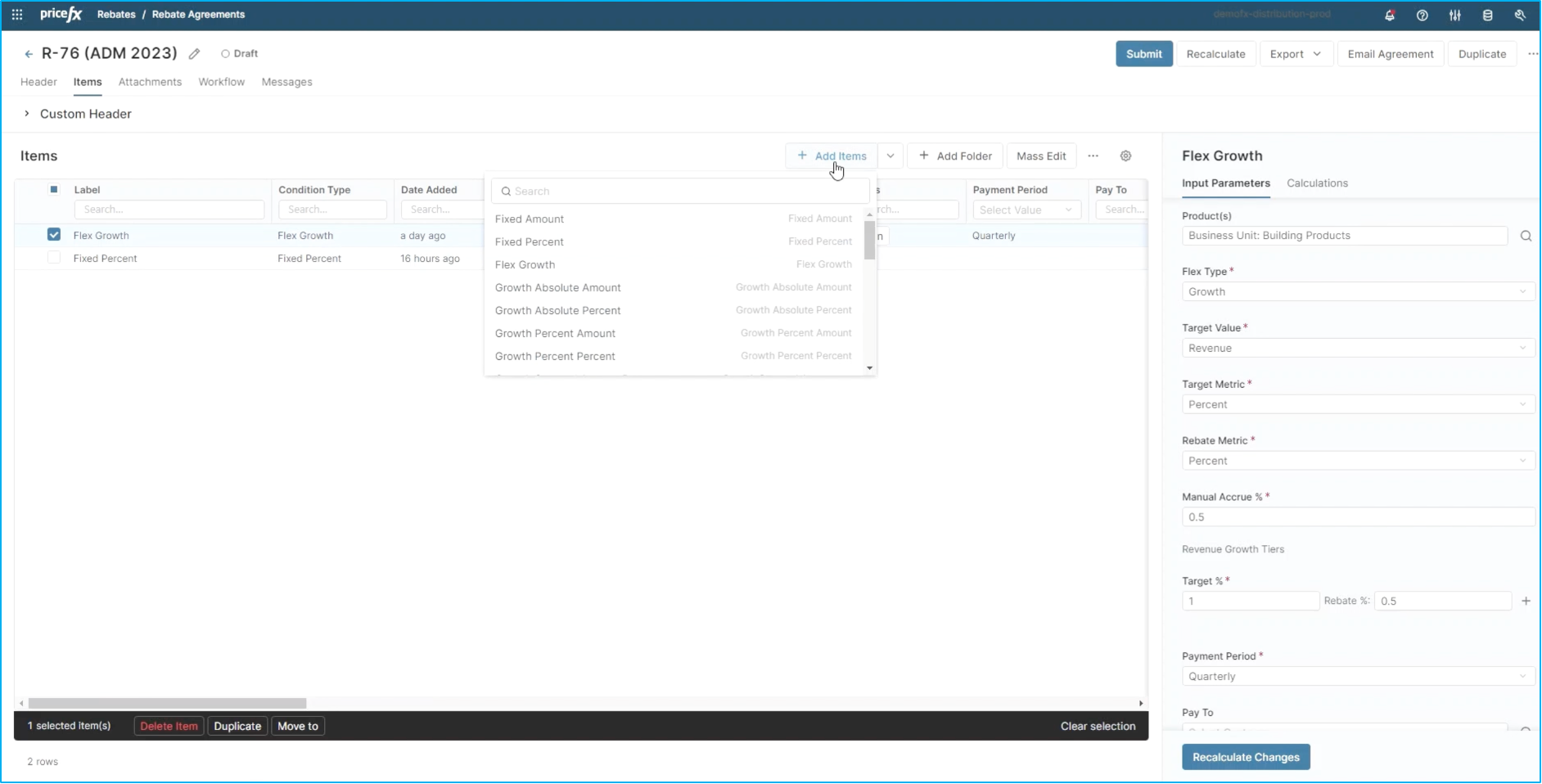
This customer has two separate conditions. For this scenario, we will focus on the flex growth condition.
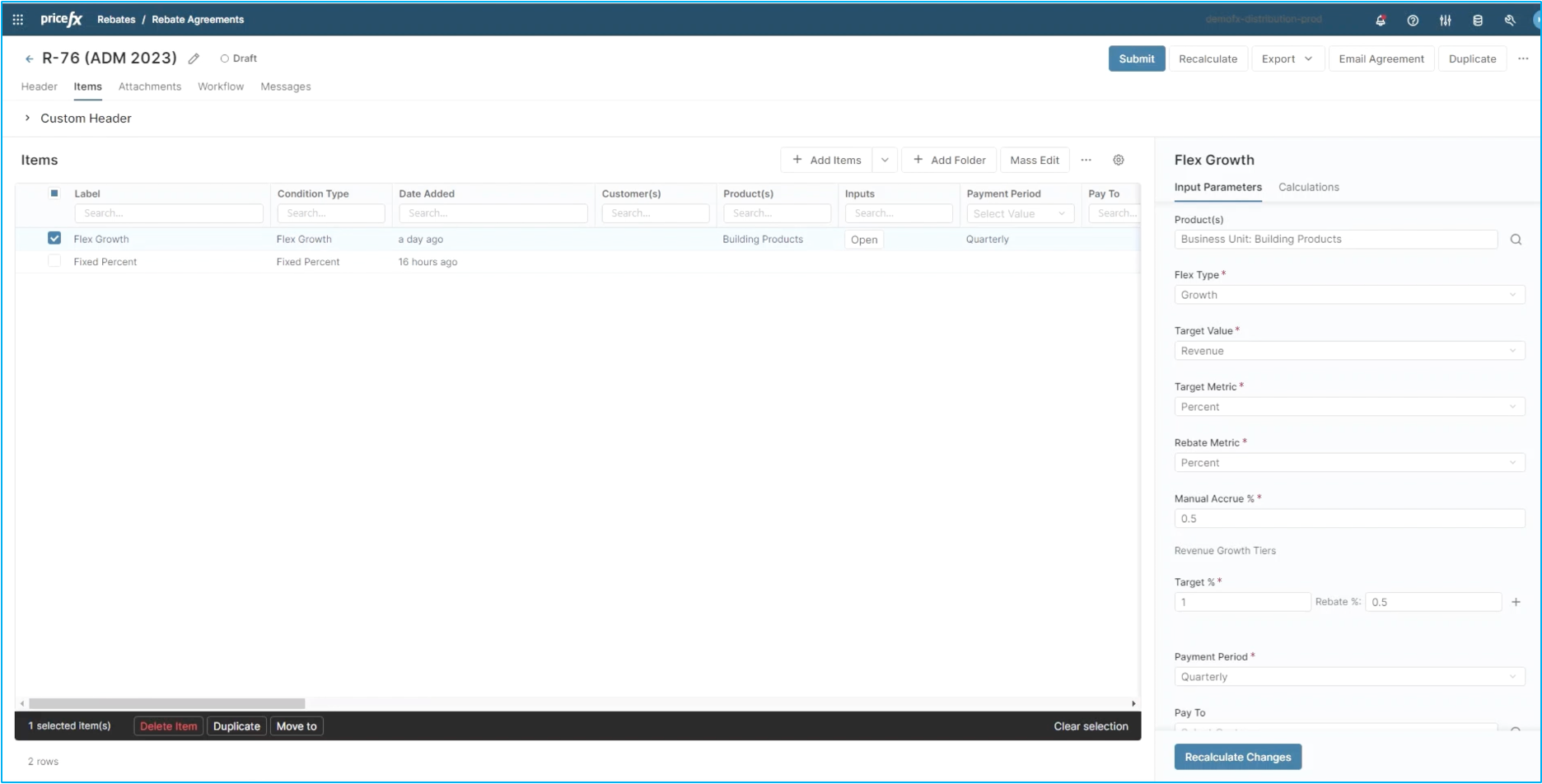
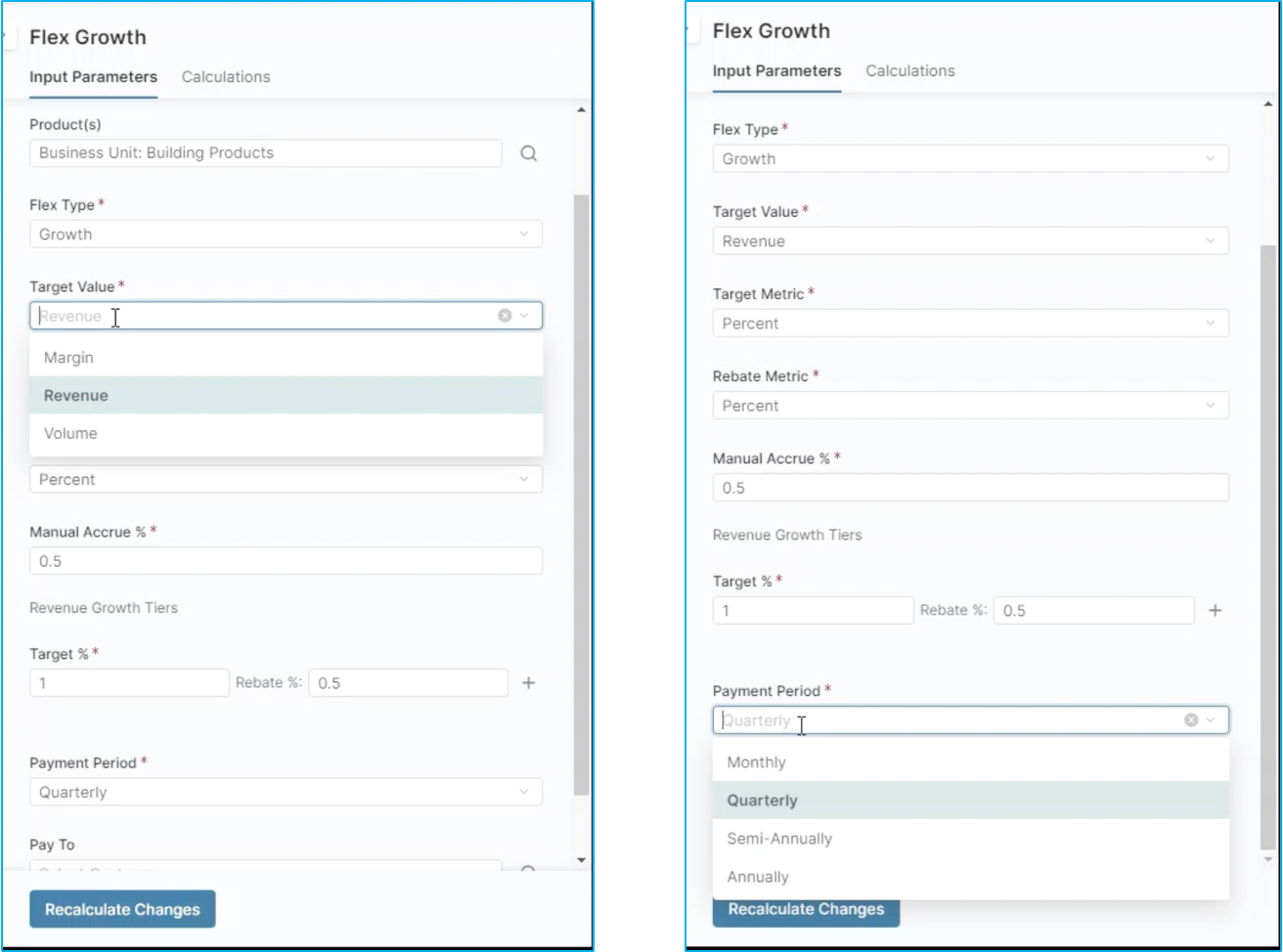
You'll notice in the Input Parameters that this is a growth rebate and that the point here is to increase revenue. However, you can also target margin or volume. You will also notice other important metrics that are defined in the input parameters. In this rebate program, we are targeting 1% revenue growth to pay out a .5% rebate. We've also defined the payment terms as quarterly, but you can also pay out monthly, semi, annually or annually.
Step 3: Calculations
Let's look next at the calculations of this condition. Here we provide details about previous periods, the current period and any forecast for this rebate, in this instance, this specific condition. The flex growth is worth approximately $27,000 to this customer. Additionally, we provide other information that's important to this rebate program and you'll notice here that we have a hyperlink to the rebate records.
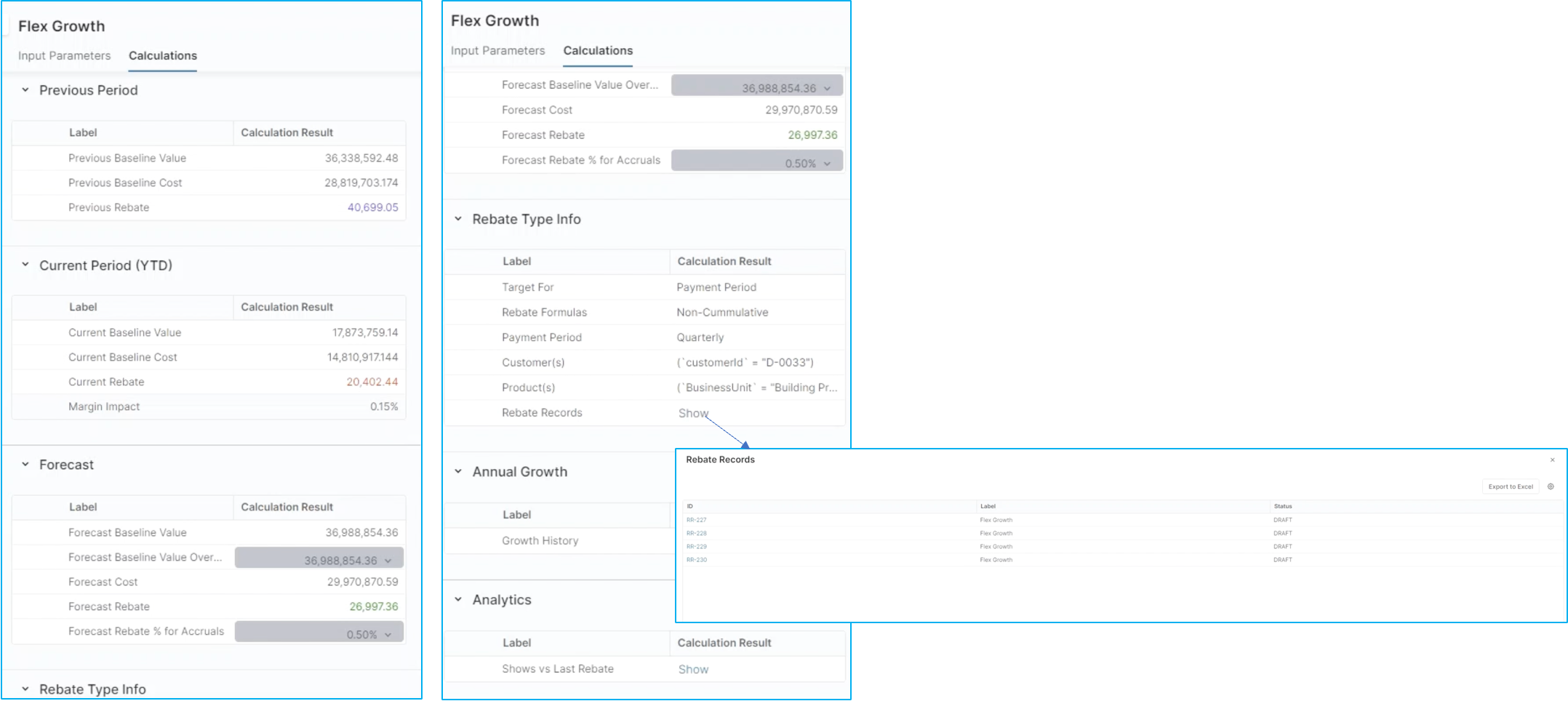
Rebate record is created for each line of your rebates agreement when they are created automatically. These rebate records are used for regular recalculation of your rebate, approval of rebate values, support of the approved payout money back to your ERP or finance, and allocation of this rebate to archive sales transactions.
Step 4: Rebate records
You can see in this specific rebate record that we are looking at values for Q1 of 2023. These are results for how this rebate performed in that specific quarter. You will notice at the bottom that you can embed inline analytics.
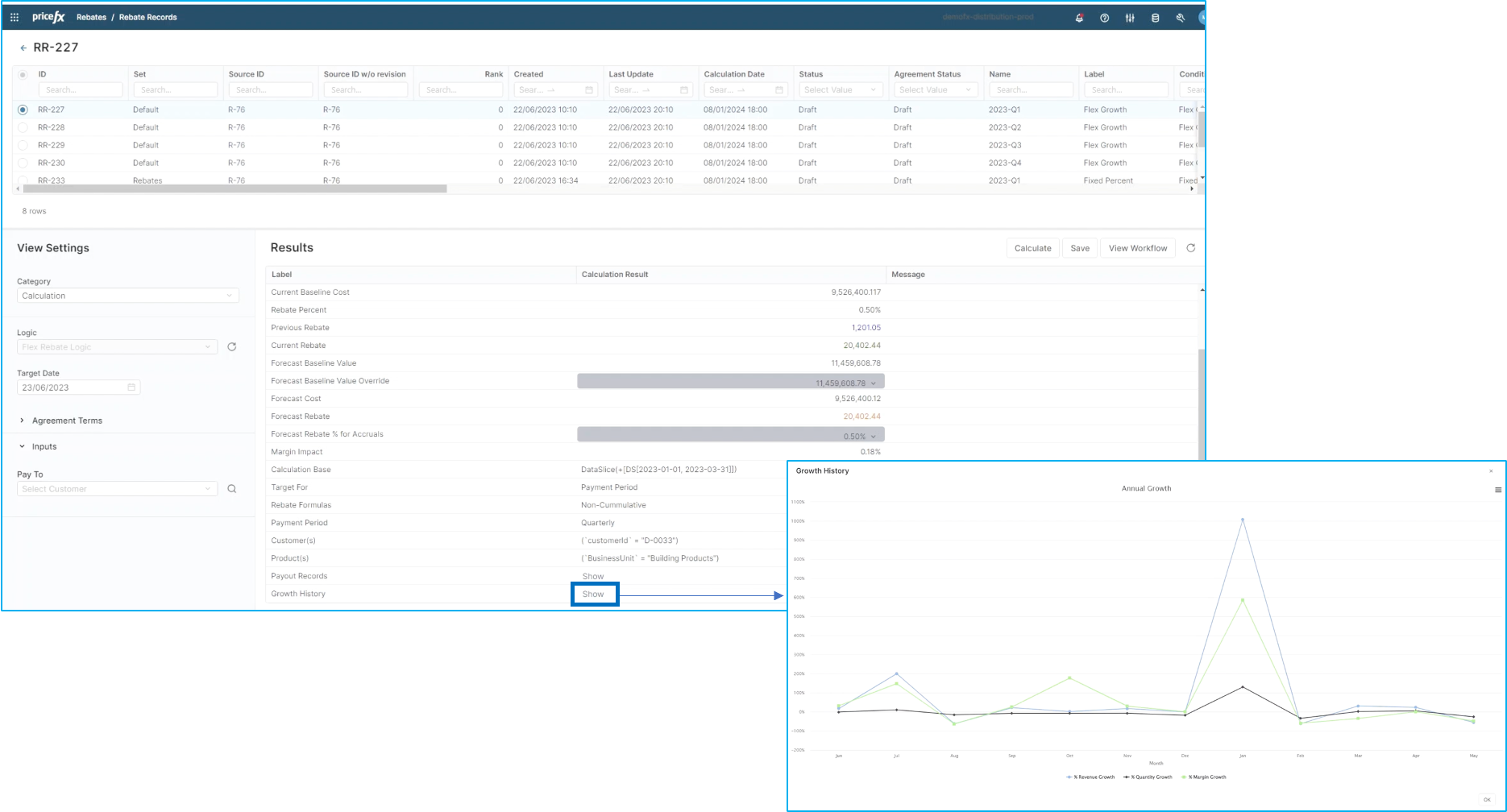
Here we are showing the growth history of this specific rebate in terms of revenue, quantity and margin. This piece of inline analytics is completely configurable to whatever your business we may like to see. Let's go back to our rebate. In addition to a header and items of your rebate, you also have a tab for attachments.
Step 5: Attachments and Workflows
This is where you will attach any documents that are important to this rebate. In this instance, we have attached a sample form that was provided by the customer with a simple click of the Download button. You will be able to see the form that was provided. You will also notice two other tabs: Workflow and Message.
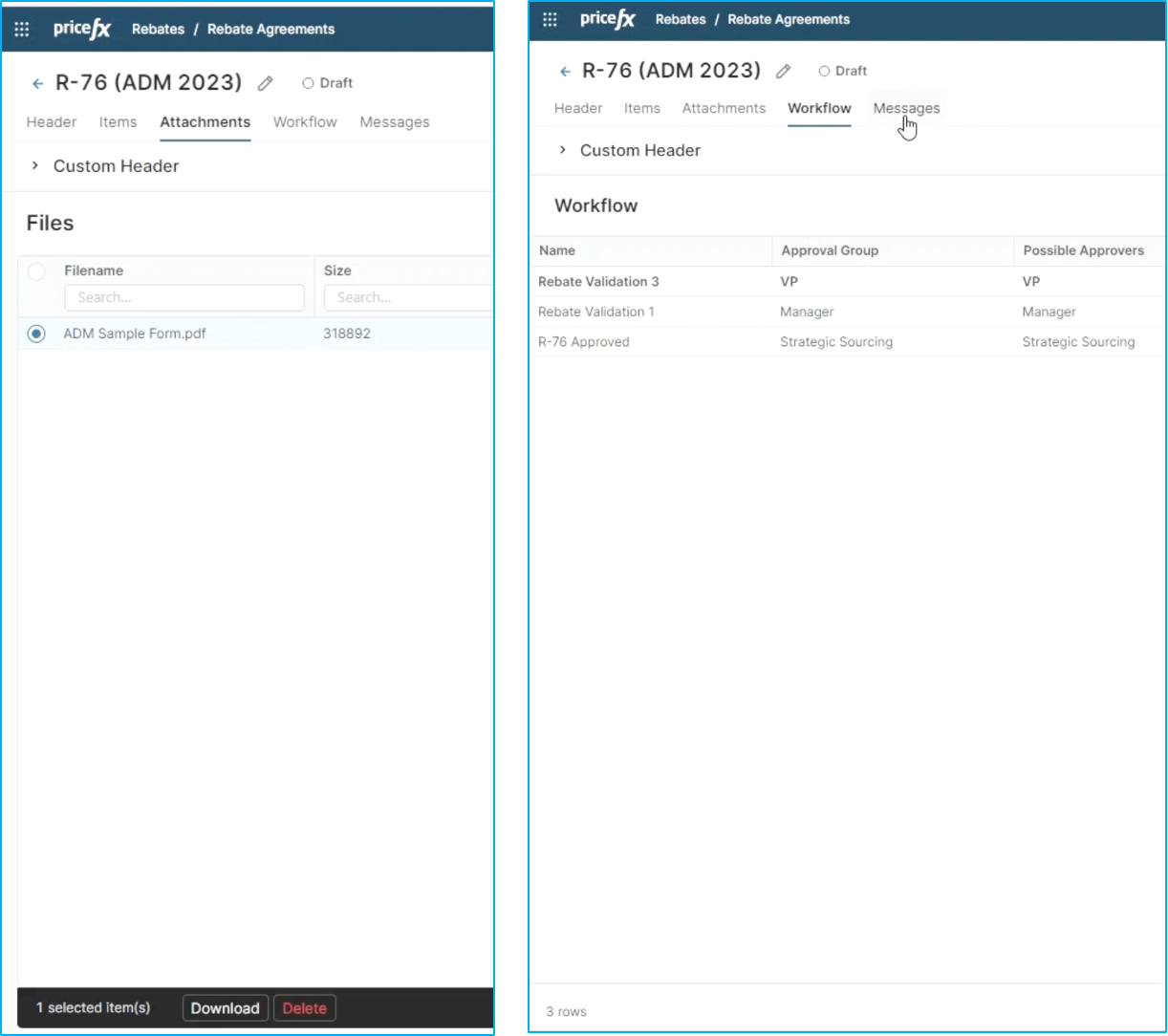
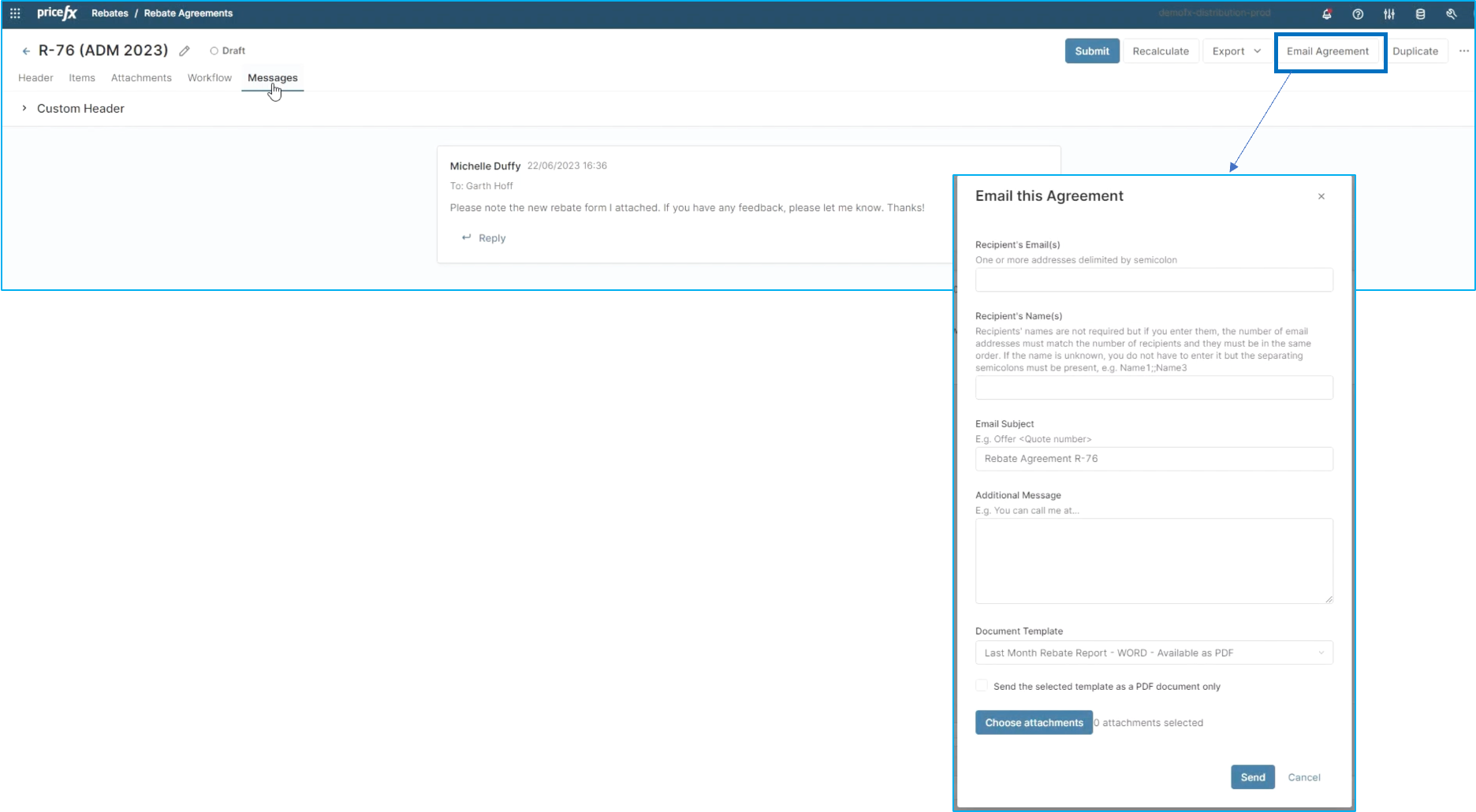
Your rebates can have a workflow associated with them. This ensures the rebate is routed to the proper approver before the rebate is executed. The Message tab is a place where internal communication regarding this rebate can take place. These messages are permanently stored as a record or a log of any communication regarding this rebate. And finally, once all of the proper conditions are in your rebate, your workflow has been completed. Your attachments are available and your messages are stored. You can e-mail this agreement both internally and externally to the customer for signature.
This wraps up the flow for improved rebate program management with PriceFx.