
In this use case, we want to provide optimized price or discount guidance to our sales team. This is particularly important for driving profitability and fostering growth as sales people will be able to quote the most optimized prices, with complete visibility and control over what their commission would be for each negotiated deal.
Situation description
For this flow, we will take the role of a pricing and data science manager. In the current situation, our pricing is one-size-fits-all, which leads to overpricing and loss deals as well as underpricing and loss potential revenue and margin. Pricefx is able to correct this by creating multiple optimization models and measure the potential impact before publishing guidance to the sales team, which results in margin expansion, higher win rates and improved sales efficiency.
Workflow
Let's see how we can improve margin with optimized pricing guidance within Pricefx.
Step 1: Models
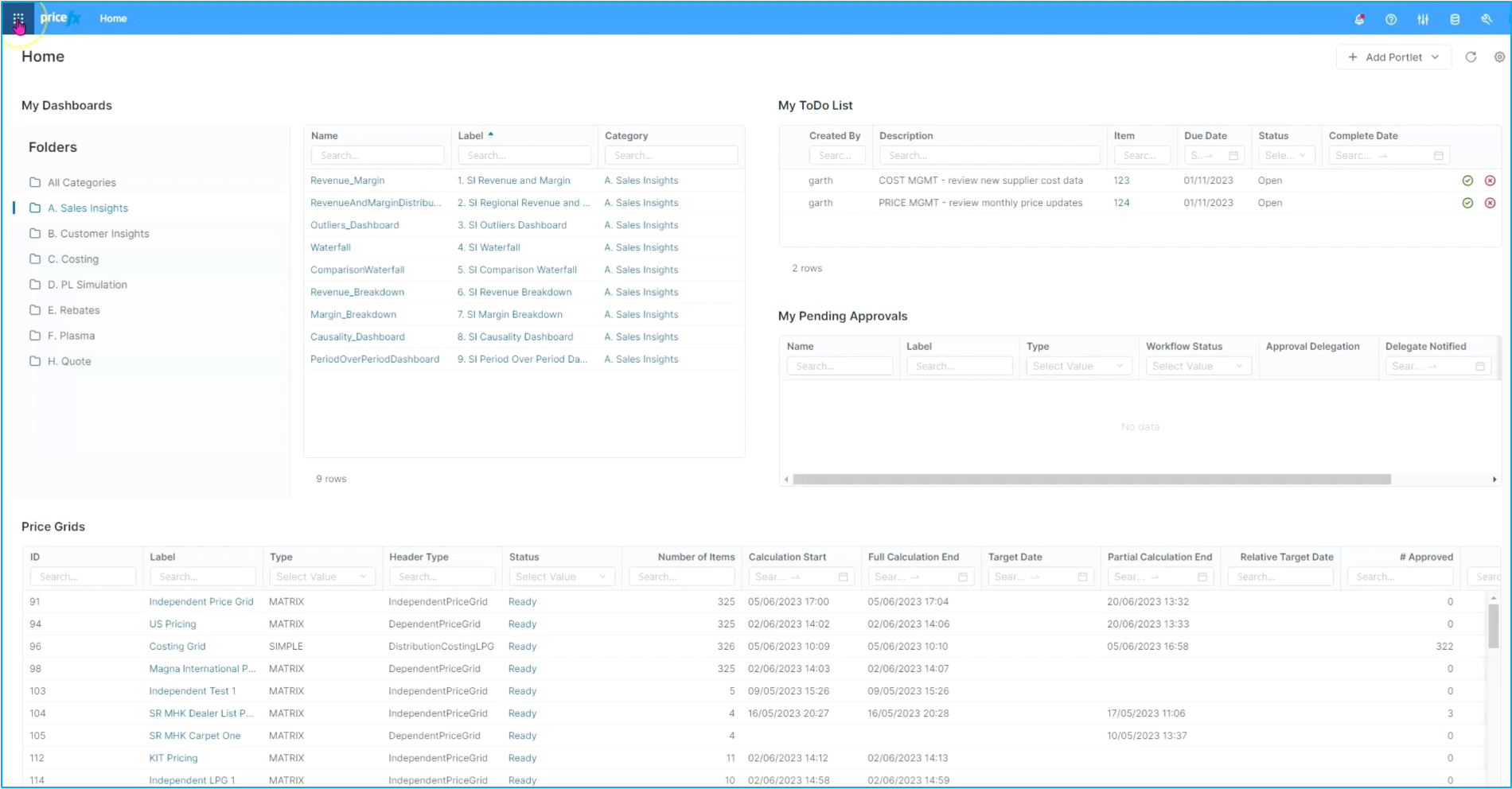
We'll start out in the software by looking at the different optimization options available. We have multiple models within Pricefx. The Price Effects optimization platform supports any number of B2B and B2C pricing models out-of-the-box.
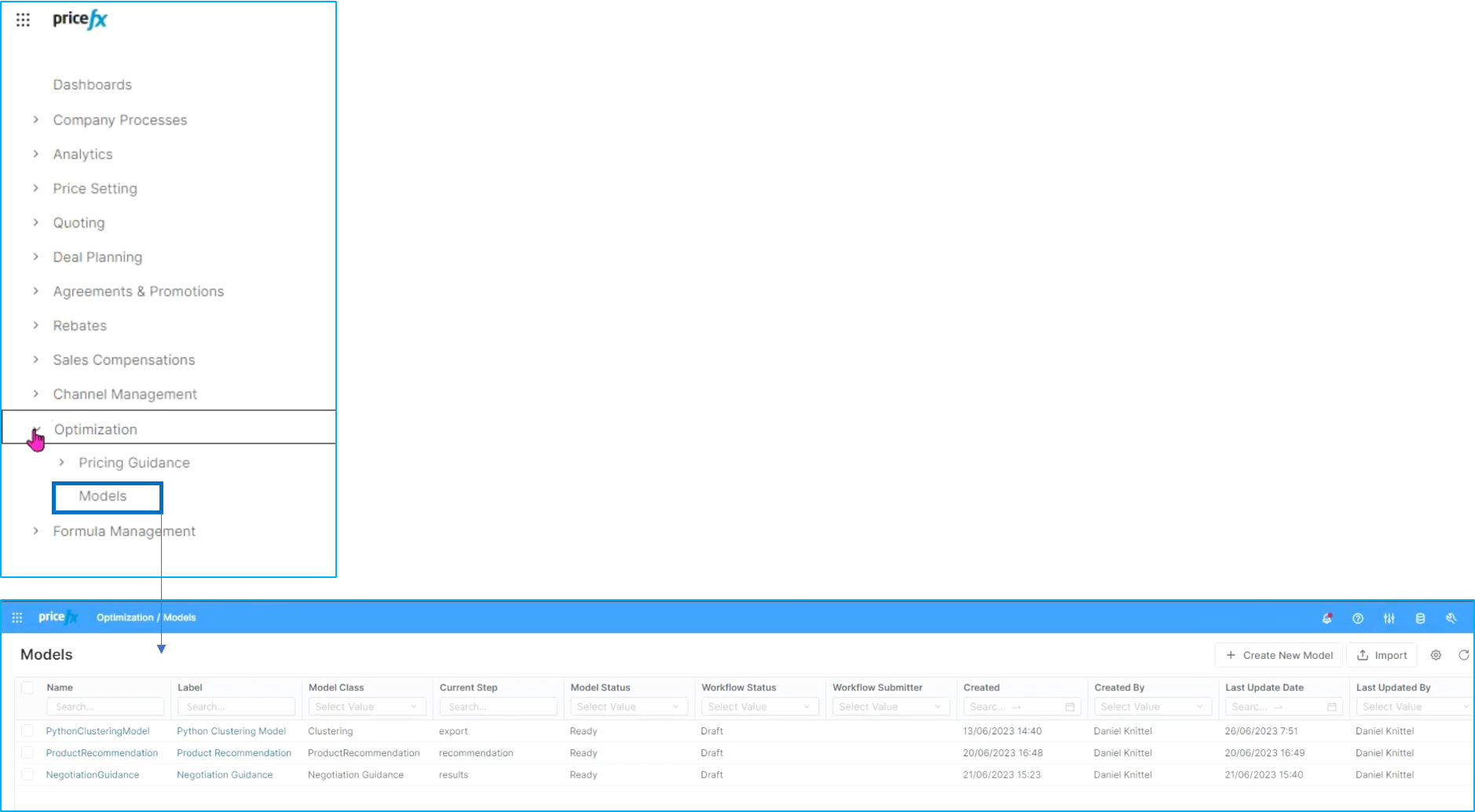
In this scenario, we'll focus on Negotiation Guidance. This is a multi-step process in terms of going through segmentation and optimization with the end goal of providing guidance.
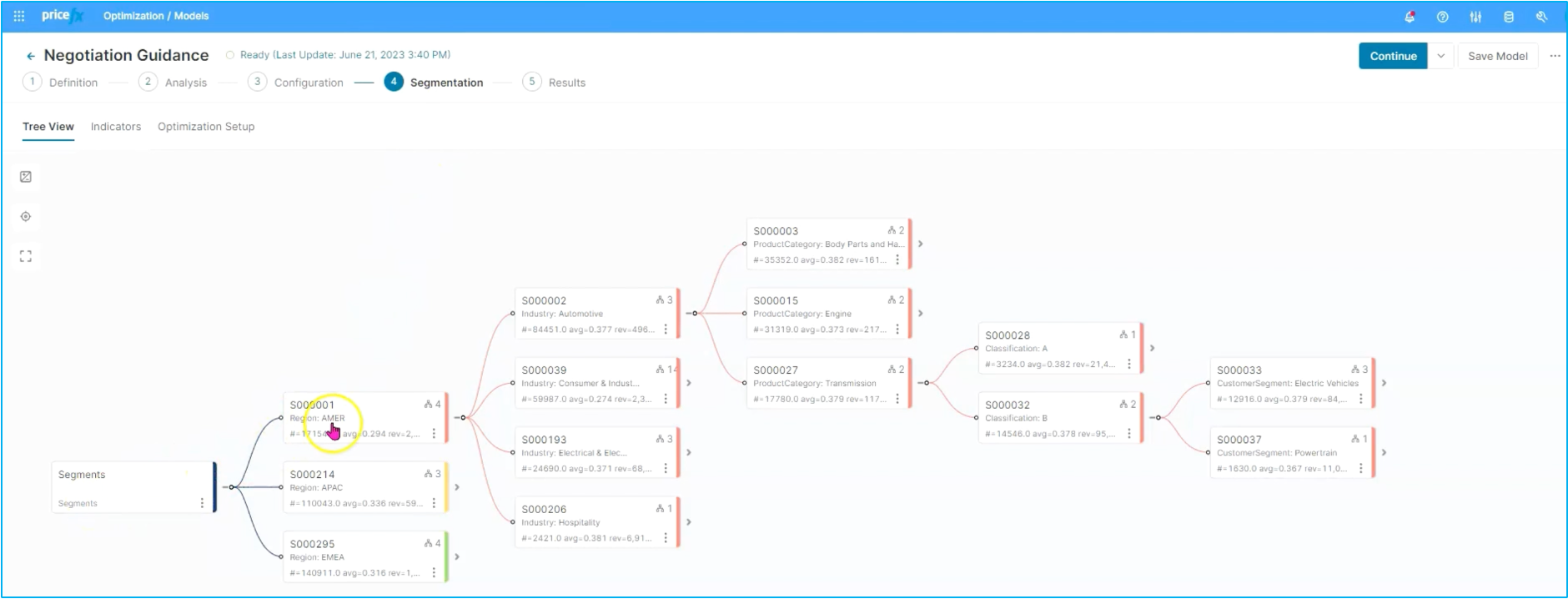
We will skip ahead a little bit to Step 4 to take a look at the segmentation itself.
LEARN MORE: Know more about Negotiation Guidance, how it is deployed and how to configure it step by step, click here.
When you open up the segmentation tree you will see, like in this case, that it reflects a variety of different data attributes. They can be coming from transaction data, master data or other data sources. As such, aspects like geography and use application of customer, things within the product hierarchies, derived attributes based on product customer attributes or customer segment attributes and even derived attributes within the customer segmentation.
Step 2: Optimal target chart
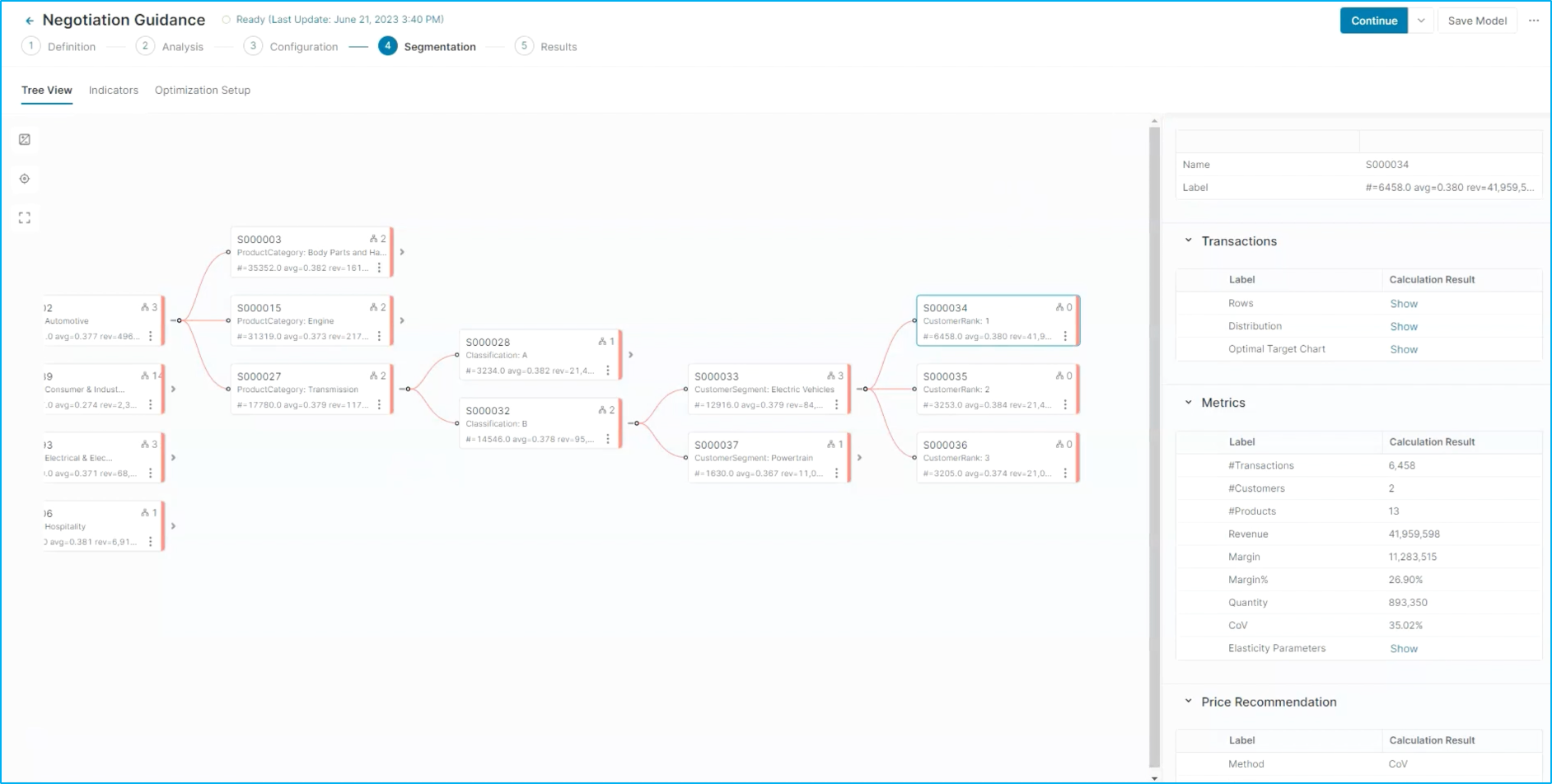
As we get to the end of this segmentation tree onto the final node, you see there's a lot of interesting information here, including things like the actual segment ID as well as metrics around the segment and pricing recommendation information. In this case, what we'll do is select the optimal target chart.
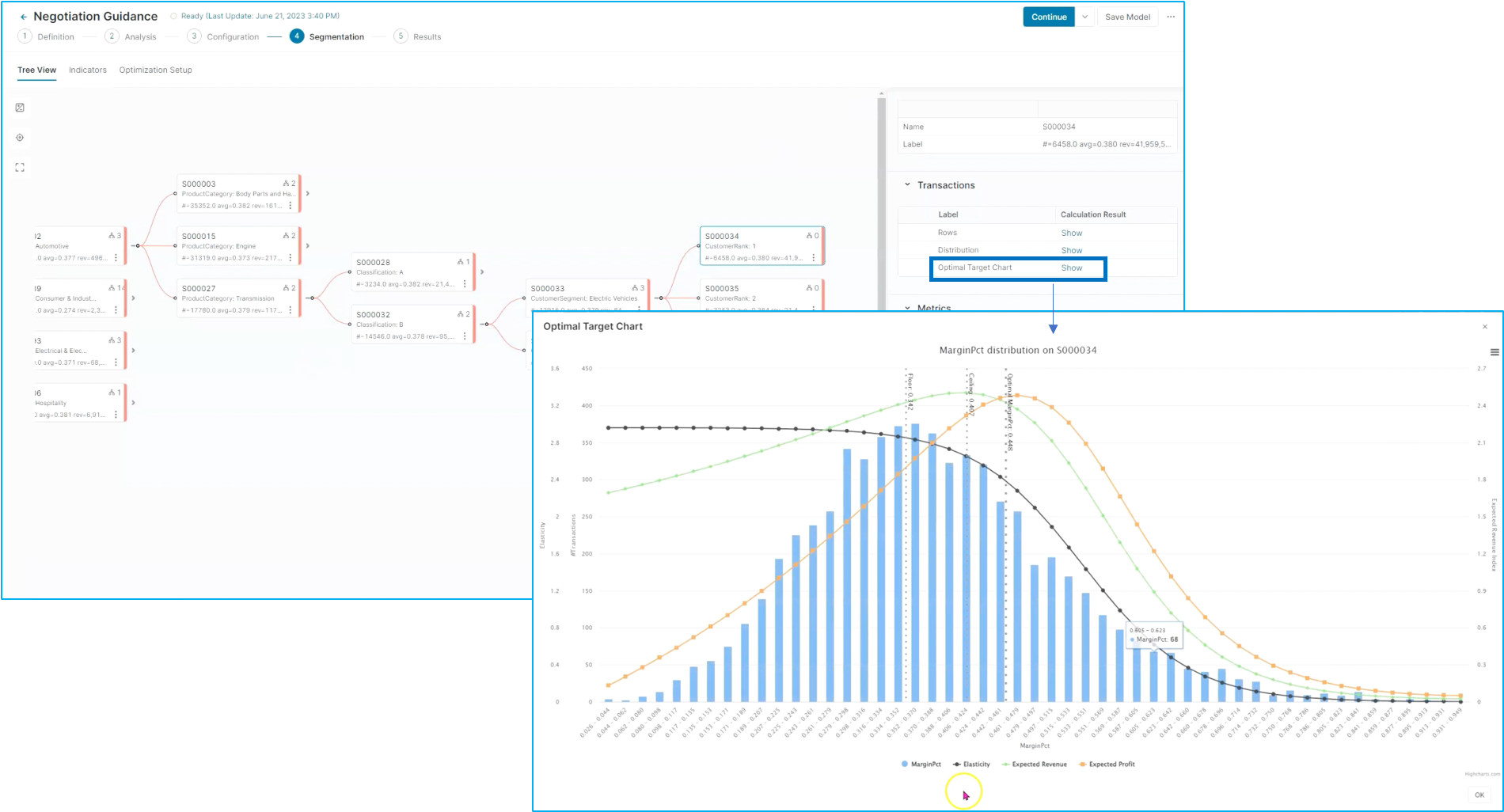
This is showing information about the segment itself. You can see the number of transactions by looking at the X axis of the margin percent versus the Y axis. We can layer on top of this things like expected revenue, expected profit and even the elasticity. The whole idea is to see at the end of the day the optimal margin, target percentage as well as the floor, target and ceiling price that superimposed upon this chart.
Optimization in Quotes
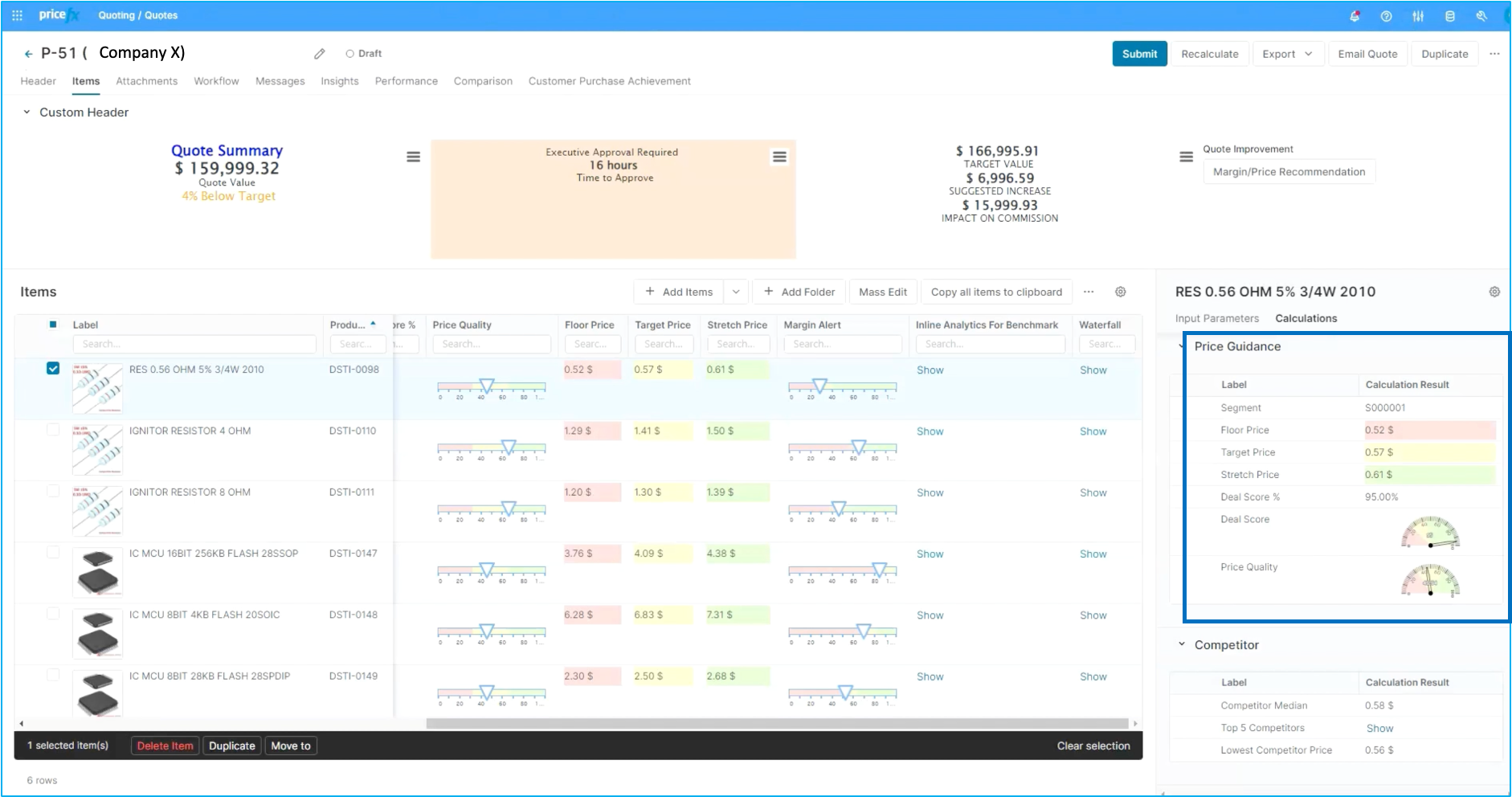
When we look at a quote from a seller's perspective we can see that same information you can see the actual segment ID your target, floor and stretch in a couple of different formats as well as marginal alerting and other contextual decision support.
Step 3: Optimization
Now back to the optimization view, we can see exactly how we got to this point.
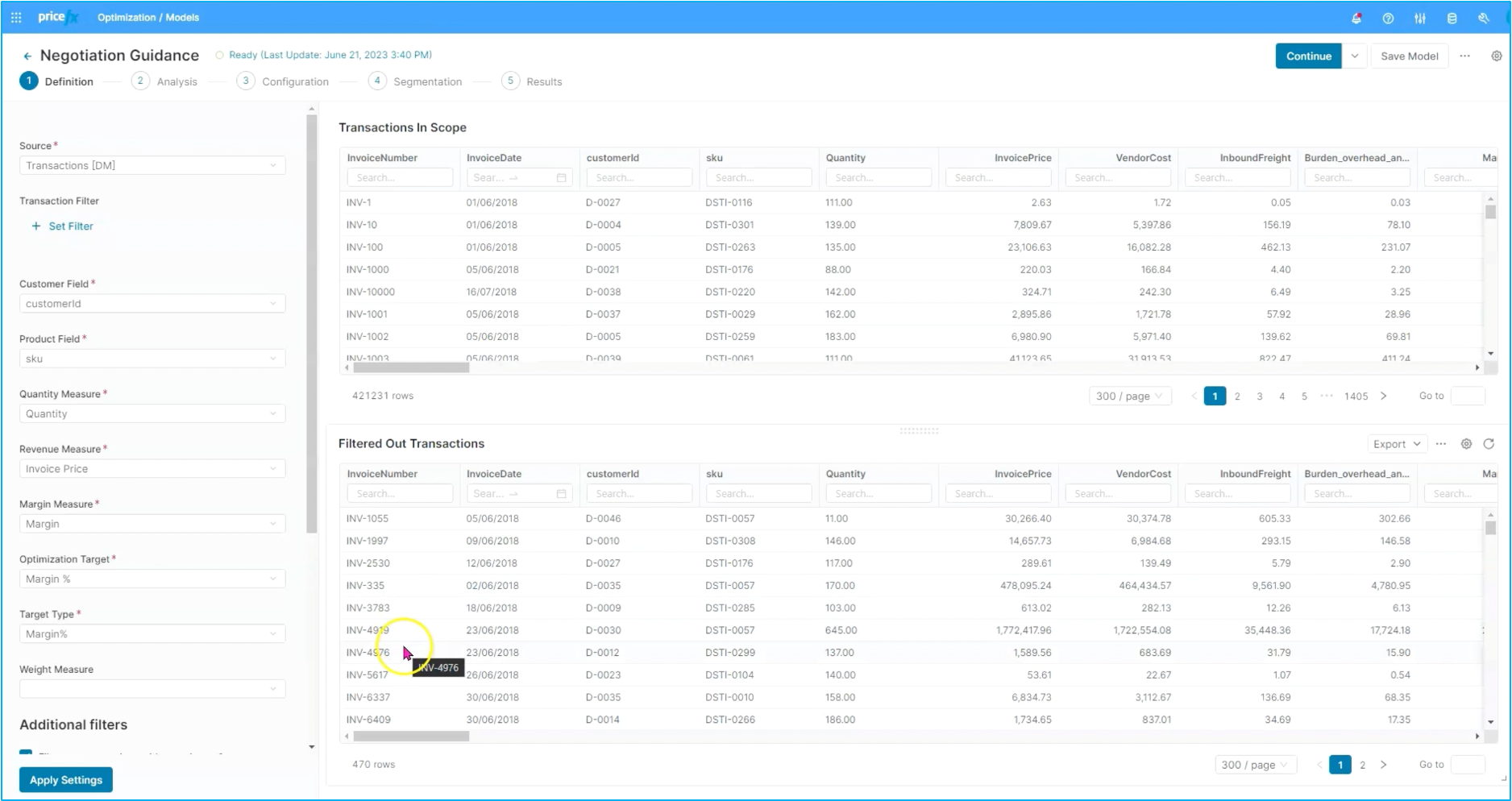
In step number one, we go through establishing what transactions are in scope as well as which transactions are filtered out. We can point to a specific data source and then filter in and out the different parts of the business that apply or don't apply to the optimization model that that is running.
Step 4: Analysis
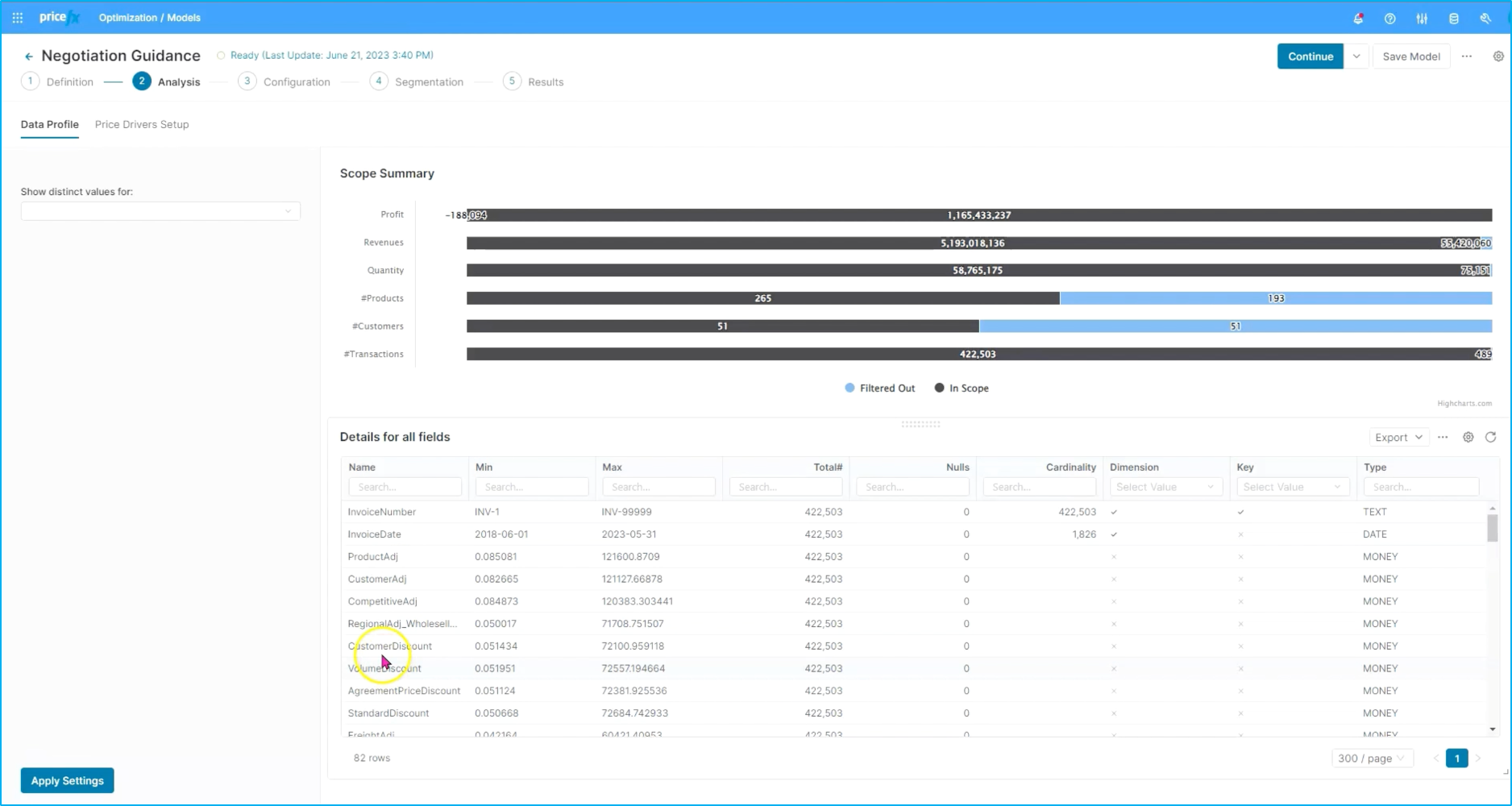
The next step in the process is around analysis. We'll see some analytics around the scope of what we've filtered down to, as well as detailed fields and information about it. There is also a little bit of information around the price drivers that have been created in terms of things like cardinality and other dimensions.
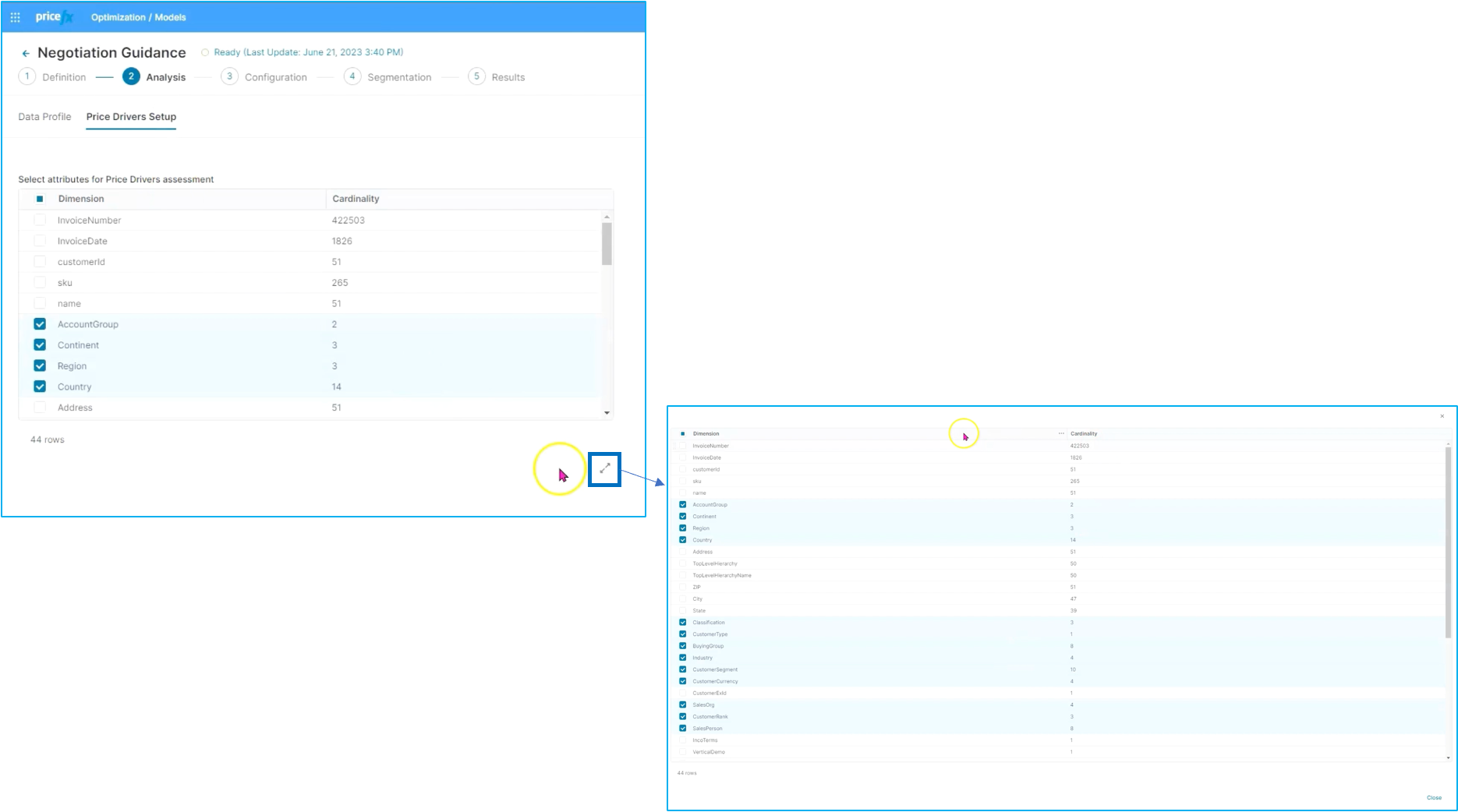
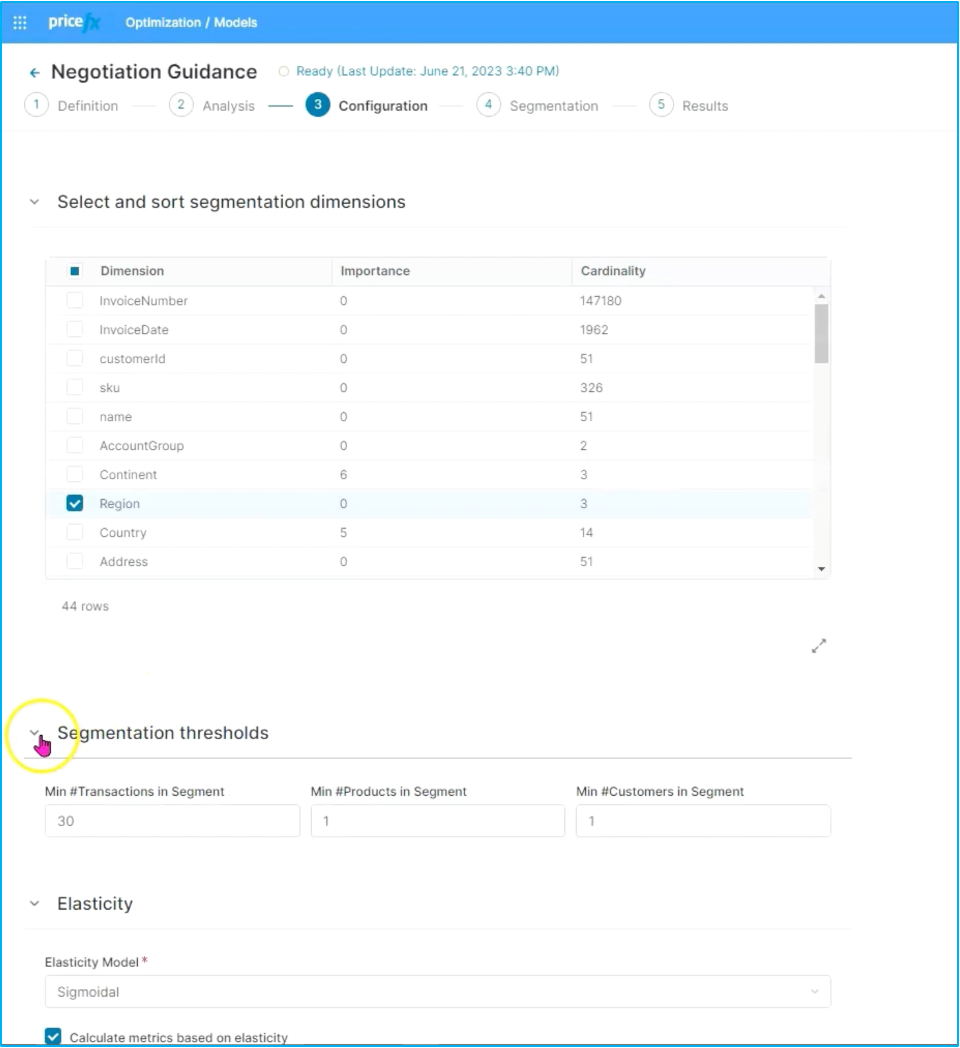
As you move to the next step, you can make some configuration changes. We can see a couple of interesting things: first off, around not just the cardinality, but the importance of each of the attributes to help you understand from the optimization tool what the importance of each individual attribute is and also to be able to add additional attributes that maybe were not seen as significant, but are important to the business, and to be able to move these into the right elements, or the right position within the tree.
Secondly, additional information is available here in terms of segment threshold and elasticity detail.
Finally, we get back to the segmentation detail. You have already seen that this can be exploded into the segmentation tree all the way to the end. This way you can see a little bit more information about the segment as well as the Pareto chart.
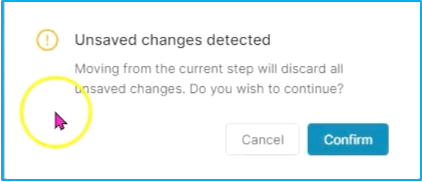
Good to know: When you move from one step to the next one in the model, you will be prompted to confirm that changes have not been saved. Simply click Confirm or cancel should you wish to review the model before moving on.
Step 5: Optimization realization dashboard
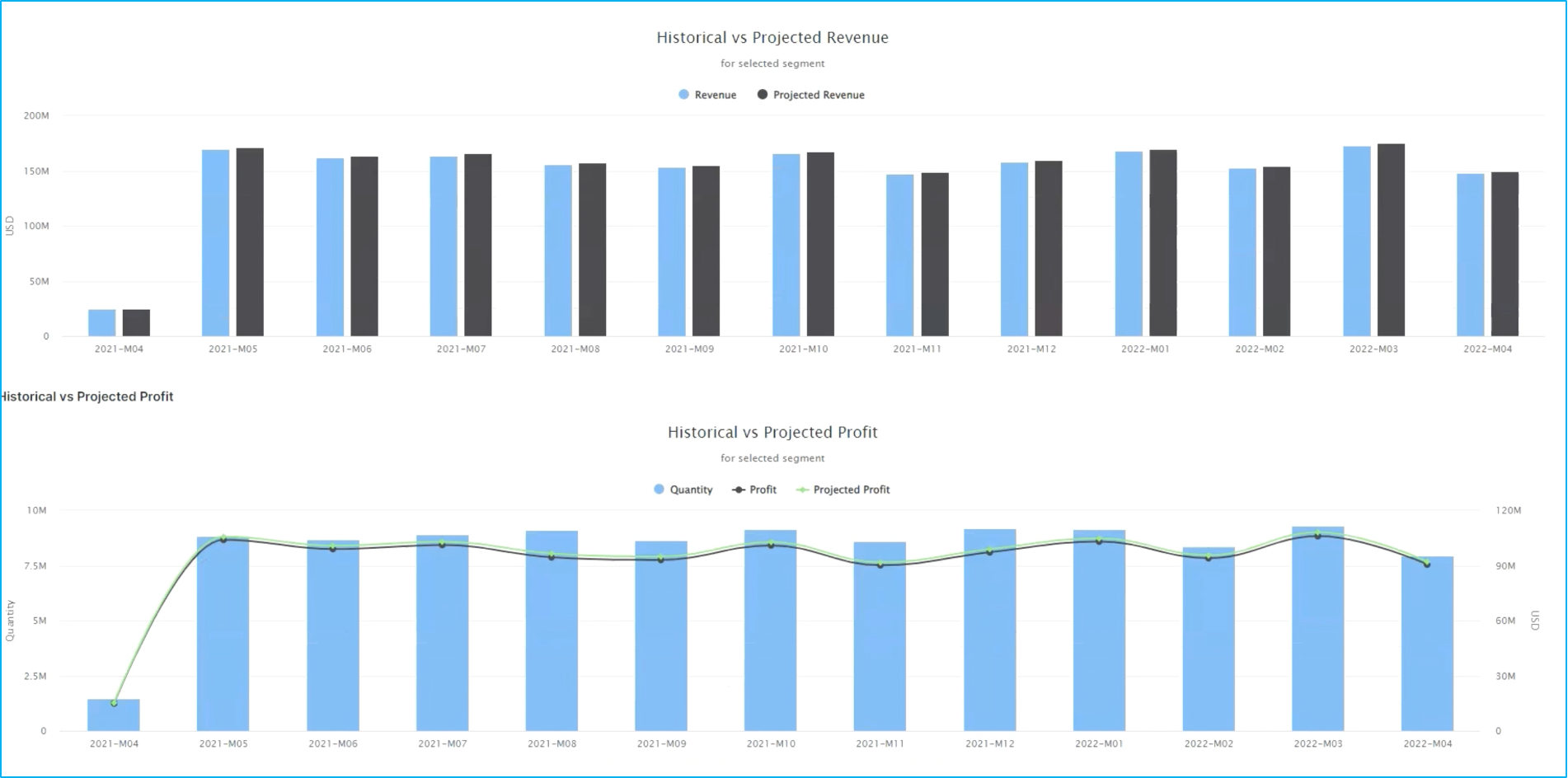
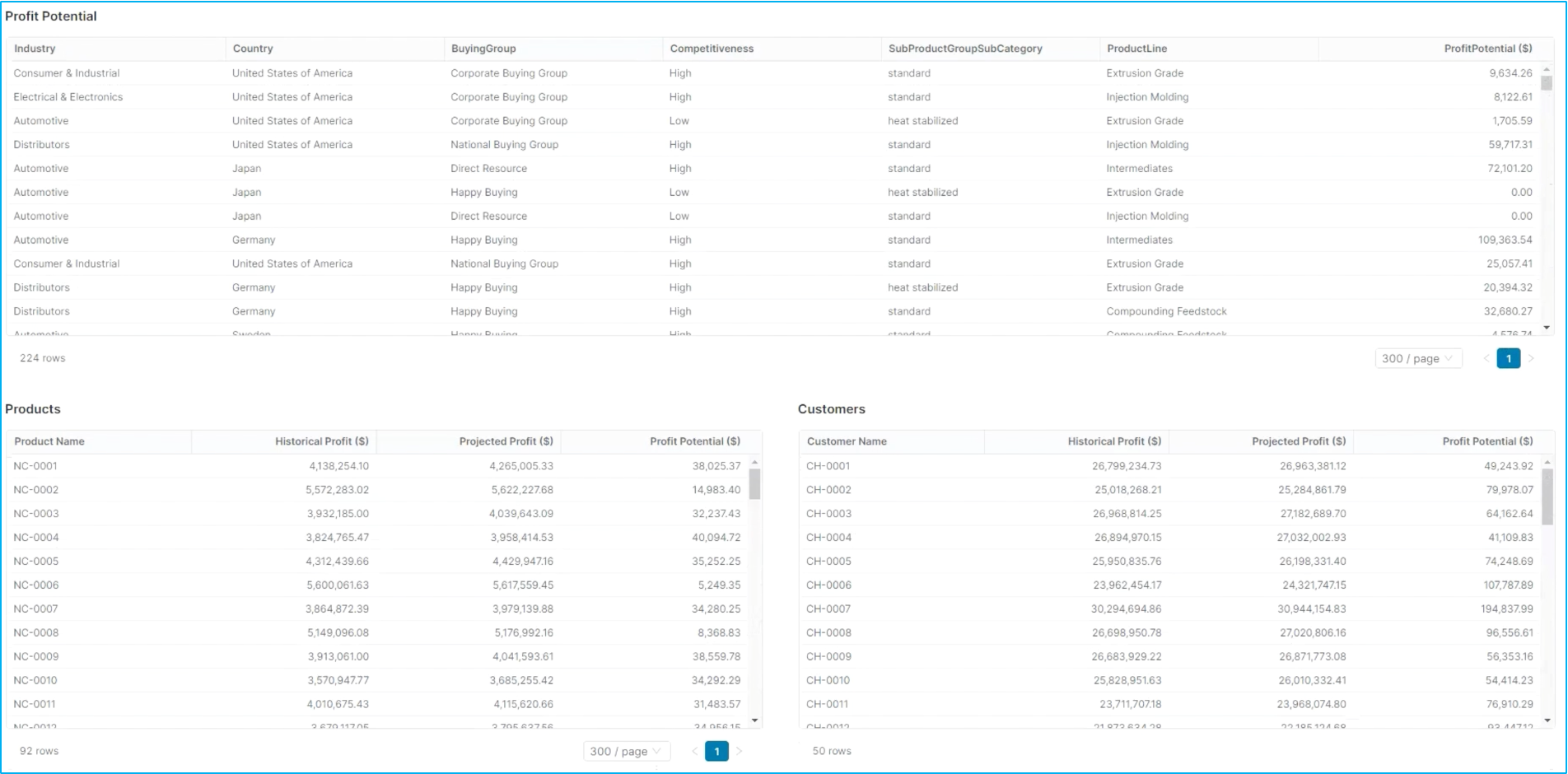
The last step in this process is to take a look at the output of optimization. In this case, we'll take a look at the optimization realization dashboard. We might have multiple models that are running and want to compare these so we can take a look at each optimization model in terms of what the potential is from a profit and revenue increase as well as accounting for things around realizations percentage to be a bit more realistic.
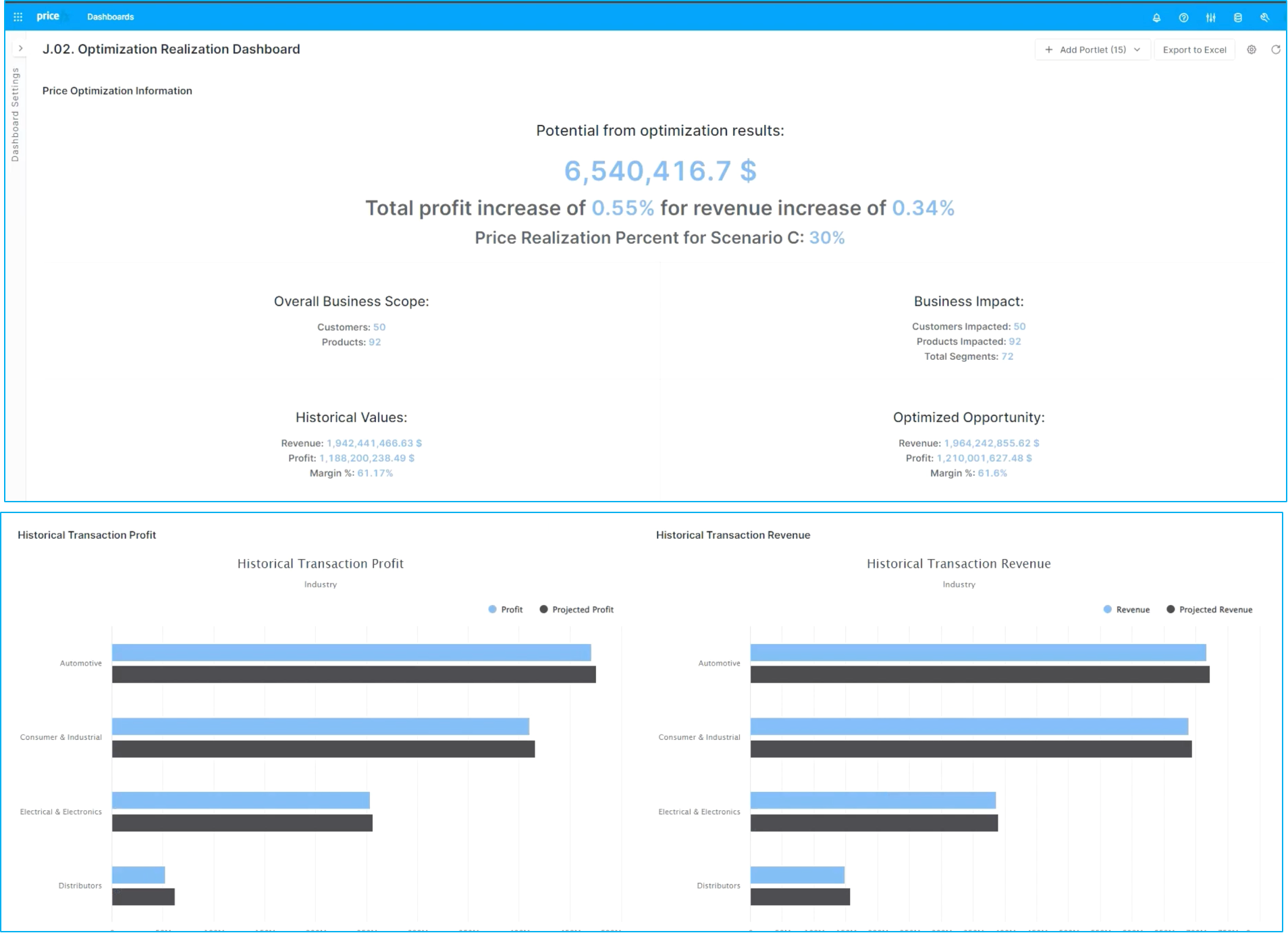
You can see a high level detail around business scope and historical values as well as detailed information around historical transactions both from a profit and revenue perspective as well as full detail in terms of profit potential for product categories down to the individual products and customers.
With that you just got familiarized with the flow for improved profitability by using Pricefx to manage and model the impact of optimized pricing guidance.