
📽️ Check out a video demonstration for this use case, here.
Use Case Situation Description
Leveraging price guidance when quoting in the discrete manufacturing industry can improve profitability, efficiency, customer relationships, sales, and enable data-driven decision making. By using pricing data and market research to inform price guidance, manufacturers can set competitive prices that are fair and transparent, improving customer relationships and loyalty. Streamlining the quoting process can reduce the time and resources required to generate quotes, increasing efficiency and reducing costs. The capabilities available in Pricefx can not only support but enhance these aspect to the further benefit of the industry players.
Prescriptive Design Requirements
Coming soon
User Stories
Coming soon
Data Requirements
Coming soon
Out-of-Scope
Coming soon
Solution Design
In the tutorial for this use case, we are looking at how you can leverage price guidance when quoting in Pricefx. Leveraging price guidance in the discrete manufacturing industry can improve the accuracy and consistency of quotes, help sales teams make informed decisions, and streamline the quoting process. This can lead to improved customer satisfaction and trust, more competitive pricing, better margins, and greater efficiency.
Good to know: Some of our screens may be different as we are in a demo environment.
LEARN MORE: This use case is using Accelerate Product Recommendation Package, Accelerate Sales Compensation and Accelerate Sales Insights Package. Click on either of them to learn more.
Workflow: Step 1 - Create a new quote
Let's take a look at how we can use sales guidance in Pricefx.
To get started, we'll create a new quote. We'll use one of the templates available in the system and tailor it to a specific customer. We'll set up the name of the quote, effective dates, currency, and payment terms to match our customer's needs. Once the quote is created, we can add items to it.
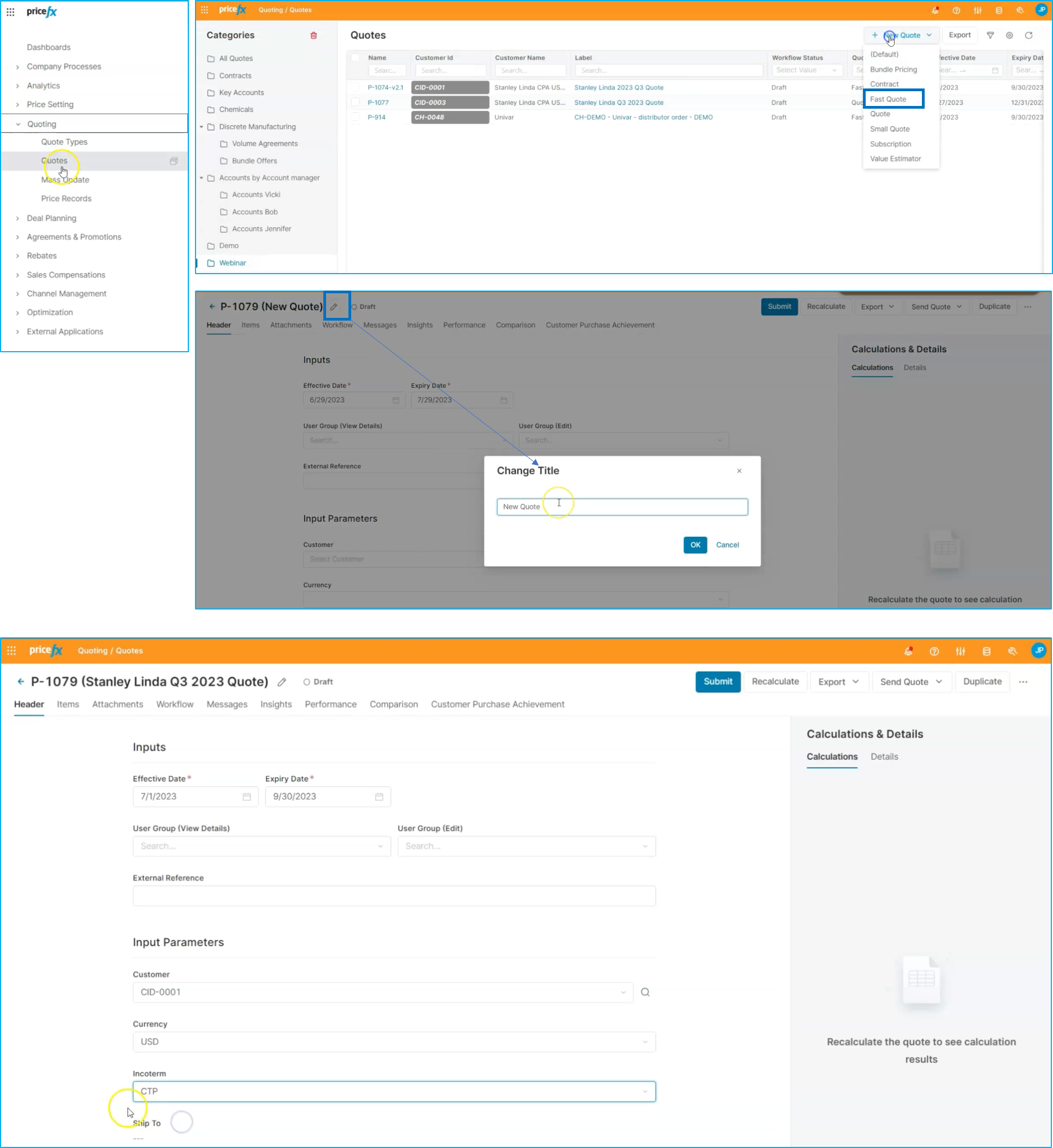
We can navigate to our product master and select the items we want to add, or we can copy items from an Excel file and paste them directly into the quote. With the items added, we'll take a look at the input parameters to make sure everything is set up correctly.
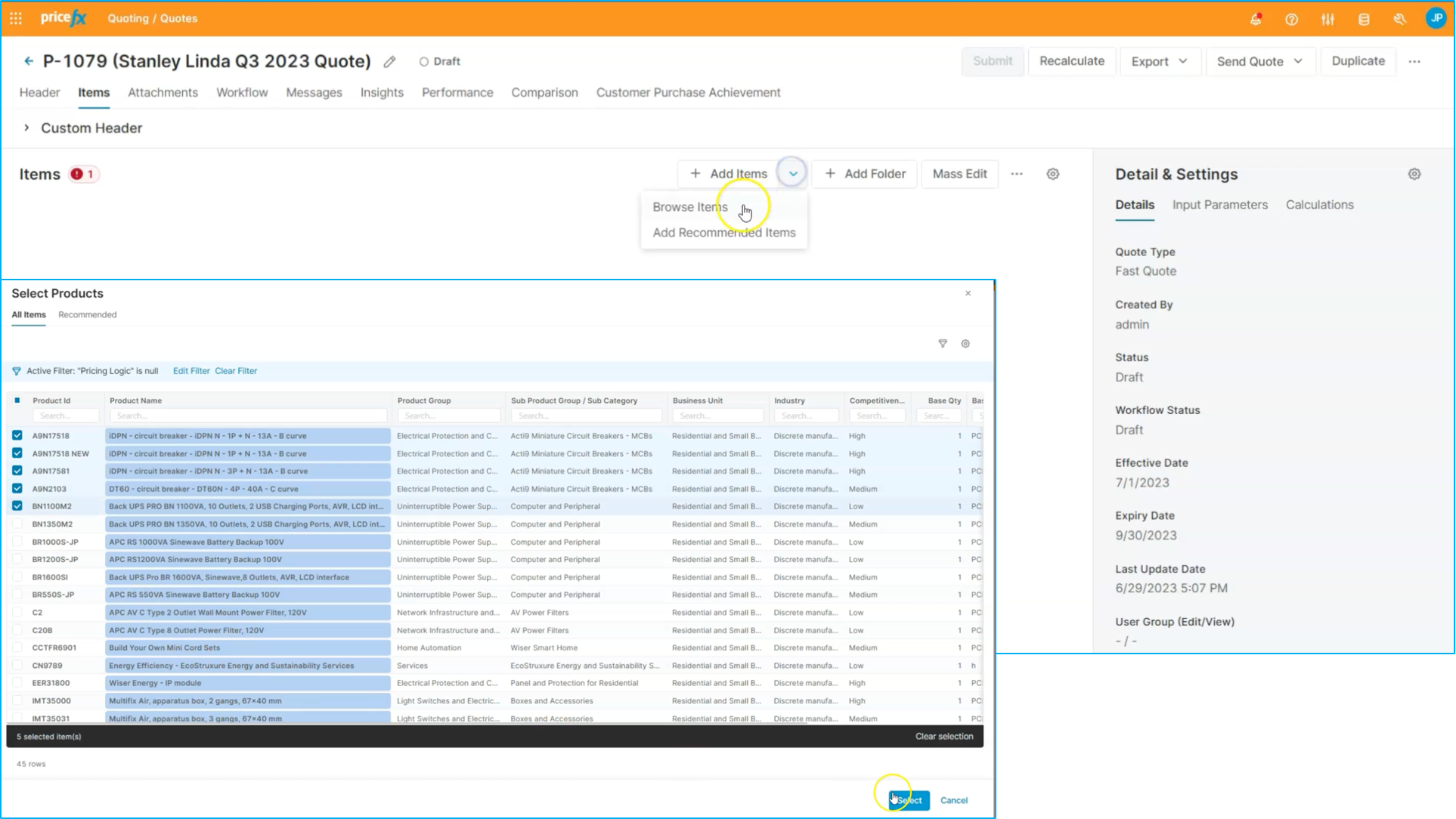
Workflow: Step 3 - Understand price guidance
One of the main benefits of using price guidance is the confidence it gives us in the accuracy of our pricing decisions.
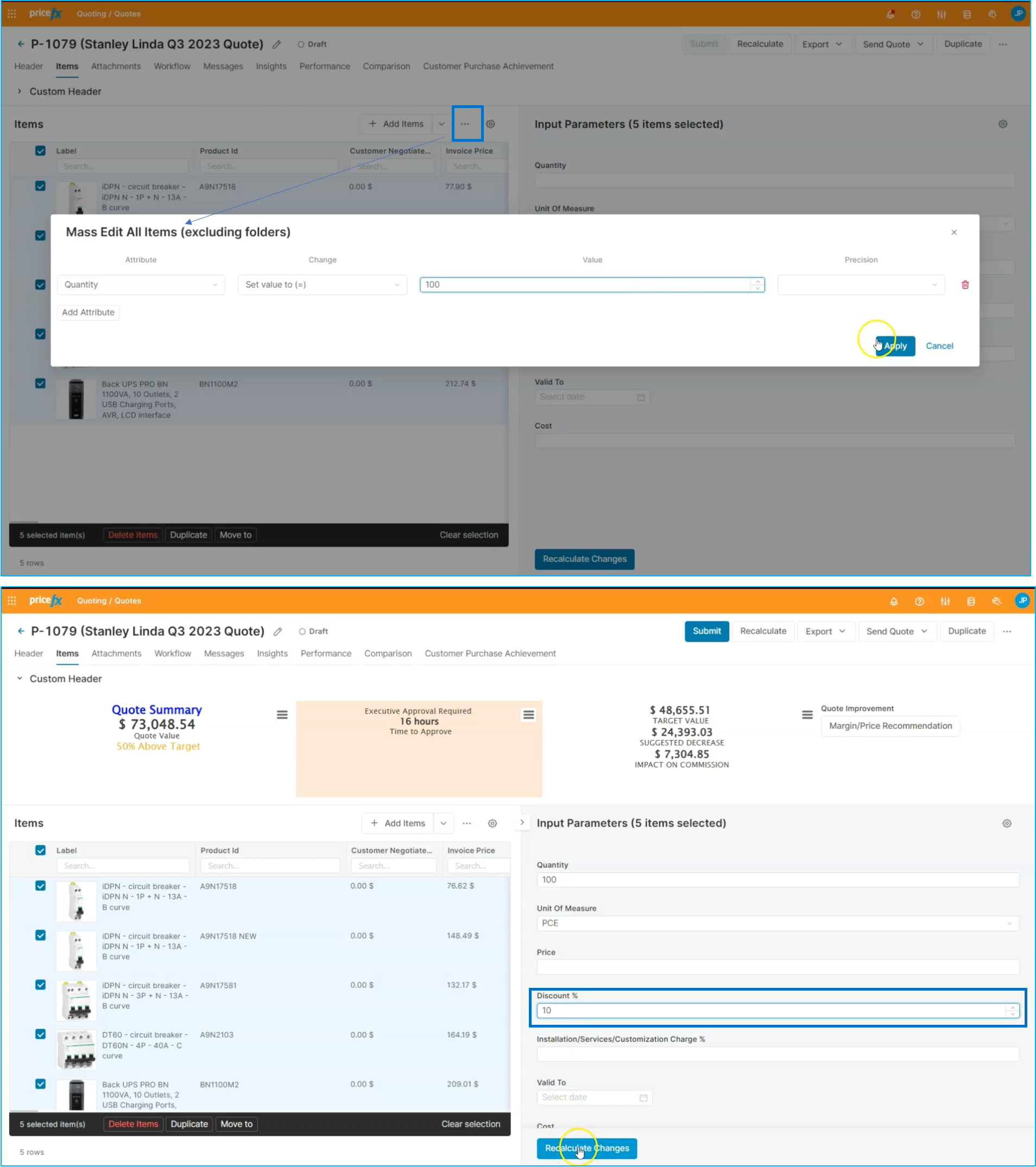
We can see actual information within the system, including an inline analytic chart that shows what different customers are paying for the same product. This provides a useful reference point for setting prices, and in this case, we'll use the price guidance to set the price for this product.
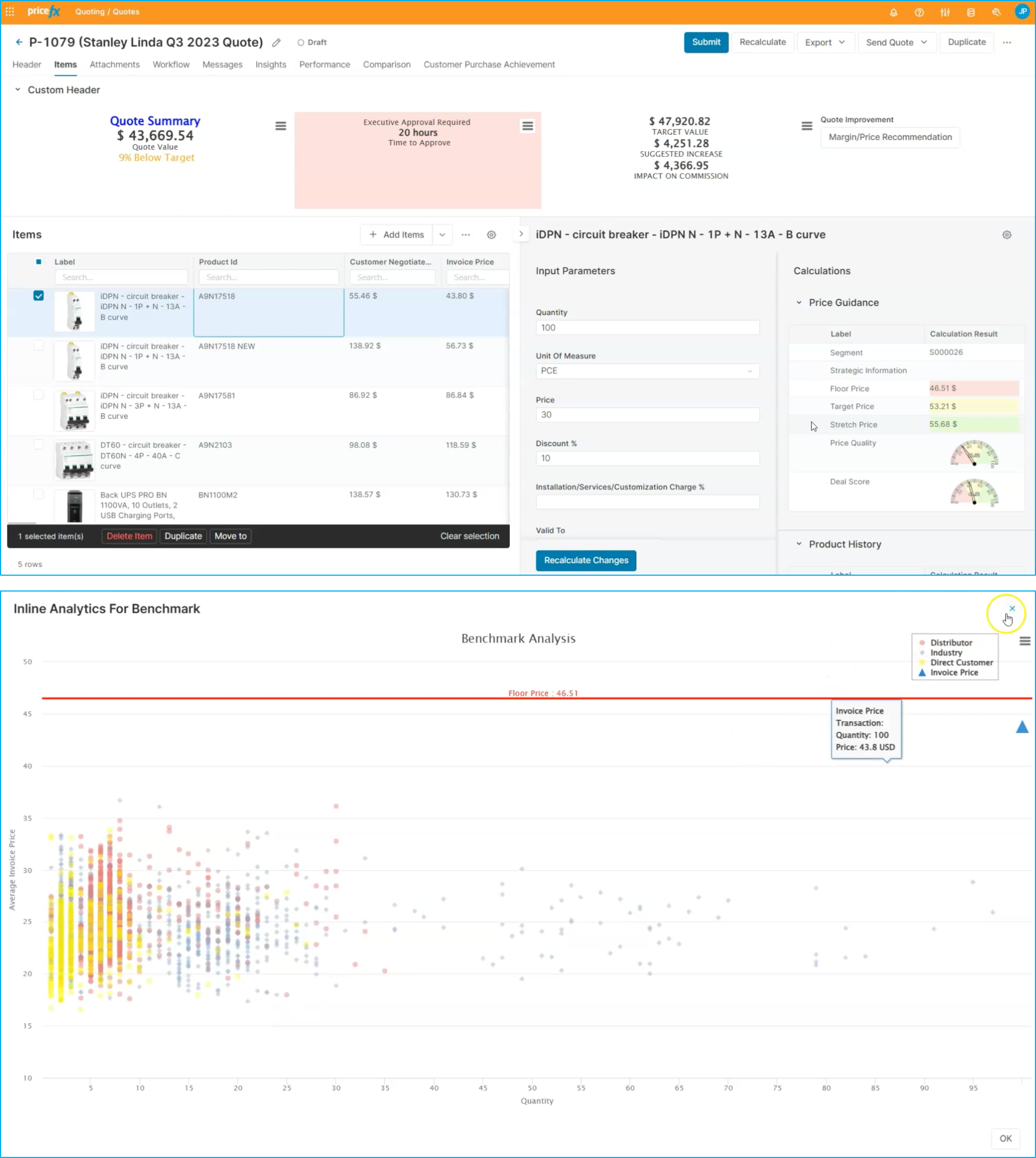
We will adjust the price to the target price of 53 and recalculate the change.
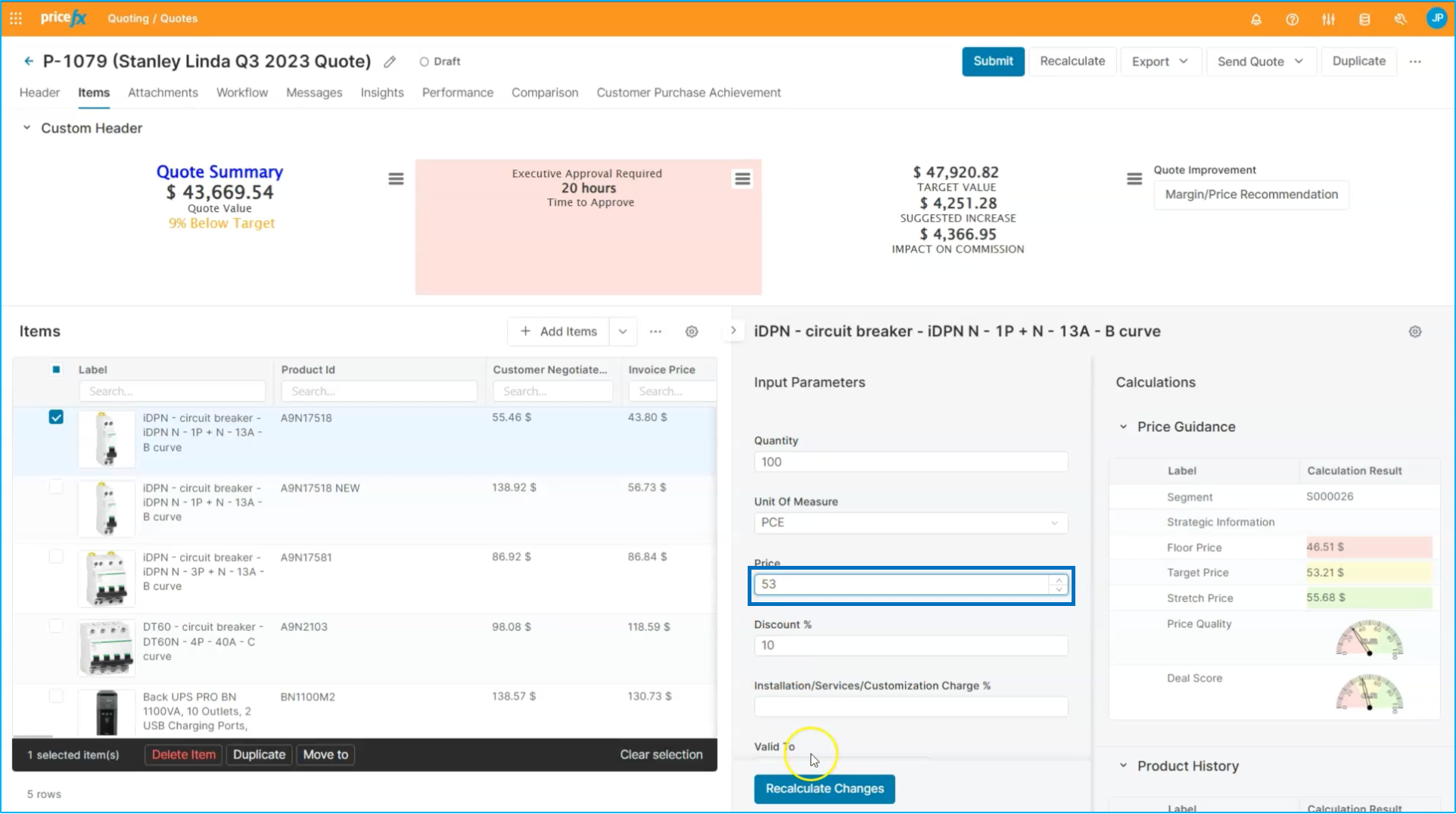
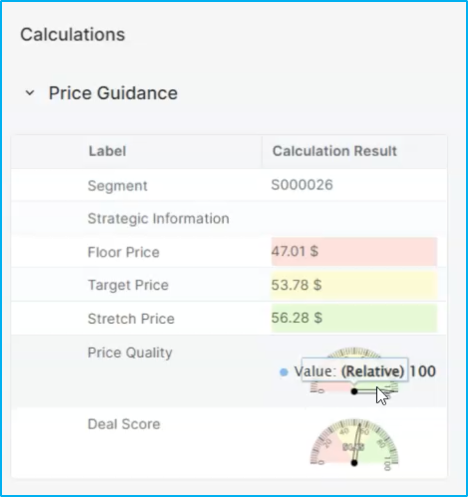
With the price adjusted, we can see that our price quality has improved. We will do the same thing for our other products, using the margin and price recommendation to select the recommended target price.
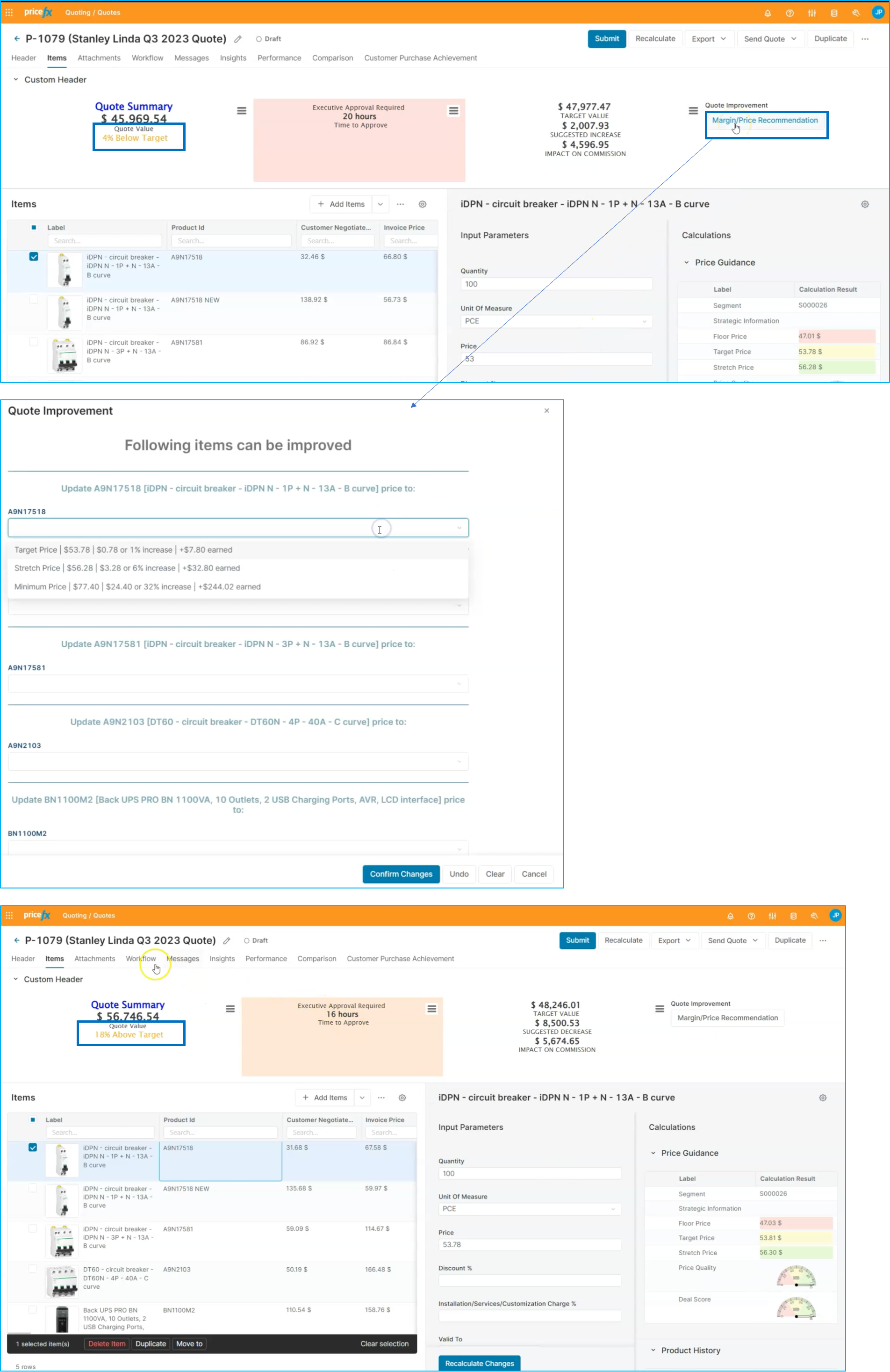
Once we confirm the changes, we'll put together the quote. With these price adjustments made, we can see that our quote is now above target, putting us in a much better position.
Workflow: Step 4 - Establish approval workflow
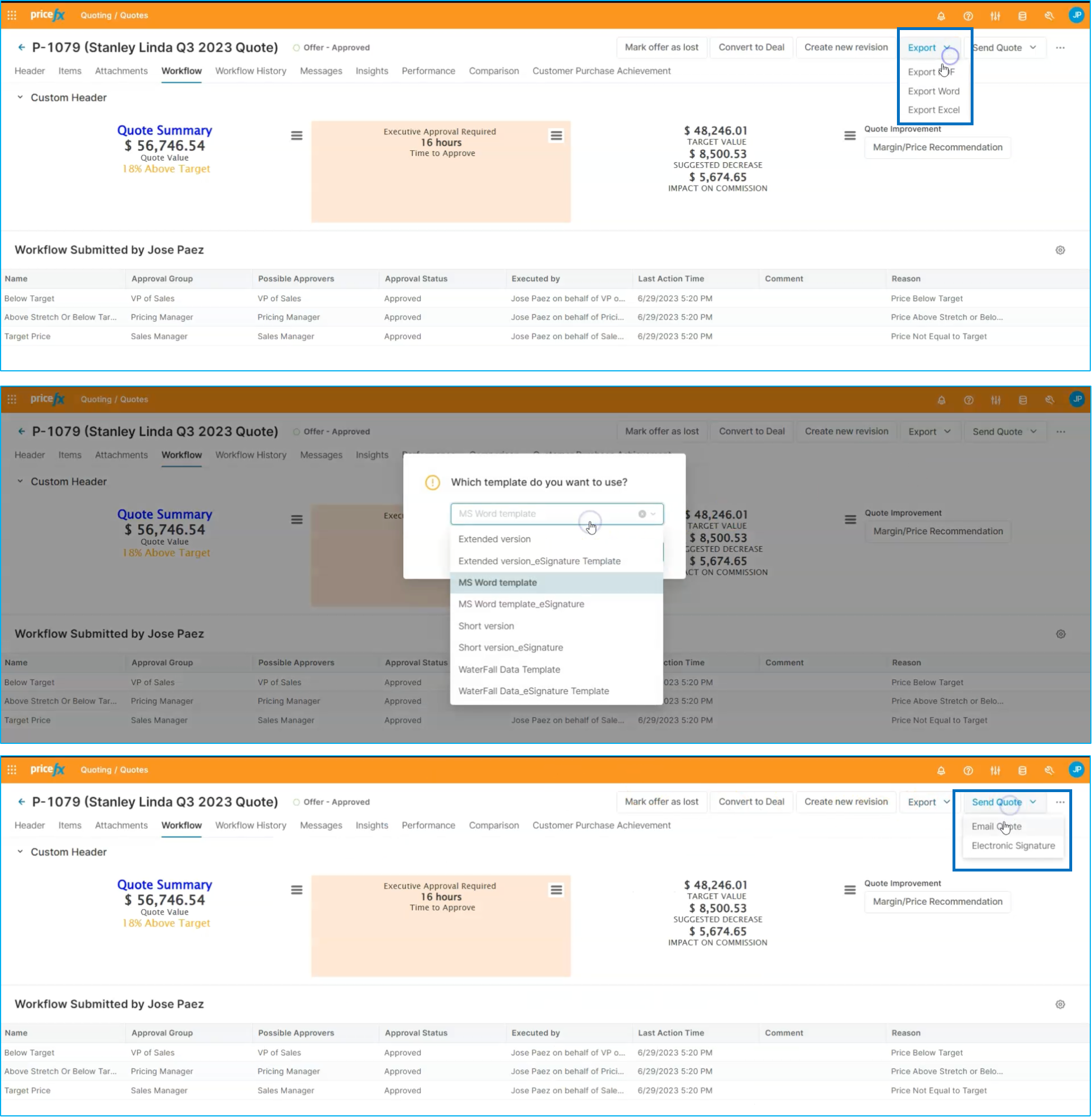
You are now able to see that the price, quality, and deal score for each of the line items has improved significantly. With this information, you can review the workflow for approval and determine how many levels of approval will be needed for this quote. It looks like we'll need three levels of approval, so we'll go ahead and submit the quote for approval.
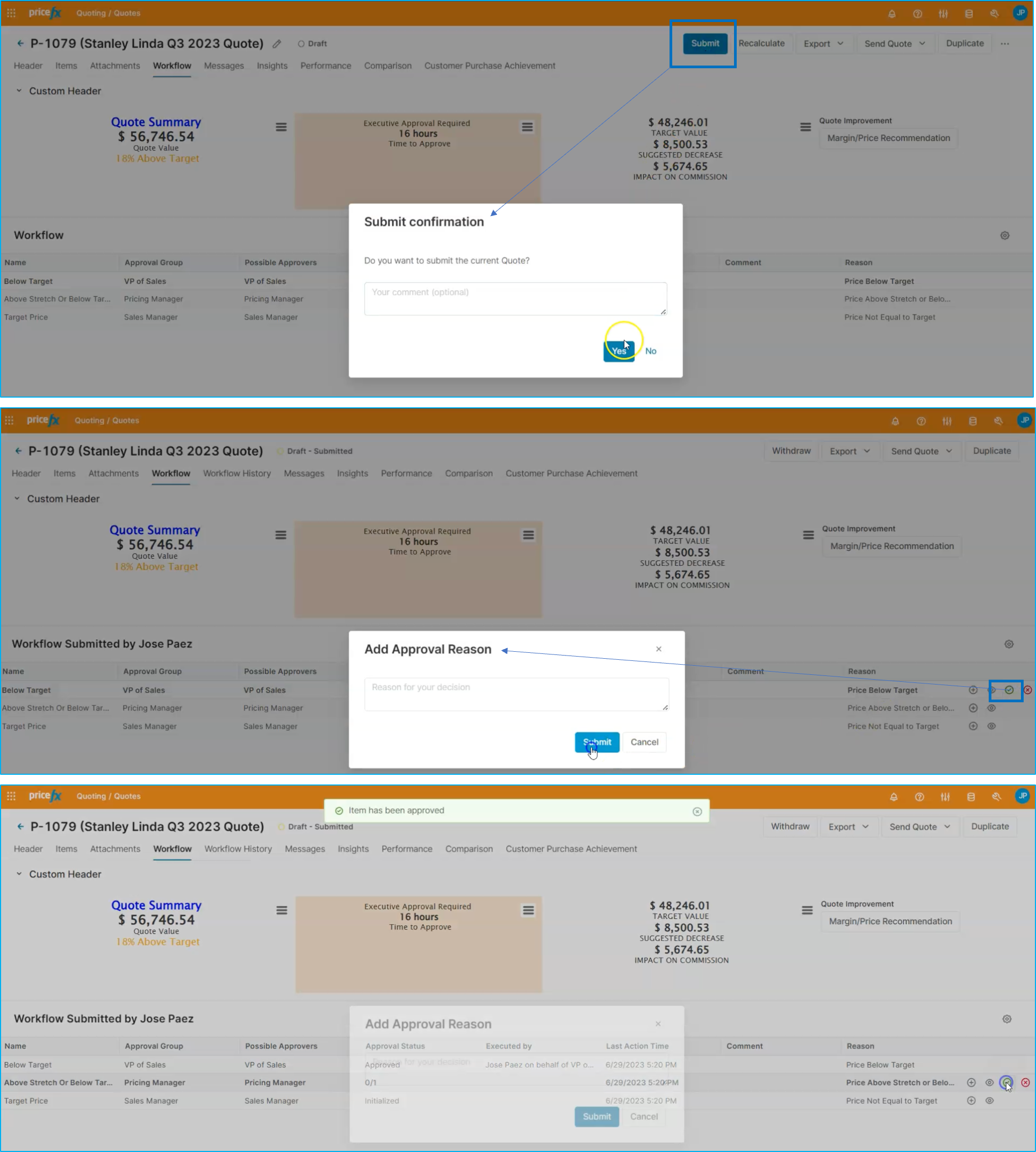
Once approved, it can be exported it into a PDF using one of the templates available in the system and send it to the customer. This will allow us to move forward with the deal and continue building our relationship with the customer.
This is the end of this flow for how to leverage price guidance when quoting in Pricefx.