
📽️ Check out a video demonstration for this use case, here.
Use Case Situation Description
Price guidance delivered to salespeople on every deal, reflecting the uniqueness of every situation, can improve profitability in the discrete manufacturing industry. However, universal or one-size-fits-all pricing strategies can lead to underperformance. Detecting pricing segments and running multiple segment-level optimized pricing models can help simulate the impact of price guidance, leading to margin expansion, higher win rates, and increased sales efficiency all of which are part of what Pricefx can do.
Prescriptive Design Requirements
Coming soon
User Stories
Coming soon
Data Requirements
Coming soon
Out-of-Scope
Coming soon
Solution Design
In this use case we are going to take a look at how optimizing prices for deal guidance in the discrete manufacturing industry can improve efficiency and drive growth, and how this can be done in Pricefx. This approach can help identify cross-selling and upselling opportunities, improving customer satisfaction and loyalty. By streamlining the pricing process, companies can also improve efficiency and reduce errors.
Good to know: Some of our screens may be different as we are in a demo environment.
LEARN MORE: This use case is using Negotiation Guidance. You can learn more about how to use it and its benefits here.
Workflow: Step 1 - Optimization model
So let's look at how this can be achieved step by step in Pricefx.
For this flow, we will take on the role of a pricing manager, and dive into the Pricefx screen and start running some data guidance. To get here, click on :options: ➡️ Optimization ➡️ Models.
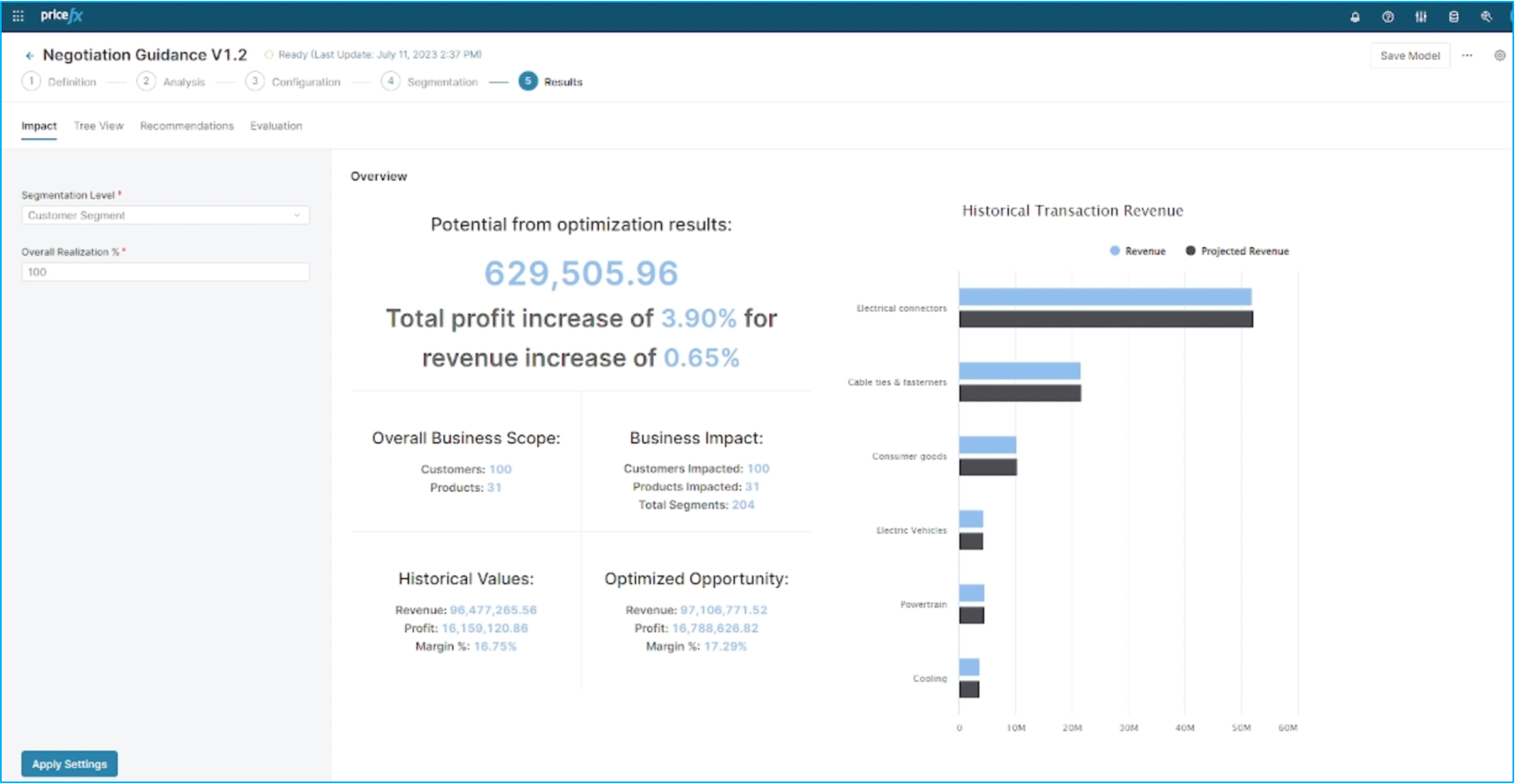
These guidance recommendations will help us determine the target price, as well as the floor and stretch prices. To get started, we'll navigate to the optimization model and select the specific model we want to use. Luckily, we already have one set up, so we are taken directly to the results page. Here, we can see that using this optimization model has the potential to increase profits by around 4% and revenue by just over half a percentage point.
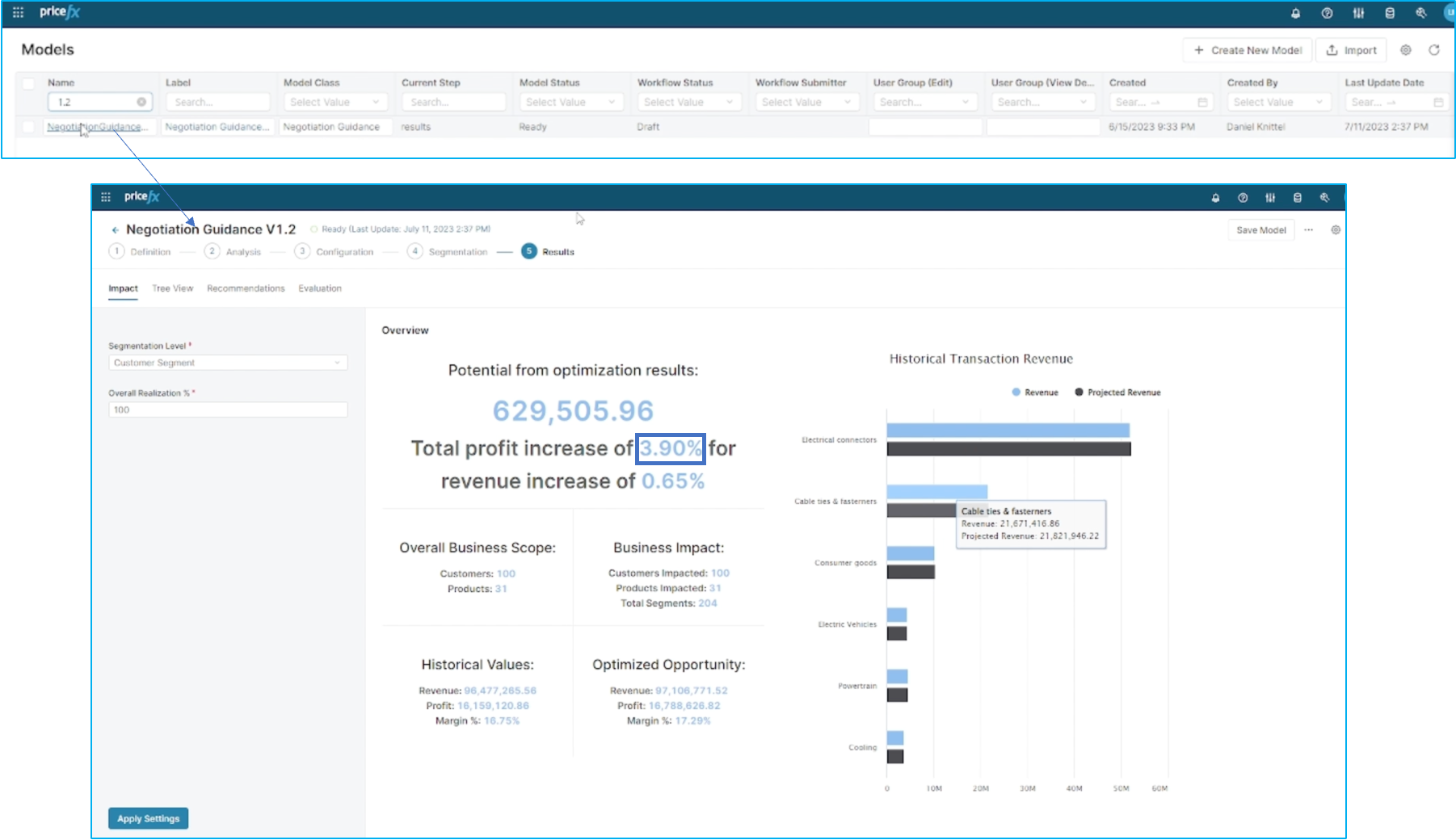
We can also see where projected revenue and transacted revenue falls within each segment. It is important to understand how Pricefx pulls these results. To make sure that you get the best possible scenario recommendation, you need to ensure that the data quality uploaded in the Project phase of adopting Pricefx is the best quality you can provide.
LEARN MORE: To understand why data quality matters and how you can input and test the quality of the data you provide, check our Data Readiness methodology here.
Workflow: Step 2 - Definitions
Let's take a step back and look at the definition stage. The first step is to define the data source - in this case, we're using standard sales data. We'll need to map out the customer field, as well as quantity and revenue. We also have the option to filter out certain transactions, such as those with negative or zero values or quantities.
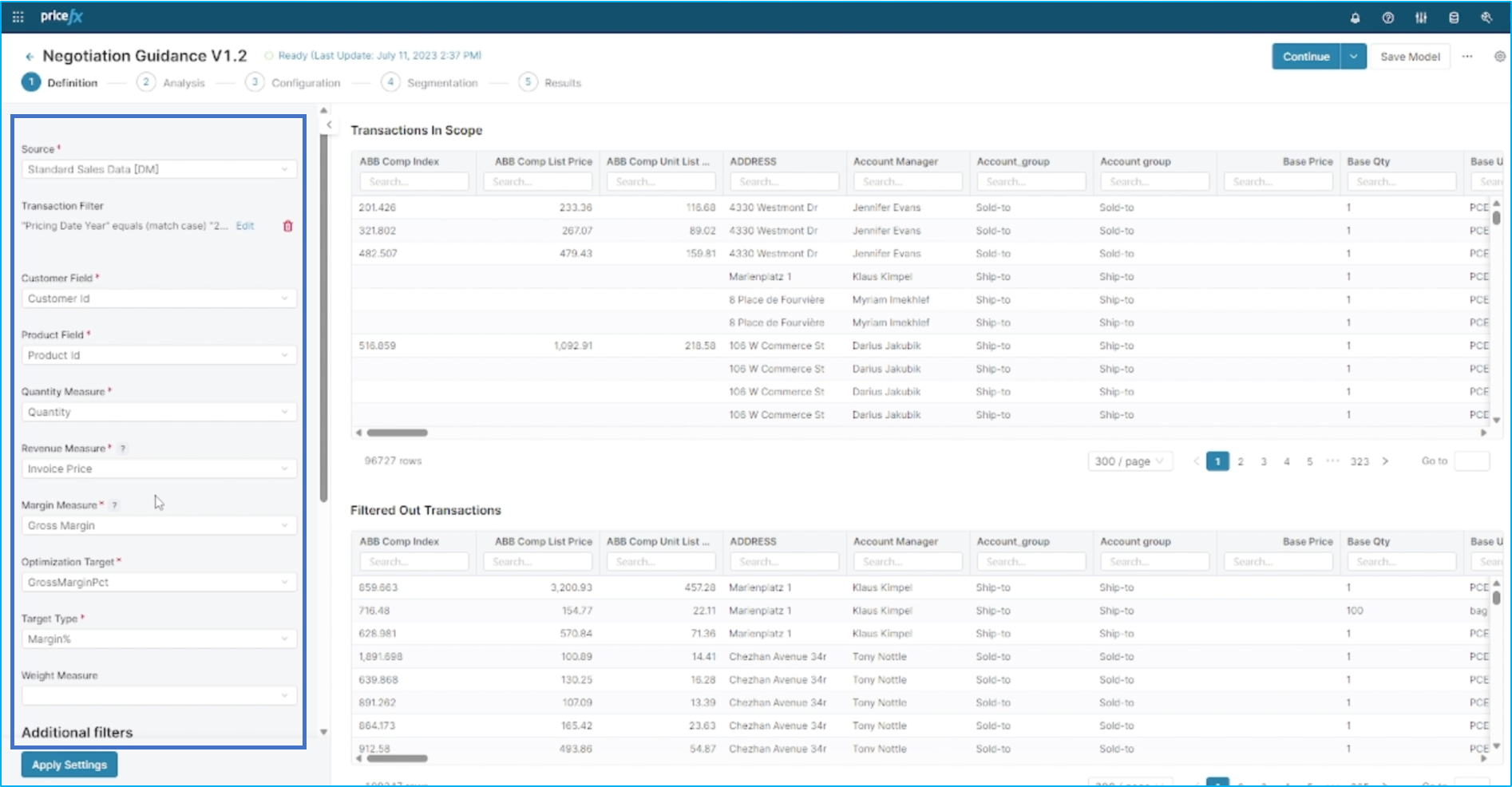
Once we've completed this step, we can move on to analysis.
Workflow: Step 3 - Analysis
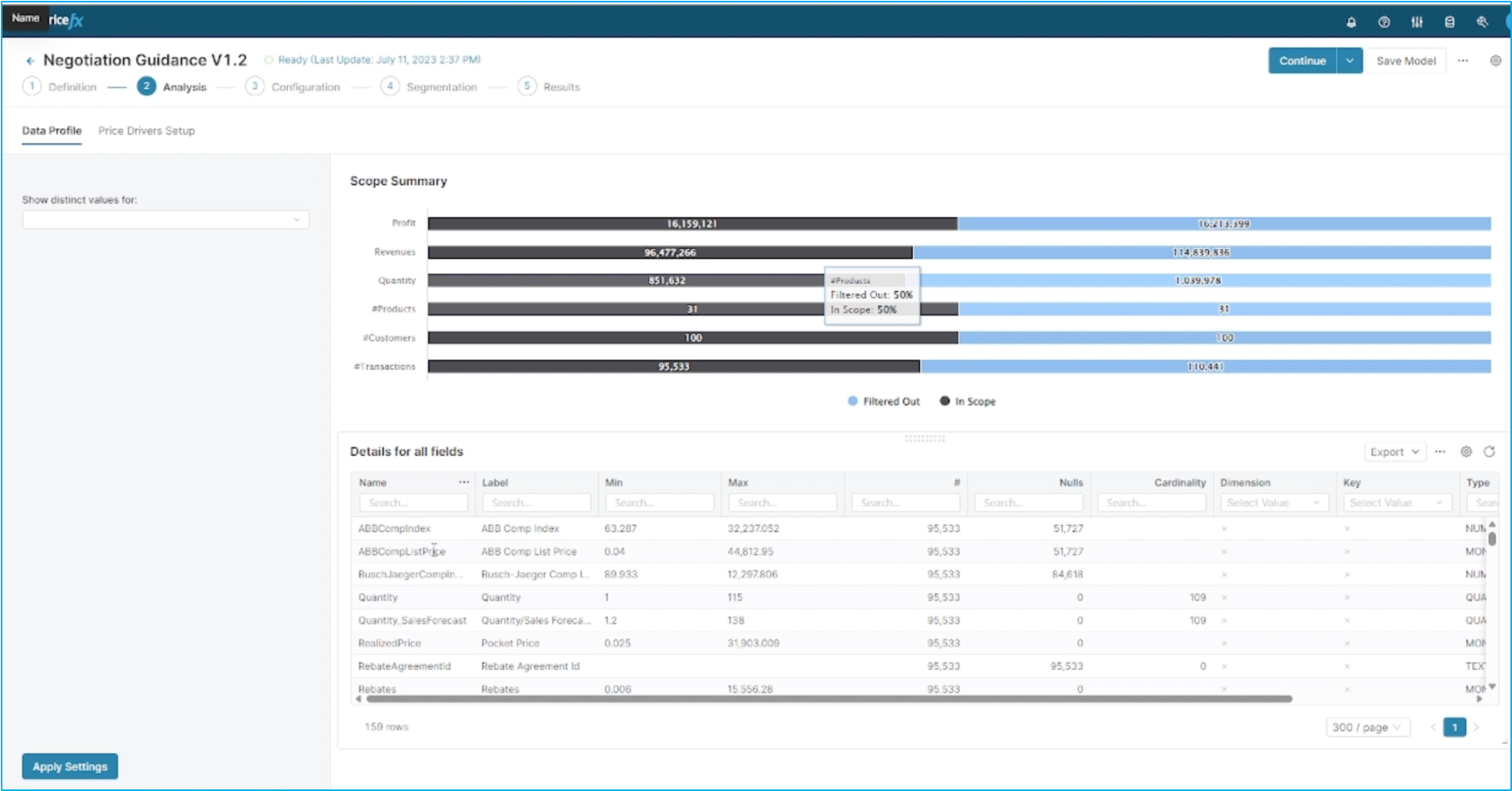
Moving on to the analysis stage, we can take a closer look at the data profile, including transaction count, max. and min. values, null values, and more. This helps us identify which dimensions are good candidates for price segmentation. Next up is configuration - here, you can see which dimensions are currently being used for segmentation. As a pricing manager, you have the ability to add or delete dimensions, change their ranking, and adjust their order of importance.
On the right side of the screen, you can see the importance and relative importance of each driver. While we typically select the most important driver, there may be good reasons to choose others that are less important. The feature interaction shows dependencies between dimensions and helps us make real recommendations for segmentation levels. The hierarchy also plays a role in identifying the highest segmentation level. If there is not enough data or transactions in a particular segmentation level, we can always move to a higher level.
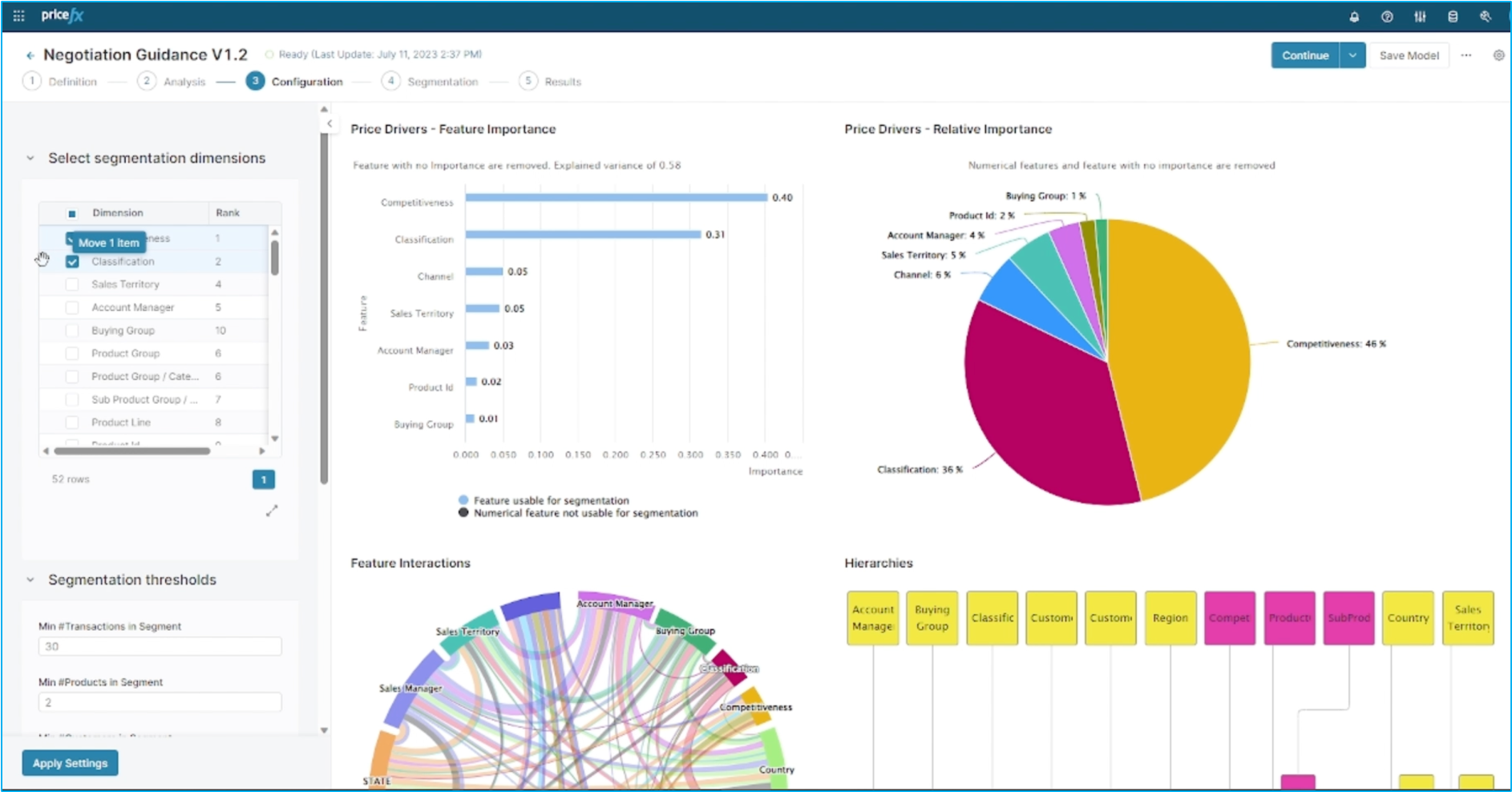
Finally, you can define segmentation thresholds - for example, we may require a minimum of 30 transactions for a segment with two customers and two products.
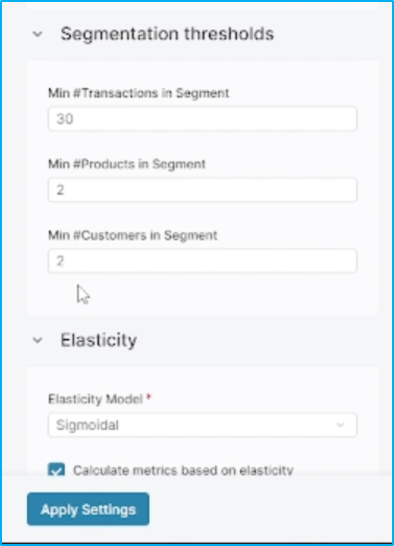
Once all of these steps are completed, you are ready to move on to segmentation.
Workflow: Step 4 - Segmentation and configuration
Now, let's take a look at the segmentation feed. When we click on a specific segmentation, we'll find additional details on the right-hand side.
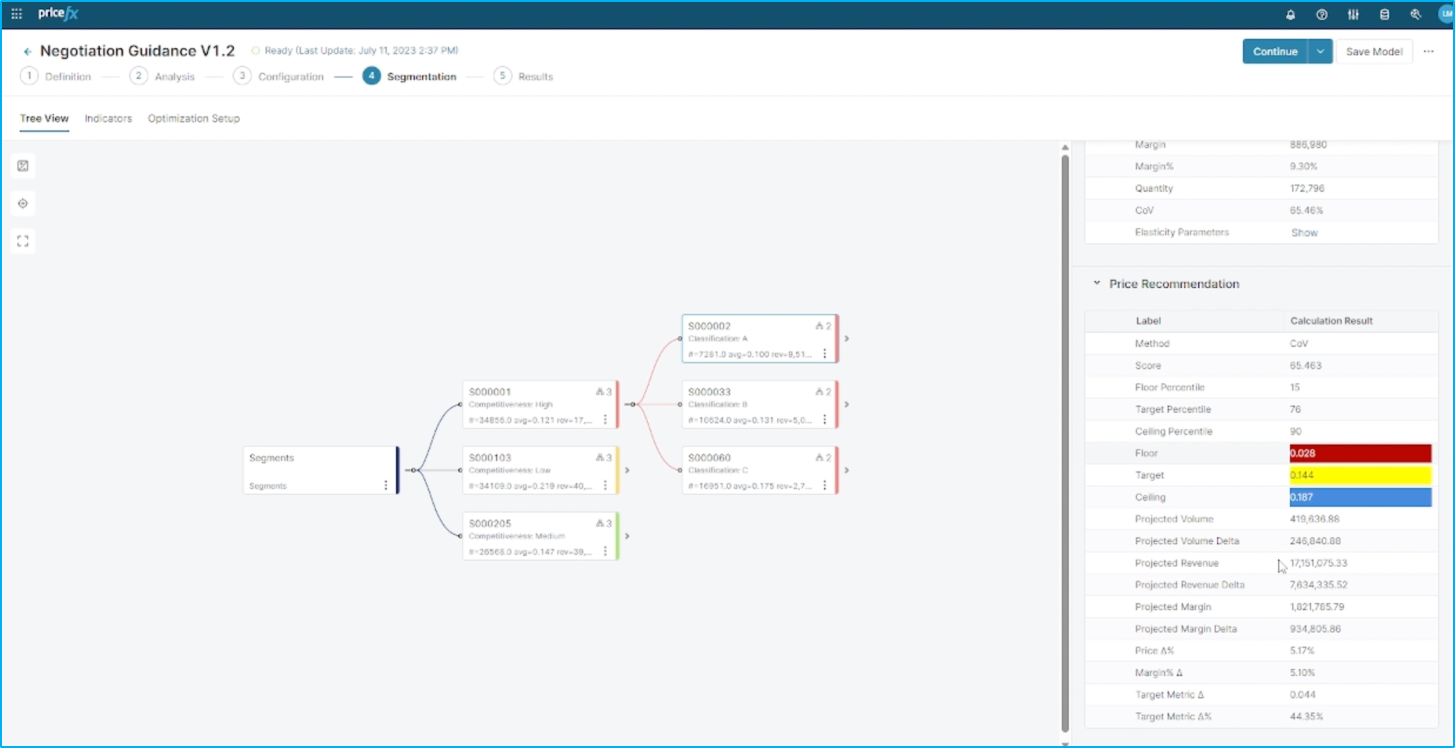
Here, we can see the number of transactions, customers, products, and more. Let's open up the distribution chart.
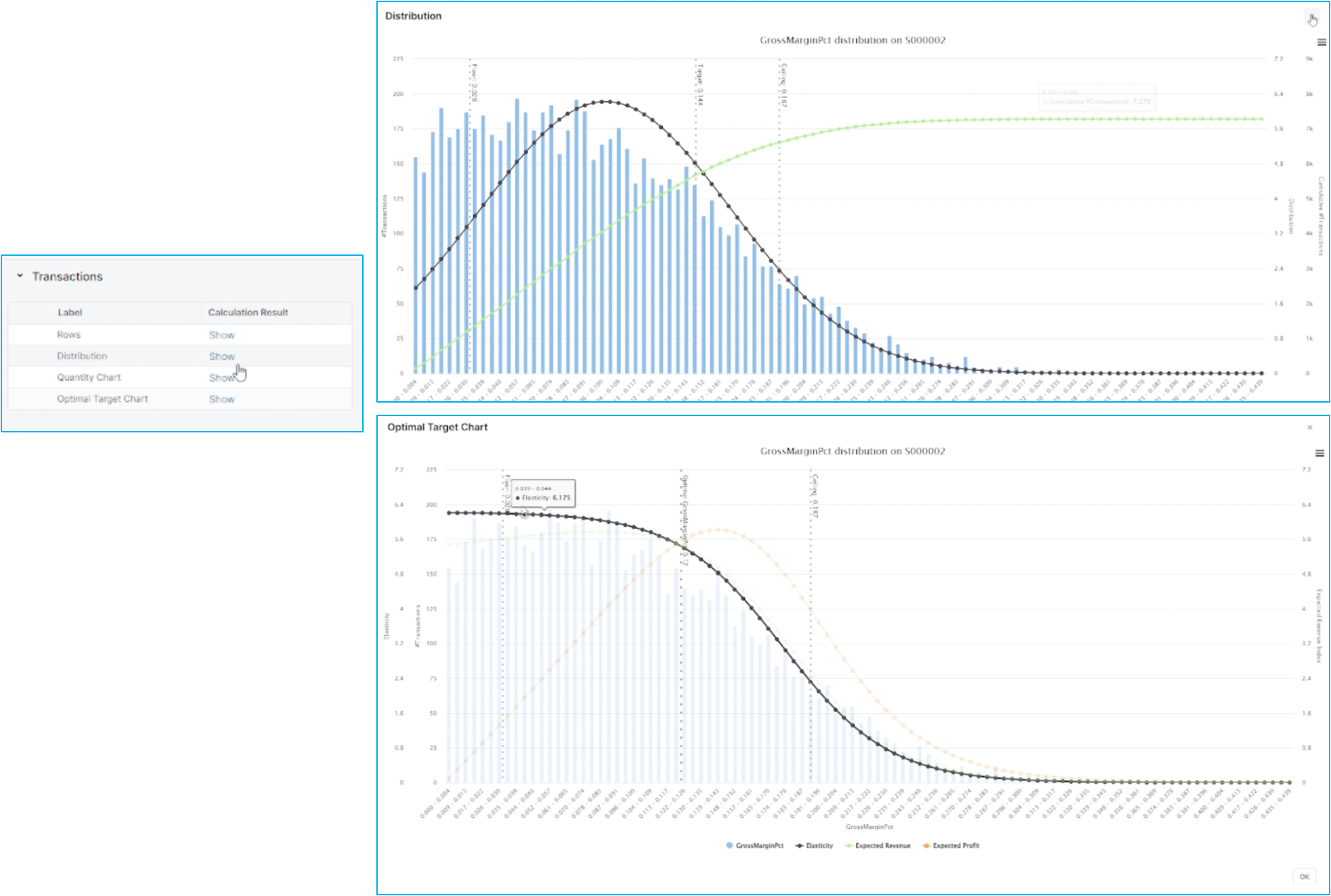
Here, you'll find the gross margin distribution, including the floor target and the ceiling gross margin. Similarly, we have an optimal target chart that shows the target we're aiming for, along with the floor optimal and ceiling gross margin.
Workflow: Step 5 - Results
After analyzing all this information, you can run the optimization model and then review the results. If you'd like, you can also go back and make changes to the setup. Since the model has already been run, we'll return to the results page where we can see a potential uplift of about €630,000, along with the corresponding percentages and specific segments involved.
This closes the flow for how to optimize prices for deal guidance in Pricefx.