
The current version of cypress is displayed in Cypress Runner - see the text at the bottom of the window:
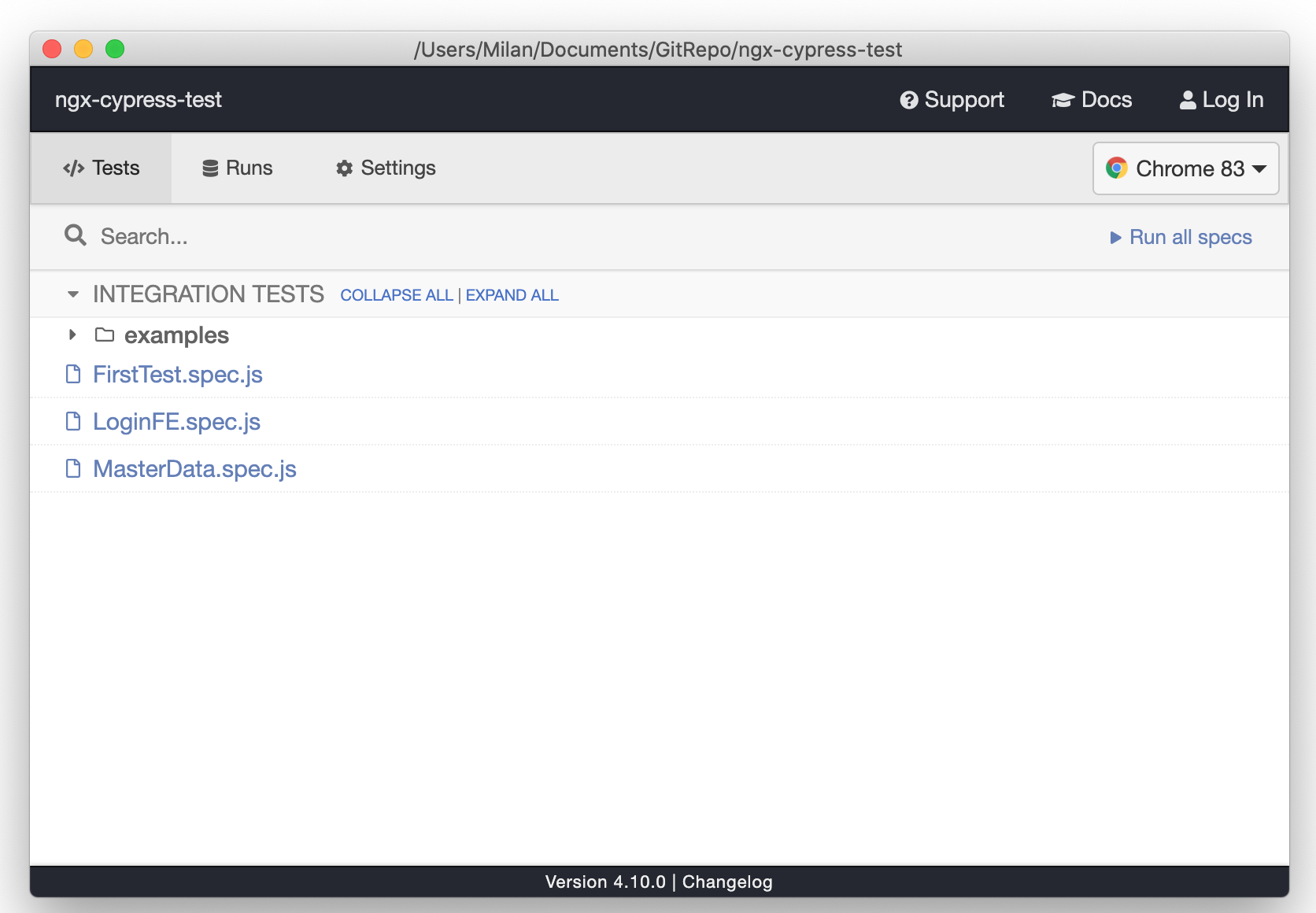
If there is a newer version of Cypress available, the text informs you that update is available and what version is available (I will add a screenshot when another update is available)
There are several ways how to update Cypress, one of the easiest once is this:
-
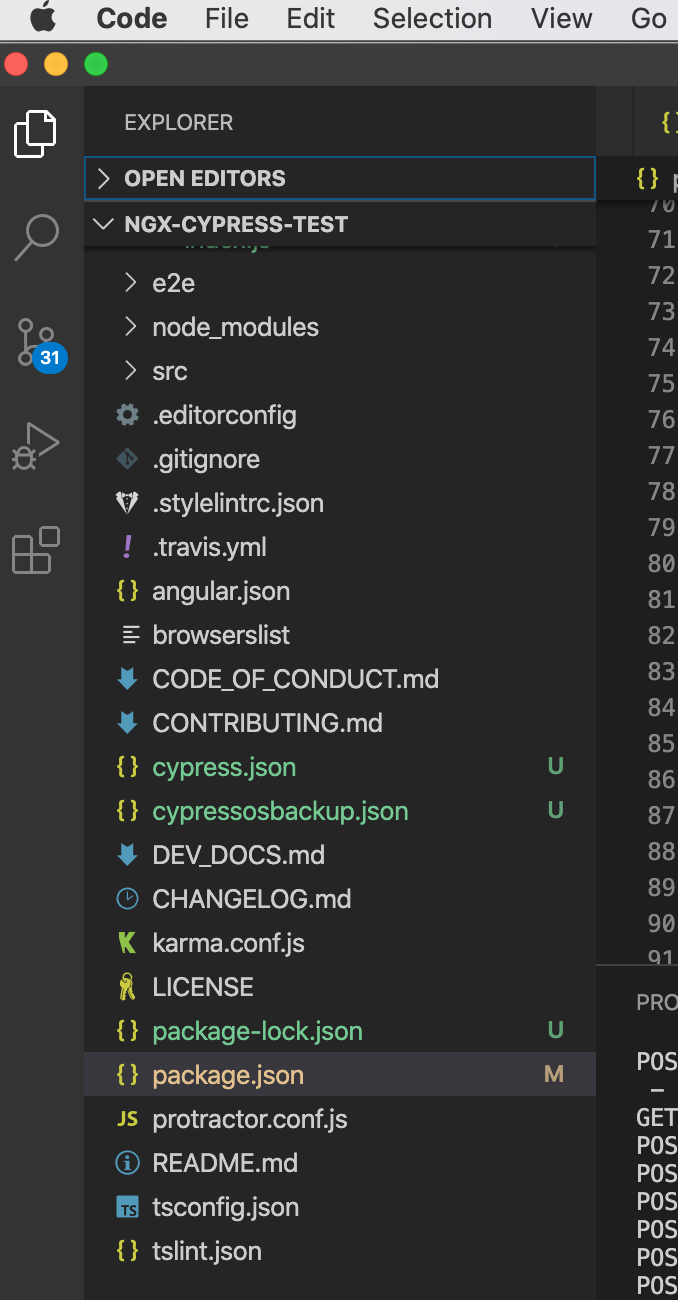
Open file package.json in Visual Studio Code
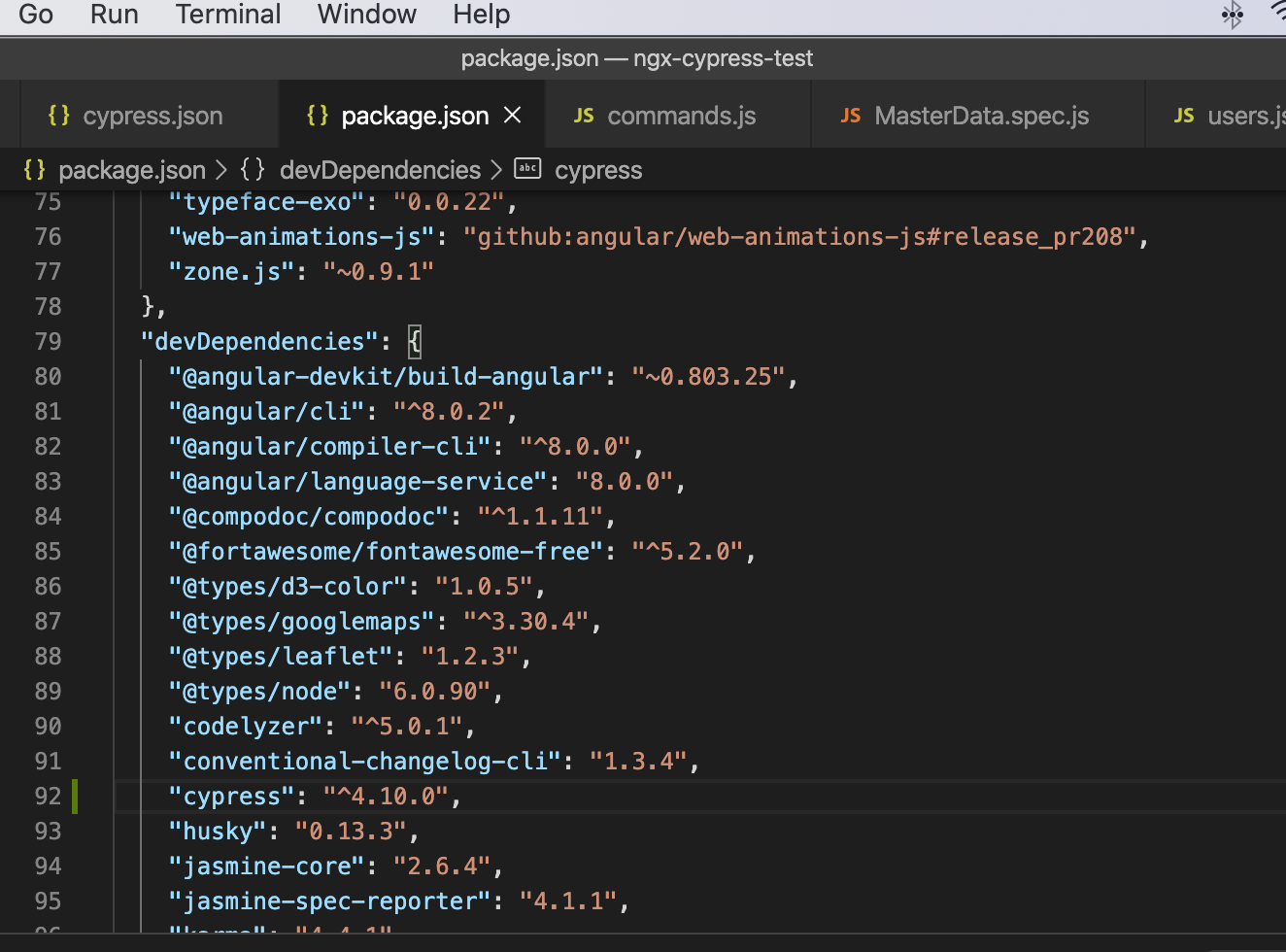
2. Find Cypress version in the file in devDependencies part and update the version (simply rewrite the numbers according to the currently available version of Cypress)
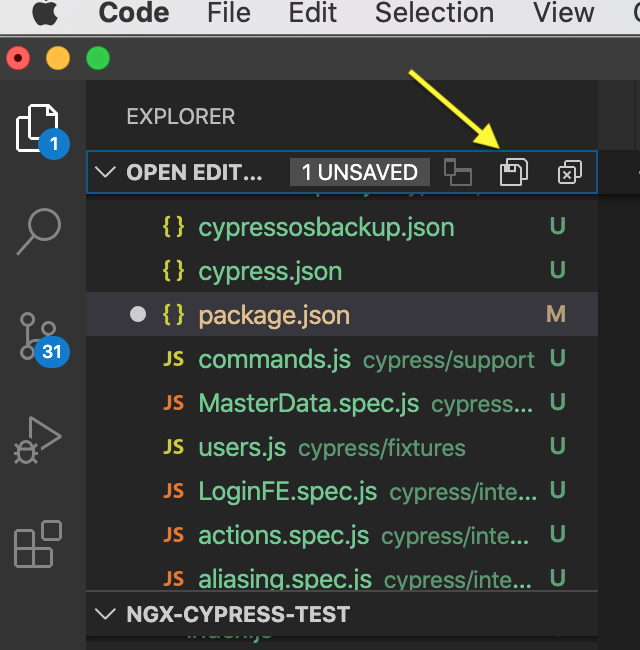
3. Save the package.json file
4. Type command npm install to the terminal window in Visual Studio Code. The command will find there is a different version of Cypress in package.json file and install it for you. Next time you will open Cypress Runner, you will see the version of Cypress was updated and no other update is available.