
This page describes how to connect to your MS Dynamics instance and how to get data from there to Pricefx and vice versa.
About
|
API Dev guide |
https://docs.microsoft.com/en-us/dynamics365/customerengagement/on-premises/developer/overview |
|---|---|
|
Authentication type |
OAuth2 |
Create App Registration Working with Dynamics
In order to connect to Dynamics, you need to have a connected app to connect to. This external guide Dynamics App Registration tutorial sums all the required steps, please read it first.
Steps Summary
-
Get access to Azure and Dynamics instances.
Azure (https://portal.azure.com/) and Dynamics instance (https://pricefx.crm4.dynamics.com/) -
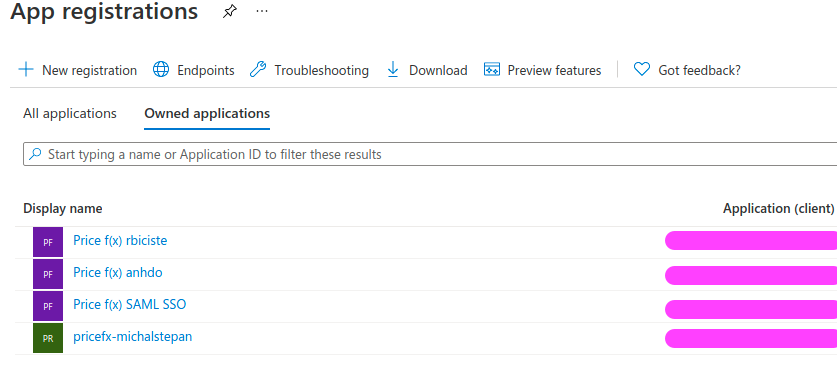
Register the new app in Azure.
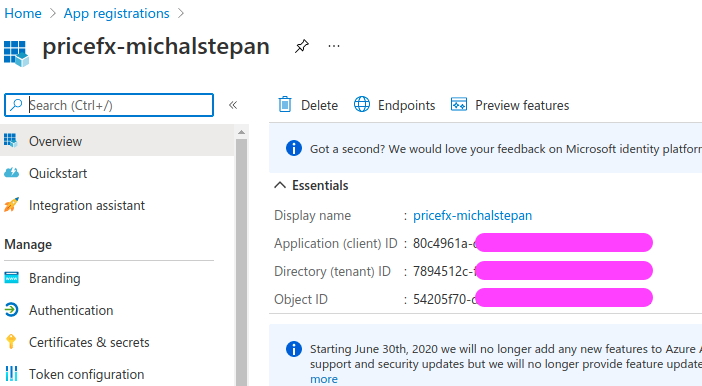
Note the registered app client/tenant IDs:
-
Create a secret.
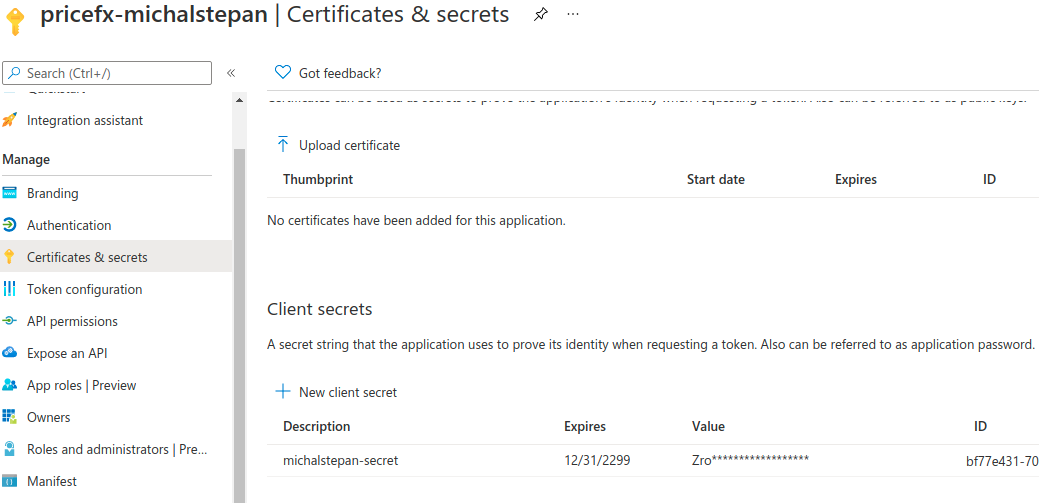
⚠ Write down the secret value – it will become hidden once you leave the page.
-
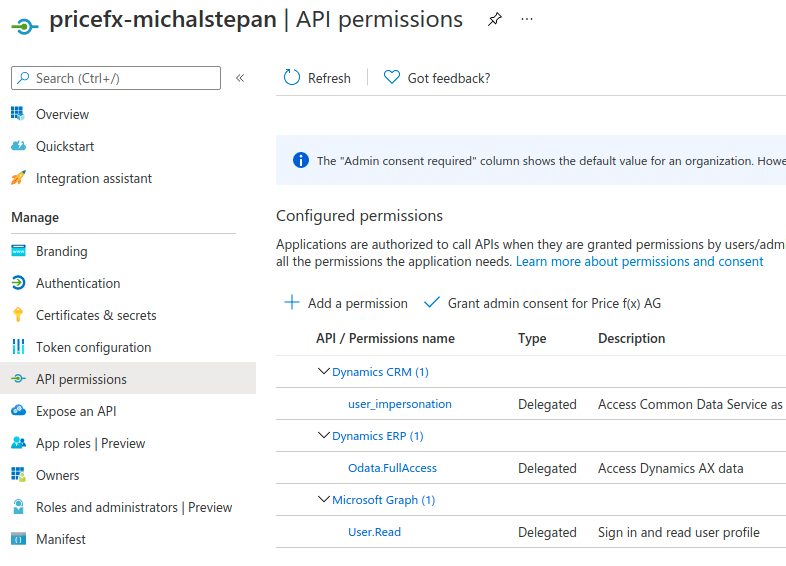
Add API permissions.
-
Create an application user in the Dynamics instance.
Put the Application (tenant) ID from Azure to Application ID in Dynamics; everything else will be resolved automatically.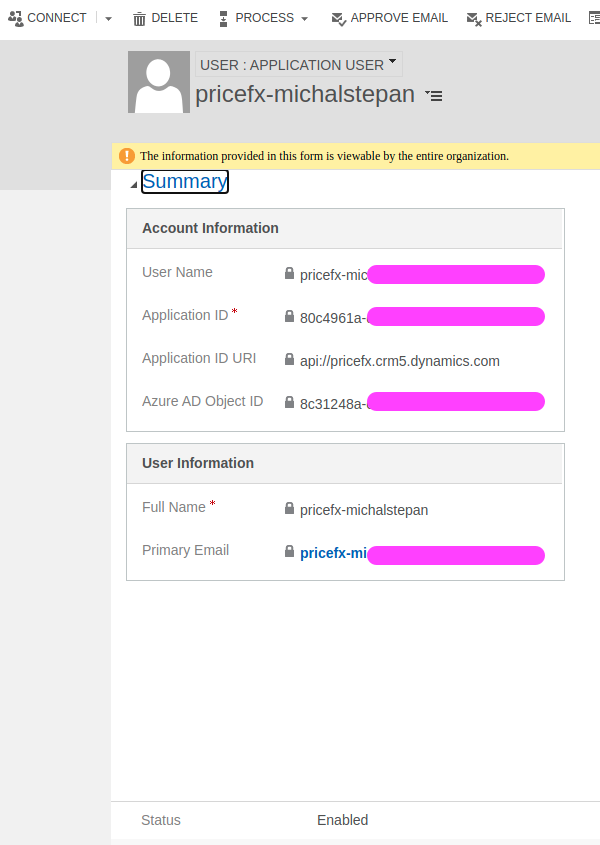
Once done, everything is prepared on the Dynamics/Azure side and you can use the credentials to connection from PlatformManager.
Connections
|
PlatformManager compatible connections |
REST OAuth2 |
|---|
You can instantiate the connection in two ways – in PlatformManager or in camel-context.xml (programmatic approach).
Connection Setup – PlatformManager
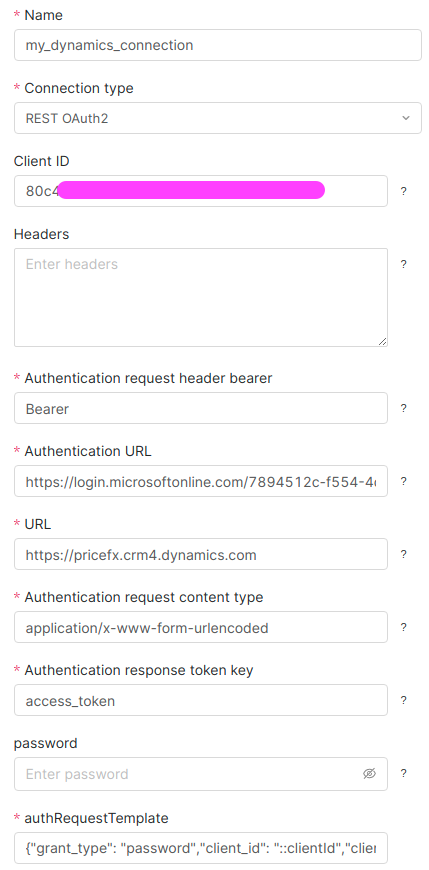
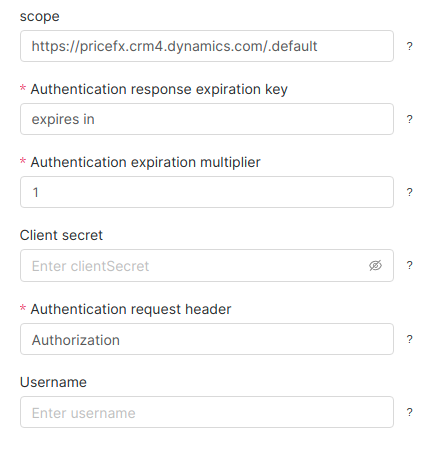
Fill in the connection fields as shown above. Fill in the following parameters with your values:
-
Name
-
Client ID
-
Auth URL
-
URL
-
Client secret
-
Scope
Once done, deploy the connection.
For details on connections see the PlatformManager documentation.
Connection Setup – Programmatic Approach
The same connection can also be created programmatically:
<?xml version="1.0" encoding="UTF-8"?>

<beans xmlns="http://www.springframework.org/schema/beans"
       xmlns:xsi="http://www.w3.org/2001/XMLSchema-instance"
       xsi:schemaLocation="http://www.springframework.org/schema/beans http://www.springframework.org/schema/beans/spring-beans.xsd
       http://camel.apache.org/schema/spring http://camel.apache.org/schema/spring/camel-spring.xsd">

    <bean id="my-dynamics-connection" class="net.pricefx.integration.component.rest.domain.connection.OAuth2Connection">
        <property name="clientId" value="3MVG98NMmSUy"/>
        <property name="clientSecret" value="mySecret"/>
        <property name="authUrl" value="https://login.microsoftonline.com/7894512c-f554-4de4-bff2-dec418150d4c/oauth2/v2.0/token"/>
        <property name="url" value="https://pricefx.crm4.dynamics.com"/>
        <property name="authRequestTemplate" value='{"grant_type": "client_credentials", "client_id": "::clientId", "client_secret": "::clientSecret", "scope": "::scope"}'/>
        <property name="scope" value="https://pricefx.crm4.dynamics.com/.default"/>
    </bean>

    <camelContext xmlns="http://camel.apache.org/schema/spring" useMDCLogging="true">
        <contextScan/>
    </camelContext>

</beans>
Using this way, the connection my-dynamics-connection will be available in connection pools in your IntegrationManager instance.