
Rebate logic has the following functions:
-
Calculate Rebate Agreement Line Item (RALI). Tasks of those elements are to:
-
Create definitions of input fields for the line item.
-
Calculate results of the line item.
-
Create the Rebate Records for the line item.
-
-
Calculate Rebate Record (RR). Tasks of those elements are to:
-
Calculate results of the Rebate Record.
-
Optionally also:
-
Create definitions of input fields specific for the Rebate Record.
-
Create Payout Records for this Rebate Record and calculate their results.
-
-
There is only a single logic for both line item and Rebate Record calculations, so there is a mechanism to set up which code of which element serves which purpose/scenario. For example, a code of one element can be executed in two different scenarios – to calculate a result of a line item, and also to calculate a result of a rebate record. The reason for such design is that a big part of calculations performed on the line item are also performed on the Rebate Records, so this is the way to avoid duplication of code.
Logic API
-
Logic Nature: rebateAgreement
-
Logic Type: Calculation/Pricing
-
-
Element Group (also called Calculation Contexts) – Every element of the logic can belong to one or more element groups which then determines in which scenario the code of the element will be used. The groups are:
-
agreement – The element’s code will be executed for a Rebate Line Item (e.g. to define its inputs, calculate results).
-
agreementReadOnly – The element’s code will be executed for a Line Item, but only if the Agreement is already approved and is "read-only". Such elements are executed when the user opens an approved agreement, so that the user can see e.g. new rebate estimations. But the calculation results are NOT stored.
-
rebateRecord – The element’s code will be executed for a Rebate Record (i.e. to calculate results, create & calculate Payout Records).
-
(no group selected) – When you do not assign the element into a specific group, then it is the same as if you would assign it into all 3 groups.
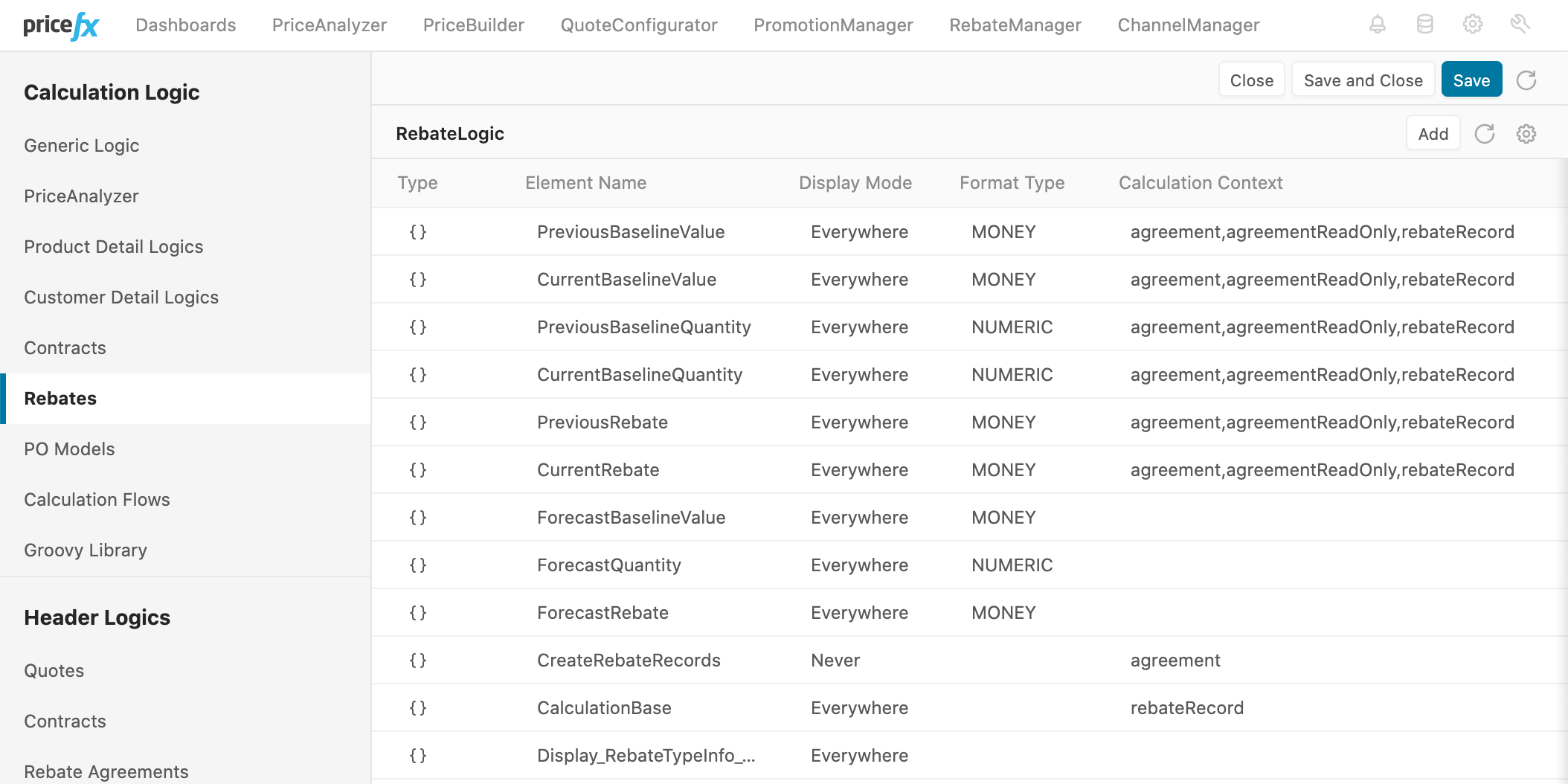
Figure 1. Logic opened in Pricefx UI. You can see a list of elements and some of their properties. -
-
Execution Types – The code of logic elements can be executed in 5 different scenarios/purposes as a combination of execution mode and element group:
Element Group
Mode
Scenario/Purpose
agreement
Input Generation
To build an input field definition for a rebate item
agreement
Standard
To calculate results (e.g. prices) and provide warnings and alerts for a rebate item
rebateRecord
Input Generation
To build an input field definition for a rebate record
rebateRecord
Standard
To calculate results (e.g. prices) and provide warnings and alerts for a rebate record
agreement-ReadOnly
Standard
To calculate results (e.g. prices) and provide warnings and alerts for a rebate item once the agreement is already approved
-
Information provided to the logic – Varies based on the scenario.
Element Group
Mode
Input Parameters
Binding Variables
Current Item
api.global
agreement
Input Generation
agreement
Standard
Values of line item inputs, values from inherited inputs of parent folders and header
rebateRecords (IRebateRecord-Manager)
Data placed to
api.globalin the Rebate Header logic pre-phase, and data placed toapi.globalby execution of the previous rebate line (within one recalculation process)rebateRecord
Input Generation
RR (Rebate Record)
rebateRecord
Standard
Values of rebate record inputs, copy of values of line item inputs
calculationBase (DMDataSlice), payoutRecords (PayoutRecord-Manager)
RR (Rebate Record)
agreement-ReadOnly
Standard
Values of line item inputs, values from inherited inputs of parent folders and header
rebateRecords (IRebateRecord-Manager)
RALI (Rebate Agreement Line Item)
-
Expected logic execution outcome
Element Group
Mode
Expected Logic Result/Outcome
agreement
Input Generation
Input field definitions for the RALI
agreement
Standard
Elements result values will appear as a result of the RALI
api.global– Data stored here will persist until the next execution of this logic for another rebate line item (within one recalculation process)rebateRecord
Input Generation
Input field definitions for the RR, but also for the RALI (otherwise those would not display on the RR detail page)
rebateRecord
Standard
Elements result mapped to the RR (mapping done by naming convention – the columns of RR must have the same names as the elements)
agreement-ReadOnly
Standard
Elements result appears as a result of the RALI
Code Sample
See Rebate_BonusOnSales.