-
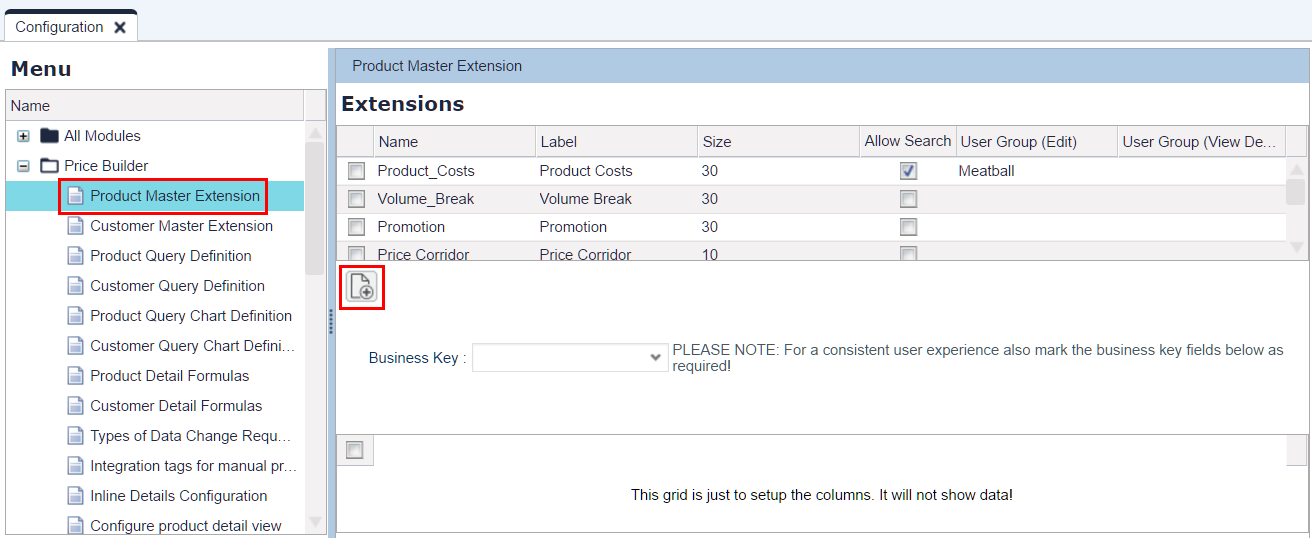
Navigate to Configuration > Product Master Extension.
-
Click the Add icon to create a new Extension (table).
-
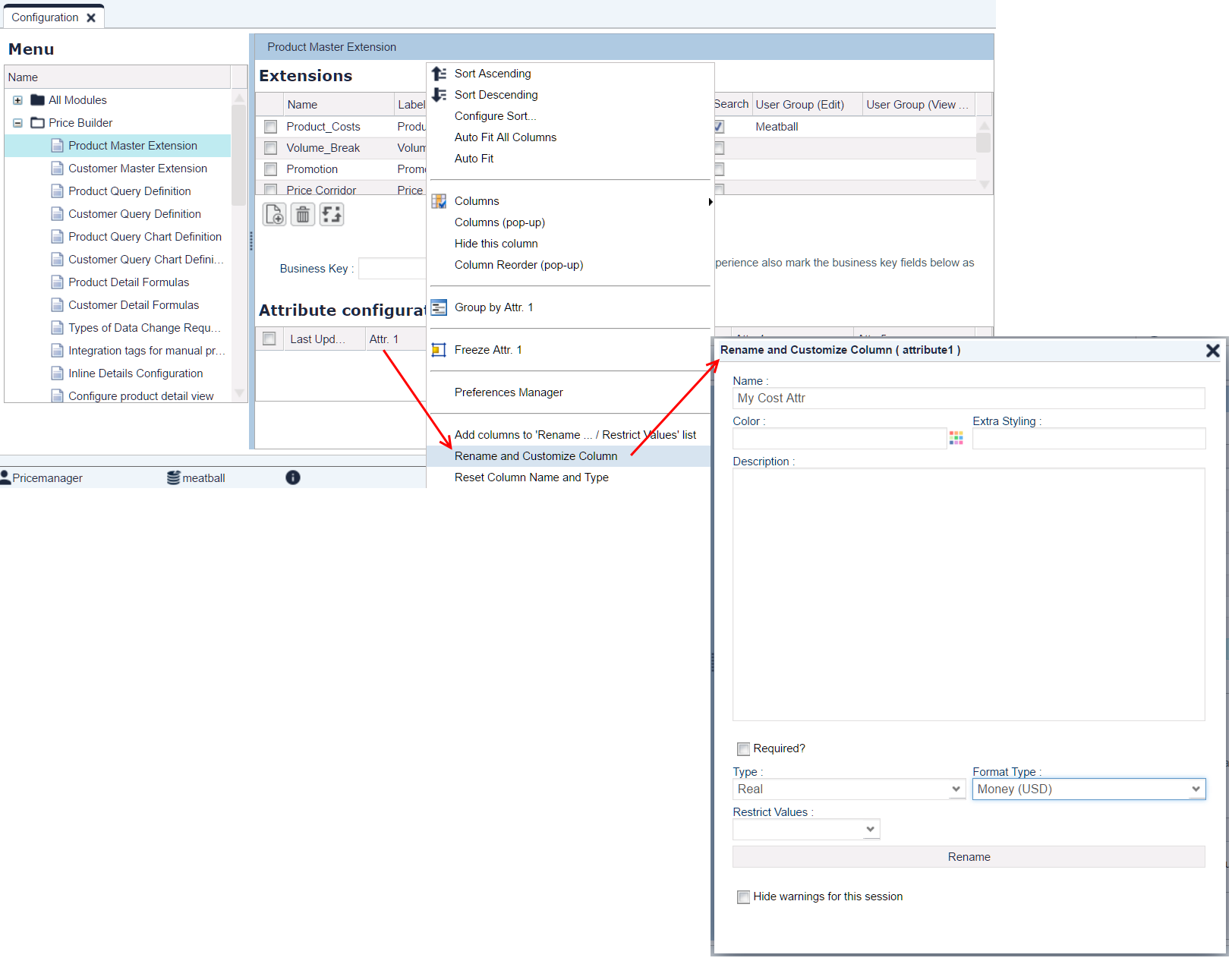
Set up the columns you need.
-
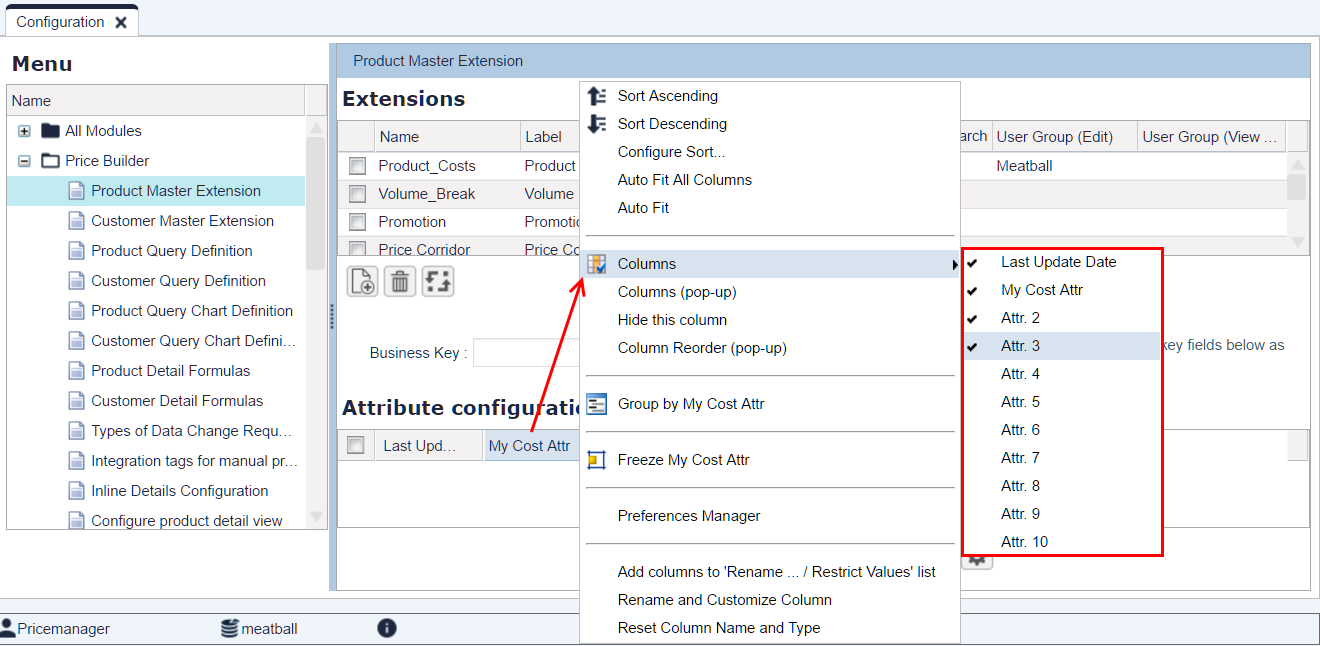
Hide all unused columns.
-
Log out and log in (to see your new Extension).
-
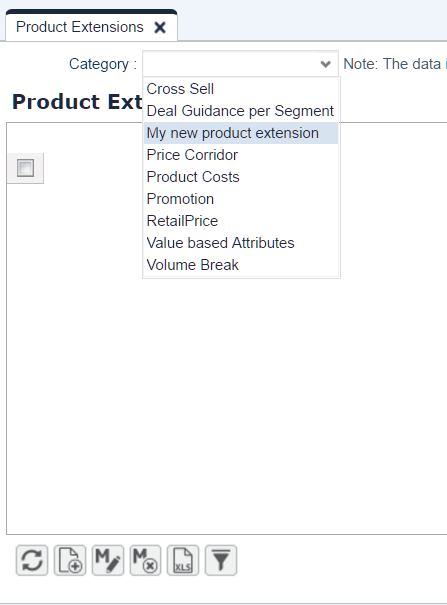
Navigate to Master Data > Product Extensions and select your new extension.
-
Add data to the Product Extension: either add a couple of lines for existing Products or import them from an Excel file.
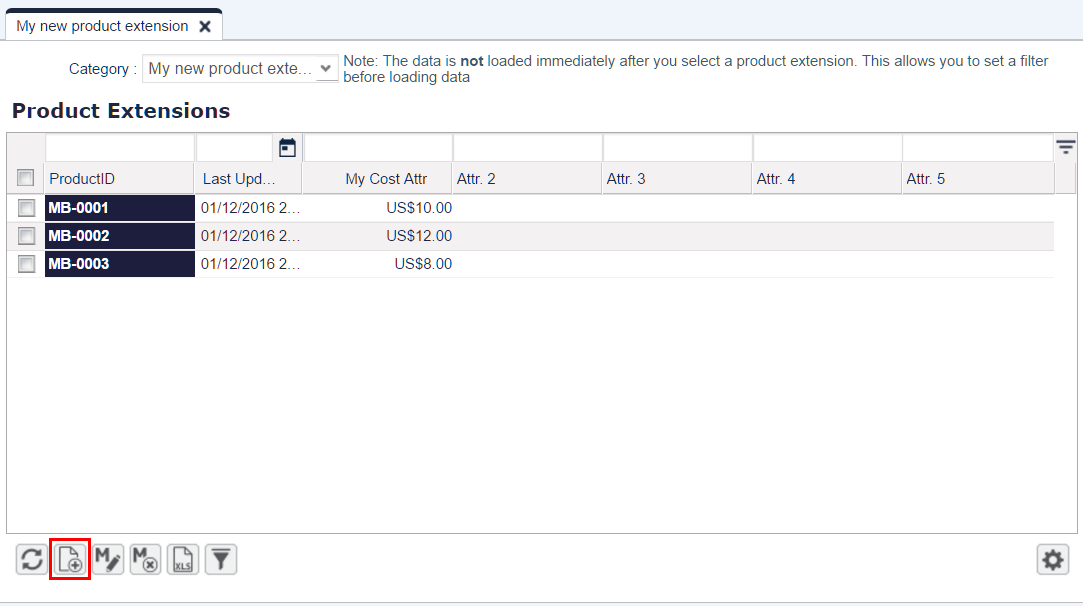
-
Add the Extension to the Product Detail page.
-
Navigate to Master Data > Products.
-
Select the product and click the Edit icon.
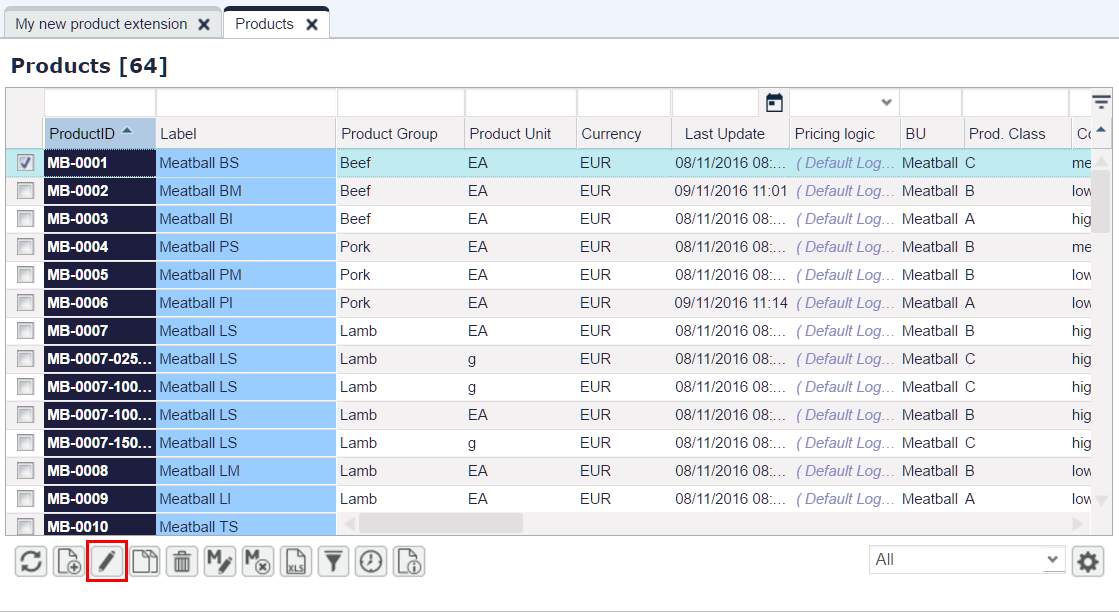
-
Select your new extension in the Category combo-box.
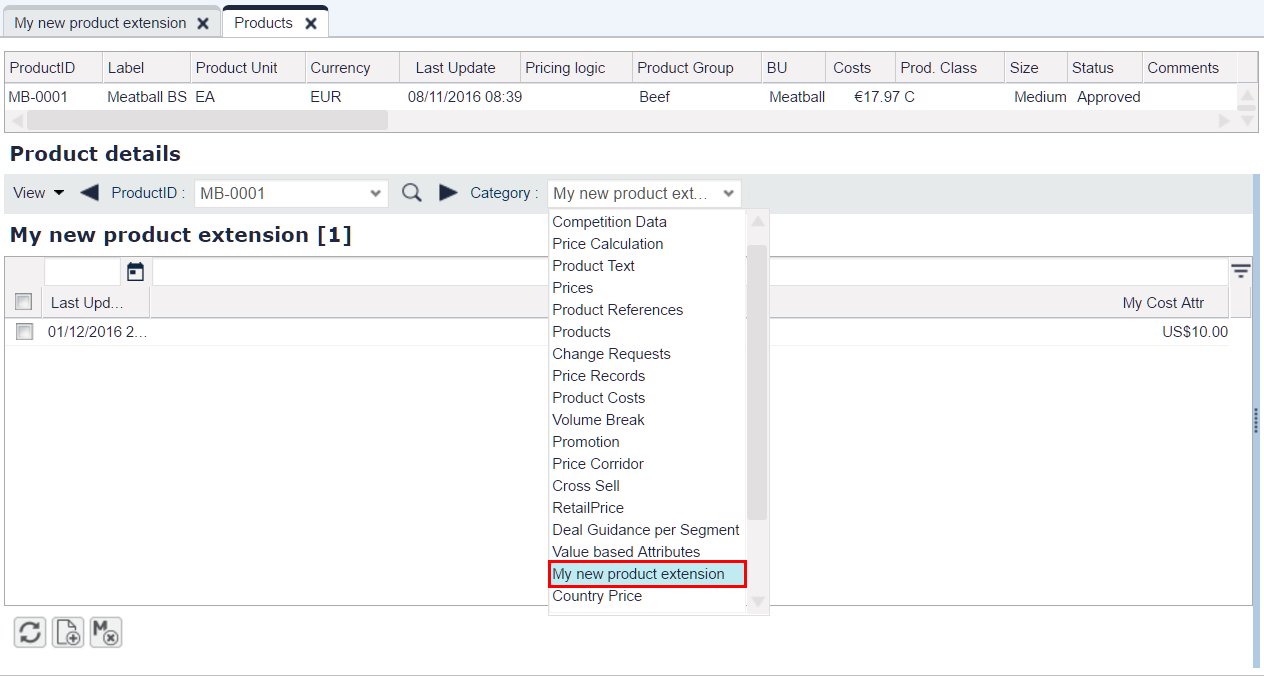
-
-
Now you can see your extension in the Product Detail.
