
To restrict values in a drop-down in a Company Parameter (CP) key column based on another Company Parameter column:
-
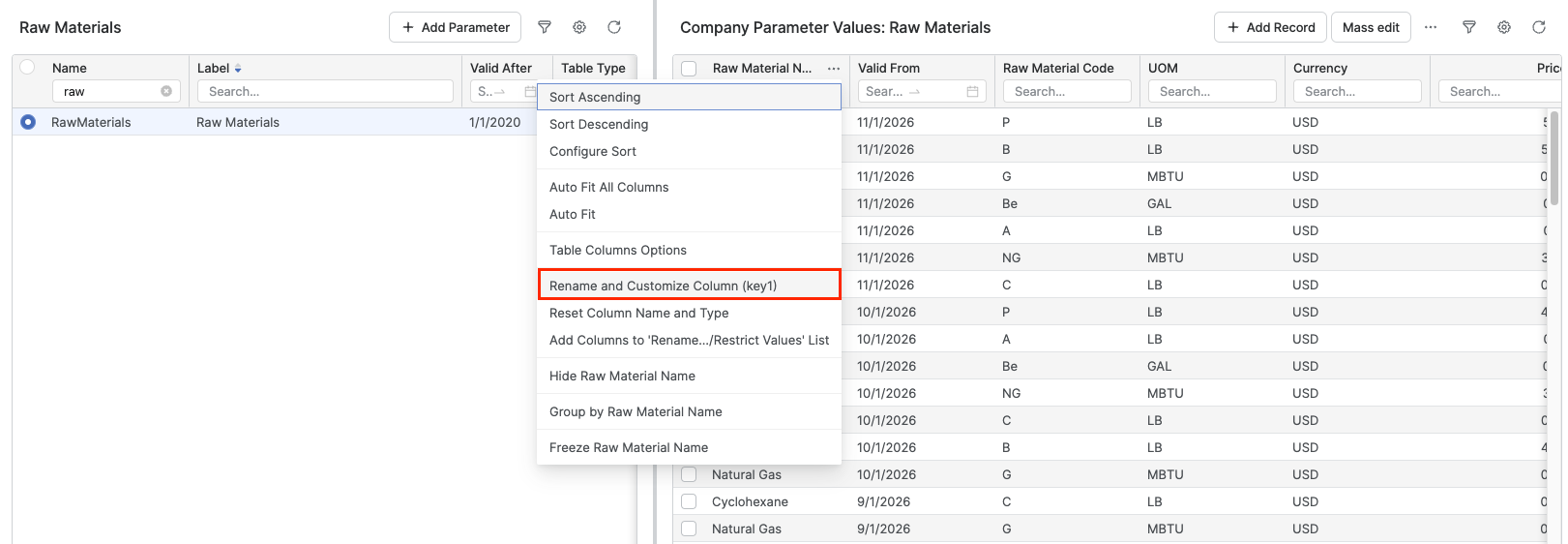
Go to Company Parameters.
-
Select Company Parameter and right click the column you want to restrict.
-
Click Rename and Customize Column.
-
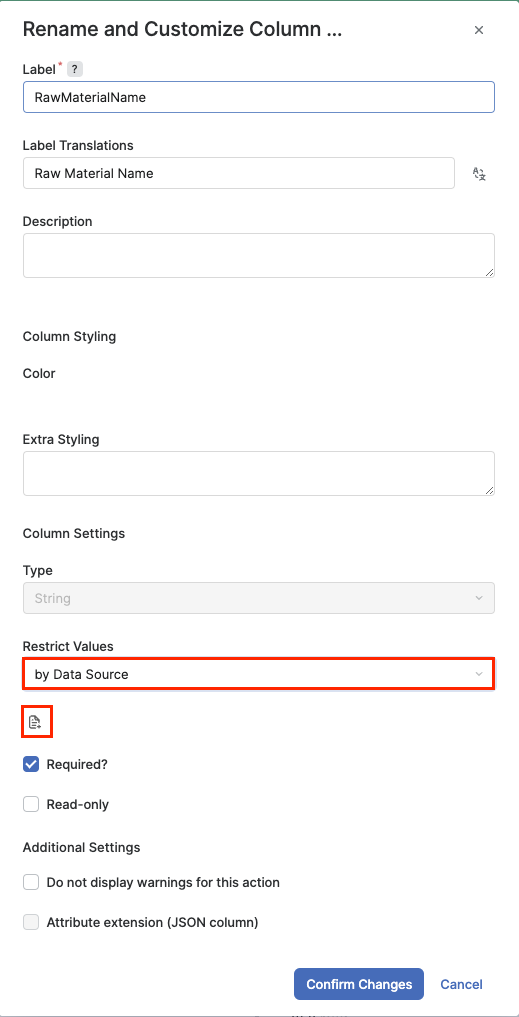
In the Rename and Customize Column window, in the Restrict Values drop-down select by Data Source.
-
Click the

-
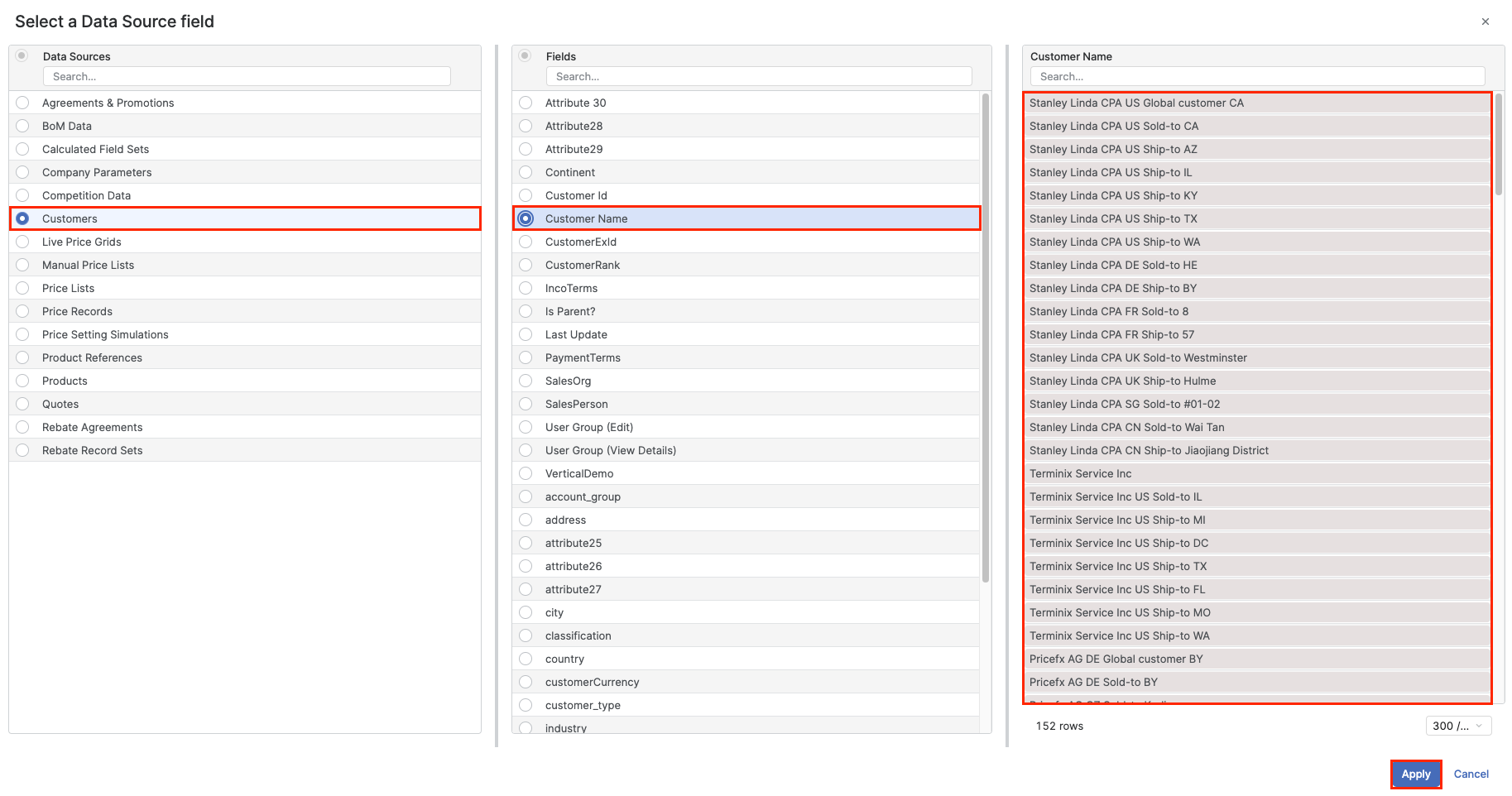
In the Select a Data Source field window select the Data Source.
-
Select the field from the Fields picker.
-
Click the Apply.
-
Refresh the Company Parameter table to see the effect.
This is applicable only to the matrix table types.
Since version 14.0, the Price List / Price Grid Type (PLPGTT) has been replaced by two new types: Price List Type (PLTT) and Live Price Grid Type (PGTT). As a result, the Price List / Price Grid Type (PLPGTT) is no longer available in the Select a Data Source field window.