
This operation allows users to truncate data in a Datamart, Data Source or Data Feed based on filters by triggering the Truncate Data Load job.
-
Configure the exchange property in Content Modifier:
-
access-token – The token can be retrieved from the global variable set by a separate token store integration flow. See Pricefx Authentication Using Pricefx Integration Adapter for SAP Integration Suite.
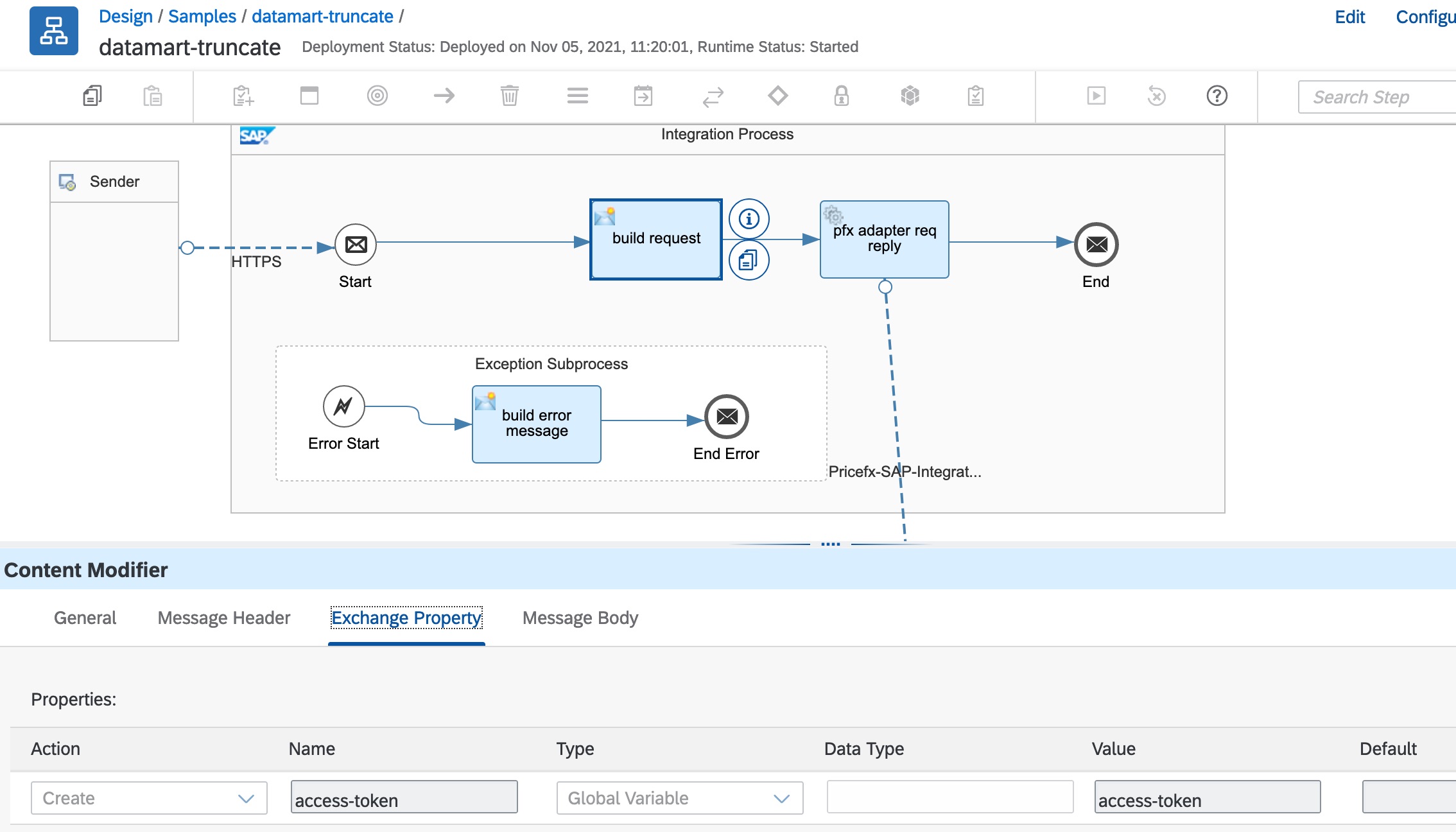
-
2. Configure the message body in Content Modifier. The full JSON schema can be found in the “Sample Artifacts for SAP S/4HANA Integration with Pricefx” integration package from SAP API Business Hub. See Pricefx to SAP S/4HANA Schemas.
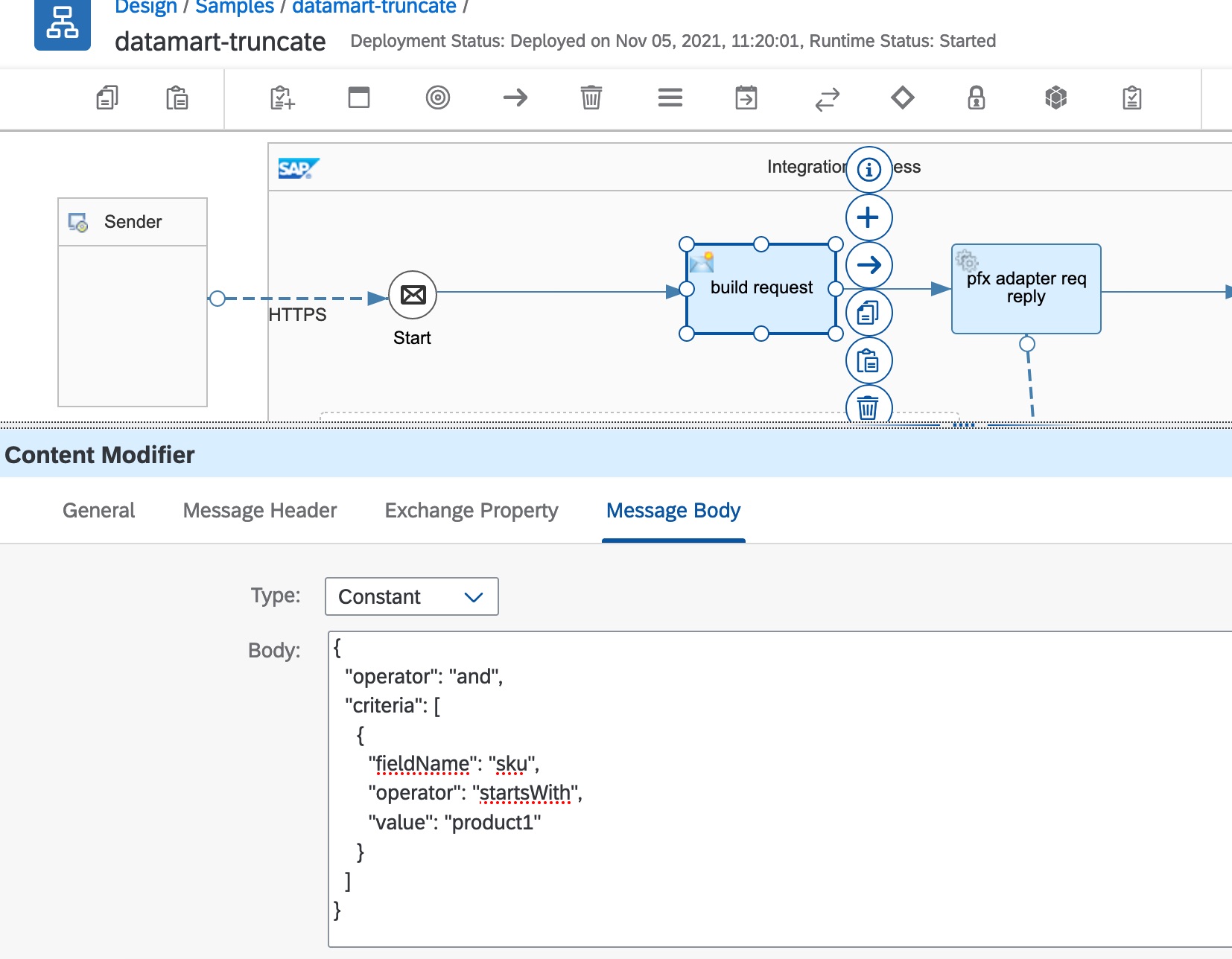
Sample truncate request:
{
  "operator": "and",
  "criteria": [
    {
      "fieldName": "sku",
      "operator": "startsWith",
      "value": "product1"
    }
  ]
}
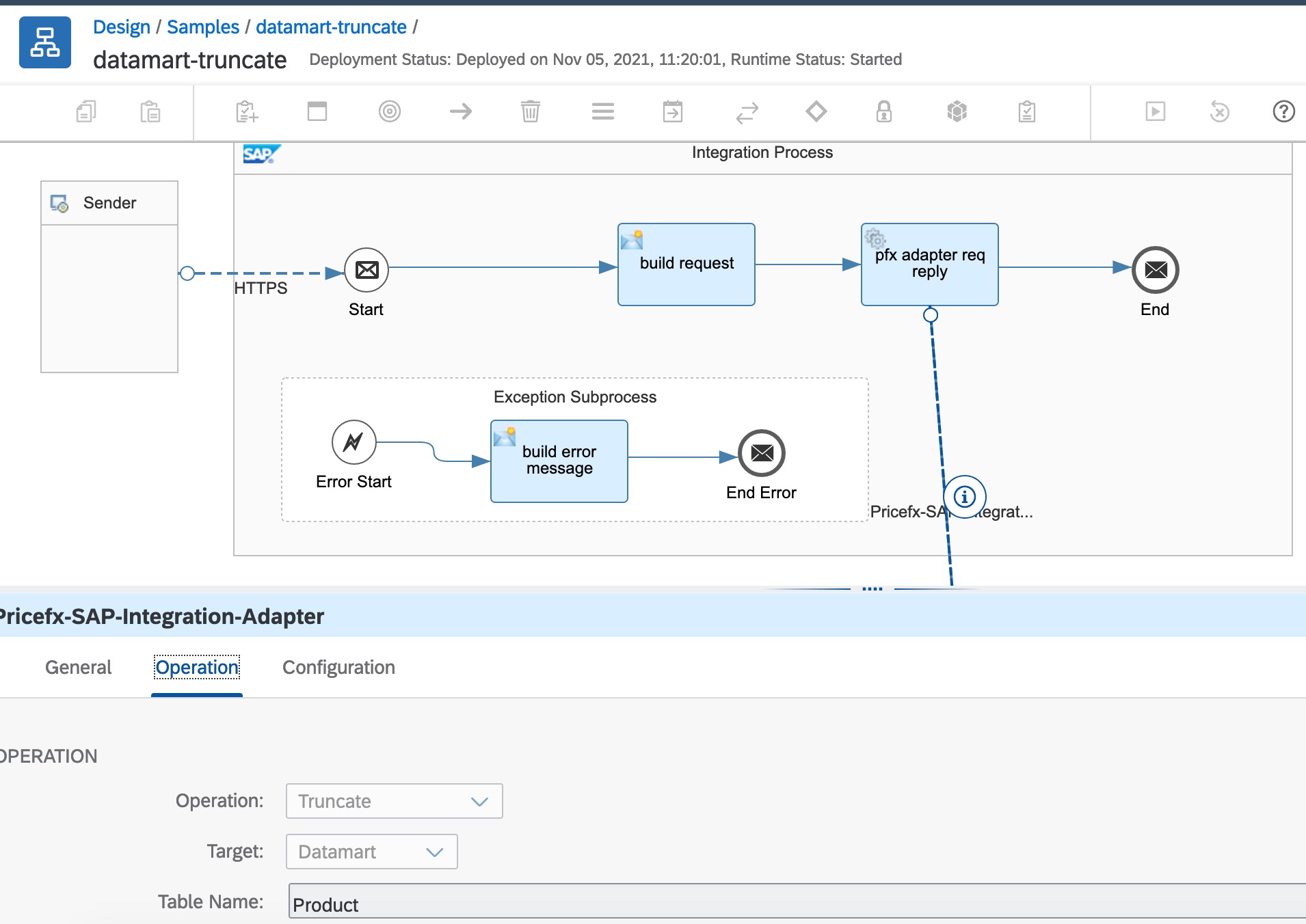
3. In the Adapter configuration, select operation and target type.
Supported Filters
See Appendix: Supported Operators in Criteria.
Response Message
The typedId of Data Load is returned. The Data Load status can be checked at the Pricefx partition.