
The easiest way to deploy Rebate Dashboards to a partition is via PlatformManager.
To deploy the package:
-
Get access to PlatformManager and target partition, as described in common installation prerequisites.
-
Go to PlatformManager at https://platform.pricefx.com/ and log in.
-
Go to Marketplace and find the Rebate Dashboard Accelerator package.
-
Click the accelerator package tile, select the partition where you want to deploy the package and confirm the deployment dialog to start.
-
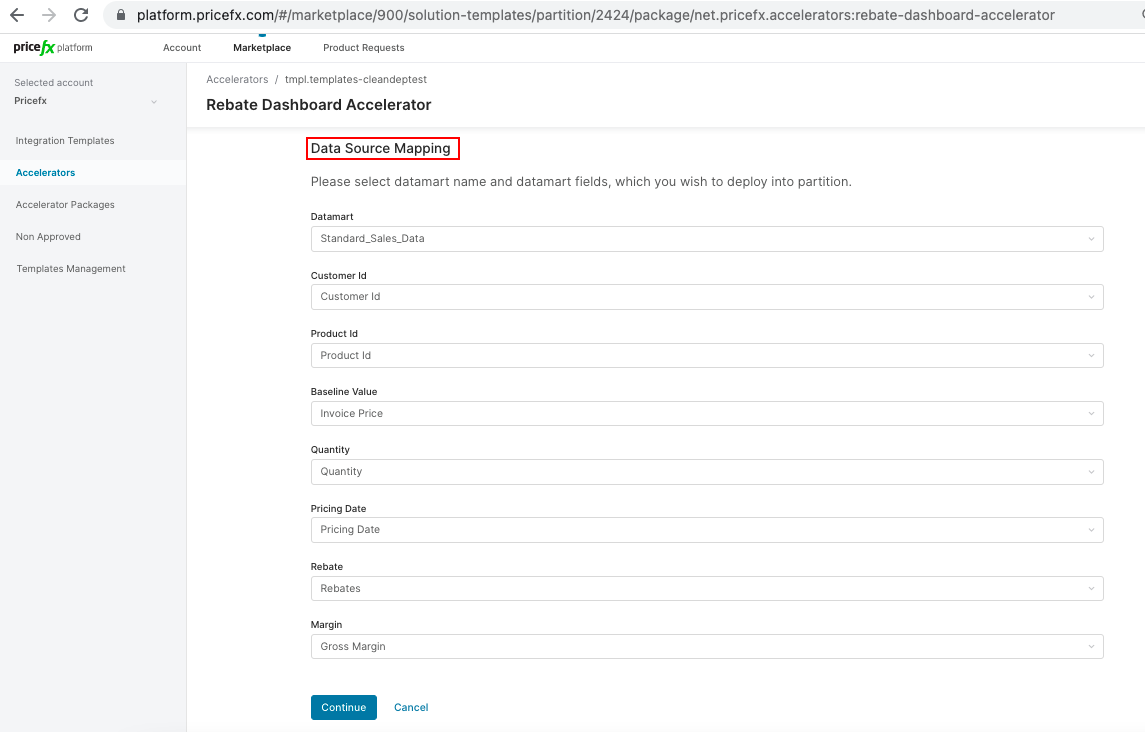
Set up data source mapping.
-
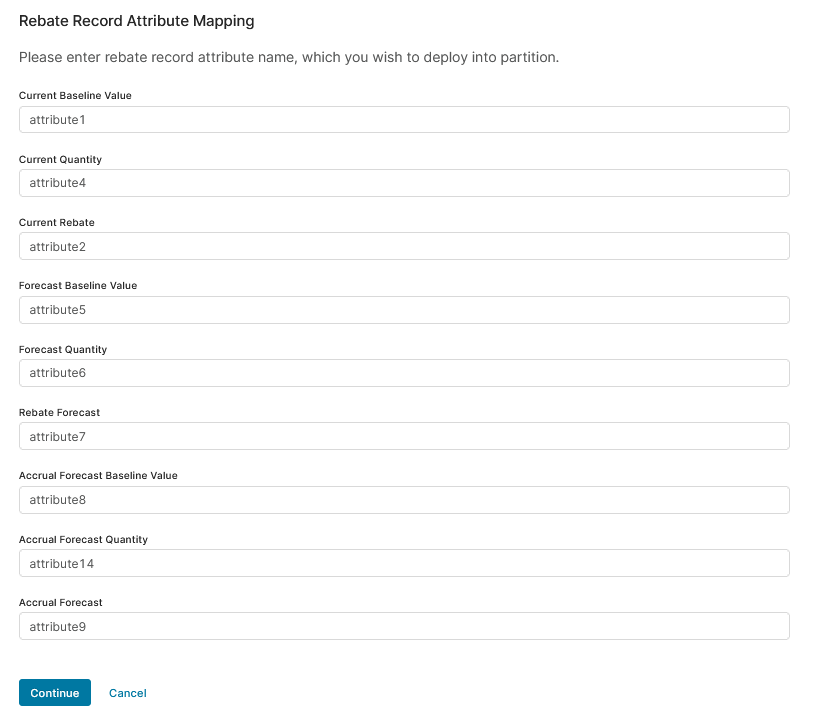
Set up rebate record attribute mapping.
-
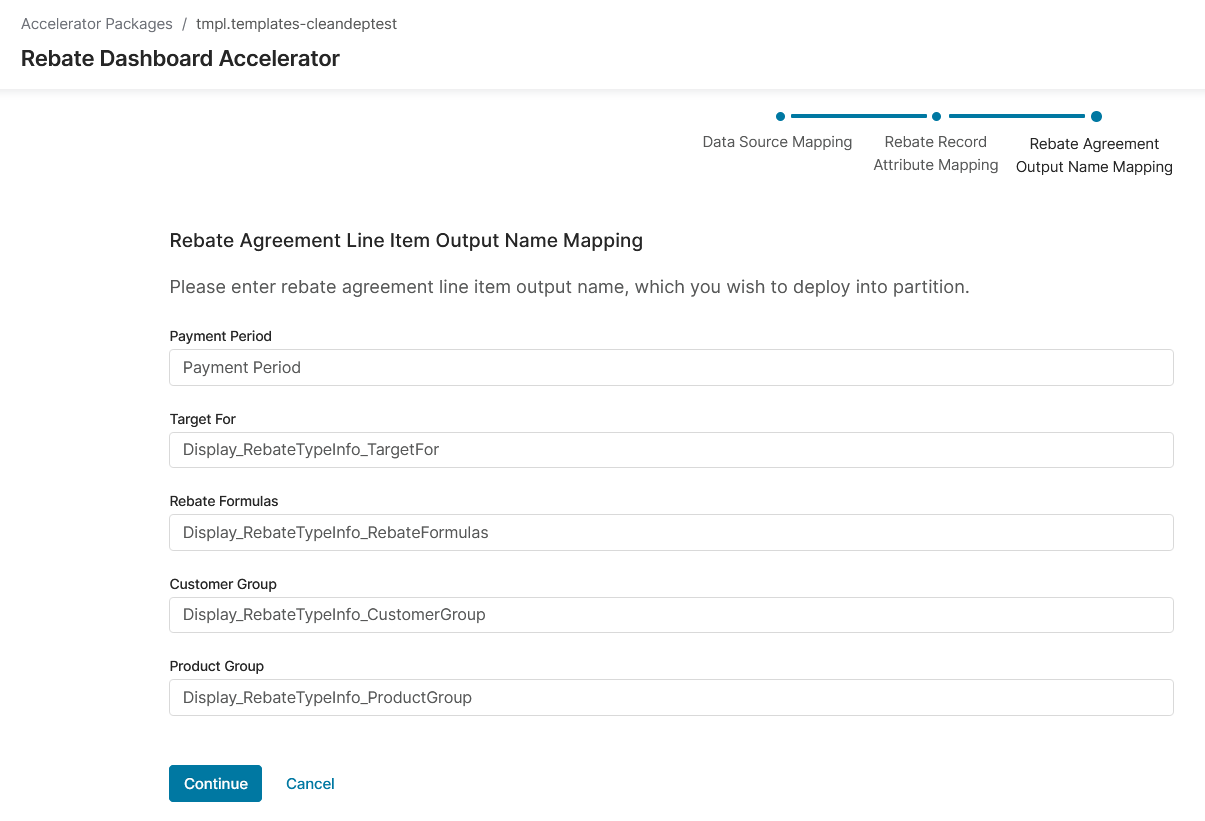
Set up rebate agreement output name mapping.
-
The deployment is complete.