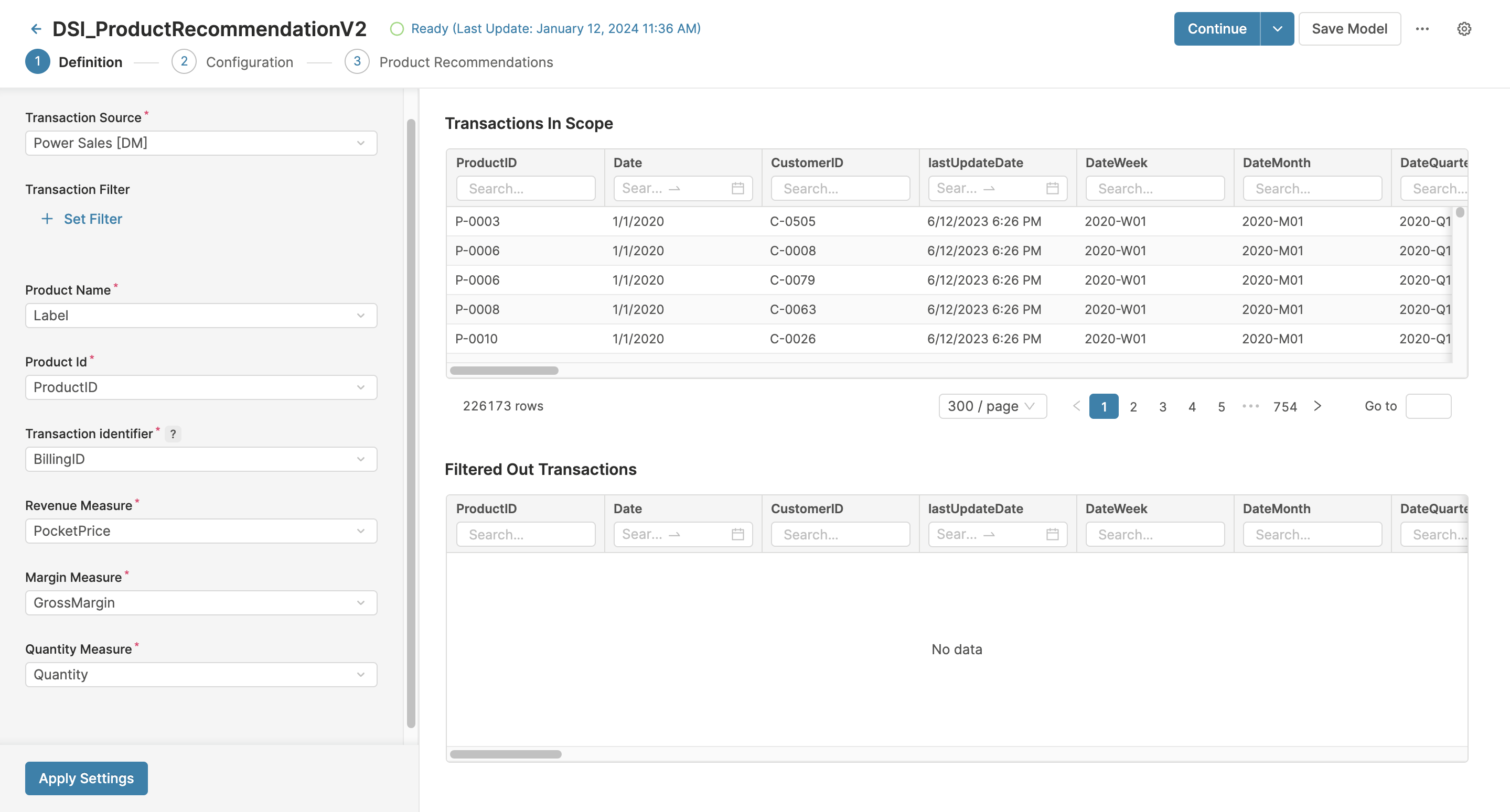
To be able to generate Product Recommendations, you need to define a Product Recommendation Model which handles the data mapping and input data scope.
Steps
-
Go to Optimization > Models and create a new model.
-
Provide Name and Label for the new model.
-
As Model Class select Product Recommendation 2.
-
Using the User Group (Edit / View Details) fields define which user groups can edit or view the model.
-
After you click Create, the Definition step opens.
Definition Step
This step defines mapping, and scope of input data.
-
Select a Transaction Source – Data Source or Datamart with historical transactions to use for generating product recommendations.
-
If needed, define a Transaction Filter to scope down transactions to use for generating product recommendations
-
Define the following options:
-
Product Name – Select a field which contains product name.
-
Product ID – Select a field which contains a unique code for each product (should be the same code utilized in the Product Master table).
-
Transaction identifier – Value used for grouping multiple items purchased under one ID, such as basket ID. If not available, aggregation of customer and transaction month can serve this purpose.
-
Revenue Measure – Used to get the unit price and unit margin (often used to calculate the recommendation score).
-
Margin Measure – Select a field which contains profitability metric to be used for calculating recommendation score.
-
Quantity Measure – Used to get the unit price and unit margin (often used to calculate the recommendation score).
-
-
Click Apply Settings. You will get a list of transactions both within and outside the specified scope.
-
After you click Continue, you will proceed to the Configuration step.