
The table below lists all mandatory inputs that must remain enabled. Turning off these inputs will cause the Accelerator to stop working.
|
Input name |
Required |
Description |
|---|---|---|
|
scenario_headerCalculationCurrency |
true |
Sets default currency for an agreement. 
|
|
scenario_headerCalculationUOM |
true |
Sets default unit of measure for an agreement.

|
|
header_modifyHeaderSystemFields |
true |
Hides unused default contract fields such as “Calculation Date” and “External Reference”. |
|
lineItem_formulaConfigurator |
true |
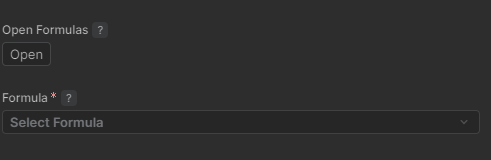
Creates a section with inputs for selecting a formula.
|
|
formulaConfigurator_formulaDefinitionInput |
true |
Defines the “Formula” dropdown in the lineItem_formulaConfigurator section. |
|
lineItem_productConfigurator |
true |
Creates a section with product group inputs.

|
|
productConfigurator_productGroupInput |
true |
Defines the “Products” input in the “formulaConfigurator_formulaDefinitionInput” section. |
|
hiddenAgreementIdInput |
true |
Passes agreementID to the “Scenario Comparison” dashboard. |
|
scenariosInput |
true |
Creates an input that allows adding scenarios for comparison. 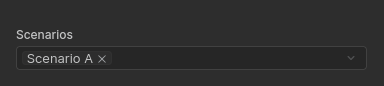
|
|
dashboardConfigurator |
true |
Creates the “Scenario Comparison” dashboard. |