
Issues with Null Values When Joining Series
Issue 1: Cannot calculate Measure – null value in Join Series
-
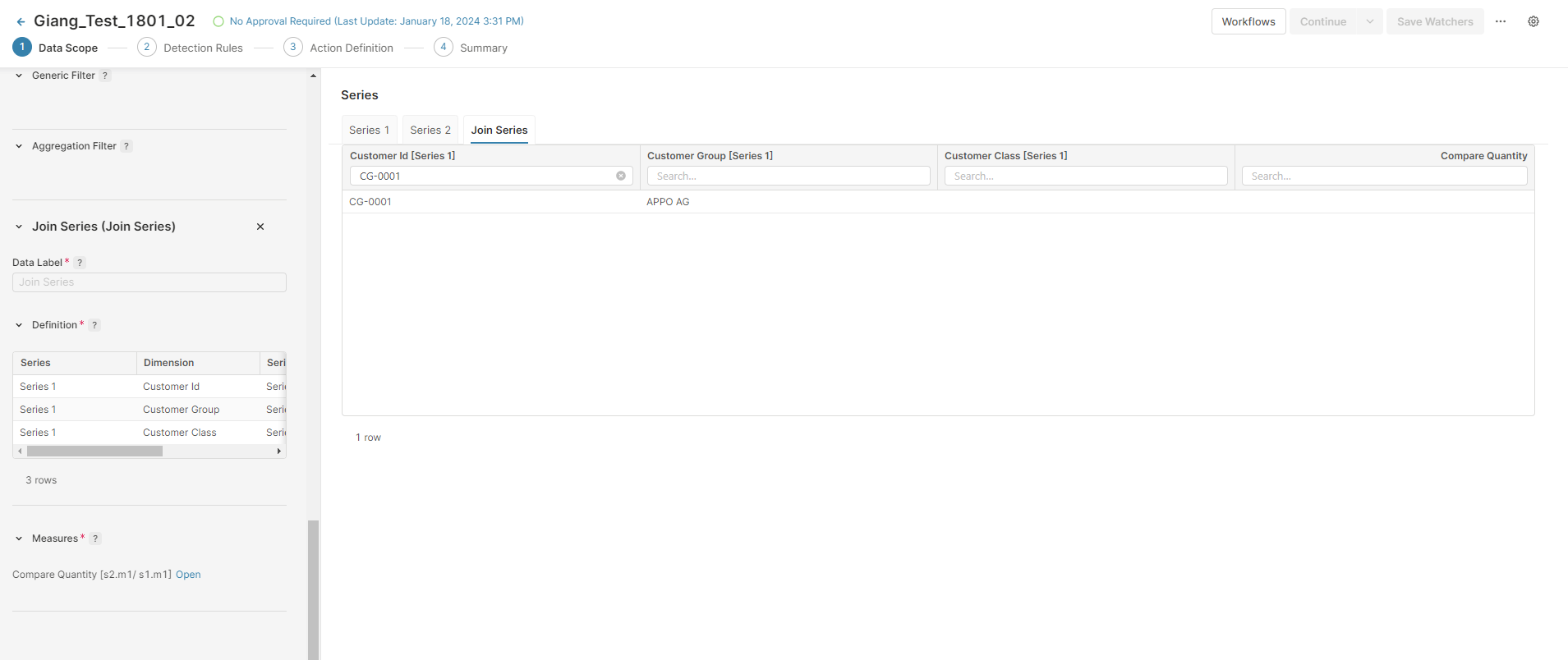
I create a Datamart Agent and configure Series 1 and Series 2 using three fields in Group By: Customer ID, Customer Group and Customer Class (this field contains null value). The Measure is ∑Quantity.
-
I add Join Series using the three Dimensions above with Measure being s2∑Quantity/s1∑Quantity.
-
I click Apply Settings and check the tables and I can see that there is a value for customer ID CG-0001 in Series 1 and 2 but it returns null value in Join Series.
Issue 2: Detection Rule is applied to the null value
-
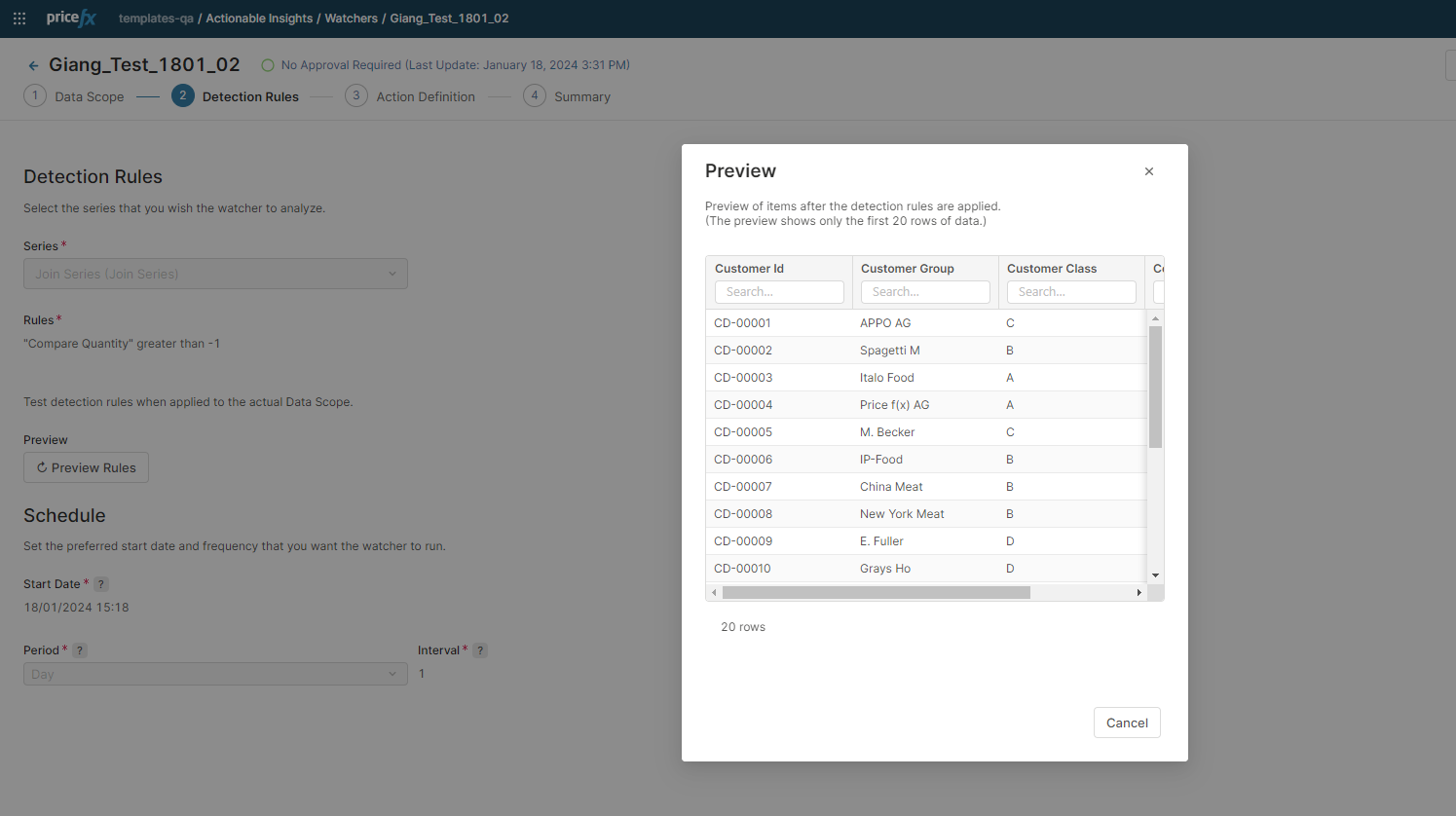
I continue with Agent configured above. In the Join Series there are 154 rows.
-
In Detection Rules I applied a condition Compare Quantity is greater than -1.
-
I finish the Agent setup and submit it for approval to create Actions.
-
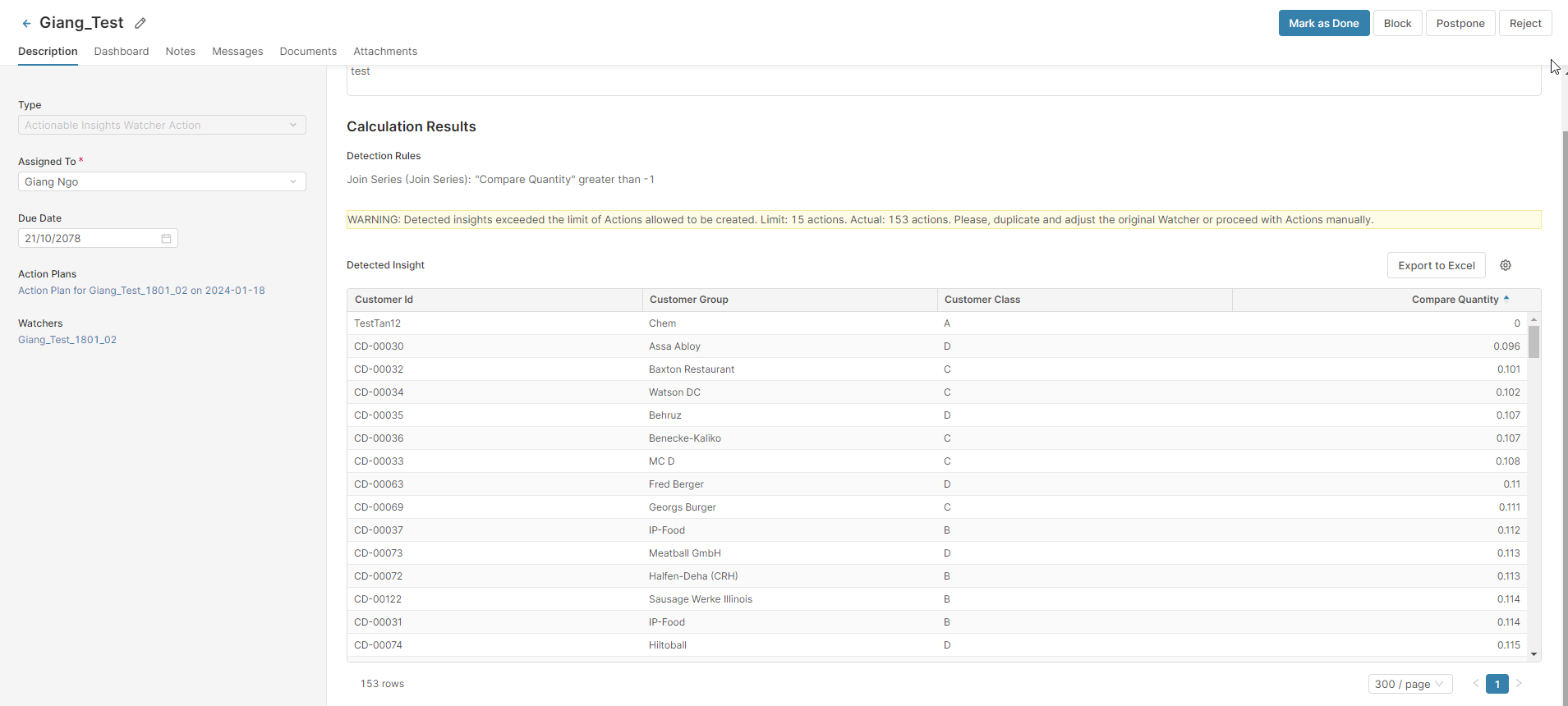
I open the Action item. In the Detected Insight table there are 153 rows – the row with the null value has been removed.
Recommended Solution
Avoid selecting fields containing rows with null values as dimensions in the Join Series definition. A database Join will not join two rows that have null value in the same field because null != null.
Null values also cannot be compared with other values, so a filter like Quantity > -1 will always omit a row with a null value.
Agent Created by Copilot is not Assigned to Expected User
Issue
You received the following error message or Agent assigned to a different/fallback user.
Error Message
Users with login names […] not found
Likely Causes
-
Using email instead of login name.
-
Typo in login.
-
Curated-agent behavior. If the generated Agent is a curated agent, assignment to
adminis expected behavior, not an error.
Resolution
Confirm the user’s login name in the User Admin and re-run generation using that value, or reassign the Agent manually in the Action Definition step.
Data Truncation in Previews
Issue
When configuring an Agent that uses a Join Series, you may see a warning icon and the message executeQuery: Datamart query returns too many rows in the Results section of the Detection Preview.
Likely Cause
To maintain system performance, Pricefx applies a row limit (typically 100,000 rows) to the Common Table Expressions (CTEs) generated during the Detection Preview. If the data series involved in a join exceeds this limit, the preview results are truncated to ensure the application remains responsive.
Resolution
This limitation is specific to the preview and performance optimization within the configuration screens. It does not affect the actual Agent computation or the final background execution. When the Agent runs in production to create Actions, the full dataset is processed without this specific preview truncation. If the preview shows a truncation warning or incomplete results, review whether the configured row limit is appropriate for the partition and the use case. The paDataAnalyzerMaxRows partition-level Advanced Configuration Option setting can limit the source series used for preview and data scope evaluation only. This limit is applied to keep preview queries performant. The Agent computation itself runs without this restriction. A truncated preview does not mean that the Agent run itself is truncated in the same way.